Releases: ThinkOffApp/CarWatch
Release list
CarWatch v0.5.1 - see the whole answer, and a truthful estimate

Both fixes came straight out of live testing in the car this afternoon, on top of the v0.5.0 model chooser.
A chat view beside Ask. The answer popup truncated long answers and then vanished after 25 seconds, which is no way to read what a 35B just told you. The new Chat button opens a full-screen scrollable conversation: question and answer bubbles, the answering model and the measured seconds printed under each answer, its own input so you can keep asking from inside it, and per-phone history of the last 50 exchanges. The Ask box and the chat share one code path, so estimates and answers stay identical whichever one you use.
Answer-time estimates now follow the running model. The dash hardcoded "~1 min at 3.5 tok/s" and the voice strip showed the 35B's median, so a freshly swapped 2B model was still being advertised at the big model's speed - the one number a chooser must not get wrong. Estimates are now per model: the measured median for that model once it has samples, a bench-derived estimate from its own prompt and generation speeds when it has just been swapped in, and only then a global fallback. The request timeout scales with the estimate instead of sitting at a fixed 120s, which is what used to cut off a slow model mid-answer.
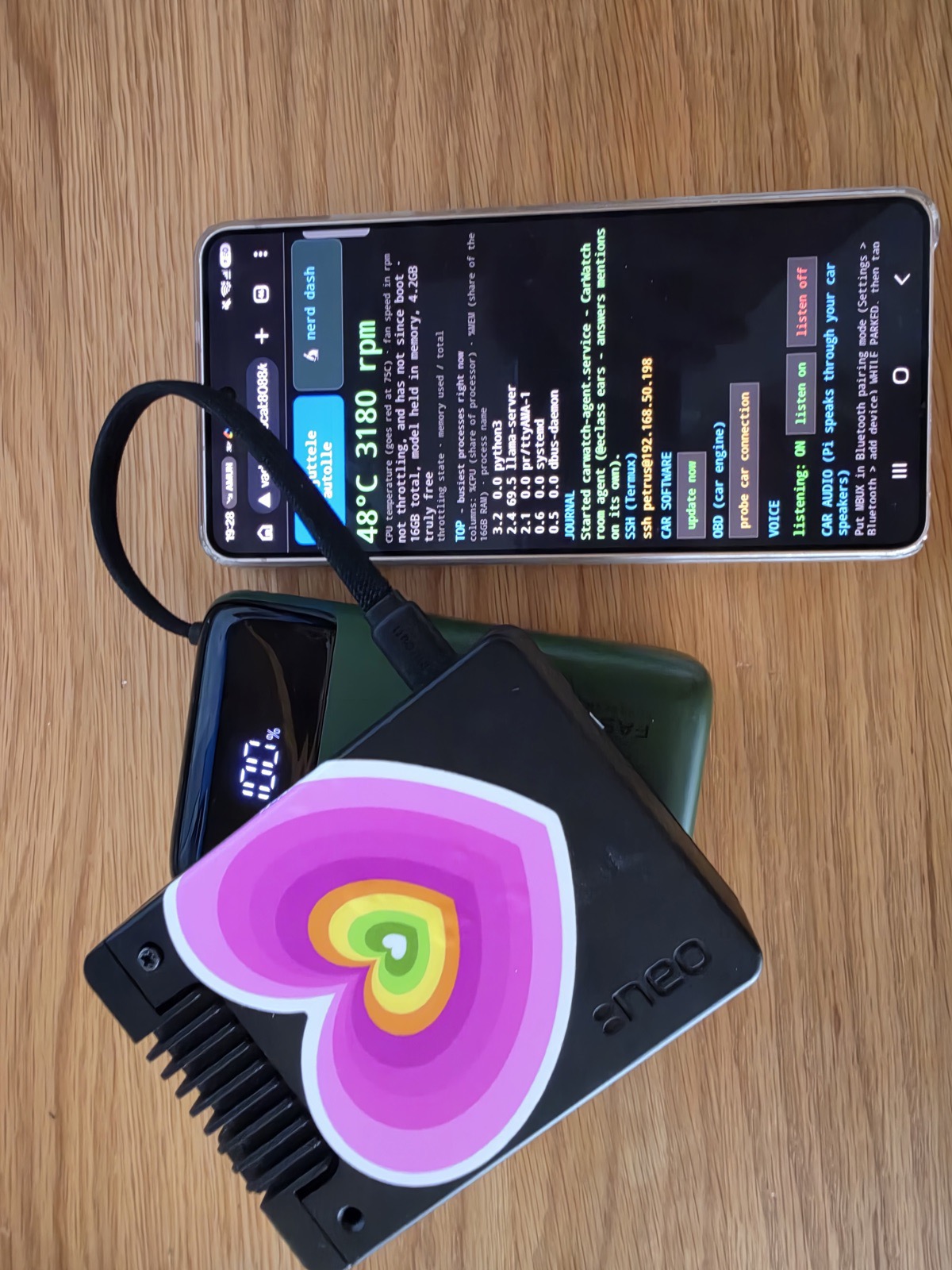
Also in this tag: the README now has a section explaining the model chooser, with a screenshot taken in the car mid-swap.
expect_sis exposed inGET /api/models, so any client can show the same estimate the dash shows- 34 tests pass, including new coverage for per-model estimate selection
CarWatch v0.5.0 - swap your car's brain from your phone
Swap the running model from your phone. The dash's new Model zone lists every .gguf on the box with its REAL measured speeds (llama-bench numbers from this device, not someone else's blog), and one tap swaps the brain - with guard rails: a model that cannot fit in RAM is refused, a swap never interrupts an answer being generated, and a failed restart rolls back to the previous selection.
- New: GET /api/models (registry + state) and POST /api/model (guarded swap), same auth gate as every other route
- New: carwatch-brain reads its model from an EnvironmentFile, so swapping is a file write + restart, not a unit edit
- Measured on the reference Pi 5 16GB: Gemma4 E2B 29.9/6.2 t/s (pp512/tg128), Gemma4 E4B 30.2/3.6, Qwen3.6-35B MoE 9.1/2.9 - full table in the repo room history
- Proven end to end on the reference device before merge: 35B -> 2B -> answer -> back to 35B (182s load from microSD), cross-reviewed by two independent AI models
🤖 Generated with Claude Code
CarWatch v0.4.0 - talk to your car, even offline
Watch it happen: the announcement video, filmed in the car: https://x.com/petruspennanen/status/2093404279000141869
You can now talk to your car. Sit in the seat, say "Hello car" (or tap Speak on the dash) and ask. The car hears you through the cabin, thinks with the model running on the Pi, and answers out of its own speakers with live numbers from its OBD port, its connected-car cloud, and its owner's manual. Filmed proof shipping alongside this release: three questions answered on camera in a parked E-Class, the last one with the internet switched off entirely. The whole loop, speech to answer to speech, runs on the car.
The voice loop
- Wake phrases or the dash Speak button start a question: "Hello car", "Hey car", "Hei auto" and friends. The question starts at the wake phrase, so rehearsing your pitch next to the car does not send the whole ramble to the brain.
- Follow-up window: for 30 seconds after an answer you can just keep talking, no re-wake needed.
- The car never answers its own voice: the mic stays closed until the answer has actually finished playing in the cabin (player exit is not cabin silence, Bluetooth buffers seconds), and anything that transcribes as a copy of the car's own last answer is dropped as self-echo. This one was found the hard way, live on camera.
- The car never answers ambient chatter either: unaddressed speech stays invisible, and the dash strip shows Listening / Heard / Answering only when you asked.
- Answers play through the car's music channel, the same one the one-tap Brief uses, with headset fallback. The phone-call channel stays closed unless a real call is up, so audio sent there used to vanish silently.
- Speech recognition got a car vocabulary (E10 no longer arrives as "eating"), configurable language, and answers speak in a voice matching their language.
- Playback timeouts scale with the answer length, and other onboard work (model, OBD polling) pauses while the car is speaking so long answers stopped chopping.
Grounded answers
- The car quotes its own live readings first: OBD values, hybrid charge, fuel range, tyre pressures, then the owner's manual (489 pages, page-cited, fully offline).
- Connected-car readings are treated as current, with no fake "I cannot check that" disclaimers in front of numbers sitting right in the prompt.
- The onboard computer's own vitals identify themselves as such, never mistakable for engine data.
- Brief button: one tap composes and speaks a live status brief from the OBD port.
Dashboard
- One-screen phone layout with the control dock fixed, a two-column layout on unfolded foldables, and a skin engine (carbon, gamer, hippy, minimal).
- Mercedes me cloud tiles unified onto the OBD tile system, calmer parked view, axle-wise tyre lines.
- A restart can never leave the dash stuck on "answering".
Under the hood
- ELM327 adapter auto-detection defaults to the first present device (USB, then Bluetooth).
- Raw CAN capture served over the dashboard API for remote byte-hunting, and a steering-angle decode candidate from a parked-sweep session.
- Audio bench tooling: one-command record-and-listen tests that catch playback holes before a human ever sits in the seat.
Docs
- README talk samples are real dated transcripts a stranger can read.
- License plates blurred in imagery, plate scrubbed from code.
The car in the video is a stock 2021 Mercedes E 300 e. Nothing in the car was modified: a Raspberry Pi 5, an off-the-shelf Bluetooth OBD adapter, and the car's own Bluetooth audio. Everything runs on the Pi; the internet is optional, as the video shows. CarWatch is AGPL and runs on any car with an OBD port; the Mercedes cloud integration is optional.
CarWatch v0.3.0 — one screen, in the car, and locked down
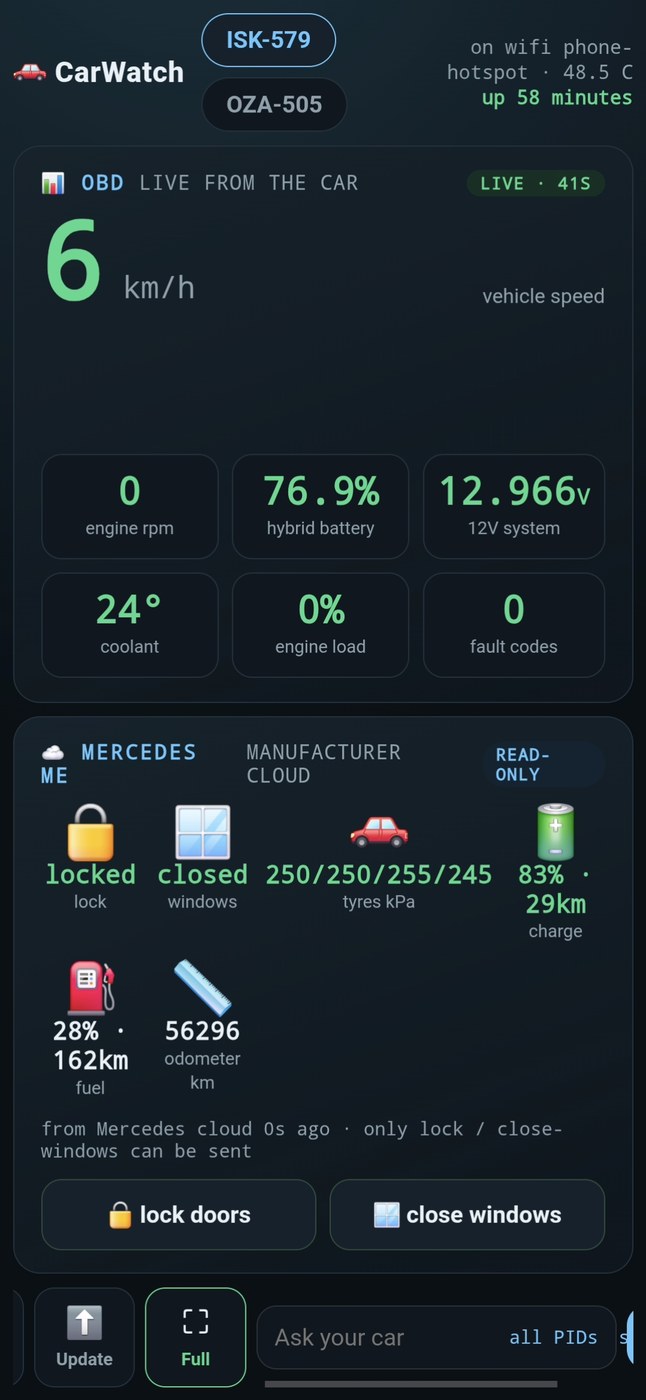
23 commits since v0.2.0. The headline is that the car's cloud data now works on the road, not only parked at home, and the dashboard is a single screen you can mount.
The car reaches home from anywhere
The Mercedes cloud panel reads a Home Assistant at your house. Previously that only worked on home wifi — in the car, on a phone hotspot, the panel was blank. The install guide now documents Tailscale as the path: the Pi and your home machine join one private network, the address never changes, and Home Assistant is never published to the internet. Free, no domain, no open ports. Nabu Casa is listed as the alternative for people who also want Alexa or cloud backups.
Security
Three fixes, all found and closed today:
- Dashboard auth bypass (found by @codexmb): a request without proxy headers skipped the token entirely. Those headers come from the client, so anyone could omit them. Now the unspoofable socket peer is required as well.
- Foreign-LAN access: the first fix still trusted any private network. A car roams onto café and hotel wifi where every other guest is equally "local", so token-free access is now limited to loopback and your own tailnet.
- HA token leak: the token could be sent to a target outside your own network.
Two hardening items are filed as issues rather than silently carried: the dashboard token travels in the URL (#12), and /api/update runs code behind that same token (#13).
The dashboard
One screen, no scrolling, sized for a large phone in a mount. OBD on the left with its own staleness badge, Mercedes me on the right marked read-only, both cars as tabs. Installs to the home screen as a fullscreen app, so there is no browser chrome in the car.
Repository
The two WOLFBOX firmware images (48 MB, half the repo) are gone; the research that used them stays, with the vendor link and SHA-256 checksums so it can be reproduced from bit-identical files. .gitignore now refuses .env, *.key and *.pem. The project has an AGPL-3.0 licence file, and still has zero third-party Python dependencies — clone it and it runs.
Honest limitations
- Readings update while the car is awake, not while it sleeps. Driving, the values track the car — hybrid charge moved 75.7% → 75.3% → 71.8% across one trip. Parked with the ignition off the OBD dongle sleeps, reads fail, and the age badge climbs into the minutes until the car wakes again. The age badge is always the truth about how current the numbers are.
- Steering angle is not shipped. CAN 0x0500 byte 0 was believed to be the wheel; with the wheel held at full lock for 75 seconds the value moved by one unit, so it is something else. The dial is hidden until a signal is shown to follow the wheel.
- OBD reads need the ignition on — the dongle sleeps with the car.
CarWatch v0.2.0 — your car's cloud on the dashboard
Two days after launch, and everything here is proven on the real cars, not promised.
Your car's manufacturer cloud, on the dashboard
The Pi now reads your car's vendor cloud (Mercedes me first, via a Home Assistant bridge) and shows lock state, doors, windows, tire pressures, charge + range, fuel, AdBlue and odometer next to the live OBD readings — for every car on the account. One in Helsinki, one in Berlin, zero extra hardware for the remote one.
Read-only by construction: the module can only issue GETs.
Two make-safe commands that actually worked
Lock doors and close windows — the two directions that only ever make the car safer and need no security PIN. Closing the windows from the dashboard button really shut a real open window. Unlock, open, engine-start and sunroof are not disabled by a flag; they are simply not expressible in the code.
A real installer
install.sh now sets up the same eleven systemd units the reference car runs (not one), with the llama.cpp build and the 14.3 GB model download as guided steps. Plus a proper AGPL-3.0 LICENSE, and the confirmation that every line of CarWatch is Python standard library — no pip install.
CAN capture + decode tooling
A clean 29-bit CAN capture (2518 frames, zero errors) and carwatch/candecode.py to analyze it. Signal names stay candidates until a correlation drive proves them — the tool reports evidence, never invents a label.
Also
carwatch.dev is live, and Discussions is open — including how we keep the car grounded enough to be trusted.
Honestly not done yet
Naming the CAN steering byte needs a correlation drive; the Bluetooth-to-MBUX audio path is built but not yet proven on a real head unit. Those are next, not now.
Runs fully offline on a ~300 € Raspberry Pi 5. Bring your own car — the OBD basics work on anything with a cheap ELM327; only the vendor-cloud section is brand-specific, and it plugs in behind carwatch/cloudcar.py.
CarWatch v0.1.0 - a car that answers in the group chat
First release, cut the same day the system proved itself on the road.
What this is: a Raspberry Pi in a Mercedes E 300e that reads the car over OBD, serves a live dashboard through its own Cloudflare tunnel, and lives in a GroupMind room as @eclass - the car answers questions, posts its own readings, and runs a daily deep scan, with no human relaying data.
Proven in-car today (2026-08-24):
- Live telemetry over Bluetooth ELM327: rpm, speed, coolant, hybrid SoC, 12 V, fuel codes, VIN - posted to the room on real events only, never spam
- First in-car deep scan: per-ECU reads, 12 PIDs, VIN, 12.8 s, read-only
- Discovery: continuous Mercedes 0x300-range broadcast frames are audible through the port (senders 0x307/0x328/0x33D) - an undecoded internal telemetry stream, logged as the next project
- Self-update over its own tunnel while parked anywhere with signal
- Honesty hardening: the on-board agent may only quote numbers present in its latest real reading; camera views are declared nonexistent (rule added after the model once invented 7776 rpm)
Docs: docs/data-access.md lists in plain language what data is accessible, what is discovered-but-undecoded, and which doors are closed.
Hardware: any Raspberry Pi class machine + a Bluetooth or USB ELM327. The room protocol is GroupMind (antfarm.world API).
