Repository navigation
Docker Buttons Tab
-
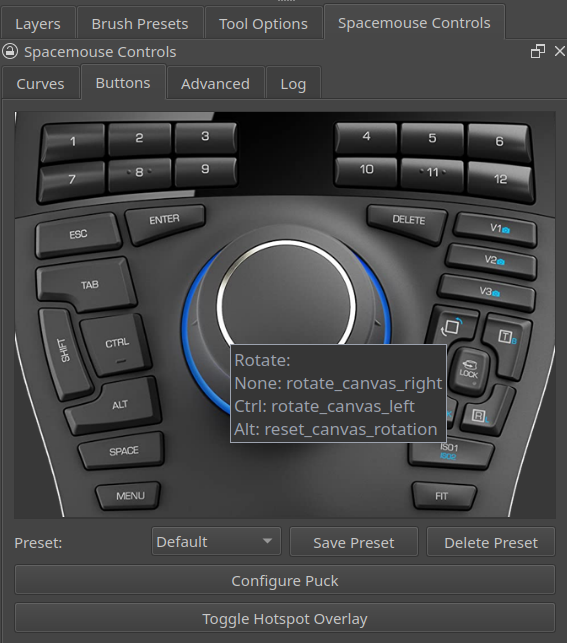
The Buttons Tab provides an interactive view of the SpaceMouse's control console. Clicking on the Puck (the SpaceMouse's center motion joystick) will launch the Puck Configurator. Likewise, clicking a button will bring up the Button Configurator.
-
Forget which actions you've bound to a specific button? No problem! Simply hover over the button in question and a tooltip pops up to show you the actions mapped to that button, including its modifier key bindings.
-
In addition to the Default Button Presets users can create, save, and quickly switch between preset button layouts.