Repository navigation
Docker Curves Tab
-
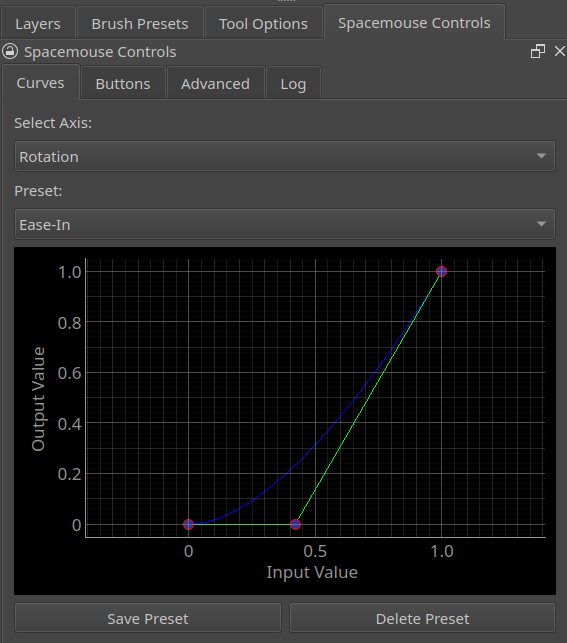
Each of the canvas' 4 axes of motion can be independently tweaked to feel just as you would like. Custom Bézier curves allow for quick jumps around the canvas while maintaining precise control near center stick, or opt for a linear response from center to edge. The choice is yours!
-
Bundled with 8 predefined presets (Linear, Ease-In, Ease-Out, Ease-In-Out, Steep, Slow Center, Fast Edges and Controlled), and providing saveable user definable profiles, the perfect feel for canvas navigation is always at your fingertips.
-
To create custom presets, click and drag the control points in any preset to customize the curve, right click to release the control point. You can then name and save your custom curve.
-
Settings persist across sessions, allowing you to jump right back into your work after restarting Krita.