Requirements
The University of Alberta hosts various standing GFC committees which discuss issues and make decisions regarding the future of courses, instruction, and policy at the university. The content of these meetings are public record, but as they stand are incredibly difficult to filter and find relevant information for a given topic.
Therefore, the first objective of this project is to provide a search service for the minutes of the various standing GFC committees, to support transparency with the public.
Additionally, a secondary objective is to add a system that will scan these minutes and parse out various topics into a database - enabling basic visualizations and deeper question asking systems to be built upon this one in the future.
Citizen: A citizen is anyone who uses the services provided by the application. The citizen is able to perform queries and view it's results. Citizens may have limited knowledge as to what data they can find.
Admin: An admin is anyone who has control of the back end of the application. The admin has the ability to add or remove information that can be queried by a citizen.
Member: A member is anyone who belongs to any governing board or produces the documents. A member is also a citizen, but has inherent knowledge of what can be found through the application.
Sharepoint: Repository of all raw data where data dumps originate from. Contains all governance information.
Data Dump: Excel files created from Sharepoint. Data dumps contain information regarding committees, members, departments etc.
Entities: Words or key phrases a system uses to recognize content.
Basic Search: A 1 word search. Results of basic search returned in 2 seconds or less.
Advanced Search: Up to a 7 word search. Results of advanced search returned in 5 seconds or less.
Interactive Visualization: Display of search results frequency that a citizen or member can interactive with.

Please find the UI Navigation Diagram on this page.

Please note that the visualization for the results page is subject to change. Nevertheless, the flow of the diagram will not change (e.g., advanced search page => results page).
For the visualization, we are considering the following alternatives:
-
Story Map Visualization
- Every 'story' is a mention; every 'column' is a committee; each month is a 'row'. This way, all meetings across all committees in the same month are in the same row. Selecting a mention will show the user the item he or she is searching for, as opposed to scrolling through a list.
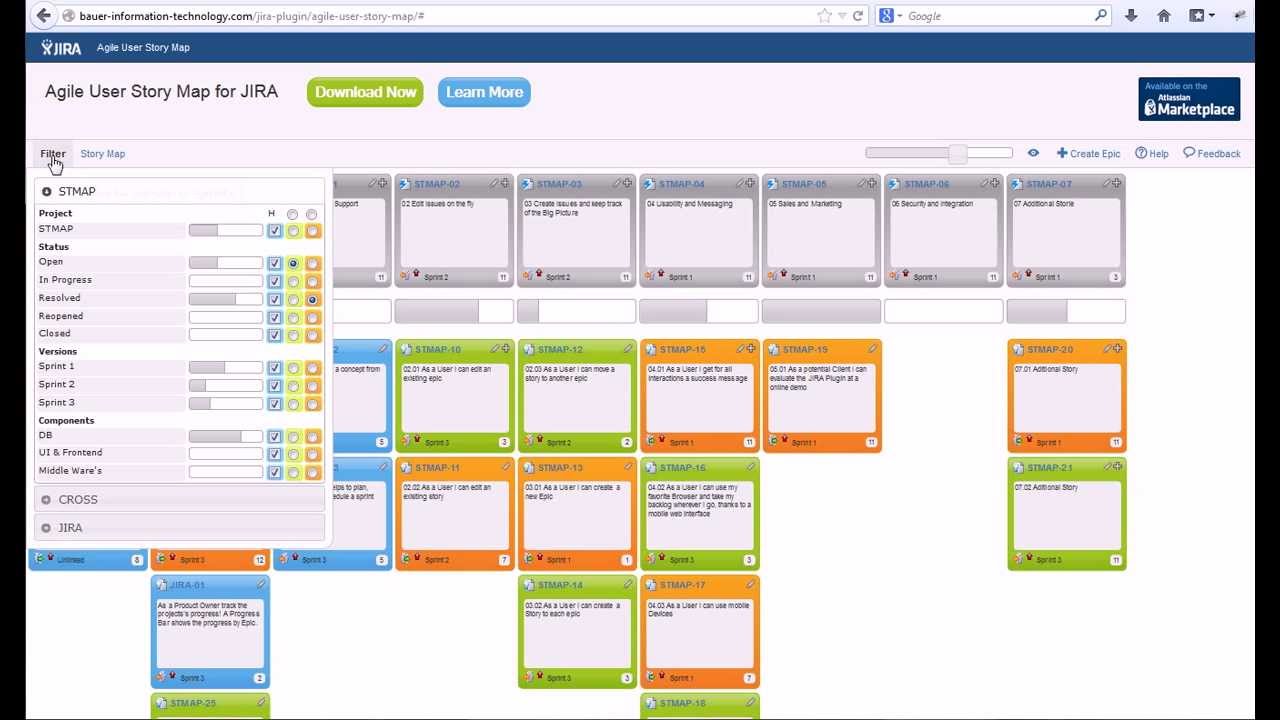
For this project we decided to use "User Stories" to help clarify and specify the requirements of the project. User stories are short descriptions of actions certain users will take to accomplish specific tasks. This way, if in the final deliverable product if those stories can be accomplished we know that the product requirements have been met. Please view the list of User Stories on this page.

Please find the UML Class diagram on this page.
