Repository navigation
Releases: Tufein/DuoFrost
Release list
DuoFrost 2.5.0 — Smart Scenes, refreshed GUI and preset tools

DuoFrost 2.5.0 is the full release
LED control for AYN devices, bringing the refreshed GUI and the tested 2.5.0 alpha features together.
- Polished GUI: a clear dashboard, readable preset filters, colour samples, direct output/mute/timer controls, and layouts for portrait and short landscape screens.
- Smart Scenes: apps and game groups, time/weekdays, battery and charging conditions; brightness-only rules; temporary preset choices for 15–120 minutes.
- Preset tools: favourites, collections, search and local effect previews.
- Safer sharing: selective import review, protected managed presets, optional app assignments and ten-minute Undo for eligible imports/deletions.
- Reliability fixes: calmer foreground switching, protected damaged storage, truthful save failures, preserved Game Scene links after renaming, and safer artwork cleanup.
- Hidden feature: DuoFrost's window stays out of Recent apps. Reopen it from the app icon.
Download and update
Download DuoFrost-2.5.0.apk below. This is a signed production APK, Android version 2.5.0 (code 28).
Source and SHA-256 checksums are included. Based on BiFrost by Pollux / Pollux-MoonBench and its contributors; GPLv3. Forks and contributions welcome.
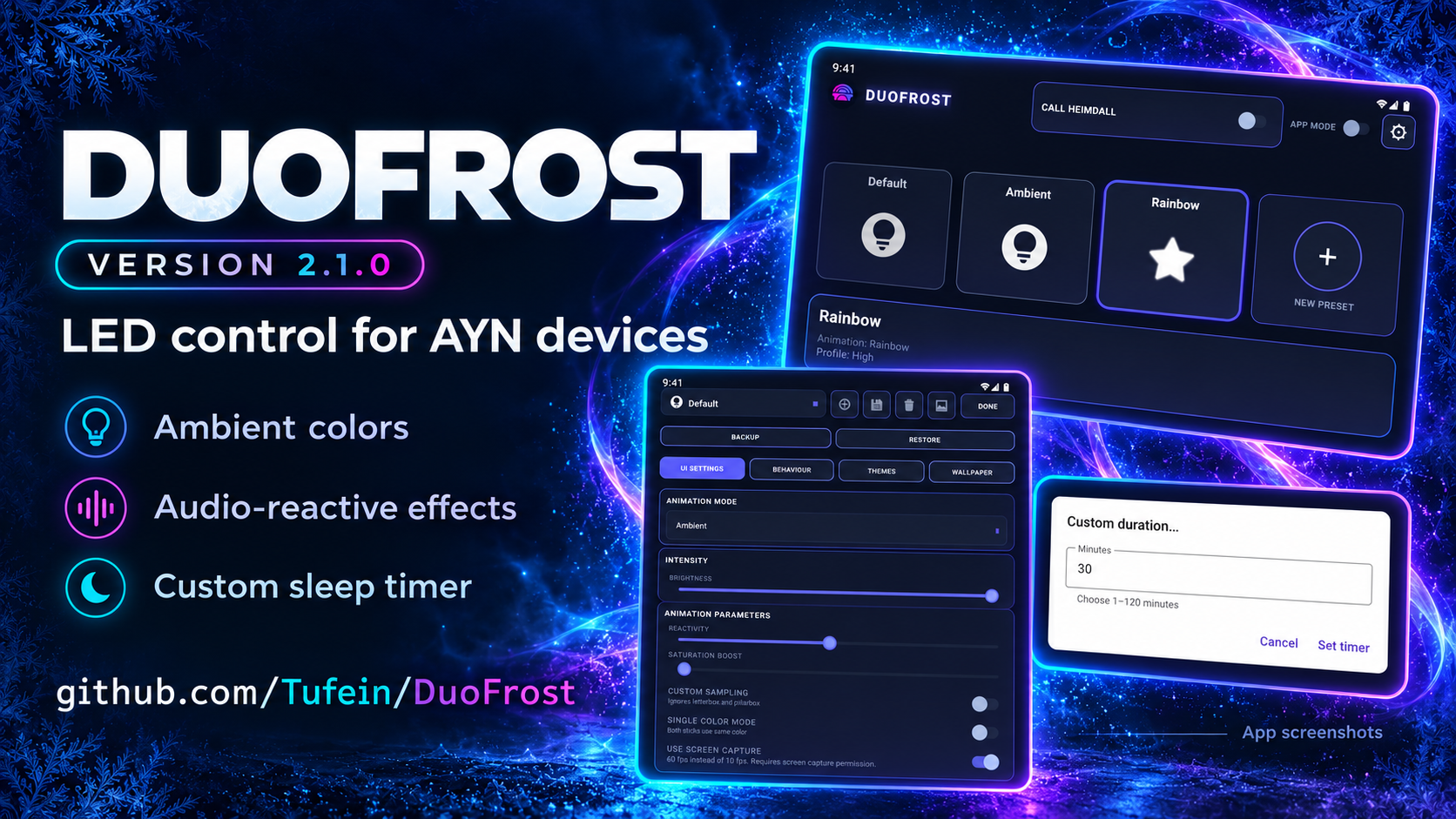
DuoFrost 2.1.0
Make your AYN device's lighting your own.
DuoFrost 2.1.0 is the latest full release, with audio stability fixes,
safer preset sharing and custom sleep timers. It builds on the
original Version 2,
which remains available alongside Version 1.
Download the signed DuoFrost-2.1.0.apk below. Android 13 or later is required.
Updating from an older DuoFrost version
A one-time reinstall is required because this release uses a new signing key.
- Before uninstalling, export a full backup from the old DuoFrost with all categories selected. Save it outside the app and confirm that the file exists.
- Uninstall the old DuoFrost.
- Install DuoFrost-2.1.0.apk and import your backup.
- Grant the permissions you need again and reconfigure launcher widgets if needed. Keep your backup until you have checked the restore.
Future updates will use this same new signing key and can install in place.
First-time users can install the APK directly. Coming from BiFrost? Export and
import your presets, themes or backup, and run only one LED controller at a time.
Improvements
- Audio effects stop cleanly after capture errors. Audio Reactive and AmbiAurora update both sticks together with fewer hardware calls while preserving their separate colors.
- Safer preset imports reject invalid or oversized files, preserve shared images and recognize unsaved custom battery/CPU colors.
- Sleep timers accept any whole-number duration from 1 to 120 minutes, with the existing quick choices retained.
- Failed backup, theme and preset exports report a failure instead of claiming completion.
It retains Version 2's background controls, brightness limits, Battery Saver
and screen-off dimming, temporary mute, home-screen widgets, weekday schedules,
an LED test and separate settings backups.
Download
- DuoFrost-2.1.0.apk — regular signed APK.
- DuoFrost-2.1.0-source.zip — matching source, credits and GPLv3 license.
- SHA256SUMS.txt — download checksums.
Screenshots and getting started ·
Changelog ·
Technical notes
Independent BiFrost continuation by Stefan van Den Broek (Tufein). Credit to
Pollux / Pollux-MoonBench and the original contributors. Source is available
under GPLv3; forks and contributions are welcome.
Banner and screenshots
DuoFrost 2
Make your AYN device's lighting your own.
This is the original Version 2 release, preserved alongside the separate 2.1.0 fix update. The APK retains its original Android version number, 1.5.1, and signing certificate.
Version 2 brings all improvements developed after Version 1 together in one public release.
- Background lighting: closing DuoFrost or using Clear all can leave lighting running. Added service recovery, capture-resume controls, battery-setting shortcuts and a shareable background status report. Explicit Stop keeps lighting off; schedules take priority over automatic startup.
- Brightness controls: adjustable maximum LED output, an optional Battery Saver limit and optional screen-off dimming. Limits apply across effects and app profiles while preserving colors.
- Sleep timer: stop lighting after 5, 15, 30, 60 or 120 minutes. Cancel from settings or the ongoing notification.
- Temporary mute: mute and unmute from settings, the notification or a home-screen widget without losing the active effect.
- Home-screen widgets: Start/Stop and a saved favorite preset for each widget. Favorites update after changes or backup imports.
- Scheduling: weekday and weekend selection, overnight rules that follow their starting day, and LEDs-off rules that do not need a preset.
- Quick Settings: add the existing on/off tile through Android's own setup prompt.
- LED test: six steps to check colors and each stick, with reduced output and automatic restoration of the current effect.
- Settings backup: export and restore lighting and background preferences separately from presets and themes, while retaining compatibility with older backups.
- Control fixes: more reliable Start/Stop behavior, synchronized visible status, preserved widget/tile actions when opening on Thor's other screen, and settings changes that keep active lighting intact.
Tested by the maintainer on AYN Thor. Android may delay background recovery or a sleep timer while the device is asleep; capture permission may need to be granted again after a process restart. See technical.md for details.
Download and install
Download DuoFrost-2.apk below. It can update earlier DuoFrost builds signed with the original certificate while keeping settings. If you use 2.1.0, keep the separately signed 2.1.0 release. To move from this original release to 2.1.0, export a full backup outside the app before uninstalling, install 2.1.0, restore the backup and grant permissions again. Coming from BiFrost? Export and import your presets/themes or backup, and run only one LED controller at a time.
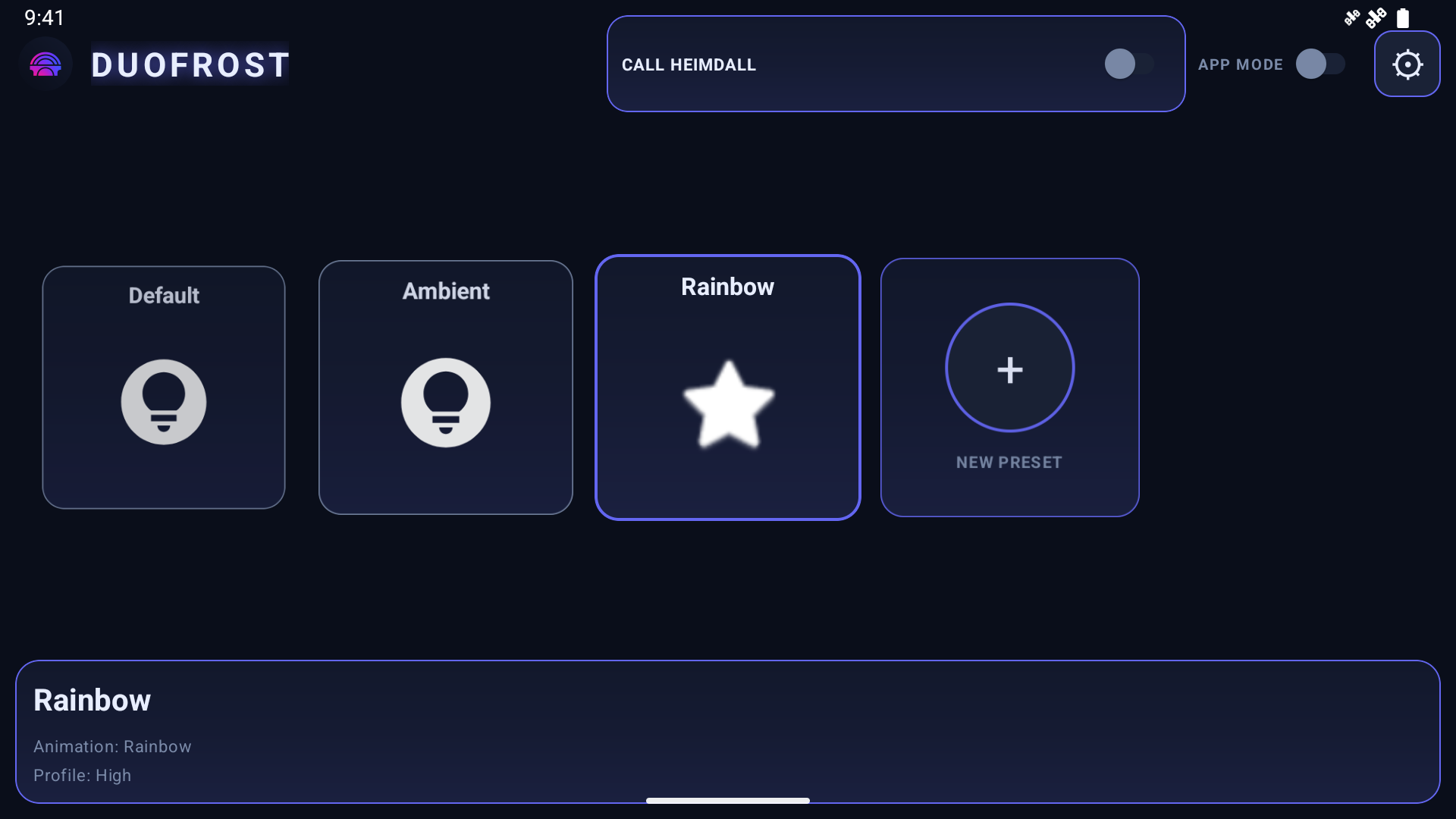
App interface captured in an Android emulator; sample presets shown.
More screenshots and getting started · Technical notes
DuoFrost is an independent BiFrost continuation by Stefan van Den Broek (Tufein). Credit to Pollux / Pollux-MoonBench and the original contributors. Source is included under GPLv3; forks and contributions are welcome.
DuoFrost 1
The first independent DuoFrost release, based on BiFrost.
- Corrected purple and pink hues when ambient saturation boost is enabled.
- Improved custom sampling in single-color mode so vivid colors remain represented.
- Fixed screenshot cleanup and recovery after capture failures.
- Prevented callbacks from an earlier capture session from affecting a new session.
- Established DuoFrost's separate app identity while retaining BiFrost import compatibility, credits and GPLv3 licensing.
BiFrost's existing lighting effects, presets, app profiles, themes and integrations remain the foundation of both releases.
Download DuoFrost-1.0.0.apk below. For the current release and all later improvements, use DuoFrost 2.
Credit to Pollux / Pollux-MoonBench and the BiFrost contributors. Independently maintained by Stefan van Den Broek (Tufein). Source and license are included under GPLv3.