Purpose of scenario:
We want to rotate randomly an object and place a Decale Projector on the rotated object.
Therefor we want to receive the objects face normal.
We run a script which we call from our ExplorerEvent (public class ExplorerEvent : Randomizer) to execute after the RotationRandomizer.
This script is using Physics.Raycast to hit the object and get the RaycastHit.point and
RaycastHit.normal to place a Decal Projector.
The Raycast is called in average about 1000 times (per frame) to get different hits on the object because the final place also depends on other factors.
Issue:
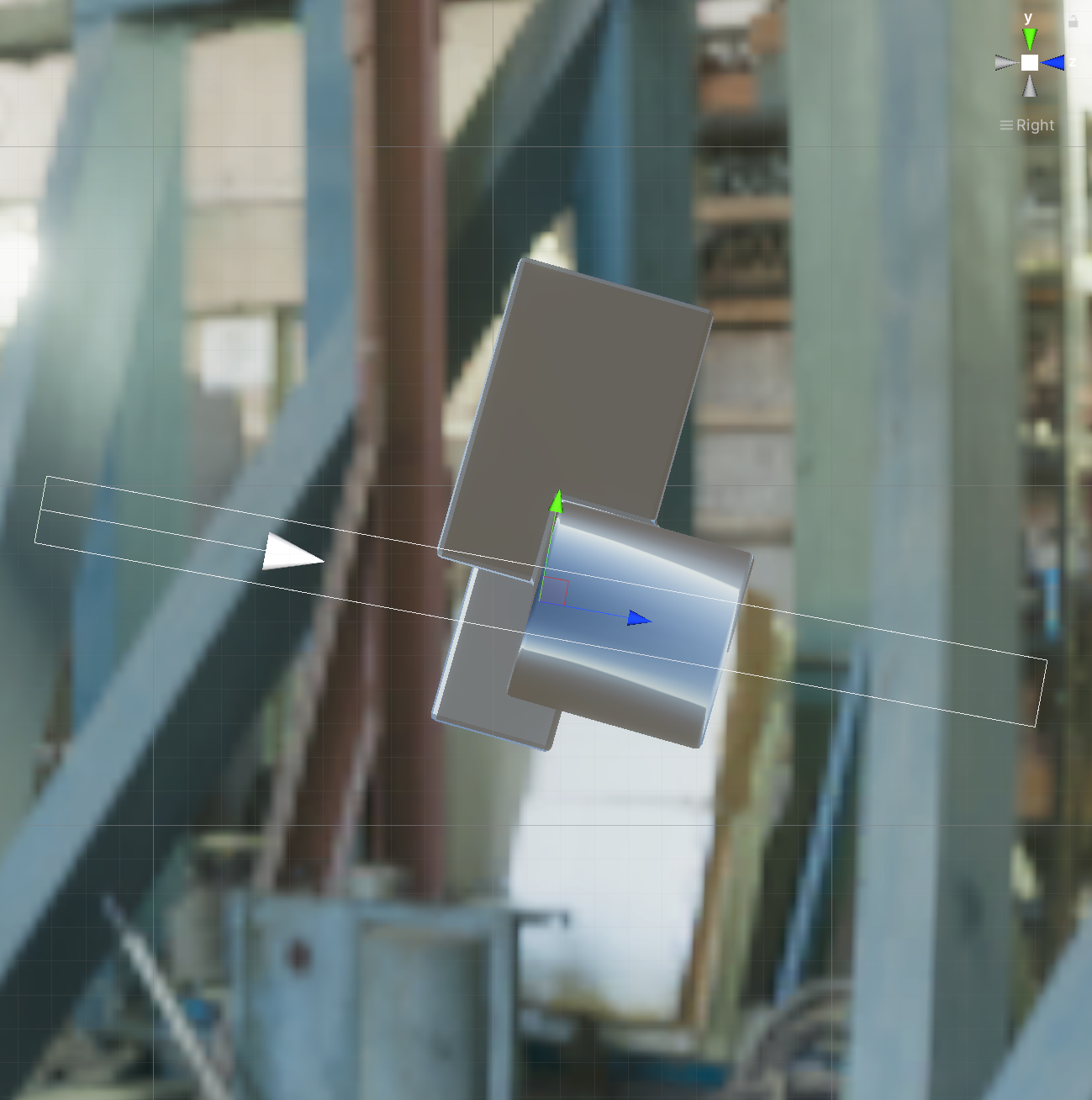
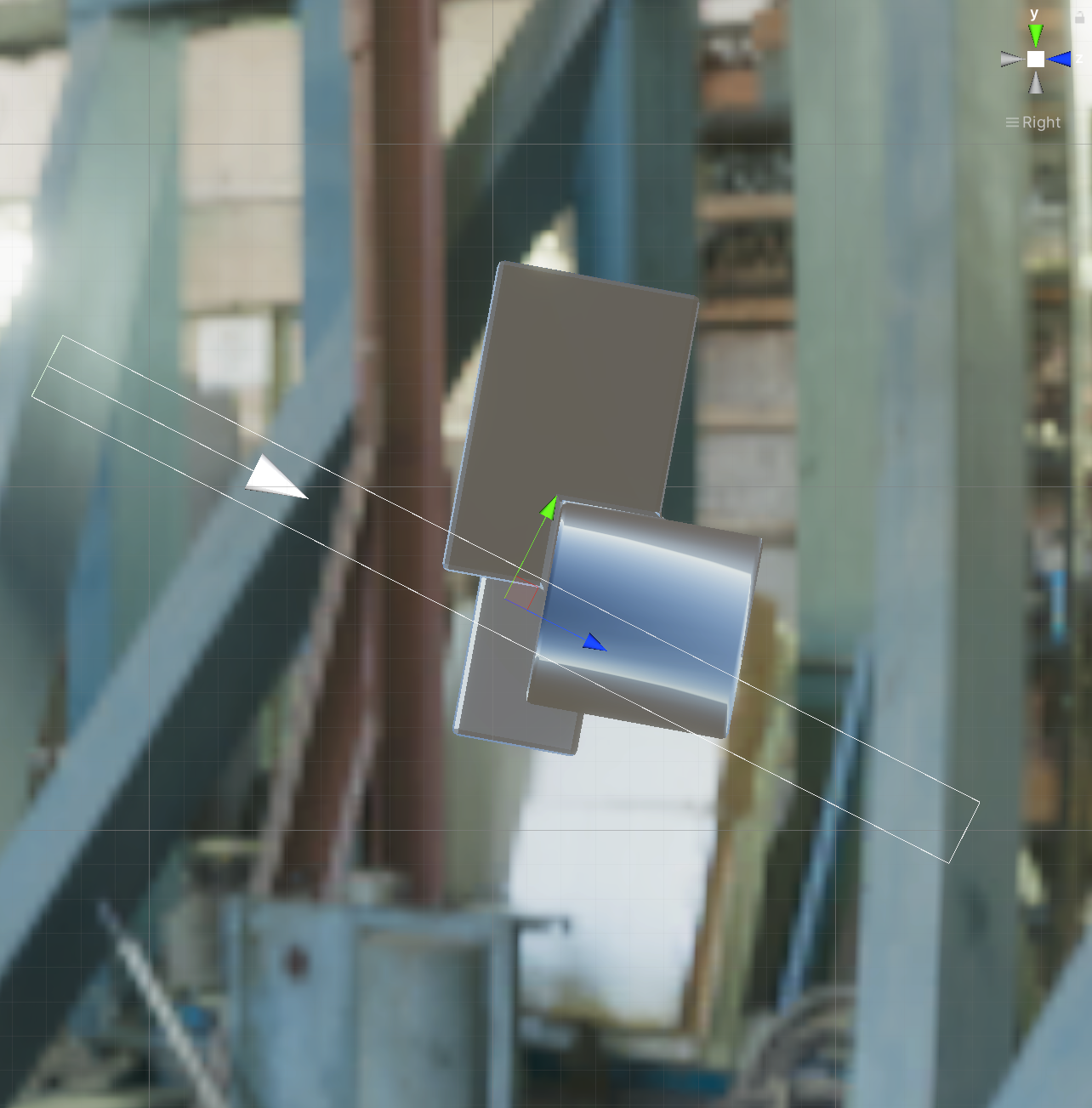
By analyzing the scene, we concluded that there is an offset between the frames: The Decal is rotated right to the former (frame 0) rotation of the object but not to the current rotation (frame 1).
We did not get a different result either by reducing the amount of Raycasts (like not 1000 but 1) or using more frames per iteration.
Changes of parameters (like fixed timesteps) in the Time Project Settings have also had no effects.
Please see the attached images.
Here you can see that the Decal Projector in the second frame adopts the normal of the object in the first frame. This pattern runs through all the other frames.
Our guesses:
- Physics engine is not updating within the scenario iteration.
- In the scenarios can be called usual randomizers only not custom Events disguised as randomizers.
We would be grateful if you could help us.
If further information is needed to discuss the problem, we will share it with you.
[



](url)


Purpose of scenario:
We want to rotate randomly an object and place a Decale Projector on the rotated object.
Therefor we want to receive the objects face normal.
We run a script which we call from our ExplorerEvent (public class ExplorerEvent : Randomizer) to execute after the RotationRandomizer.
This script is using Physics.Raycast to hit the object and get the RaycastHit.point and
RaycastHit.normal to place a Decal Projector.
The Raycast is called in average about 1000 times (per frame) to get different hits on the object because the final place also depends on other factors.
Issue:
By analyzing the scene, we concluded that there is an offset between the frames: The Decal is rotated right to the former (frame 0) rotation of the object but not to the current rotation (frame 1).
We did not get a different result either by reducing the amount of Raycasts (like not 1000 but 1) or using more frames per iteration.
Changes of parameters (like fixed timesteps) in the Time Project Settings have also had no effects.
Please see the attached images.
Here you can see that the Decal Projector in the second frame adopts the normal of the object in the first frame. This pattern runs through all the other frames.
Our guesses:
We would be grateful if you could help us.
If further information is needed to discuss the problem, we will share it with you.
[





](url)