room_endpoints
Authentication required for this endpoint
This endpoint is used to create new chatrooms. You submit the room name and an optional description and if successful you will get back a chatroom object.
Request Schema:
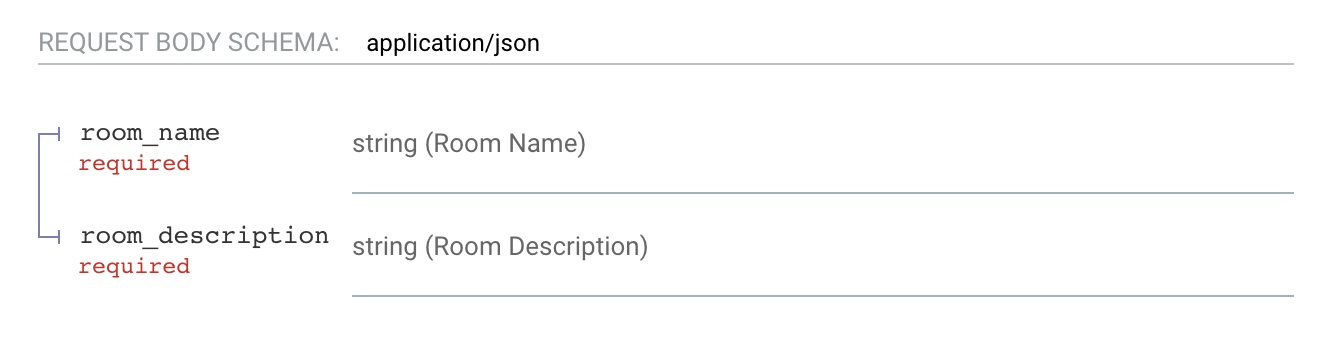
Rooms names can contain spaces but are limited to 32 characters.
Room descriptions are optional and don't have a limit as of now
Request
curl -X 'POST' \
  'https://chatapi.fusionsid.xyz/api/chatroom/new' \
  -H 'accept: application/json' \
  -H 'Content-Type: application/json' \
  -d '{
  "room_name": "Test Room",
  "room_description": "place to talk about how bad this code is"
}'
Example successful response:
if successful you will get a room object. Here is an example:
{
  "room_id": 326887006,
  "room_name": "Test Room",
  "created_at": 1659323848,
  "room_description": "place to talk about how bad this code is"
}Unsuccessful Response:
If room with the exact same name is found you will get a response like this:
// Status code: 409
{
  "detail": "Room already exists"
}
Note: Since i'm using IDs for rooms i might turn this check off later.
Try the endpoint out here: Link
Authentication required for this endpoint
This endpoint is for getting a chatroom by its room id.
This is useful to get quick info on a room so that you cant get the name and description.
No two rooms have the same id so you will get the room, if you don't get it that means you (had a skill issue and) wrote the id wrong
Request Schema:

Request
curl -X 'GET' \
  'https://chatapi.fusionsid.xyz/api/chatroom/{room_id}' \
  -H 'accept: application/json' \
  -H 'Authorization: Bearer <access token>'
You must include the room id to search for in the path
Not data needs to be sent.
Example successful response:
If successful you will get a room object json response.
{
  "room_id": integer,
  "room_name": "string",
  "created_at": integer,
  "room_description": "string"
}
The created at attribute is the UTC unix timestamp of when the room was created. See the room object section for more info.
Unsuccessful Response:
If there is no room by that id you will get an error like this:
{
  "detail": "Room with this id doesnt exists",
  "id_provided": integer // the room id you provided
}