Unified Expressions Comparisons and Tracking Compatibility! #31
Conversation


|
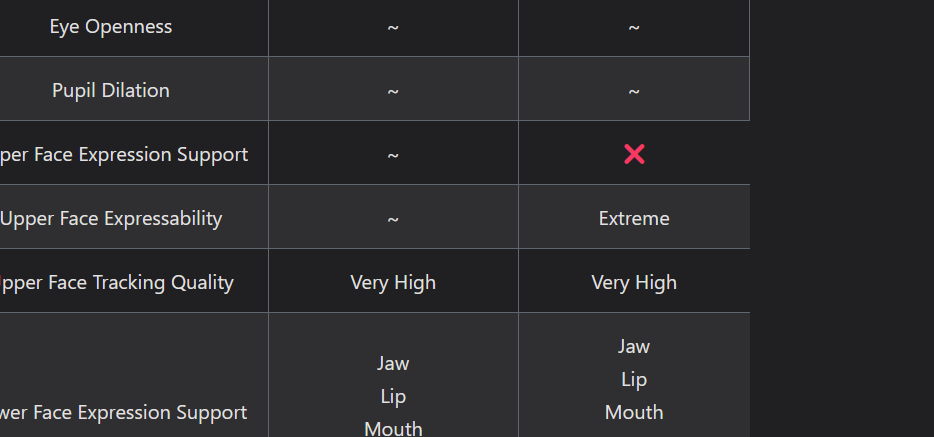
I think the hardware tracking compatibilities page has some confusing mistakes, and I finally got around to trying to correct them when I noticed maybe I don't understand all the rows: some entries have X for (Upper face) Expressability but a value for Quality, some have ~ for Expressability and still a value for Quality, etc. Take a look at Project Babble column, Vive Facial Tracker column, etc. Also, for some reason the right side table border ends up short sometimes (differs depending on rightmost column)
I think the avatar side is pretty good, except I'm not sure if, for ARKit specifically which has a few "left/right combined" shapes, to have the comparison table add an extra row just for that. I think it would be better to just have, for example:
Sorry for being super late with this review btw Azmidi, in general this PR is really neat and needed. |

Looks to be a mistake on the formatting of the table. I will double check over this and make sure everything is correct.
Yeah that makes sense, I had all shapes more-so lined up to where they're supposed to correlate to in Unified Expressions, and a lot of ARKit lined up with a lot of the Blended shapes like with Movement. If this change makes it more readable in the general table then I can make this change. |
I think alternatively, you can make the UE side more obvious the correspondence is with a Blended shape, maybe bolding the UE name or adding a highlight or something |
|
Fixed everything addressed, Blended shapes merged into a single table on each standard page and bolded to help distinguish them. Corrected all the information on the HW comparison pages. |


 kusomaigo
left a comment
kusomaigo
left a comment
kusomaigo
left a comment
There was a problem hiding this comment.
The squeeze comparison in the avatars/compatibility page I think can be done better somehow, but as it is now is already very useful and we can deal with that later.


This PR includes several additions:
FilterTable component
Hardware: Comparison Page
This page includes a bunch of information that might be helpful for users to quickly compare across different software, hardware, or else for face tracking capabilities.
Expressions Comparison Page
This page includes a bunch of information that might be helpful for users to quickly compare across different popular face tracking standards, and even provides some insights as to how Unified Expressions allows all of them to work!
Individual Comparison Pages
There several sections for each standard that directly compares them to Unified Expressions, and how best to translate the specific standard to work best for UE compatible avatars or setups.