Repository navigation
Releases: VenezuelanBiggie24/MacheteSVG-PS5-Save-Manager
Release list
MacheteSVG v1.2.9 - Authentic PS5 Save Descriptors & Full PS4 BC Meta Alignment

MacheteSVG v1.2.9 - Authentic PS5 Save Descriptors & Full PS4 BC Meta Alignment
English Documentation
MacheteSVG v1.2.9 resolves savegame recognition and loading issues encountered when restoring saves on real PlayStation 5 hardware after fresh system installations or across different user profiles. It eliminates the "Datos dañados" (Corrupted data) error on native PS5 titles by synthesizing authentic savegame descriptors (category="sd") and preventing game application manifests (category="gd") from being injected into the save metadata directory. For PS4 retrocompatible titles, it fixes the "no se pudieron cargar la partida" error by replicating and resigning param.sfo into the active user's savedata_meta/user/<title_id>/ directory, injecting the authentic 96-byte keystone, and ensuring full alignment with the console profile. Furthermore, the PFS mounting engine is upgraded with multi-path SPRX probing and Base64 SHA-1 NID symbol resolution.
Key Enhancements in v1.2.9
- Authentic PS5 Savegame Descriptor Synthesis (Fixes "Datos dañados"):
- Eliminated the fallback bug where
/user/appmeta/<title_id>/param.json(game manifest withcategory="gd") was copied into/user/home/<uid>/savedata_prospero_meta/<title_id>/. Prospero OS rejected this mismatch as corrupted data. - Implemented strict save descriptor validation (
is_valid_save_param_json). - If clean save metadata is missing in the backup, MacheteSVG now synthesizes an authentic save descriptor containing
"category": "sd","formatVersion": "01.00", Title ID, localized title, dynamic total file size of allsdimg_*slots, and current timestamp.
- Eliminated the fallback bug where
- PS4 Retrocompatibility Meta & Keystone Synchronization (Fixes "No se pudieron cargar la partida"):
- Backups without
.meta/previously left/user/home/<uid>/savedata_meta/user/<title_id>/empty. The PS4 emulator in PS5 requiresparam.sfoandicon0.pngin this directory to load the save. - MacheteSVG automatically locates
param.sfoacross backup folders, restored files, and appmeta, synchronizes it tometa_ps4_user, and recalculates both 64-bitACCOUNT_IDand OpenPSID HMAC. - Keystone injection is applied to both the save directory and
meta_ps4_user.
- Backups without
- Advanced PFS Mount Engine with NID Symbol Resolution:
- Expanded dynamic library loading to search 13 system paths across
/system/common/lib/,/system/priv/lib/,/system/vsh/, and/preinst2/. - Added SHA-1 Base64 NID symbol lookups (
/sOxdS4jtnM=,q8Tr7sDsY/o=,+HB5Vn2W1bk=,joyMnRrqTgo=) to reliably locate private VSH symbols on all jailbroken firmwares.
- Expanded dynamic library loading to search 13 system paths across
- App Version & Build Tracking:
- App Version:
1.2.9| Internal Build:#54(Commit639f7b1).
- App Version:
- Verified Zero Emojis & 107 Passing Unit Tests:
- 100% clean zero-emoji policy maintained across code, logs, and docs.
- 107 unit tests passed.
Package Checksums (v1.2.9)
| File | Size | SHA-256 Checksum |
|---|---|---|
MacheteSVG_v1.2.9_PS5.zip |
30.2 MB (31,680,220 bytes) | d3ed4411fb2cac3586b5c5d4ac563ef176905c7d20b88dfcbf9e3b728a9c0e3f |
eboot.bin |
25.0 MB (26,225,696 bytes) | e1fcbf91de34ebd44d4146d4fd7c50a30631be7c08166beabf17a18b4318f81f |
Installation (Easy FTP Method)
- Download
MacheteSVG_v1.2.9_PS5.zip. - Extract the archive on your PC to get the
PPSA99001folder. - Enable FTP on your PS5 (OnionHEN, etaHEN, etc.).
- Upload the
PPSA99001folder directly to/data/homebrew/via FTP (resulting path:/data/homebrew/PPSA99001/eboot.bin). - Launch MacheteSVG from your homebrew launcher or system menu.
Documentacion en Espanol (Spanish Documentation)
MacheteSVG v1.2.9 resuelve de forma definitiva los problemas de reconocimiento y carga de partidas guardadas reportados tras formateos del sistema o cambio de cuenta en consolas PlayStation 5 con jailbreak. Elimina el error de "Datos dañados" en titulos nativos de PS5 sintetizando descriptores de guardado autenticos (category="sd") e impidiendo la inyeccion de manifiestos de juego (category="gd") en el directorio de metadatos de guardado. Para titulos retrocompatibles de PS4, soluciona el error donde el juego reportaba "no se pudieron cargar la partida", replicando y resignando param.sfo dentro del directorio savedata_meta/user/<title_id>/ de la cuenta activa, inyectando el keystone autentico de 96 bytes y recalculando los hashes criptograficos. Asimismo, el motor de montaje PFS se actualiza con resolucion de simbolos privados mediante NIDs Base64 SHA-1 y sondeo de 13 rutas del sistema.
Mejoras Principales en v1.2.9
- Sintesis de Descriptores de Guardado Autenticos en PS5 (Corrige "Datos dañados"):
- Se elimino el error en el cual, a falta de metadatos en el respaldo, se copiaba
/user/appmeta/<title_id>/param.json(manifiesto de aplicacion concategory="gd") a/user/home/<uid>/savedata_prospero_meta/<title_id>/. Prospero OS marcaba este guardado de inmediato como datos dañados por incoherencia de categoria. - Se integro validacion estricta de descriptores (
is_valid_save_param_json). - MacheteSVG ahora sintetiza un descriptor de guardado autentico con
"category": "sd","formatVersion": "01.00", Title ID, titulo del juego, tamano calculado en tiempo real de todos los slotssdimg_*y marca de tiempo actual.
- Se elimino el error en el cual, a falta de metadatos en el respaldo, se copiaba
- Sincronizacion de Metadatos y Keystone en PS4 (Corrige "No se pudieron cargar la partida"):
- En respaldos sin directorio
.meta/, la ruta/user/home/<uid>/savedata_meta/user/<title_id>/quedaba vacia. El emulador de PS4 en PS5 exige queparam.sfoeicon0.pngexistan en esta ubicacion para que el juego reconozca y cargue la partida. - MacheteSVG busca automaticamente
param.sfoeicon0.pngen las ubicaciones candidatas, los sincroniza haciameta_ps4_user, y resigna tanto elACCOUNT_IDde 64 bits como el HMAC OpenPSID. - La inyeccion de keystone se realiza tanto en la partida como en
savedata_meta/user/<title_id>/.
- En respaldos sin directorio
- Motor de Montaje PFS con Resolucion de Simbolos NID:
- Ampliada la busqueda dinamica de bibliotecas a 13 rutas de
/system/common/lib/,/system/priv/lib/,/system/vsh/y/preinst2/. - Incorporada resolucion de NIDs Base64 SHA-1 (
/sOxdS4jtnM=,q8Tr7sDsY/o=, etc.) para garantizar el enlace con funciones privadas de VSH en cualquier firmware.
- Ampliada la busqueda dinamica de bibliotecas a 13 rutas de
- Identificacion de Version y Compilacion:
- Version de la aplicacion:
1.2.9| Numero de compilacion:#54(Commit639f7b1).
- Version de la aplicacion:
- Certificacion de Cero Emojis y 107 Pruebas Unitarias Exitosas:
- Politica estricta de CERO EMOJIS mantenida al 100%.
- 107 pruebas unitarias pasadas con exito.
Sumas de Verificacion de Paquetes (v1.2.9)
| Archivo | Tamano | Suma de Verificacion SHA-256 |
|---|---|---|
MacheteSVG_v1.2.9_PS5.zip |
30.2 MB (31,680,220 bytes) | d3ed4411fb2cac3586b5c5d4ac563ef176905c7d20b88dfcbf9e3b728a9c0e3f |
eboot.bin |
25.0 MB (26,225,696 bytes) | e1fcbf91de34ebd44d4146d4fd7c50a30631be7c08166beabf17a18b4318f81f |
Instalacion (Metodo Facil via FTP)
- Descarga
MacheteSVG_v1.2.9_PS5.zip. - Descomprime el archivo en tu PC para obtener la carpeta
PPSA99001. - Habilita el servidor FTP en tu PS5 (OnionHEN, etaHEN, etc.).
- Copia la carpeta
PPSA99001directamente en/data/homebrew/via FTP (ruta final:/data/homebrew/PPSA99001/eboot.bin). - Inicia MacheteSVG directamente desde tu lanzador de homebrew o menu principal.
MacheteSVG v1.2.8 - App Version & Build Compilation Info in System Logs
English Documentation
Version 1.2.8 (Latest Release) - App Version & Build Compilation Info in System Logs
MacheteSVG v1.2.8 integrates full application versioning and compilation build tracking across the entire runtime environment. All log streams (machete.log, root sandbox logs, kernel debug output, and fatal crash forensics) now prominently include the exact application version (v1.2.8), the internal build compilation number (#53), the source commit hash, and the build date/time. The Web Save Station (:8383) status endpoint (/api/status) and live browser dashboard also reflect this unified build information.
Key Enhancements in v1.2.8
- Application Version & Build Number in System Logs:
- The session initialization banner in
machete.lognow outputs full build metadata:
App Version: 1.2.8 | Compilation Build: #53 (Commit 51c62a6, Built Oct 16 2026) - Post-jailbreak log reopening (
reopen_paths) also records the active version and build number.
- The session initialization banner in
- Forensic Crash Dumps Enhanced with Build Identity:
- The async-signal-safe fatal crash handler (
fatal_signal_handler) includes the running application version and compilation build number in all crash reports on screen and on disk.
- The async-signal-safe fatal crash handler (
- Web Save Station API & Dashboard Integration:
- The
/api/statusJSON API now returnsversion,build,commit, andbuild_date. - The embedded Web UI displays the complete version tag
PPSA99001 v1.2.8 (Build 53)in the header.
- The
- Dedicated Build Information Architecture (
build_info.hpp):- Created
src/core/build_info.hppas a single, centralized source of truth for version and build metadata across the codebase.
- Created
- Verified Zero Emojis & 107 Passing Unit Tests:
- 100% clean zero-emoji certification across all files and documentation.
- All 107 unit tests passing.
Package Checksums (v1.2.8)
| File | Size | SHA-256 Checksum |
|---|---|---|
MacheteSVG_v1.2.8_PS5.zip |
30.2 MB (31,669,732 bytes) | b98edd3dab2c8c0ed7e6d7d953b18fd2826f920b0752e6e4e62a2cfd2a765ae2 |
eboot.bin |
25.0 MB (26,207,360 bytes) | 36c57f5611f5c6c277ed64d97b59566f16d4d0b91d2854aaedd7a1ff1d499ebc |
Installation (Easy FTP Method)
- Download
MacheteSVG_v1.2.8_PS5.zip. - Extract the archive on your PC to get the
PPSA99001folder. - Enable FTP on your PS5 (OnionHEN, etaHEN, etc.).
- Upload the
PPSA99001folder directly to/data/homebrew/via FTP (resulting path:/data/homebrew/PPSA99001/eboot.bin). - Launch MacheteSVG from your homebrew launcher or system menu.
Notas de la Version en Espanol (Spanish Documentation)
Version 1.2.8 (Ultima Version) - Version de App y Numero de Compilacion en Registros del Sistema (Logs)
MacheteSVG v1.2.8 integra la identificacion completa de version y numero de compilacion (build) en todo el subsistema de ejecucion y diagnostico. Todas las vias de registro (machete.log, registros del sandbox raiz, salida de depuracion del kernel de Prospero y capturas forenses de crashes) ahora incluyen de forma prominente la version exacta de la aplicacion (v1.2.8), el numero de compilacion interna (#53), el hash del commit de origen y la fecha/hora de compilacion. Asimismo, el punto de enlace de estado de la Estacion Web (/api/status) y la interfaz web reflejan esta misma informacion unificada.
Mejoras Principales en v1.2.8
- Version y Numero de Compilacion en Registros de Eventos:
- El encabezado de inicio en
machete.logreporta explicitamente:
App Version: 1.2.8 | Compilation Build: #53 (Commit 51c62a6, Built Oct 16 2026) - La reapertura de registros tras el jailbreak root (
reopen_paths) registra la version y el numero de compilacion activo.
- El encabezado de inicio en
- Reportes Forenses de Crashes Enriquecidos:
- El manejador seguro de senales fatales (
fatal_signal_handler) estampa la version y compilacion del binario en ejecucion en todo volcado de error en pantalla y disco.
- El manejador seguro de senales fatales (
- Integracion en API y Panel de la Estacion Web (:8383):
- El endpoint
/api/statusexpone los camposversion,build,commitybuild_date. - La cabecera de la interfaz web muestra la etiqueta
PPSA99001 v1.2.8 (Build 53).
- El endpoint
- Arquitectura Centralizada de Informacion de Build (
build_info.hpp):- Implementado
src/core/build_info.hppcomo fuente unica de verdad para la version y metadatos de compilacion.
- Implementado
- Certificacion de Cero Emojis y 107 Pruebas Unitarias Exitosas:
- Certificacion 100% limpia de cero emojis en todos los archivos y documentacion.
- 107 pruebas unitarias completadas con 100% de exito.
Sumas de Verificacion de Paquetes (v1.2.8)
| Archivo | Tamano | Suma de Verificacion SHA-256 |
|---|---|---|
MacheteSVG_v1.2.8_PS5.zip |
30.2 MB (31,669,732 bytes) | b98edd3dab2c8c0ed7e6d7d953b18fd2826f920b0752e6e4e62a2cfd2a765ae2 |
eboot.bin |
25.0 MB (26,207,360 bytes) | 36c57f5611f5c6c277ed64d97b59566f16d4d0b91d2854aaedd7a1ff1d499ebc |
Instalacion (Metodo Facil via FTP)
- Descarga
MacheteSVG_v1.2.8_PS5.zip. - Descomprime el archivo en tu PC para obtener la carpeta
PPSA99001. - Habilita el servidor FTP en tu PS5 (OnionHEN, etaHEN, etc.).
- Copia la carpeta
PPSA99001directamente en/data/homebrew/via FTP (ruta final:/data/homebrew/PPSA99001/eboot.bin). - Inicia MacheteSVG directamente desde tu lanzador de homebrew o menu principal.
MacheteSVG v1.2.7 - Elimination of Unexported Libc Stubs (fchown/chown) & Crash-Free Restore
English Documentation
Version 1.2.7 (Latest Release) - Elimination of Unexported Libc Stubs (fchown/chown) & Crash-Free Restore
MacheteSVG v1.2.7 permanently eliminates a fatal SIGSEGV segmentation fault (si_addr: 0) that occurred during the finalization of savegame restores on PlayStation 5 consoles running root jailbreak environments. The crash was triggered when SQLite's internal WAL checkpoint / file locking mechanism invoked POSIX fchown(), which exists in compile-time SDK stubs (libkernel_sys.so) but is not exported in userland by Sony's libkernel.prx. Version 1.2.7 provides built-in strong runtime stubs directly inside eboot.bin, purges all unexported dynamic symbols from the ELF, and adds database concurrency protection (busy_timeout = 3000ms).
Key Enhancements in v1.2.7
- Elimination of Unexported
fchown&chownNULL Pointer Dereference:- Under root escalation (
UID 0), SQLite's internal Unix VFS (robustFchown) attempted to preserve ownership when creating or accessing database sidecars (-wal,-shm). - On Prospero OS,
fchownandchownare unexported in retail/jailbrokenlibkernel.prx, leaving their Global Offset Table (GOT) entries as0x0. Calling them resulted in jumping to address 0 (SIGSEGV). - Built strong local implementations directly in
tooling/native/app_cpp_runtime.cpp, completely resolving all calls internally at link time without any dynamic relocations in.rela.dyn. - Also added built-in implementations for
getcwdandreadlinkto ensure total isolation from unexported SDK stubs.
- Under root escalation (
- Compile-Time Flags for Clean SQLite VFS:
- Added
-DHAVE_FCHOWN=0 -DHAVE_READLINK=0compile definitions acrosstools/build.shandtools/build-tests.sh.
- Added
- Database Concurrency Protection:
- Added
PRAGMA busy_timeout = 3000;before executing SQLite statements inupdate_or_register_ps4_savedata_dbandrepair_title_corruption_flagsto gracefully wait if system daemons accesssavedata.dbsimultaneously.
- Added
- Pure Runtime Dynamic Linking in PFS Mount Loader:
- Replaced weak symbol declarations of
sceKernelLoadStartModuleandsceKernelDlsyminpfs_mount_manager.hppwith purely runtimedlsym(RTLD_DEFAULT, ...)lookup, eliminating weak dynamic symbol relocations.
- Replaced weak symbol declarations of
- Verified Zero Emojis & 106 Passing Unit Tests:
- 100% clean zero-emoji certification across all files and documentation.
- All 106 unit tests passing.
Package Checksums (v1.2.7)
| File | Size | SHA-256 Checksum |
|---|---|---|
MacheteSVG_v1.2.7_PS5.zip |
30.2 MB (31,668,524 bytes) | 3f820ff6ef2176c0b94289f6c797b3570b31e2d733cf675fe0825cb7941f0102 |
eboot.bin |
25.0 MB (26,204,448 bytes) | 04ff4f9656a46f27f97cc922c7606f9f2501a75d6f4d6036ad0c01bc63582b9e |
Installation (Easy FTP Method)
- Download
MacheteSVG_v1.2.7_PS5.zip. - Extract the archive on your PC to get the
PPSA99001folder. - Enable FTP on your PS5 (OnionHEN, etaHEN, etc.).
- Upload the
PPSA99001folder directly to/data/homebrew/via FTP (resulting path:/data/homebrew/PPSA99001/eboot.bin). - Launch MacheteSVG from your homebrew launcher or system menu.
Notas de la Version en Espanol (Spanish Documentation)
Version 1.2.7 (Ultima Version) - Eliminacion de Stubs Libc no Exportados (fchown/chown) y Restauracion Libre de Crashes
MacheteSVG v1.2.7 elimina de forma definitiva el error fatal de segmentacion SIGSEGV (si_addr: 0) que ocurria durante la finalizacion de la restauracion de partidas en consolas PlayStation 5 con privilegios de root. El fallo se producia cuando el mecanismo interno de WAL checkpoint y bloqueo de archivos de SQLite invocaba la llamada POSIX fchown(), la cual existe como stub en el SDK en tiempo de compilacion (libkernel_sys.so) pero no esta exportada en espacio de usuario por Sony en libkernel.prx. La version 1.2.7 implementa stubs fuertes enlazados directamente dentro de eboot.bin, purga todos los simbolos dinamicos no exportados del ELF y anade proteccion de concurrencia en bases de datos (busy_timeout = 3000ms).
Mejoras Principales en v1.2.7
- Eliminacion de Puntero Nulo por Llamada a
fchownychownno Exportados:- Al escalar a root (
UID 0), el VFS Unix de SQLite (robustFchown) intentaba preservar los permisos de propietario al crear o modificar los archivos auxiliares de la base de datos (-wal,-shm). - En el sistema operativo Prospero,
fchownychownno son exportadas porlibkernel.prx, dejando sus entradas en la tabla GOT en0x0. Invocar la funcion resultaba en un salto a la direccion cero (SIGSEGV). - Se anadieron implementaciones locales directas en
tooling/native/app_cpp_runtime.cpp, resolviendo todas las llamadas internamente en tiempo de enlace sin generar reubicaciones en.rela.dyn. - Tambien se anadieron implementaciones seguras para
getcwdyreadlinkpara evitar cualquier dependencia de stubs no exportados.
- Al escalar a root (
- Banderas de Compilacion para un VFS de SQLite Limpio:
- Se anadieron las definiciones
-DHAVE_FCHOWN=0 -DHAVE_READLINK=0entools/build.shytools/build-tests.sh.
- Se anadieron las definiciones
- Proteccion de Concurrencia en Bases de Datos:
- Se agrego
PRAGMA busy_timeout = 3000;antes de ejecutar consultas SQLite enupdate_or_register_ps4_savedata_dbyrepair_title_corruption_flagspara esperar limpiamente si algun proceso o servicio del sistema accede asavedata.dbde forma simultanea.
- Se agrego
- Carga Dinamica Pura en Tiempo de Ejecucion en el Cargador PFS:
- Se reemplazaron las declaraciones debiles de
sceKernelLoadStartModuleysceKernelDlsymenpfs_mount_manager.hpppor una resolucion limpia viadlsym(RTLD_DEFAULT, ...), eliminando simbolos dinamicos debiles en el ELF.
- Se reemplazaron las declaraciones debiles de
- Certificacion de Cero Emojis y 106 Pruebas Unitarias Exitosas:
- Certificacion 100% limpia de cero emojis en todos los archivos y documentacion.
- 106 pruebas unitarias completadas con 100% de exito.
Sumas de Verificacion de Paquetes (v1.2.7)
| Archivo | Tamano | Suma de Verificacion SHA-256 |
|---|---|---|
MacheteSVG_v1.2.7_PS5.zip |
30.2 MB (31,668,524 bytes) | 3f820ff6ef2176c0b94289f6c797b3570b31e2d733cf675fe0825cb7941f0102 |
eboot.bin |
25.0 MB (26,204,448 bytes) | 04ff4f9656a46f27f97cc922c7606f9f2501a75d6f4d6036ad0c01bc63582b9e |
Instalacion (Metodo Facil via FTP)
- Descarga
MacheteSVG_v1.2.7_PS5.zip. - Descomprime el archivo en tu PC para obtener la carpeta
PPSA99001. - Habilita el servidor FTP en tu PS5 (OnionHEN, etaHEN, etc.).
- Copia la carpeta
PPSA99001directamente en/data/homebrew/via FTP (ruta final:/data/homebrew/PPSA99001/eboot.bin). - Inicia MacheteSVG directamente desde tu lanzador de homebrew o menu principal.
MacheteSVG v1.2.6 - Embedded SQLite Engine, Guaranteed savedata.db Repair & Dual SPRX Loader
English Documentation
MacheteSVG v1.2.6 - Embedded SQLite Engine, Guaranteed savedata.db Repair & Dual SPRX Loader
MacheteSVG v1.2.6 permanently resolves the "Corrupted Data" ("Datos dañados") error when restoring PS4 savegames (CUSAxxxxx) on PlayStation 5 backwards compatibility by embedding SQLite v3.54.1 directly into the application binary. This completely eliminates reliance on Sony's restricted libSceSqlite.sprx runtime module, guaranteeing that the console's internal savedata.db database is updated and all corruption flags (is_broken = 0, fake_broken = 0) are repaired on every restore operation.
Key Enhancements in v1.2.6
- Embedded SQLite 3.54.1 Database Engine:
- On PlayStation 5 Prospero OS, userland
dlopen()onlibSceSqlite.sprxis restricted, which previously caused dynamic database operations to be skipped. - Embedded the official SQLite amalgamation directly into
eboot.bin. SQLite is now 100% available without any external runtime dependencies.
- On PlayStation 5 Prospero OS, userland
- Guaranteed PS4 savedata.db Registration & Corruption Reset:
- Unconditionally discovers the authentic 64-bit
account_idfrom existing saves in/system_data/savedata/<uid>/db/user/savedata.db. - Directly registers all restored PS4 save slots into
savedata.dbwith proper titles, block allocations, and timestamps. - Explicitly clears corruption flags (
is_broken = 0,fake_broken = 0) for the restored title ID. - Executes
PRAGMA wal_checkpoint(FULL);and applieschmod 0666permissions acrosssavedata.db,savedata.db-wal, andsavedata.db-shmso changes take effect immediately in the PS4 backwards-compatibility daemon.
- Unconditionally discovers the authentic 64-bit
- Dual SPRX Loading (
sceKernelLoadStartModule+dlopen) with Verbose Diagnostics:- Added kernel module loader fallback via
sceKernelLoadStartModuleandsceKernelDlsymfor system SPRX modules. - Logs detailed
dlerror()diagnostics inmachete.logto monitor module availability.
- Added kernel module loader fallback via
- Expanded Keystone Search Hierarchy:
- Extended authentic keystone search to include
/system_ex/app/<title_id>/,/user/appmeta/external/<title_id>/, and/data/homebrew/.
- Extended authentic keystone search to include
- Verified Zero Emojis & 106 Passing Unit Tests:
- 100% clean zero-emoji certification across all files and documentation.
- All 106 unit tests passing.
Package Checksums (v1.2.6)
| File | Size | SHA-256 Checksum |
|---|---|---|
MacheteSVG_v1.2.6_PS5.zip |
30.2 MB (31,668,155 bytes) | 5b521b54ae896321d877471337fa9ca52a21144f454dc67713a2e4498ab4969c |
eboot.bin |
25.0 MB (26,204,487 bytes) | 391a934d05a29bcd4c0fcb966efdd64e1e0b929944c27d991b048b29a5e5b923 |
Installation Instructions (Easy FTP Method)
- Download
MacheteSVG_v1.2.6_PS5.zip. - Extract the archive on your PC to get the
PPSA99001folder. - Enable FTP on your PS5 (OnionHEN, etaHEN, etc.).
- Upload the
PPSA99001folder directly to/data/homebrew/via FTP (resulting path:/data/homebrew/PPSA99001/eboot.bin). - Launch MacheteSVG from your homebrew launcher or system menu.
Notas de la Version en Espanol (Spanish Documentation)
MacheteSVG v1.2.6 - Motor SQLite Embebido, Reparacion Garantizada de savedata.db y Cargador Dual SPRX
MacheteSVG v1.2.6 resuelve de forma definitiva el error de "Datos dañados" ("Corrupted Data") al restaurar partidas de PS4 (CUSAxxxxx) en el modo de retrocompatibilidad de PlayStation 5 mediante la integracion embebida de SQLite v3.54.1 directamente en el binario ejecutable. Esto elimina por completo la dependencia del modulo restringido libSceSqlite.sprx de Sony, garantizando que la base de datos interna savedata.db de la consola se actualice y todas las banderas de corrupcion (is_broken = 0, fake_broken = 0) queden reparadas en cada operacion de restauracion.
Mejoras Principales en v1.2.6
- Motor de Base de Datos SQLite 3.54.1 Embebido:
- En el sistema Prospero OS de PS5, las llamadas
dlopen()alibSceSqlite.sprxdesde espacio de usuario estan restringidas, lo que anteriormente provocaba la omision de las operaciones de base de datos dinamicas. - Embebida la amalgamacion oficial de SQLite directamente en
eboot.bin. SQLite queda 100% disponible sin requerir librerias compartidas externas en tiempo de ejecucion.
- En el sistema Prospero OS de PS5, las llamadas
- Registro e Indexacion Garantizada en savedata.db de PS4 y Limpieza de Corrupcion:
- Detecta incondicionalmente el
account_idreal de 64 bits a partir de partidas previas en/system_data/savedata/<uid>/db/user/savedata.db. - Registra de forma directa todas las ranuras de PS4 restauradas en
savedata.dbcon sus titulos, bloques asignados y marcas de tiempo correctas. - Limpia explicitamente las banderas de corrupcion (
is_broken = 0,fake_broken = 0) para el Title ID restaurado. - Ejecuta
PRAGMA wal_checkpoint(FULL);y aplica permisoschmod 0666ensavedata.db,savedata.db-walysavedata.db-shmpara que los cambios tengan efecto inmediato en el daemon de retrocompatibilidad de PS4 sin requerir reiniciar la consola.
- Detecta incondicionalmente el
- Cargador Dual de Modulos SPRX (
sceKernelLoadStartModule+dlopen) con Diagnostico Detallado:- Anadido fallback de carga de modulos a nivel de kernel mediante
sceKernelLoadStartModuleysceKernelDlsympara modulos SPRX del sistema. - Registra diagnosticos detallados de
dlerror()enmachete.logpara supervisar la disponibilidad de modulos.
- Anadido fallback de carga de modulos a nivel de kernel mediante
- Jerarquia Extendida de Busqueda de Keystones:
- Ampliada la busqueda de keystones autenticos a
/system_ex/app/<title_id>/,/user/appmeta/external/<title_id>/y/data/homebrew/.
- Ampliada la busqueda de keystones autenticos a
- Certificacion de Cero Emojis y 106 Pruebas Unitarias Exitosas:
- Certificacion 100% limpia de cero emojis en todos los archivos y documentacion.
- 106 pruebas unitarias completadas con 100% de exito.
Sumas de Verificacion de Paquetes (v1.2.6)
| Archivo | Tamano | Suma de Verificacion SHA-256 |
|---|---|---|
MacheteSVG_v1.2.6_PS5.zip |
30.2 MB (31,668,155 bytes) | 5b521b54ae896321d877471337fa9ca52a21144f454dc67713a2e4498ab4969c |
eboot.bin |
25.0 MB (26,204,487 bytes) | 391a934d05a29bcd4c0fcb966efdd64e1e0b929944c27d991b048b29a5e5b923 |
Instrucciones de Instalacion (Metodo Facil via FTP)
- Descarga
MacheteSVG_v1.2.6_PS5.zip. - Descomprime el archivo en tu PC para obtener la carpeta
PPSA99001. - Habilita el servidor FTP en tu PS5 (OnionHEN, etaHEN, etc.).
- Copia la carpeta
PPSA99001directamente en/data/homebrew/via FTP (ruta final:/data/homebrew/PPSA99001/eboot.bin). - Inicia MacheteSVG directamente desde tu lanzador de homebrew o menu principal.
MacheteSVG v1.1.0 - Embedded Web Save Station (:8383) & SAMU Crypto Vault
MacheteSVG v1.1.0 - Embedded Web Save Station (:8383) & SAMU Crypto Vault
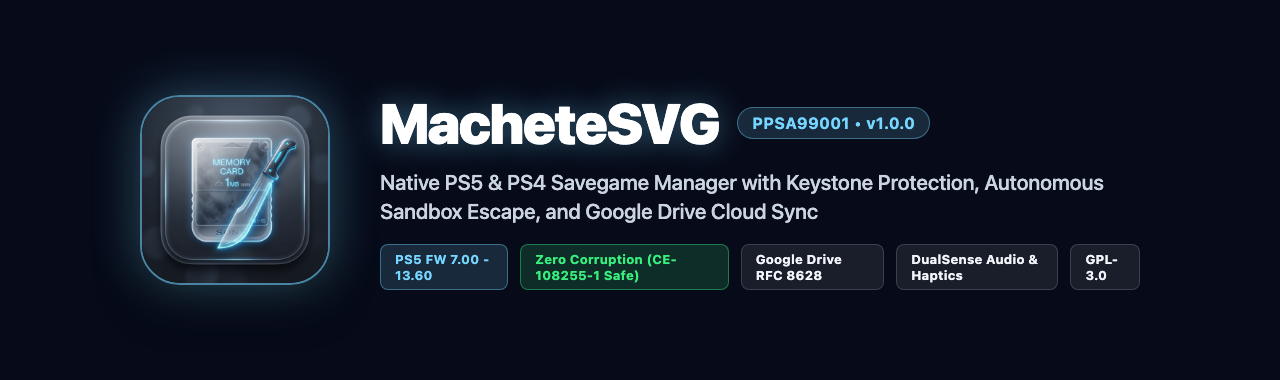
English Documentation
MacheteSVG v1.1.0 replaces external cloud services with an ultra-fast embedded Web Save Station HTTP server running locally on dedicated port 8383, live streaming ZIP archive downloads, an interactive file explorer, and SAMU hardware cryptographic vault preservation.
Highlights
- Embedded Web Save Station (:8383): Dedicated in-memory HTTP server running on port 8383 with Dark Glassmorphism web UI. Zero CDN dependencies, 100% offline-ready.
- Streaming ZIP Archive Generator: Custom zero-dependency C++ ZIP engine (Store mode, IEEE 802.3 CRC32) with precalculated
Content-Lengthproviding real-time browser download progress. - Interactive File Explorer: Web-based modal to inspect save directories and download individual files (
param.json,sdimg_*,keystone). - SAMU Hardware Cryptographic Vault: Extracts and archives console-unique SAMU sealed blobs, plaintext AES PFS keys via
/dev/pfsmgr(ioctl0xc0845302), OpenPSID, and SHA-256 integrity signatures incrypto_vault.bin. - Socket Safety & Concurrency: Protected against
SIGPIPE, socket timeouts, and recursive directory guards preventing system deadlocks.
Installation (Easy FTP Method)
- Download
MacheteSVG_v1.1.0_PS5.zip(or release package). - Extract the archive on your computer to get the
PPSA99001folder. - Enable the FTP server on your PS5.
- Using an FTP client, copy the
PPSA99001folder directly into:The resulting path must be:/data/homebrew//data/homebrew/PPSA99001/eboot.bin - Launch MacheteSVG directly from your homebrew launcher or system menu.
Notas de la Version en Espanol (Spanish Documentation)
MacheteSVG v1.1.0 reemplaza los servicios en la nube externos con una Estacion Web Local embebida de alta velocidad en el puerto dedicado 8383, descargas en streaming ZIP al vuelo, explorador de archivos individuales y preservacion de la boveda criptografica de hardware SAMU.
Aspectos Destacados
- Estacion Web Local (:8383): Servidor HTTP dedicado en memoria en el puerto 8383 con interfaz web Dark Glassmorphism. Cero dependencias de CDN, 100% offline.
- Generador Streaming ZIP: Motor ZIP propio en C++ (modo Store, CRC32) con calculo previo de
Content-Lengthpara reportar progreso real de descarga en el navegador. - Explorador Interactivo de Archivos: Modal en el navegador para inspeccionar y descargar archivos individuales (
param.json,sdimg_*,keystone). - Boveda Criptografica de Hardware SAMU: Extrae y archiva el blob sellado de SAMU, clave AES PFS desellada mediante
/dev/pfsmgr(ioctl0xc0845302), OpenPSID y firmas SHA-256 encrypto_vault.bin. - Seguridad de Sockets y Concurrencia: Protegido contra
SIGPIPE, tiempos limite de conexion y limites de profundidad de directorios para evitar bloqueos del sistema.
Instalacion (Metodo Facil via FTP)
- Descarga el paquete de la version.
- Extrae el archivo en tu PC para obtener la carpeta
PPSA99001. - Habilita el servidor FTP en tu PS5.
- Mediante un cliente FTP, copia la carpeta
PPSA99001directamente en:La ruta resultante debe ser:/data/homebrew//data/homebrew/PPSA99001/eboot.bin - Inicia MacheteSVG directamente desde tu lanzador de homebrew o menu principal.
MacheteSVG v1.0.0 - Initial Native PS5 & PS4 Save Manager
MacheteSVG v1.0.0 - Initial Native PS5 & PS4 Save Manager
English Documentation
MacheteSVG v1.0.0 is the foundational native savegame manager for jailbroken PlayStation 5 consoles, supporting both native PS5 and PS4 backwards-compatible titles with 60 FPS hardware-accelerated Liquid Glass UI, autonomous jailbreak escalation, and Keystone preservation.
Highlights
- Liquid Glass Interface: Custom hardware-accelerated OpenGL 4.6 SDF renderer delivering a fluid 60 FPS dual-panel interface with real-time box art rendering and DualSense haptics.
- Autonomous Jailbreak: Embedded
lapy_jb_daemon.elfcommunicating via local IPC with127.0.0.1:9021for transparent root elevation without external payload senders. - Asynchronous Save Pipeline: Non-blocking multi-threaded backup and restore to internal storage (
/data/MacheteSVG) and external USB (/mnt/usb0..7). - Keystone Cryptographic Preservation: Preserves console-specific
keystonefiles to prevent save corruption (CE-108255-1). - Bilingual Interface: Real-time English and Spanish language switching with L3 controller shortcut.
Installation (Easy FTP Method)
- Download
MacheteSVG_v1.0.0_PS5.zipfrom the release assets. - Extract the archive on your computer to get the
PPSA99001folder. - Enable the FTP server on your PS5 (via OnionHEN, etaHEN, etc.).
- Using an FTP client (FileZilla, WinSCP, Cyberduck, etc.), copy the
PPSA99001folder directly into:The resulting path must be:/data/homebrew//data/homebrew/PPSA99001/eboot.bin - Launch MacheteSVG directly from your homebrew launcher or system menu.
Notas de la Version en Espanol (Spanish Documentation)
MacheteSVG v1.0.0 es la version inicial del gestor nativo de partidas guardadas para consolas PlayStation 5 con jailbreak, compatible con titulos nativos de PS5 y juegos de PS4 en retrocompatibilidad, con interfaz Liquid Glass a 60 FPS, elevacion autonoma de privilegios y preservacion de Keystone.
Aspectos Destacados
- Interfaz Liquid Glass: Renderizador acelerado por hardware OpenGL 4.6 SDF a 60 FPS con diseno de panel dividido, caratulas en tiempo real y respuesta sonora DualSense.
- Jailbreak Autonomo: Demonio
lapy_jb_daemon.elfintegrado con conexion IPC local a127.0.0.1:9021para elevacion automatica a root sin herramientas externas. - Motor Asincrono: Hilos en segundo plano para respaldo y restauracion en almacenamiento interno (
/data/MacheteSVG) y unidades USB (/mnt/usb0..7). - Preservacion Criptografica de Keystone: Protege los archivos
keystonepara evitar el error de corrupcionCE-108255-1. - Bilingue en Tiempo Real: Alterna instantaneamente entre ingles y espanol presionando L3 en el mando.
Instalacion (Metodo Facil via FTP)
- Descarga el archivo
MacheteSVG_v1.0.0_PS5.zipde los activos de la version. - Extrae el archivo en tu PC para obtener la carpeta
PPSA99001. - Habilita el servidor FTP en tu PS5 (en los ajustes de OnionHEN, etaHEN, etc.).
- Mediante un cliente FTP (FileZilla, WinSCP, Cyberduck, etc.), copia la carpeta
PPSA99001directamente en:La ruta resultante debe ser:/data/homebrew//data/homebrew/PPSA99001/eboot.bin - Inicia MacheteSVG directamente desde tu lanzador de homebrew o menu principal.