BHP and torque figures with speedometer #73


|
Would be really handy to have some live BHP and torque readouts with this HUD to make tuning gear ratios and shifting at optimum times easier. Would rather not have to boot up SimHub separately to Wisp to find this out. Be it a guage, or just some numbers sitting above the speedometer. Just numbers would be easier, but I'm sure with how Wisp looks right now, you'd be able to make some pretty sick gauge readouts for them. Love Wisp so far and it's now my absolute go-to recommendation for people that don't have SimHub due to its ease of installation and customisation. |
Replies: 2 comments

|
Noted. I'll see what I can do ;) Thank you for the kind words. |
|
This is included in Wisp 2.1 now: live BHP and torque gauges with native-style needles, peak markers, and Nm or lb-ft readouts. You can attach each gauge to the speedometer or move it separately. In Appearance → Gauges → Engine output, turn them on or off; More options has size, smoothing, and fixed ranges saved for each car. Set from this run uses observed peaks plus 10%, then keeps the scale fixed while driving. The shared gauge colors apply to these too. Download Wisp 2.1 and read the release notes.
Thanks for suggesting this! |
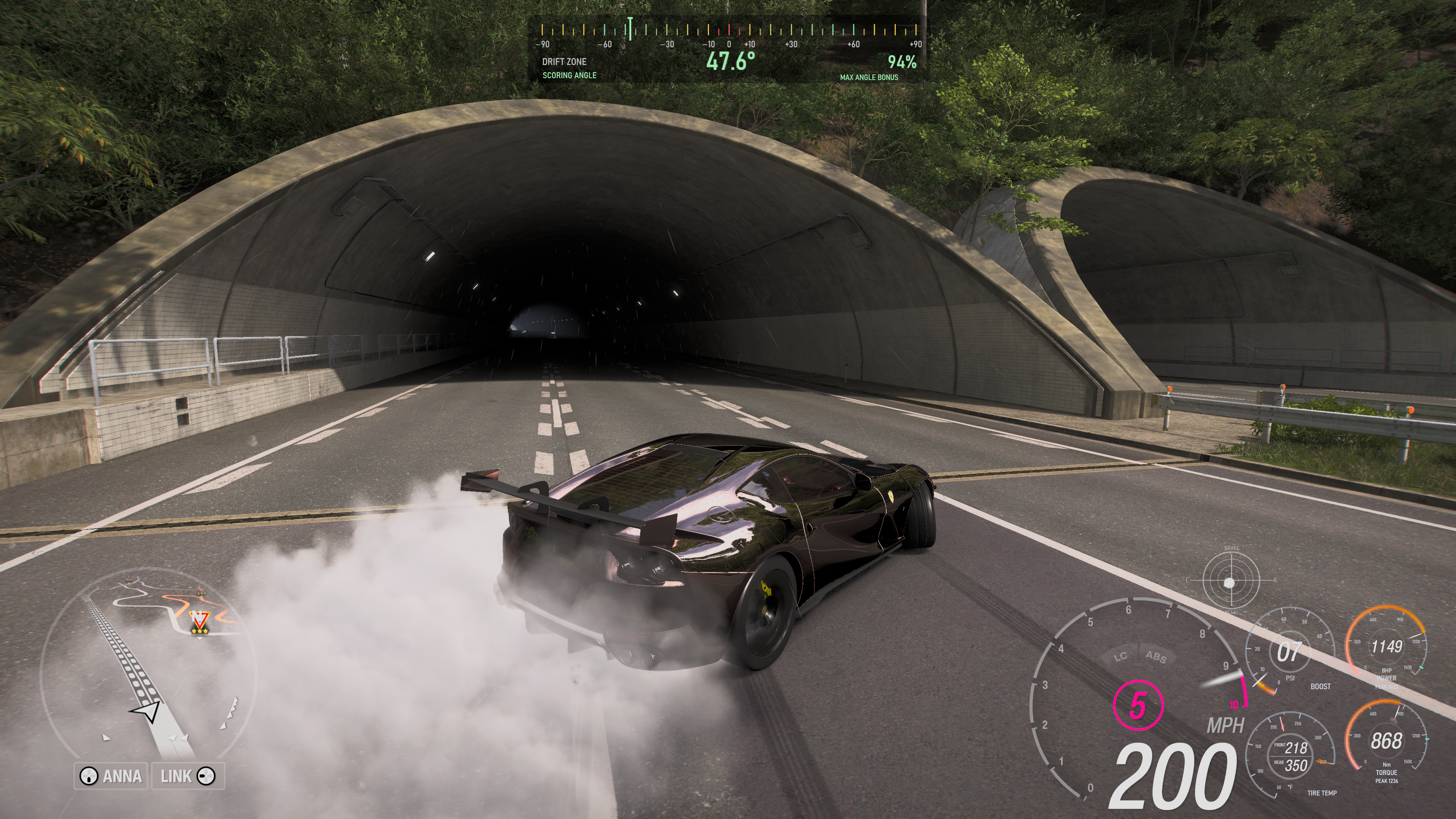


This is included in Wisp 2.1 now: live BHP and torque gauges with native-style needles, peak markers, and Nm or lb-ft readouts.
You can attach each gauge to the speedometer or move it separately. In Appearance → Gauges → Engine output, turn them on or off; More options has size, smoothing, and fixed ranges saved for each car. Set from this run uses observed peaks plus 10%, then keeps the scale fixed while driving. The shared gauge colors apply to these too.
Download Wisp 2.1 and read the release notes.
Thanks for suggesting this!