
v28
Change log:
General changes
-
Added automatic firmware detection
• When you enter the bdjb menu, a payload gets executed, that finds your firmware data and puts it into cache. This firmware data is used for automatic pipeline category assigment and some texts. -
Added pipeline categories (Poopsploit and UMTX)
• On firmwares 7.61 and under, the UMTX pipeline category gets automatically assigned, but you can change to the Poopsploit category via pressing 1 on the Disc Player Overlay Menu (Triangle button).
• On firmwares over 7.61 (8.00-12.00) the Poopsploit category gets automatically assigned, you cannot change to the UMTX category on those firmwares, since UMTX pipelines are incompatible. -
Added "Run Last Selected Pipeline" button
• When you run a pipeline, your selection gets saved into cache, on your next run you can press the "Run Last Selected Pipeline" button to choose the selection you did on your last boot.
• This saves time by not having to scroll down to select your favored pipeline each time. -
Added Icon Groups
• When you first use the iso, you will have the normal icons that have been here since the release of v16 (if i remember right)
• Now, i added a second group of icons, that you can toggle back and fourth from by pressing the button 7 in the Disc Player Overlay Menu (Triangle)
• Your selection of icons gets saved in the cache, and on your next boot you will still have the icon group you chose
• For now there are only two icon groups, the normal ones and the dark theme ones. I hope you like them. -
Added Payload Manager pipelines, for each pipeline category (Poopsploit and UMTX)
04.Poops-Payload-Manager.pipe
04.UMTX-Payload-Manager.pipe -
Added firmware and iso version displays to the menu in the top right corner
-
Added delete cache button
• By pressing the button 9 in the Disc Player Overlay Menu (Triangle button), you can delete all cache (Last selected pipeline, Icon group and Firmware Data cache)
• There's no real need to use this, unless your cache is corrupted or something. -
Removed BackPork from the all-in-one pipelines, since ShadowmountPlus already has BackPork included.
• This will decrease the time it takes to load the all-in-one pipelines by about 5 seconds. -
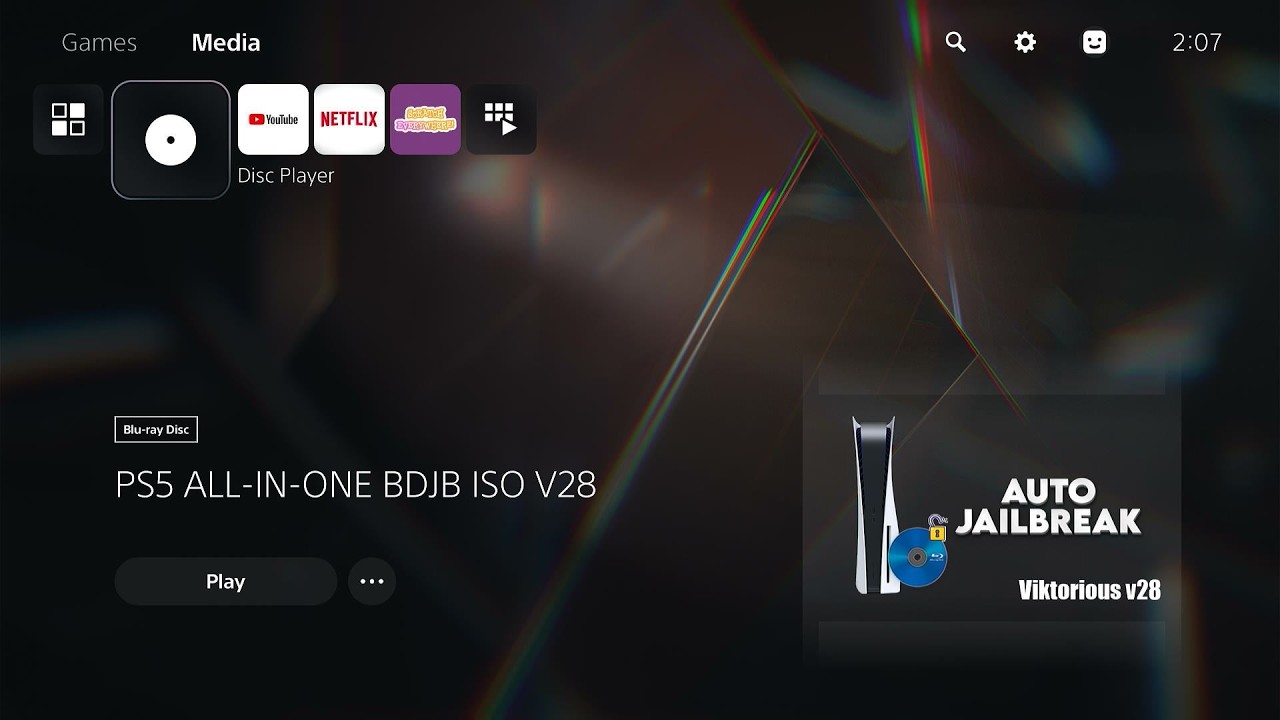
Changed the title name from "Auto Jailbreak V28" to "PS5 ALL-IN-ONE BDJB ISO V28"
Payload changes
-
Added fwdetect.jar
• just a payload, that automatically gets the firmware data of your console, and writes it to cache.
• Gets autoloaded, if no firmware data is found in cache on boot.. -
Updated Ps5-Linux-Loader by TheFlow to the latest version (v2.4) with added support for the firmware 7.40
-
Updated ShadowMountPlus by Drakmor to the latest version (v1.6beta16)
-
Recompiled BDJ-HEN-Loader by @BenNoxXD (paired with etaHEN by LightningMods) with the latest SDK version, to ensure compatibility across all firmware versions
-
Recompiled BDJ-HEN-Loader by @BenNoxXD (paired with kstuff by @EchoStretch) with the latest SDK version, to ensure compatibility across all firmware versions
-
Recompiled CloseDiscPlayer by @BenNoxXD with the latest SDK version, to ensure compatibility across all firmware versions
-
Added message to Poopsploit payload, in a place where the log sometimes freezes.
Notes:
Got any questions, issues, want to get notified about new releases or just want to talk?
Have fun!
Watch the video: Viktorious All-In-One BDJB v28 iso Showcase
Tutorial:
Burn the latest iso on your BD disk using imgburn (or any other preferred software), run the disk on your ps5 and select any pipeline or payload you like.
Michael Crump's video overview (Version v19 in this video)
Modded Warfare's tutorial (outdated ISO in this video, but the tutorial is useful)
If you would like to support what i'm doing, consider donating!
Ko-Fi:

Notice! If you donate do not mention jailbreaking or hacking or anything associated with that!
██╗░░░██╗██╗██╗░░██╗████████╗░█████╗░██████╗░██╗░█████╗░██╗░░░██╗░██████╗
██║░░░██║██║██║░██╔╝╚══██╔══╝██╔══██╗██╔══██╗██║██╔══██╗██║░░░██║██╔════╝
╚██╗░██╔╝██║█████═╝░░░░██║░░░██║░░██║██████╔╝██║██║░░██║██║░░░██║╚█████╗░
░╚████╔╝░██║██╔═██╗░░░░██║░░░██║░░██║██╔══██╗██║██║░░██║██║░░░██║░╚═══██╗
░░╚██╔╝░░██║██║░╚██╗░░░██║░░░╚█████╔╝██║░░██║██║╚█████╔╝╚██████╔╝██████╔╝
░░░╚═╝░░░╚═╝╚═╝░░╚═╝░░░╚═╝░░░░╚════╝░╚═╝░░╚═╝╚═╝░╚════╝░░╚═════╝░╚═════╝░

