Color pallete used - https://coolors.co/69a2b8-ccdde2-d4ba9e-dc965a-c3f73a-04080f
This page will describe the MyP2P GUI
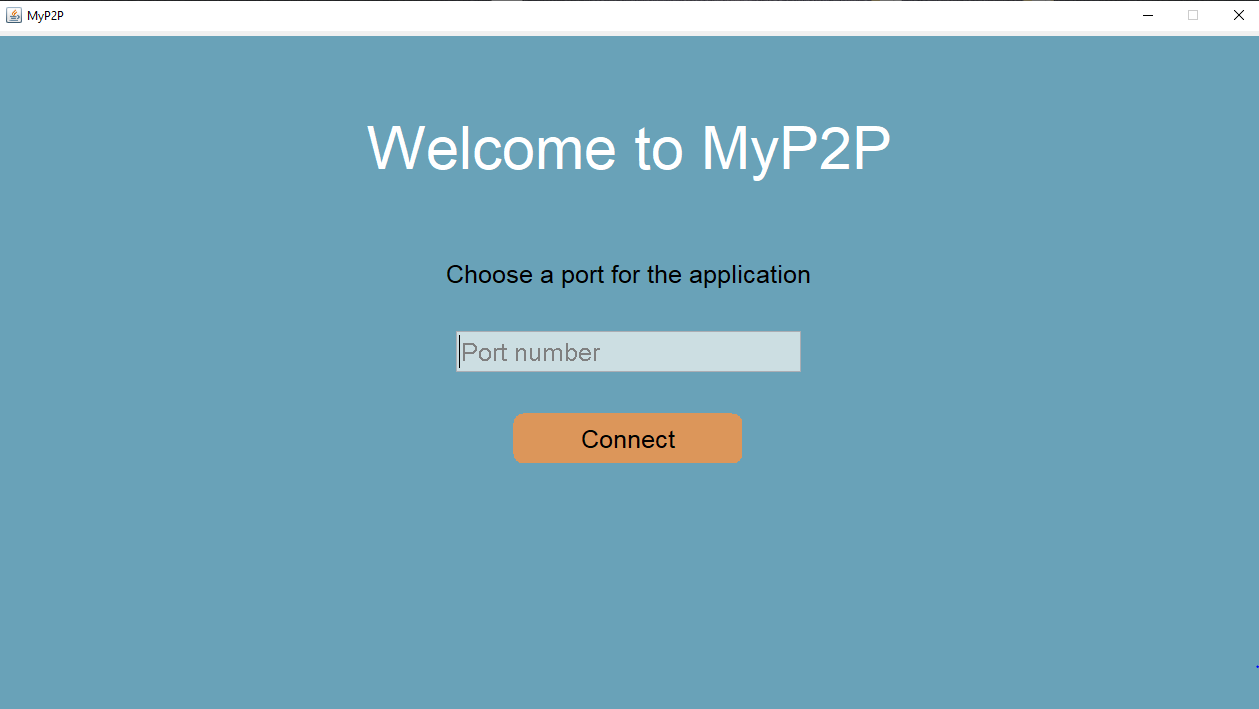
In the first page we have a text field in which we wait for the user of the application to introduce a port number for which the application will be run onto.A number between 1024 and 65353 that is available(no other process is using it) is valid for the port chosen for this application.
The button Connect has the role of checking whether the text given as input is a valid port number.The text given for the port number is considered invalid if one of these cases are true:
-contains a character that is not a digit
-the length of the text is bigger than 6
-is a negative number
-is a number between 1 and 1023 inclusive(being a reserved port number 'well-known'
-is a port number that is already taken by another process
In each of these cases ,an error message will be displayed that specifies the problem with the input given.The error message may look like this:
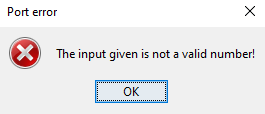
In the port number is valid,then the page switches to the Files Page of the application.Otherwise,you can try to input another text as port number after closing the error message.
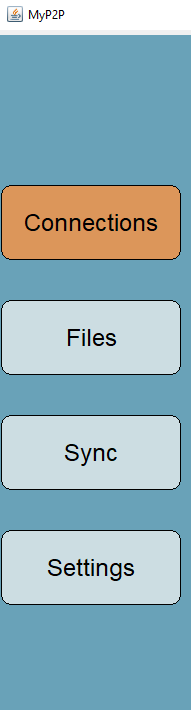
The Menu Bar is responsible with changing the current page to another page by pressing a button.It contains 4 buttons ,and each button has associated a page which will be displayed if pressed.
If pressed,this button will open the Connections Page
If pressed ,this button will open the Files Page
If pressed,this button will open the Sync Page.
If pressed ,this button will open the Settings Page
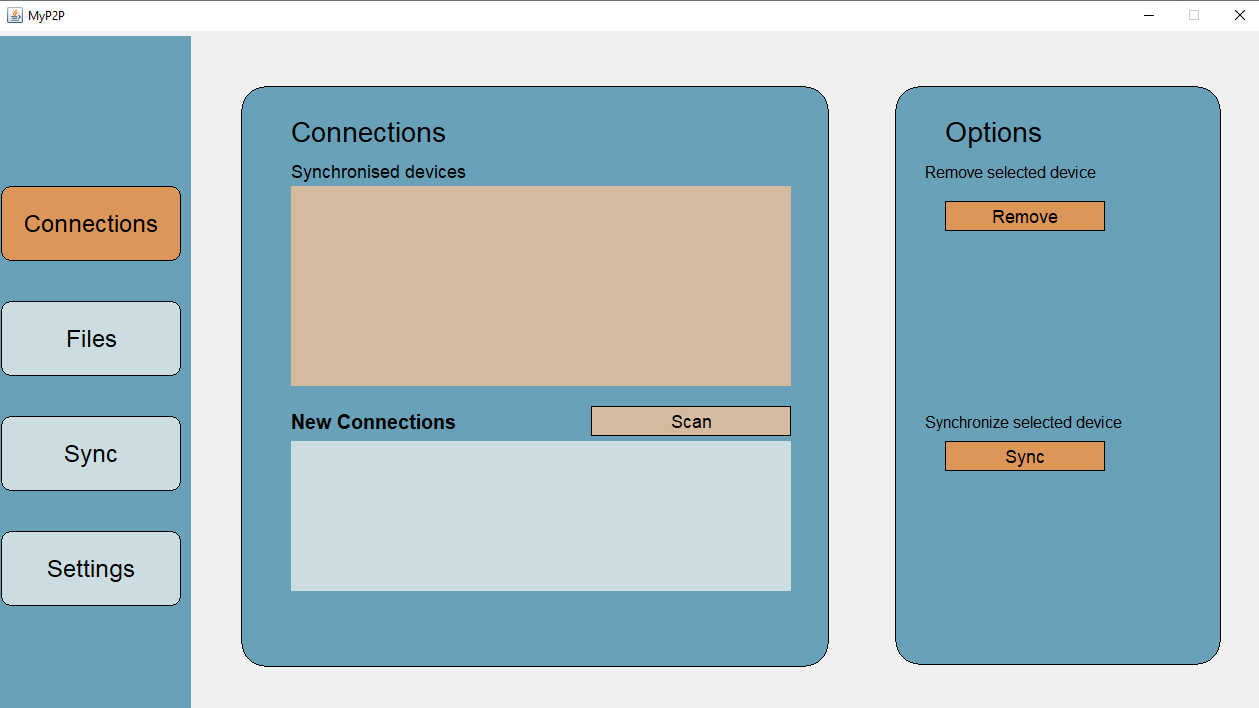
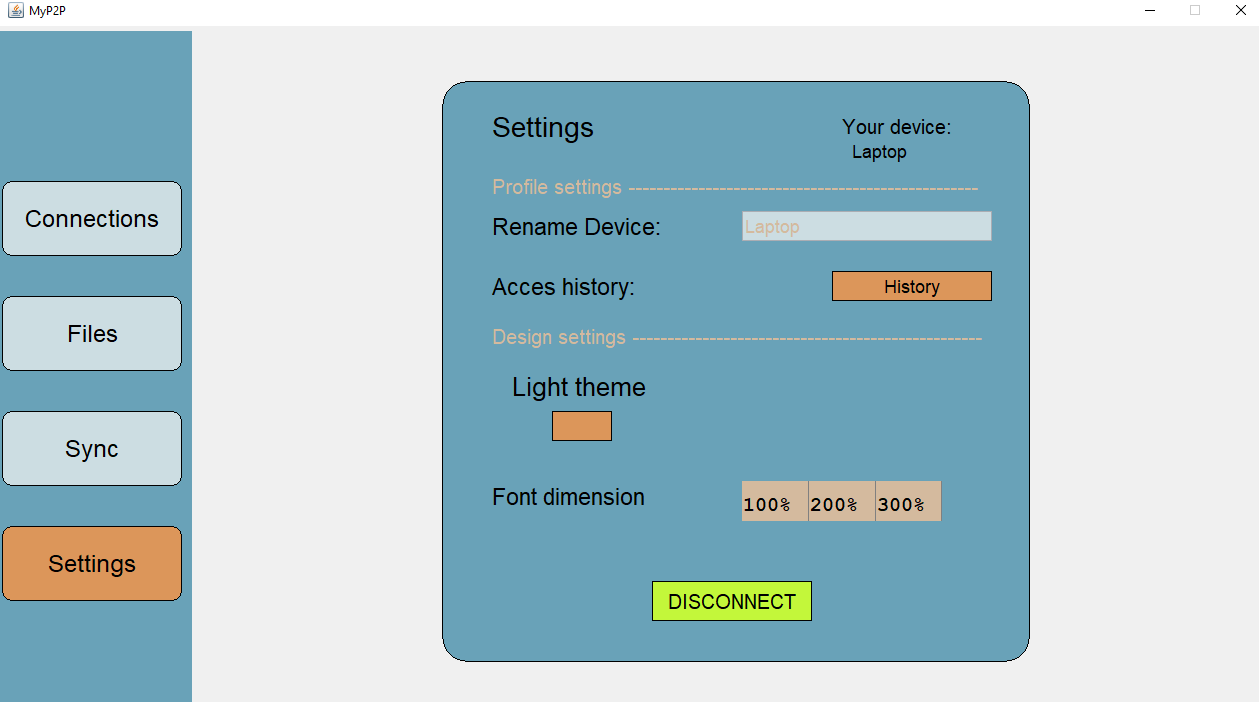
This page allows the changing of visual settings such as whether to have the application in light or dark mode and the font size.It also has a field for introducing the name of the device(the name with which the machine will be seen as),a History Button and a Disconnect Button.
Allows changing the name of the device which currently runs the application.
By selecting from 1 of 3 options,you can change the size of the font to your liking.
The disconnect button will make the app go back to the first page and free the port that was used up to this point,allowing for changing the port value for the application.