Features
Everything the Apple TV app does today. The iPhone and iPad build shares the player and server; a fully native iOS client on the engine is the next major piece (see Roadmap).
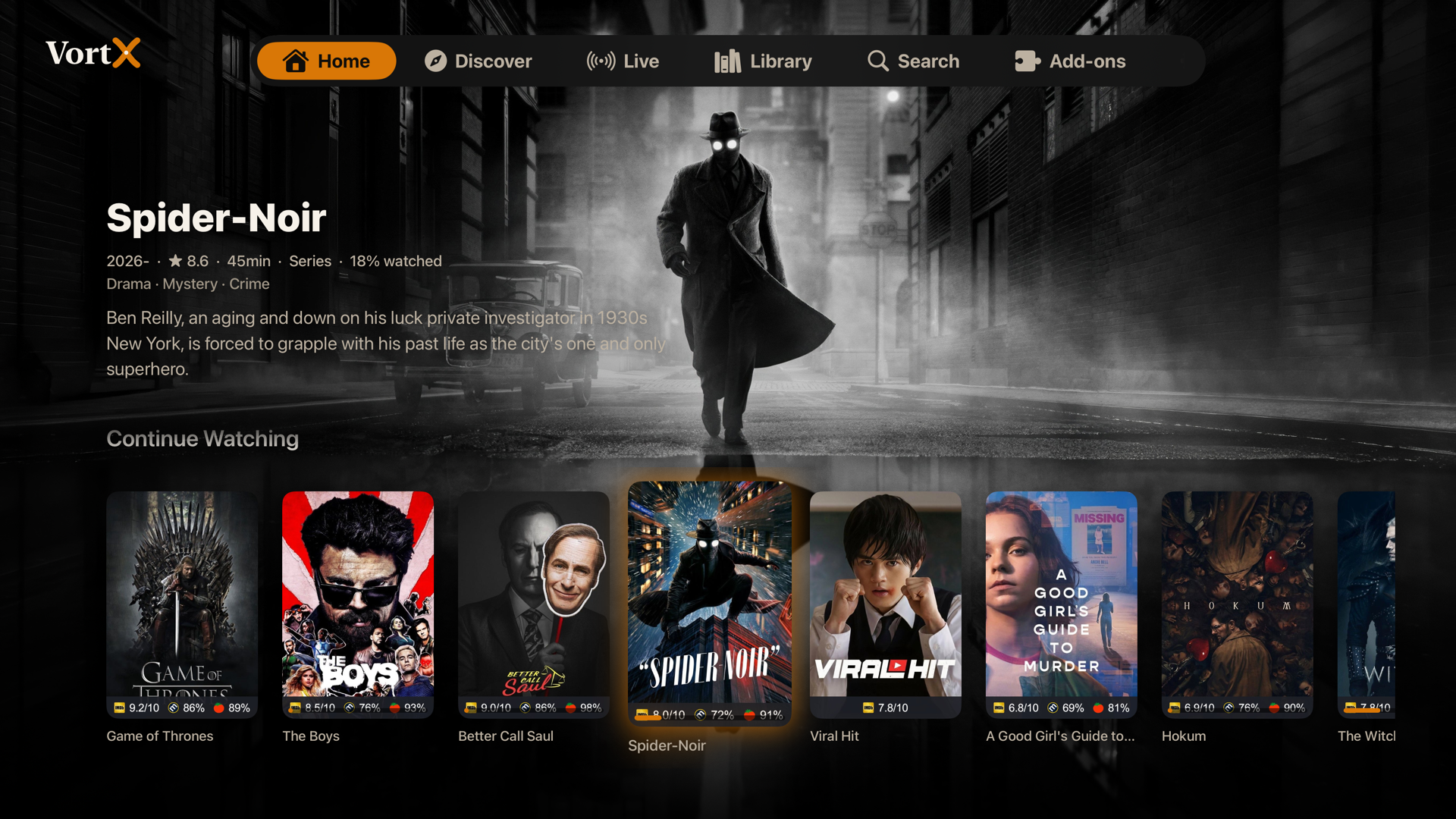
- Home with your real Continue Watching and every catalog from every installed add-on, built by the official engine so they match the official apps.
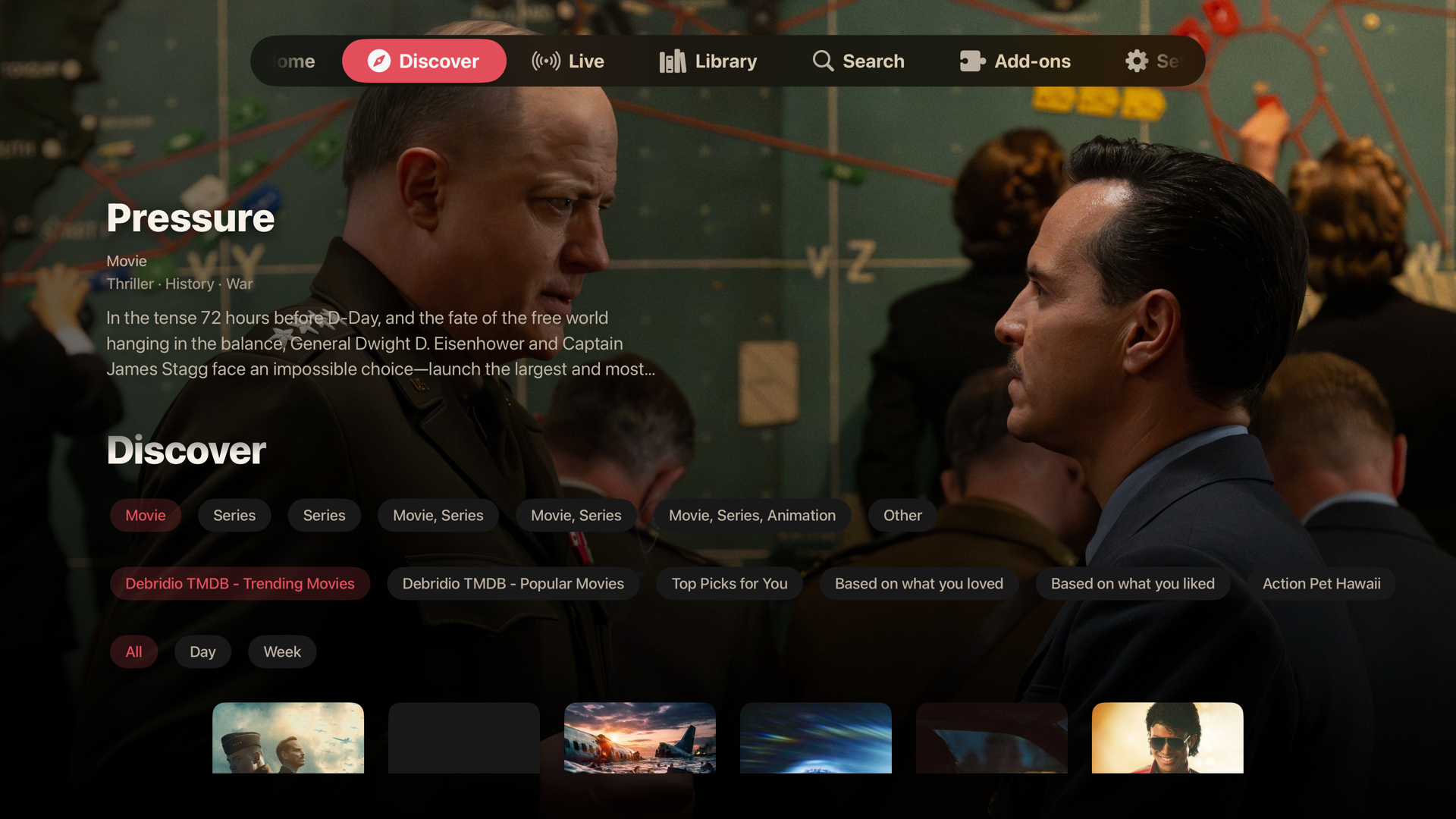
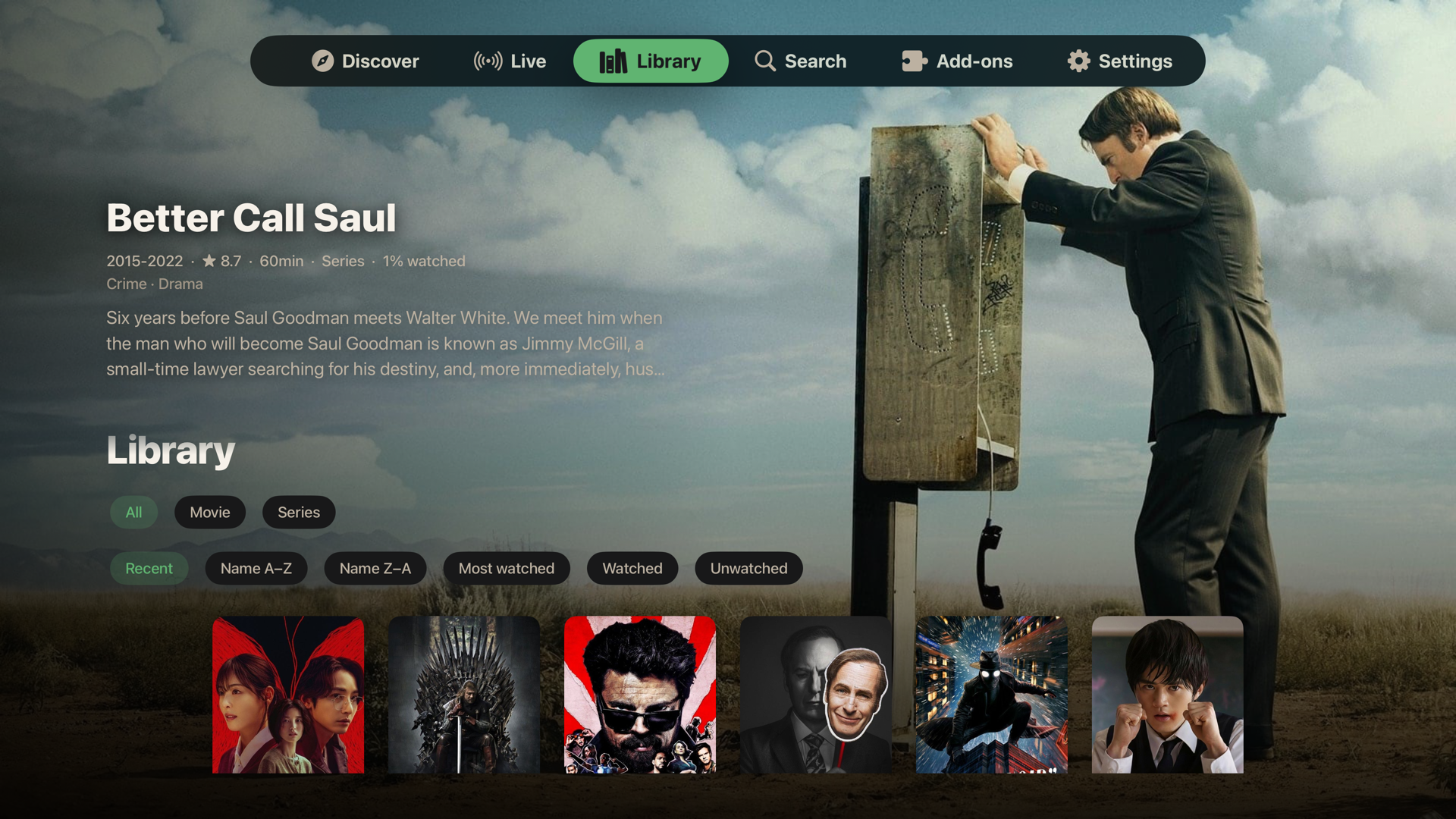
- A living backdrop on Home, Discover, and Library: whichever title you focus fills the screen with its real backdrop art, year, rating, runtime, genres, and synopsis, with rows tucking away underneath as you browse deeper.
- A theme-colored focus glow on every poster, so the focused card reads at a glance from across the room.
- Full-bleed pages. Movie and episode pages let the artwork own the screen with details over it; episode pages show the still, air date, runtime, rating, and synopsis.
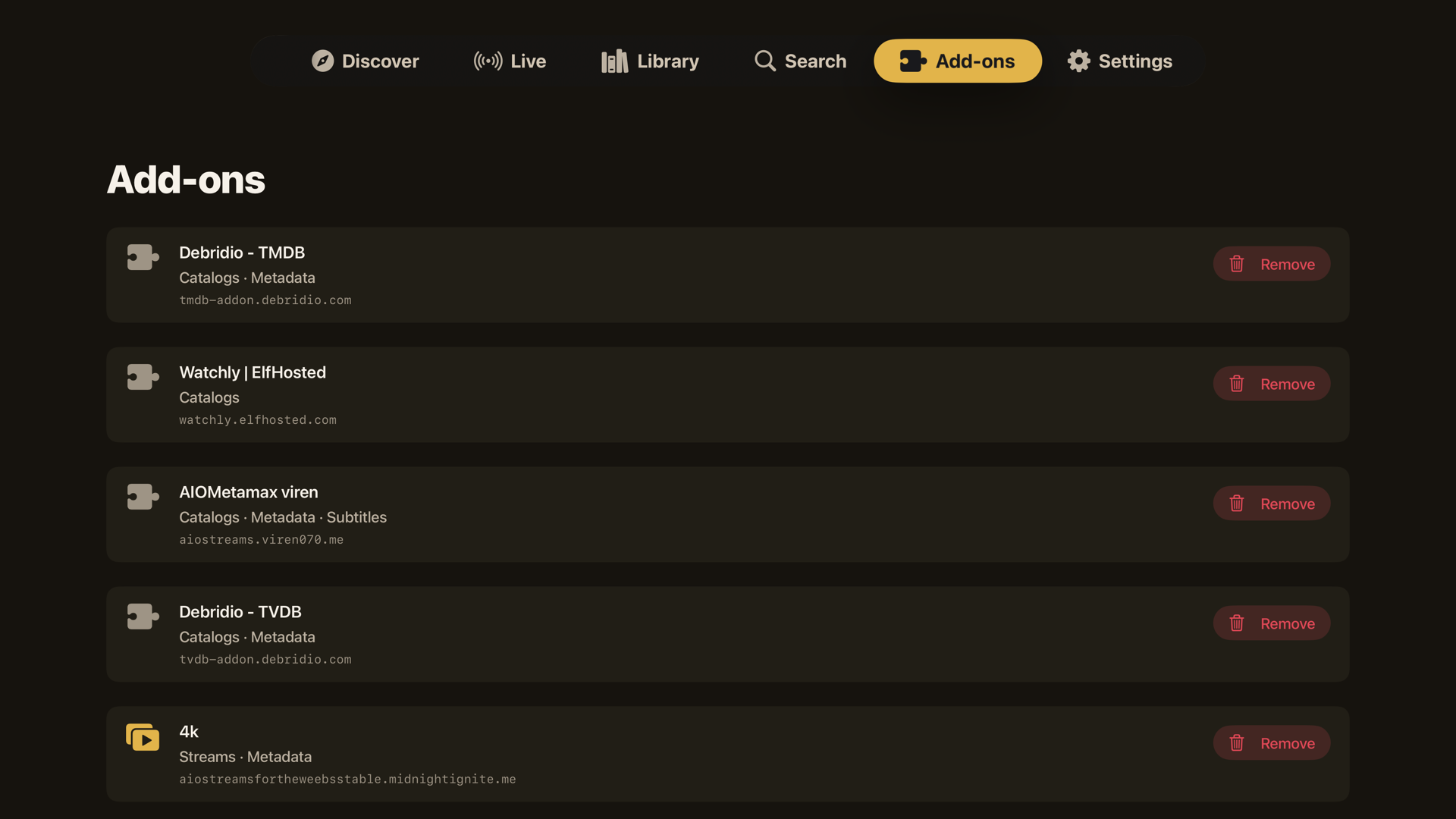
- Discover and Library filters: type, catalog, genre, and sort, with the same living backdrop. Search runs across your add-ons, and installed add-ons are listed and removable in the app.

- Series open ready to play. A Resume or Play button on the hero jumps to the right episode (in progress, or first unwatched), and the episode list opens on that season.
- Add to Library / Watch Later. A chip on every movie and series page saves a title for later, reflecting the engine's own saved state so it stays correct everywhere.
-
Watched state. Partly watched episodes show a progress stripe, watched episodes show a tick. Per-season and whole-series watched and unwatched controls live in a long-press menu and a visible
...menu. - Long-press menus everywhere: dismiss from Continue Watching or open its full Details page, add to or remove from the library, mark watched or unwatched by episode, season, or series. Finished titles leave Continue Watching on their own.
- Click a Continue Watching card and it resumes the exact stream you were on, at the exact position, straight into the player, with no detour through the detail page.
- A Details option in the long-press menu opens the full page when you do want a different episode or quality.
- The exact link is remembered per profile; expired debrid links fall into the player's retry screen.
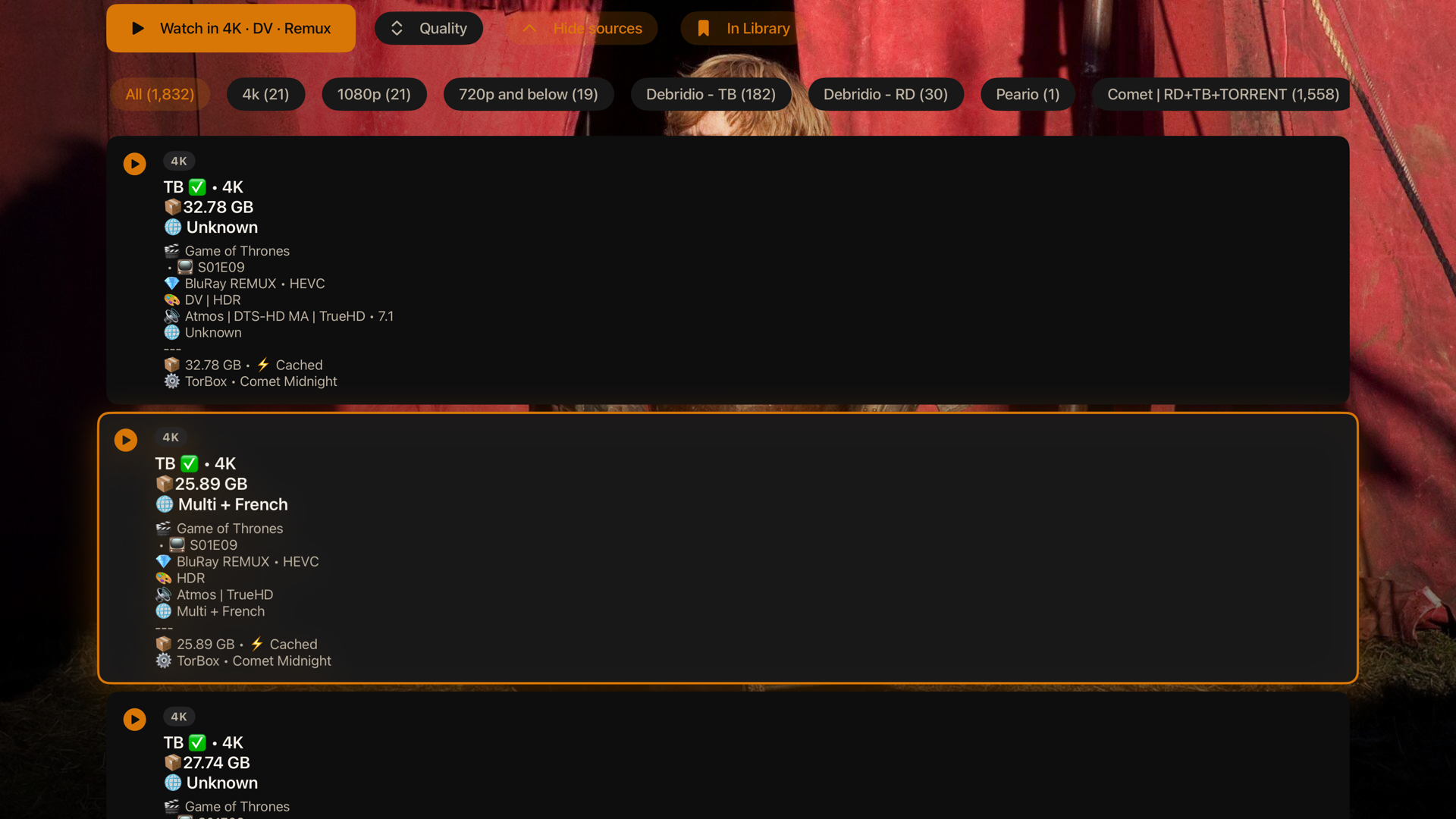
- Watch Now. Every source from every add-on is ranked (cached and direct first, then resolution, remux, HDR) and one press plays the best. The button stays greyed with a live add-on counter until your sources finish answering, so it plays the best of everything, not the best of whatever loaded first.
- A two-level Quality picker. Choose the tier (4K, 1080p, 720p, Others), then the flavor inside it (Dolby Vision, DTS-HD, BluRay, Atmos, WEB and the rest), each labeled with its file size, duplicates collapsed.
- A full, labeled list. The "All sources" list shows resolution, remux or BluRay or WEB, DV or HDR, Atmos or DTS-HD, codec, cached, and file size, with the top few per add-on so one add-on returning hundreds cannot bury the rest.
- Torrents and debrid. Torrents stream through the embedded server with the patience a cold swarm needs (a live peer count and speed under the spinner) and announce over TCP and TLS trackers as well as the usual ones. Debrid and direct URLs play straight through.
- Play a link. From Search, paste a direct video URL, a magnet, a bare host, or a debrid or usenet link resolved to http(s), and it plays.

- The codecs actually work: TrueHD and Atmos, DTS-HD MA, EAC3, 4K, HDR, and Dolby Vision all play through libmpv.
- Real HDR and Dolby Vision output. Starting HDR content switches the Apple TV HDMI link into the content's mode at its native frame rate, your TV lights its HDR or Dolby Vision badge, and the display returns to normal when playback ends. (Needs Match Dynamic Range under Settings, Video and Audio, Match Content on the Apple TV.)
- A Dolby Vision / HDR compatibility toggle for the rare displays where a Profile 7 remux comes out green or purple: it tone-maps down to clean SDR. Off by default.
- Seamless binge. The next episode is fetched and ranked in the background at the halfway mark, woken up just before the credits so there is no provider cold start, and locked to the same release group, so episode two never jumps quality or edition mid-binge.
- Per-series quality memory. Watch Now remembers, per series and per profile, the quality you last played and opens in it again. Cached and instant sources still win.
- Stall recovery. If the picture freezes while not buffering, the player reloads in place at your position; if a source keeps stalling, you land on the source list instead of a dead screen. You can switch sources mid-playback, and a failed stream offers the source list in one press.
- Stream link QR. The Playback panel shows the playing stream as a QR code (a magnet for torrents) to scan with your phone and keep watching there.
- And: playback speed, a live playback-info overlay (resolution, codec, hardware decode, FPS, dropped frames, buffer), skip intro / recap / credits, smart audio and subtitle selection from your preferred languages, language-grouped track pickers, subtitle styling and sync, bundled fonts for every script, a seekable scrubber with accelerating hold-to-seek, fit / zoom / stretch aspect modes, and resume across sessions. Live progress flows back to your account as you watch.
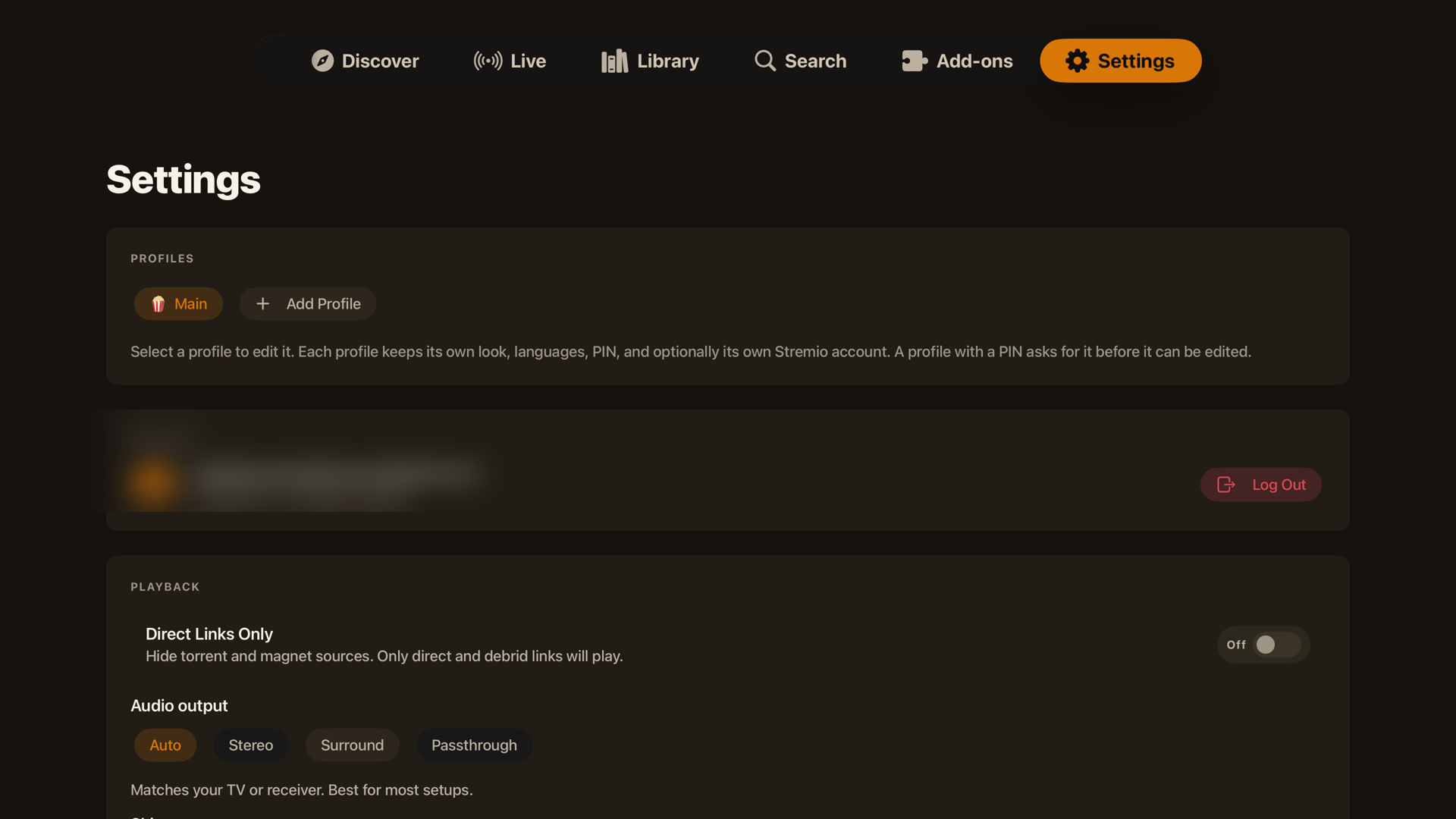
- A "Who's watching?" picker at launch when more than one profile exists, with no flash of the wrong profile's Home first.
- Each profile keeps its own name, avatar, accent theme, and background; switching re-themes the whole app instantly.
- Each profile keeps its own watch history: its own Continue Watching, resume positions, and watched markers, invisible to the others.
- An optional 4-digit PIN gates any profile, stored as a salted hash so it can be changed but never read back.
- A profile can share the main account or sign into its own; switching keeps every session valid.
- QR sign-in: scan a code with your phone instead of typing a password with the remote. Password sign-in stays as a fallback.
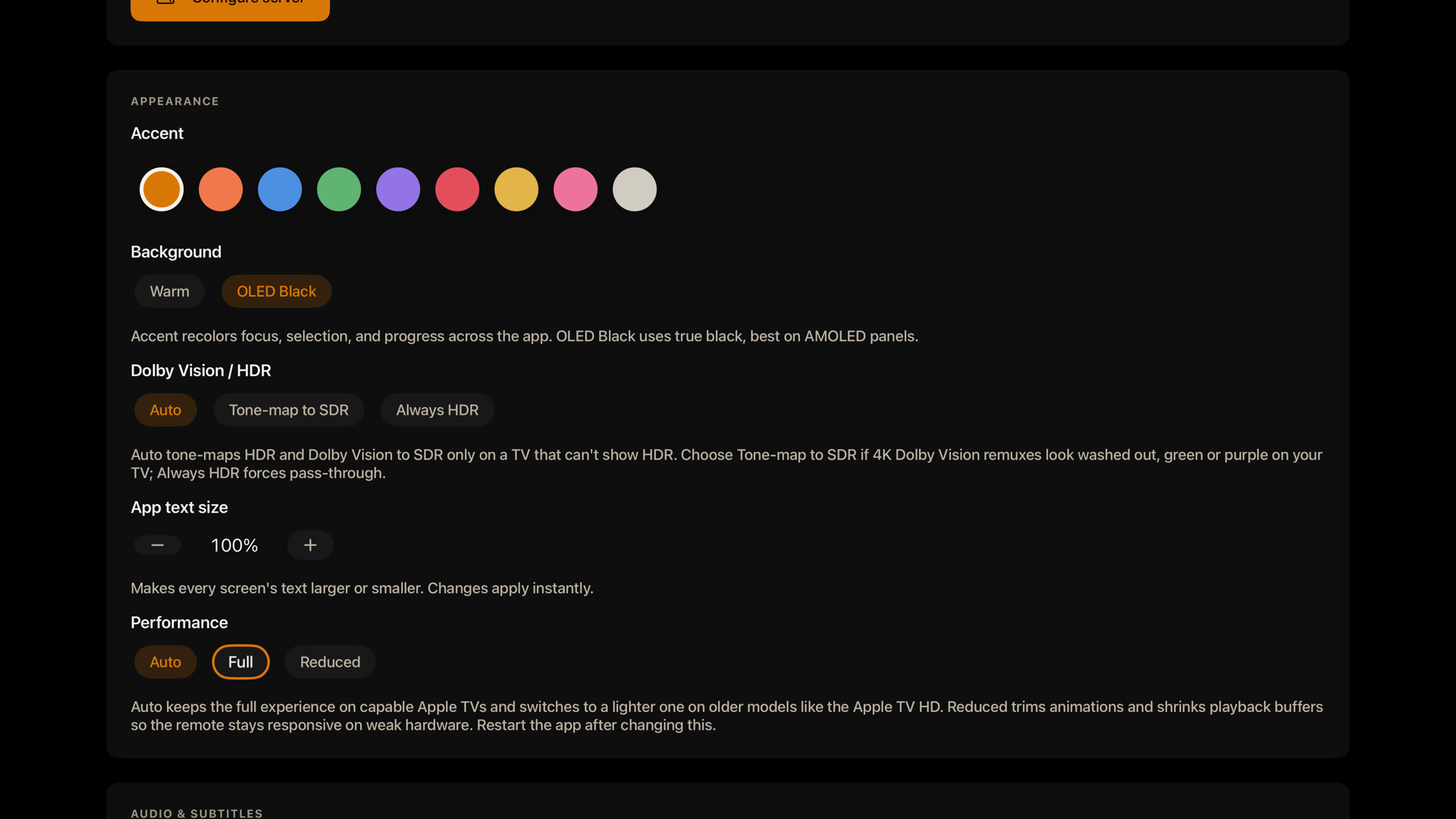
- Eight accent themes plus a true-black OLED mode; the whole app, including the focused tab, repaints live when you switch.
- Direct Links Only toggle to hide torrents and keep the engine off (the Lite build makes this permanent).
- A one-press Restart in Settings, since Apple TV has no force quit, to bring the embedded server back if it ever needs it.
- An in-app update notice that checks for new releases.
- A branded launch splash that honors Reduce Motion, a screen that stays awake during playback and sleeps when paused, and the option to point at your own streaming server.