The component canicompet-datetime-button replace the component from the ionic project.
The idea is to improve the selection of the year and removing the "wheel" which is a mess to use.
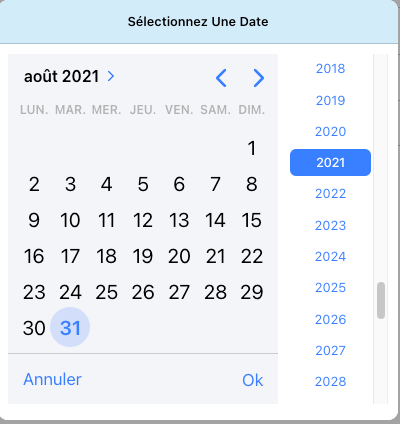
- Clone the repository in your project
- Import the component in *.module.ts
import { CanicompetDatetimeButtonModule } from '../../component/canicompet-datetime-button/canicompet-datetime-button-module';
@NgModule({
  imports: [
  	...,
    CanicompetDatetimeButtonModule
  ],
  declarations: [...Page]
})
- Use it in place of
<canicompet-datetime-button [value]="birthdayDate" (ionChange)="onNgModelBirthdayChange($event)" max="2050-01-01"></canicompet-datetime-button>
I have only implemented what I need, feel free to improve it.