Whiteboard Style Guide: Rails
Standard rules (suggestions) for Rails code at Whiteboard
- Methods should be 5 lines long or less
- Method names should be clear, in english, what the method is doing
-
get_inv_cdt_lmtshould beget_invoice_credit_limit
-
- If a method is checking for a truethy of falsey value, the method should end in a question mark, i.e.
is_an_admin?group_is_active? - Methods should be separate by a single blank line
# BAD
def method_one
  # ...
end
def method_two
  # ...
end

# GOOD
def method_one
  # ...
end

def method_two
  # ...
end- Private methods under the
privatekeyword can EITHER be indented or inline with public methods, just be consistent within your classes
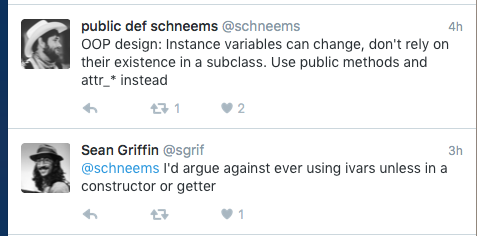
Something to ponder ...
class User < ActiveRecord::Base

  # scopes

  # CONSTANTS

  # attr_ - whatevers

  # belongs_tos

  # has_manys

  # validations on fields

  # custom validations

  # callbacks

  # methods

end
Immediately after a model is created, validations on the attributes/fields should be immediately analyzed and added per the needs of the data.
ALWAYS ERR ON THE SIDE OF TOO STRICT THAN TOO LOOSE - For example, if an Event model never makes since without a start_time value, do not let the record be saved without that value. It is always easier to loosen the validation requirements later, than try and tighten the requirements on the data that is already there.
This also has an added benefit in your views, where if it never makes sense for an Event's start_time to be nil then you will never have to worry about calling additional methods on start_time such as strftime. If you are not strict with your validations at the beginning, and nil values accidentally get added to your database, then you will have to liter your views with .nil? or .present? or .try() in order to check if the start_time is there before calling additional methods, ultimately affecting the quality and changeability of the code.
It is helpful, and highly encouraged, to also add database-level constraints where it makes sense. Candidates for database-level constraints are items such as: length, null: false and uniq: true. If a uniqueness validation is needed on a field/attribute ALWAYS add a unique index on the database to protect against race conditions within your app instances. See "Concurrency and Integrity" section of http://api.rubyonrails.org/classes/ActiveRecord/Validations/ClassMethods.html#method-i-validates_uniqueness_of
#WIP
If creating a has_one relationship, it is encourage to add a unique index for the foreign_key on the has_one model as it is quite common for more than one record to accidentally get into the db....
class PostsController < ApplicationController

  # includes Modules / Concerns

  # before / after filters

  # REST actions ... index, show, create etc

  # Non REST actions ... any custom controller methods / actions
  # ^^ Think hard about this, lots of times a new controller is warranted for
  #    non REST actions.

private

  # params, small methods to help application flow. KEEP CONTROLLER ACTIONS SMALL

  # helper methods for views. Define helper method directly under method declaration
  # That way you know immediately whether a method is defined as a helper method

  def post_owner
    post.user
  end
  helper_method :post_owner


endBefore filters and others are great for Authentication ( authenticate_user! ) or Authorization ( current_user.admin? ). Filters should not be used to set instance variables, and especially should not depend on other filters.
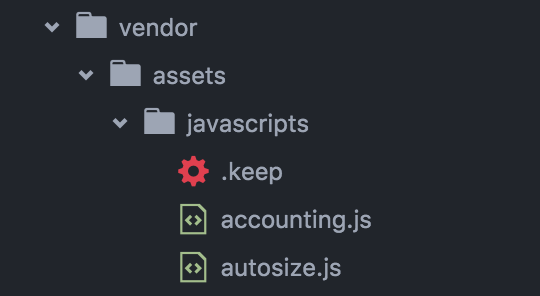
If you need to include an external js library such as d3.js in your Rails project, and it does not come as a gem, put the minified library file in vender/assets/javascripts/ and within the sprokets directives at the top of your application.js file, before //=require_tree ., add //= require d3. This will import the external library file BEFORE any of your other javascript files within app/assets.
This has the added benefit of keeping your app/assets/javascripts/ clean with ONLY application specific javascript, AND within your application javascript you do not have to worry about whether on not a file has been loaded before you need it.
- Always use
.scssin the asset pipeline - Remove sprockets
*= require_tree .line. Instead import thescssfiles through@import. This importantly allows us to share variables between files. - Consider splitting files up into two directories -
pages/andcomponents/. Place common components into the components directory and page specific style into the pages directory.- Your
@importstatements would then look like ...@import "components/*";etc.
- Your
If external css files are required, use convention similar to javascript external library rules above.