Repository navigation
Home
LiveCraft is a free, open-source live video production desk. You cut and fade between cameras, files, screens, web pages and network streams, add titles and overlays, mix sound, then record and stream the result. It has no account, no licence key and no subscription. It is licensed MIT or Apache-2.0.
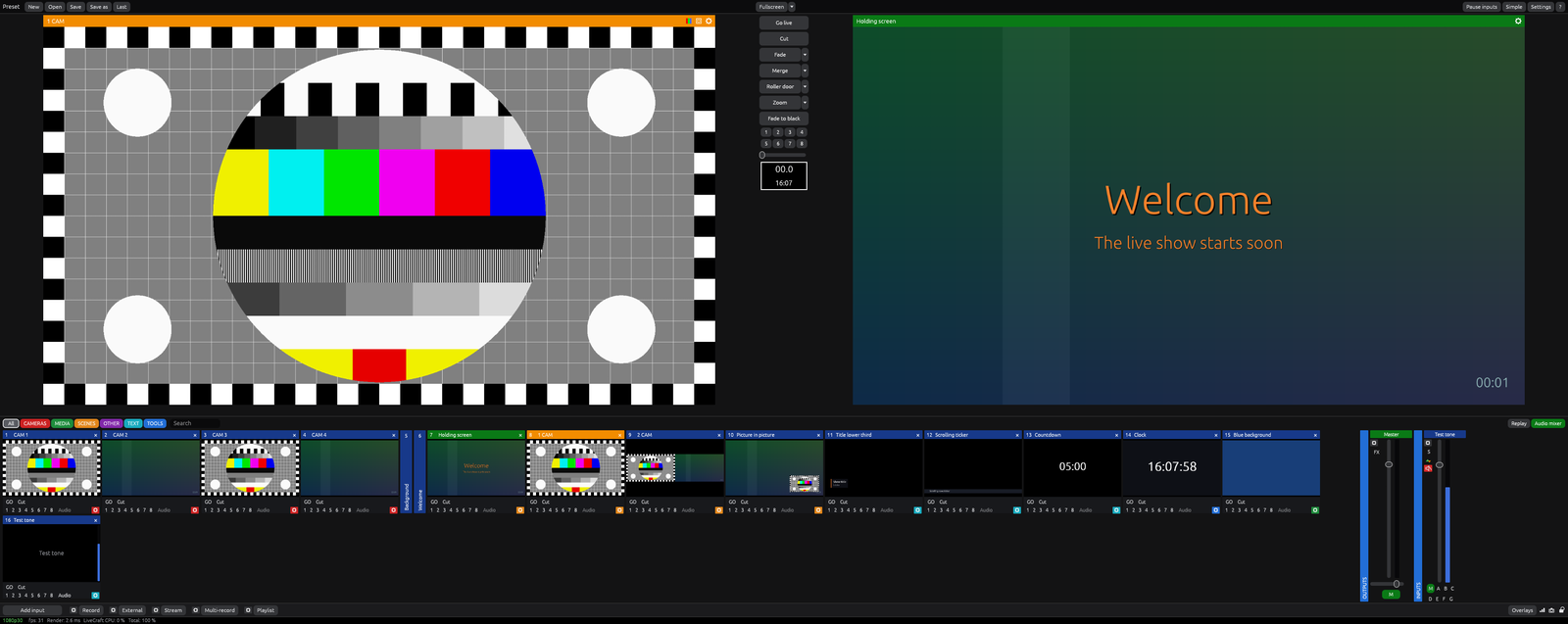
This is an early alpha (v0.1.0-alpha.2). It is not ready for a show that matters. It has run on one Windows machine and on Linux under WSL. It has not been tried with physical cameras, capture cards, PTZ heads or a live streaming platform. The most useful thing you can do is try it with your own gear and tell us what happens. See Troubleshooting and FAQ for what to put in a report.
LiveCraft is Windows first. Released builds are for Windows. Linux and macOS run from source as an experiment, see Linux and macOS.
| I want to... | Read |
|---|---|
| Install LiveCraft | Installing |
| Run a first show from an empty desk | Getting started |
| Know what each part of the screen does | The desk |
| See what changed in this release | What's new |
| Page | What is in it |
|---|---|
| Inputs | Every kind of input, and how to add it |
| Switching and layers | Transitions, overlays, scenes, keys and colour |
| Outputs | Recording, streaming, SRT, NDI, OMT, extra screens |
| Audio | Mixer, buses, Master, plug-ins |
| Video calls | A remote guest in your show |
| Titles | Lower thirds, tickers, countdowns, custom titles, data sources |
| Replay | Instant replay |
| Virtual sets | Presenters in a decor, with a moving camera |
| Slides and DVD | PowerPoint presentations and DVDs |
| Remote control | Web controller, HTTP and TCP, shortcuts, functions, scripts |
| Opening vMix projects | What comes across from a .vmix file and what does not |
| Settings and languages | Every tab of Settings, and the interface language |
| Troubleshooting and FAQ | When something does not work |
| Linux and macOS | Running from source |
- FFmpeg is not included. LiveCraft needs it for files, cameras, recording and streaming. See Installing.
- Web inputs and video calls need a browser on the computer that runs LiveCraft: Microsoft Edge or Google Chrome.
- Alpha builds are not signed, so Windows SmartScreen may warn you.
- The interface is in English and French. It follows the system language, and you can change it in Settings.
This wiki is for people who use LiveCraft. Developer documentation stays in the repository:
LiveCraft is an independent project, built from public documentation. It can open .vmix project files so that you can move your work over. It is not affiliated with or endorsed by the makers of vMix or any other product named here. Those names are trademarks of their owners and appear only to describe compatibility.