Repository navigation

What's new in 3.5
The app list on the tablet is easier to use:
- Search: A search box at the top of the app list. Type a name to find an app quickly.
- Turn all off: A new button at the top right turns every app off at once. It asks first.
- Refresh icon: The "Refresh from phone" row is now a refresh icon at the top right. Tap it after installing new apps on your phone.
- List info: The number of apps and the last update time are shown under the title.
| App list | Search | Turn all off |
|---|---|---|
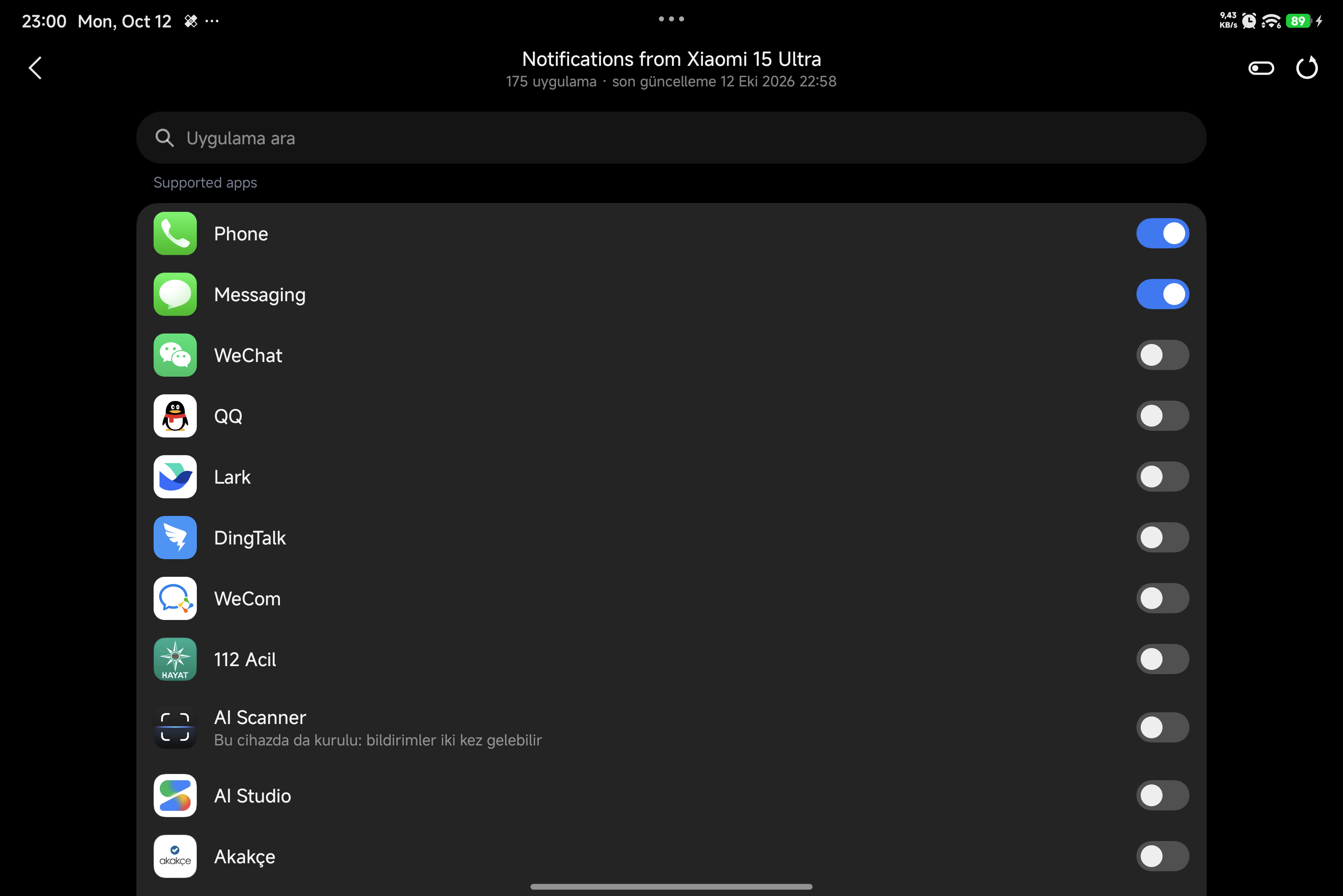 |
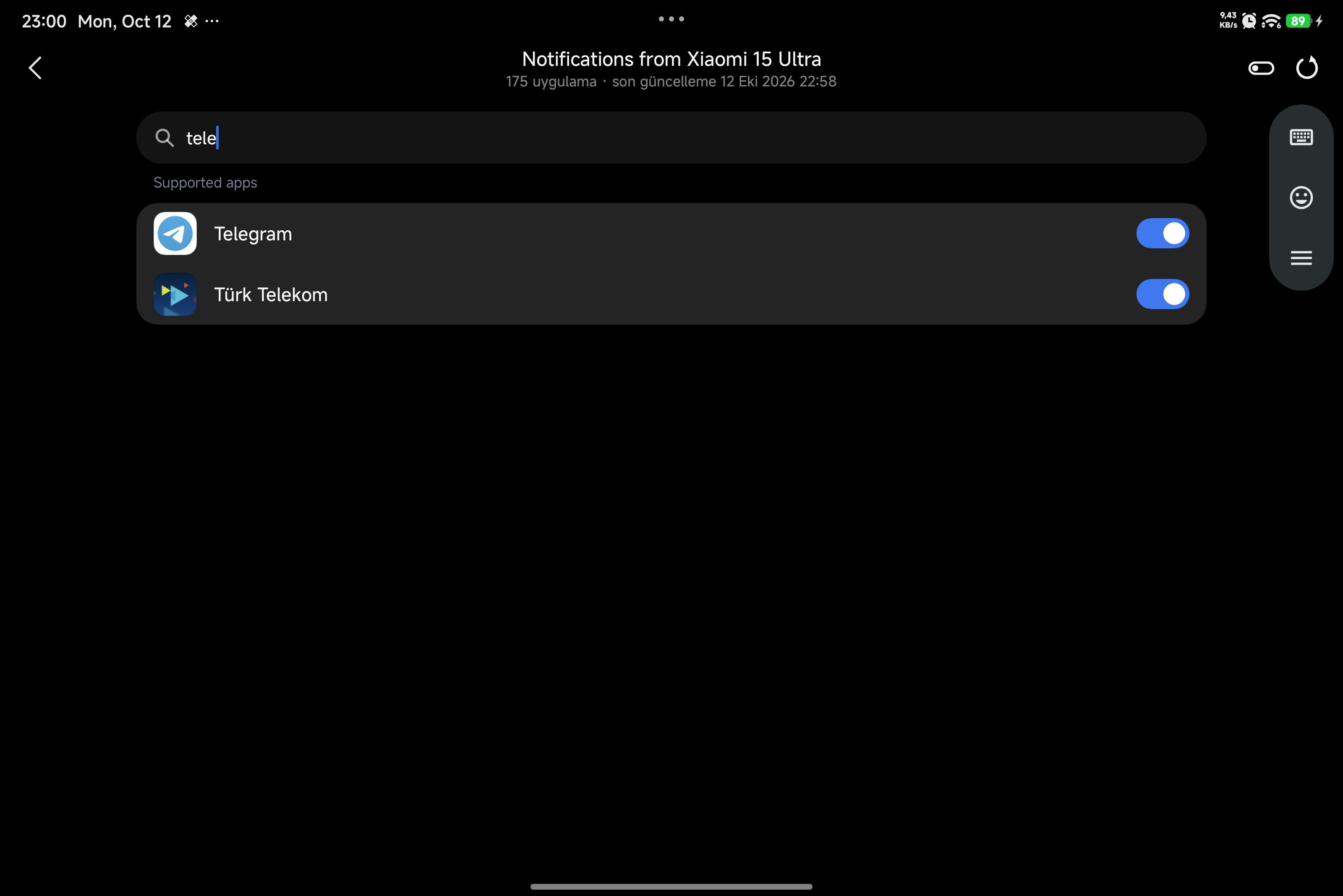 |
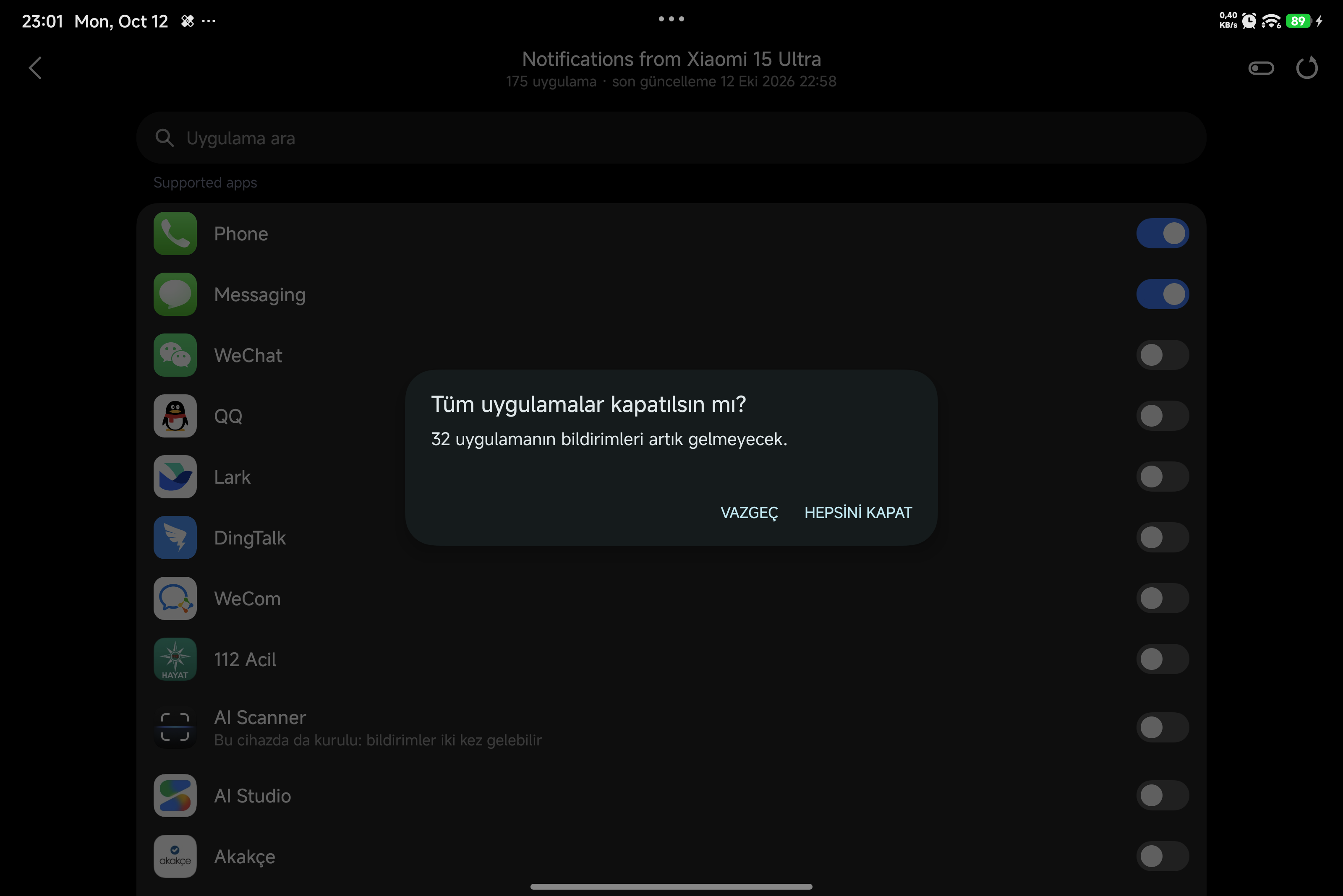 |
Updating from 3.3?
After updating, LSPosed shows a "Scope request" notification once. Tap Approve and restart the tablet, so notifications pop up on the screen.
What XNotify does
See your Xiaomi phone's notifications on your Xiaomi tablet, from any app. Without XNotify, HyperOS only does this for a few Chinese apps like WeChat and QQ.
What you get
- Notifications from any app on your phone: Telegram, WhatsApp, Instagram, SMS, calls and more
- Notifications pop up on the tablet screen
- You choose on the tablet which apps to receive, from a list with icons and search
- Each notification shows the app icon, the app name and which phone it came from
- Works while you use your phone, not only when it is locked
- Works with Xiaomi accounts from any country
What you need
- A Xiaomi phone and a Xiaomi tablet, both on the HyperOS 4 China ROM
- Both signed in to the same Xiaomi account, with Wi-Fi and Bluetooth on
- Root and LSPosed on both devices
How to set it up
- Install XNotify on the phone and on the tablet.
- Turn it on in LSPosed on both devices, then restart both.
- On the tablet, go to Settings → Interconnectivity → Notifications → Receive.
- Tap your phone and turn on the apps you want.