Repository navigation

Prism 1.7.4 is the third of the 1.7.x customization updates: the player, your way. It also makes Prism faster on older phones, and fixes issues reported on GitHub.
⬇ Download Prism.apk · Already on Prism? Tap the update banner on Home.
The player, your way
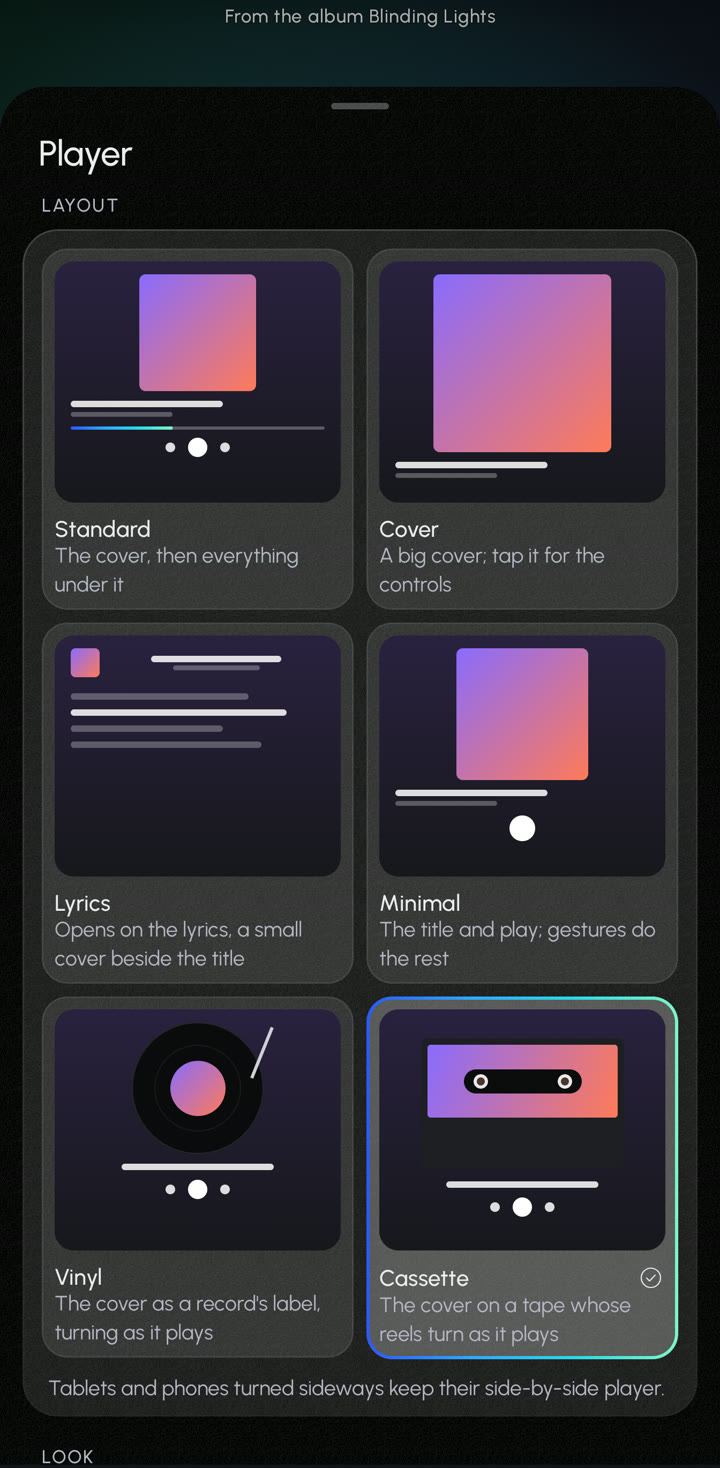
Settings → Appearance → Player, or the player's ⋯ → Player settings. Every choice shows what it looks like.
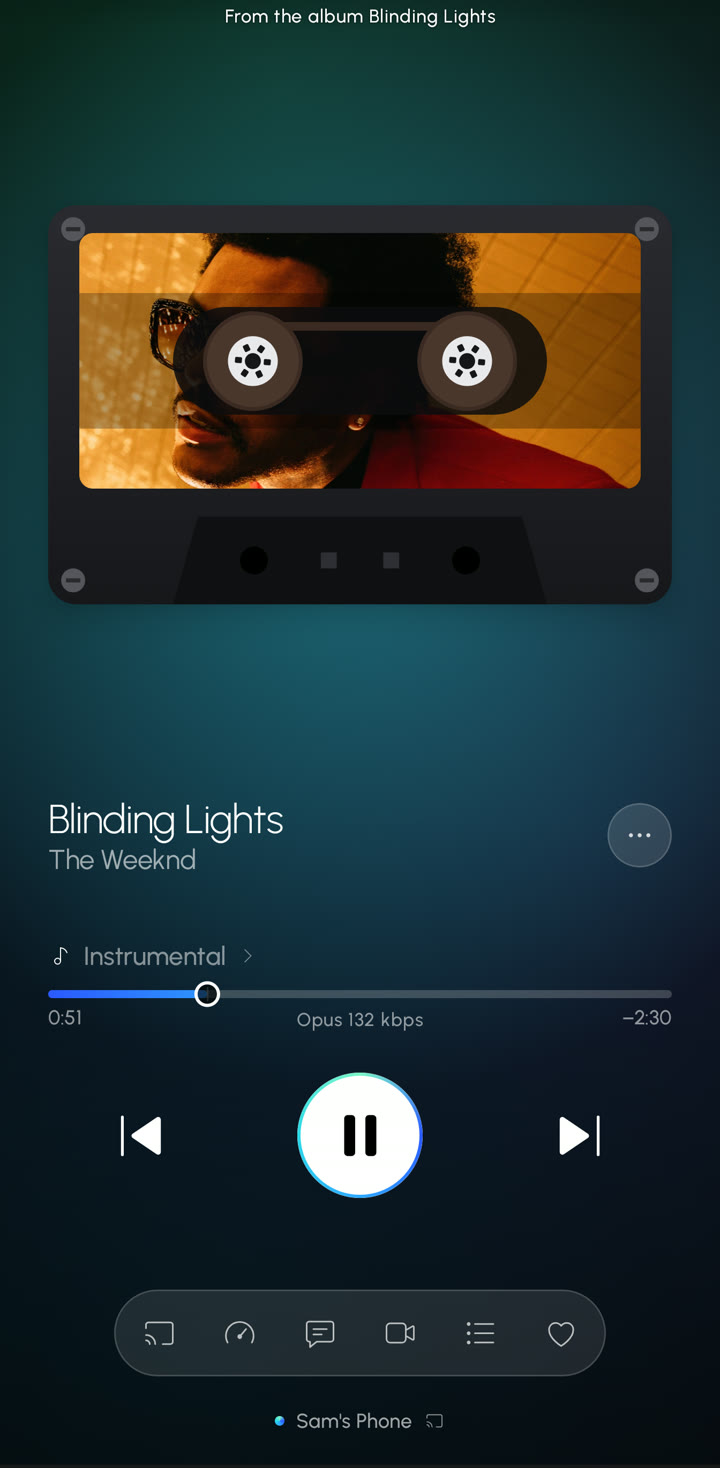
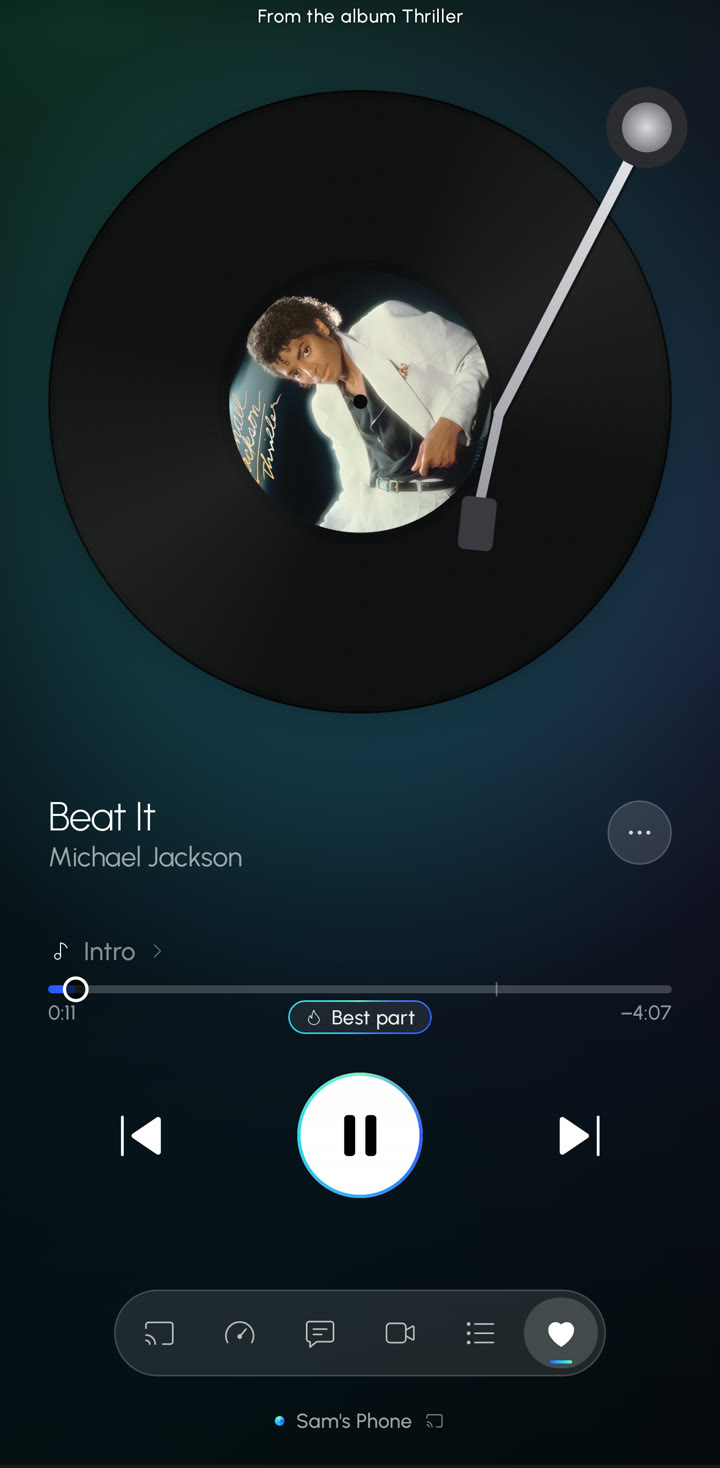
- Six layouts: Standard, Cover (a big cover; tap it for the controls), Lyrics (opens on the lyrics), Minimal (the title and play; gestures do the rest), Vinyl (the cover as a record's label, turning as it plays and slowing to a stop on pause, with a tonearm if you like) and Cassette (the cover on a tape whose reels turn as it plays). Plus a new Vinyl Look.
- A visualizer, off unless you pick one: bars, a wave behind the title, a ring around the cover, a pulsing progress bar, or a glow that breathes with the music. It listens to Prism's own sound (no microphone, no permission) and only runs while the player is open and playing.
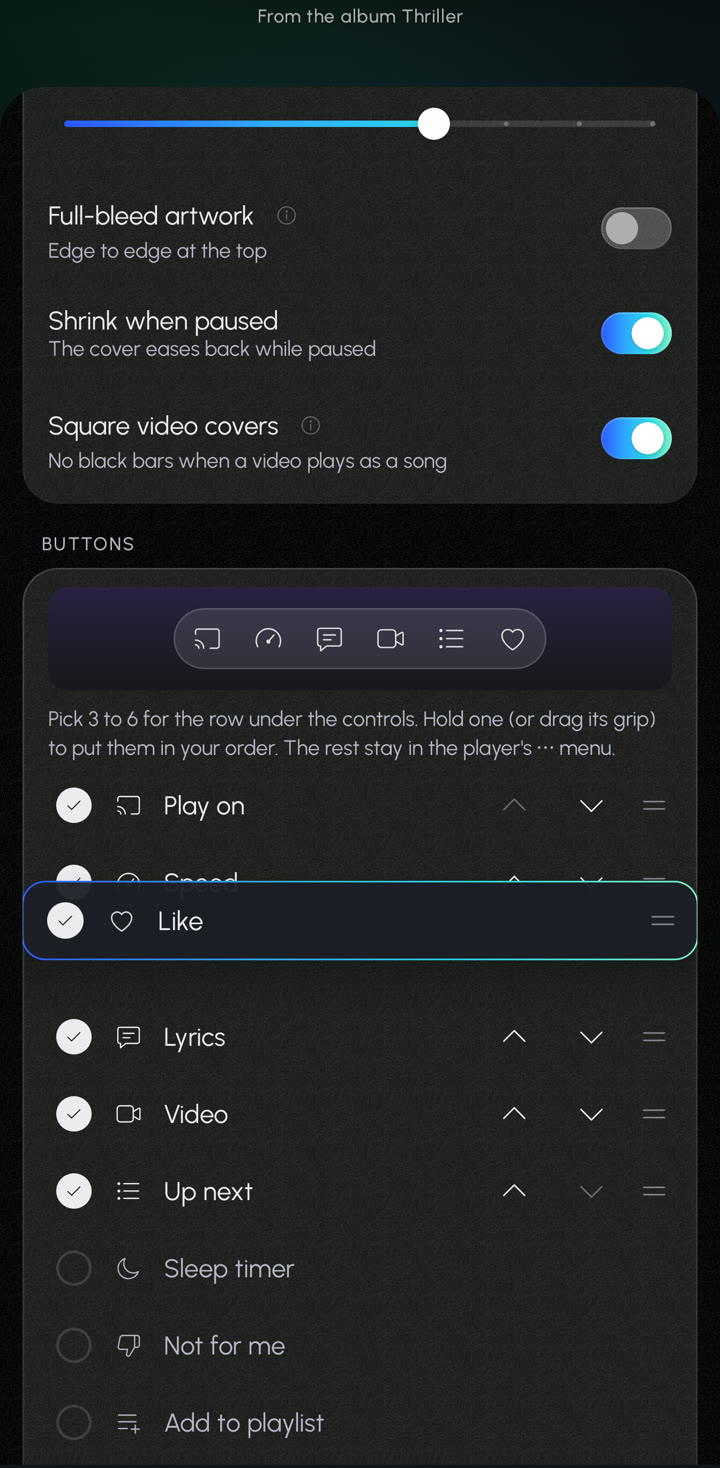
- Your buttons: three to six under the controls, in your order, including a new speed button (0.75× to 1.5×). Choose the notification and Android Auto buttons too, with new Back 10 s and Ahead 30 s.
- Your order for the current lyric, progress bar, controls, volume and buttons.
- The progress bar: a waveform drawn from each song, its color, thickness, and a dot, line, ring or no knob.
- The title left or centred, small, medium or large, scrolling or not, and which times show.
- The background: a drifting color mesh, softer or richer, and any of Prism's backgrounds or your own photo just for the player.
- Gestures: what swipes, a double tap and a long press do on the cover and the mini player.
Drag to reorder
Everywhere you put things in order (the player's buttons, tabs, lyric sources, Library tiles, Local files sections, Customize Home, your playlists): hold a row, or drag its grip, and it lifts onto a card edged in your light. The others slide out of its way, and holding it near the top or bottom scrolls the page, so the last one can go first in one move. The arrows are still there.
Faster
- No more slow days after an update. Prism now carries a startup profile, and updates installed from Prism's update banner are compiled while they install (Android 9 and later), like apps from the Play Store. This starts with the update after this one.
- Smoother while music plays: the player and mini player no longer rebuild four times a second to move the progress bar.
- Home and Search do less work as you scroll and type.
Fixed
- Shuffle and repeat come back after Prism restarts, in the same order (#101).
- Live versions no longer play as the studio song with "Songs, not videos" (#113).
- The font picker lines up in an even grid (#117).
- The browser remote's queue lines up again (#112).
- Speed dial has even margins (#67).
- "Last crash" now also says when the phone itself closed Prism (Android 11 and later), and diagnostics say more about songs that stop playing (#103, #114).
- Android 8 with Bluetooth headphones: opening the player could close Prism.
- Prism closing by itself on some Android 12+ phones when a download restarted in the background (#100).
- The speed you picked now always comes back after a crossfade.
The full list is in the changelog.
Warning
Android Auto features, including car lyrics, are for passengers and for use while parked only. Do not read lyrics while driving. Keep your eyes on the road and follow local laws.
Prism is free and open source (GPL-3.0-or-later) and is not affiliated with Google or YouTube.
SHA-256 of Prism.apk: 18c00e3374c795d2700bf2811029bd68c0c7ed9be4ff595ec7c36a7a0784f142