Releases: ZackaryShen/ColorYourModel
Release list
ColorYourModel v0.1.1

ColorYourModel v0.1.1
2026-10-04 · 顶栏菜单 / 视口 gizmo / Windows 自动更新 / 「所见即所涂」导出修复 / macOS 官方构建
v0.1.0 之后的一个功能与质量版本:4 个功能 PR(#10–#13)+ GUI 审计 9 项修复(#12)+ 退出确认(#9)+ 语言默认跟随系统(#8)。Linux AppImage 的启动权限问题在 CI 内根治(v0.1.0 资产此前已手工替换)。
中文
✨ 新特性
- 顶栏菜单栏:经典 File / View / Help——导入、导出、退出(经过未保存确认)、复位视图、语言、主题、检查更新、关于;外链经系统浏览器打开(#10)
- Orca 风格视口 gizmo:右下角导航件,点击方向立方体的面即动画吸附到对应视角,圆盘内拖拽环绕,轴向三轴与模型坐标一一对应;gizmo 区域隔离涂装/滚轮事件(#11)
- Windows 自动更新:启动 4 秒后静默检查 GitHub Releases(每会话一次,失败零打扰);发现新版弹出「立即更新 / 稍后 / 跳过此版本 / 不再提醒」;下载带进度可取消,完成后被动安装并自动重启。macOS/Linux 收到提示后跳转发布页(#13)
- 退出确认:有未导出的涂装/分区修改时,退出或关窗会弹出应用内确认「留在应用 / 直接退出」;无修改静默退出(#9,Refs #7)
- 界面语言默认跟随系统:
zh*环境默认中文,其余默认英文;手动选择被记住且优先(#8) - 融合后分区视图提示:自动融合出分区而你在涂装视图时,顶部出现「切换到分区视图 / 留在当前视图」非阻塞卡片(#13)
- 调试 HUD 可折叠:左下角涂装诊断折叠为 24px ⓘ 图标(#10)
🔧 行为变更
- 导出「所见即所涂」(重要):此前融合/生长会把每个分区的自动身份色写进导出缓冲,16 个挤出槽被 104 个粉彩色占满、用户自己涂的颜色被吞掉。现在导出的 3MF 只含用户的涂装(未涂的面为基础灰),分区身份色仅留在分区视图的诊断着色里(#12)
- 融合折角阈值默认 2° → 5°:滑条 0° 下限不变;手办类雕刻折痕仍建议手动 2–3°(提示文案保留)(#13)
🐛 修复
- Linux AppImage
Permission denied(CI 内根治):tauri-bundler 把AppRun.wrapped硬编码为0770,非所有者无法执行(AppImageHub 的 firejail 沙箱即此症状)。release 工作流现在打包后重刷目录与入口权限为0755并复核;v0.1.0 资产已替换为修复版 - GUI 审计 9 项修复(真实 computer-use 测试发现,#12):菜单退出无响应(缺 window:allow-close 能力)、gizmo 点击落到对跖点、状态栏鼠标提示与工具不符、导出对话框按钮被 16 耗材槽挤出视野、100+ 分区把颜色面板推下屏、空状态占位与网格重叠等
- macOS 打包缺
.icns导致 bundle 失败——已补全图标集 - 后端错误本地化:fuse/seed/resegment 错误改为稳定英文串 + 界面语言回显(#10)
📦 下载
| 平台 | 文件 |
|---|---|
| Windows | ColorYourModel_0.1.1_x64-setup.exe(推荐)· ColorYourModel_0.1.1_x64_en-US.msi |
| Linux | ColorYourModel_0.1.1_amd64.AppImage · ColorYourModel_0.1.1_amd64.deb · ColorYourModel-0.1.1-1.x86_64.rpm |
| macOS | ColorYourModel_0.1.1_universal.dmg(Apple Silicon + Intel,未签名) |
macOS 首次打开被 Gatekeeper 拦截时:
xattr -cr /Applications/ColorYourModel.app
📷 界面
| 英文环境(默认跟随 locale) | 中文环境 | 退出确认 |
|---|---|---|
 |
 |
 |
已知问题
- SeedPanel 3 个选择器用例失败(vitest 57/60,CI
continue-on-error容忍,详见 CHANGELOG) - 超大模型(数百万面)融合投票阶段可能超时
- macOS 包未签名/公证;自动更新一键安装仅 Windows
- 多色打印工作流(分割 → 上色 → 多耗材 3MF → Snapmaker Orca/U1)见 README 与演示视频(media release)
English
✨ Features
- Top menu bar: classic File / View / Help — import, export, quit (guarded by the unsaved-work confirmation), reset view, language, theme, check-for-updates, about; external links open in the system browser (#10)
- Orca-style viewport gizmo: bottom-right navigation widget — click a face of the direction cube to snap the camera, drag inside the dial to orbit, axis triad mapped 1:1 to model axes; the area is isolated from paint/wheel input (#11)
- Windows auto-update: silent GitHub Releases check 4 s after launch (once per session, failures never surface); dialog with Update now / Later / Skip this version / Never remind; streamed download with cancel and stall detection, passive NSIS install with auto-relaunch. macOS/Linux get a releases-page link (#13)
- Exit confirmation: with unexported painting or segmentation changes, quitting (or closing the window) pops an in-app Stay / Quit anyway dialog; silent otherwise (#9, Refs #7)
- UI language follows the OS locale: Chinese on
zh*systems, English elsewhere; an explicit choice is remembered and wins (#8) - Post-fuse segment-view hint: after auto-fuse lands a partition while you are in paint view, a non-blocking "Switch to segment view / Stay" card appears (#13)
- Collapsible debug HUD: the bottom-left paint diagnostics fold into a 24 px ⓘ icon (#10)
🔧 Behaviour changes
- WYSIWYG export (important): fuse/grow no longer flood
face_colorswith 104 auto-assigned pastel region colours — the exported 3MF now carries exactly your painting (unpainted faces stay base grey); region identity colours live only in the segment view's diagnostic tinting (#12) - Fuse fold threshold default 2° → 5°: the 0° slider floor is unchanged; sculpted figures still want a manual 2–3° (#13)
🐛 Fixes
- Linux AppImage "Permission denied" (fixed in CI): tauri-bundler hardcodes
AppRun.wrappedto mode0770, breaking execution as a non-owner (AppImageHub's firejail sandbox shows exactly this). The release workflow now repacks the AppImage with corrected directory/entry permissions and verifies them; the v0.1.0 asset was already replaced with a fixed build - 9 GUI-audit fixes (found by real computer-use testing, #12): dead menu Quit (missing window:allow-close capability), gizmo snap landing on the antipode, status-bar mouse hints contradicting tools, export button pushed below the fold by 16 filament slots, 100+ regions pushing colour panels off-screen, empty-state placeholder overlapping the grid, etc.
- macOS bundling failed with
No matching IconType(missing.icns) — icon set completed - Localised backend errors: fuse/seed/resegment errors are stable English strings mapped to the UI language (#10)
📦 Downloads
| Platform | File |
|---|---|
| Windows | ColorYourModel_0.1.1_x64-setup.exe (recommended) · ColorYourModel_0.1.1_x64_en-US.msi |
| Linux | ColorYourModel_0.1.1_amd64.AppImage · ColorYourModel_0.1.1_amd64.deb · ColorYourModel-0.1.1-1.x86_64.rpm |
| macOS | ColorYourModel_0.1.1_universal.dmg (Apple Silicon + Intel, unsigned) |
If Gatekeeper blocks first launch on macOS:
xattr -cr /Applications/ColorYourModel.app
Known issues
- 3 pre-existing SeedPanel selector test failures (vitest 57/60, tolerated by CI)
- Very large models (multi-million faces) may time out in the fuse vote stage
- macOS build is unsigned/not notarised; one-click auto-update is Windows-only
v0.1.0 — first open-source release
v0.1.0 · 首个开源版本
ColorYourModel (CYM) —— 把白模 STL 变成基于分区的多色 3MF、可直接送上多材料 3D 打印的桌面应用(Tauri 2 + React + Rust)。
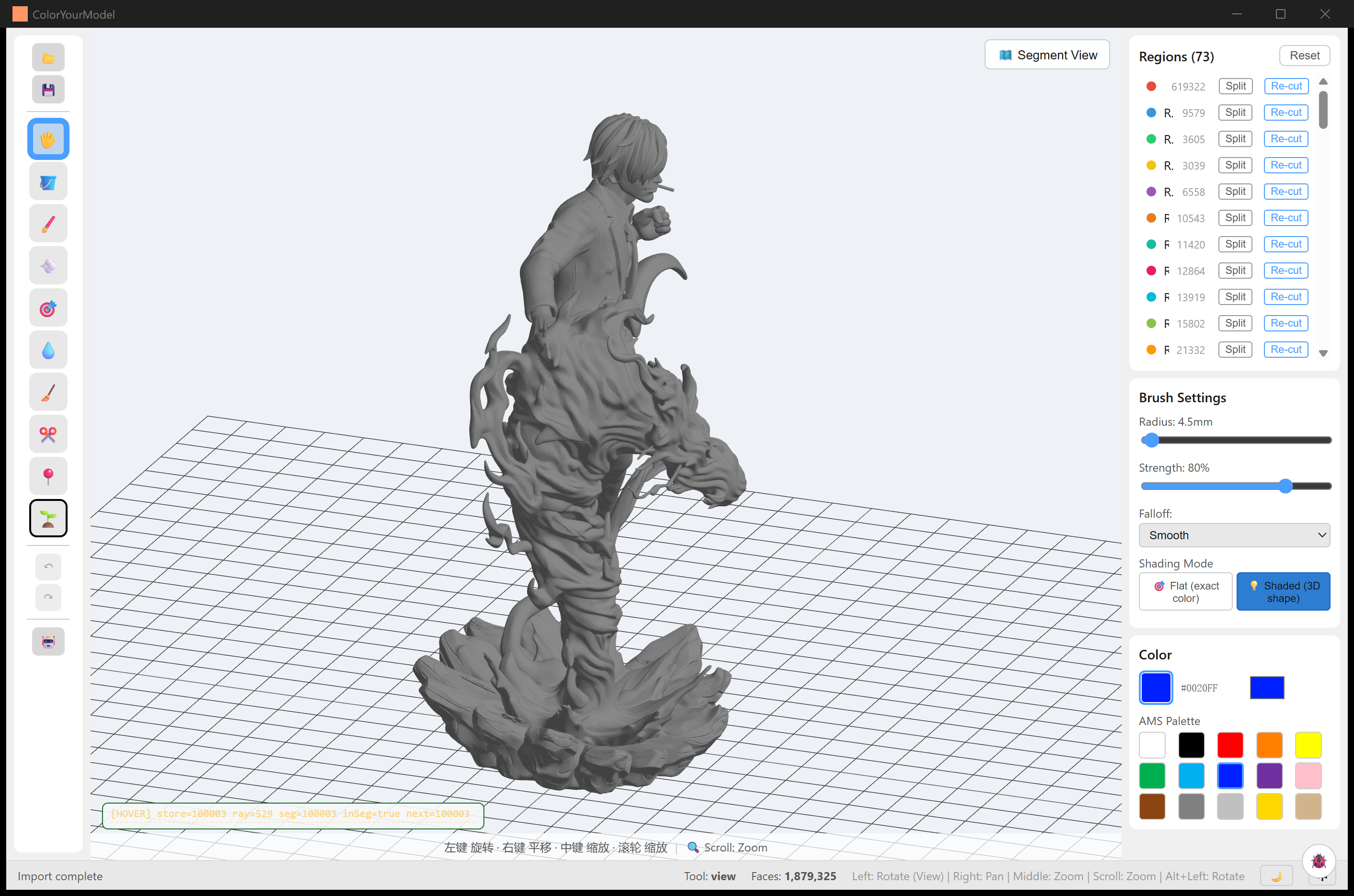
效果一览:山治手办(187.9 万面)
 |
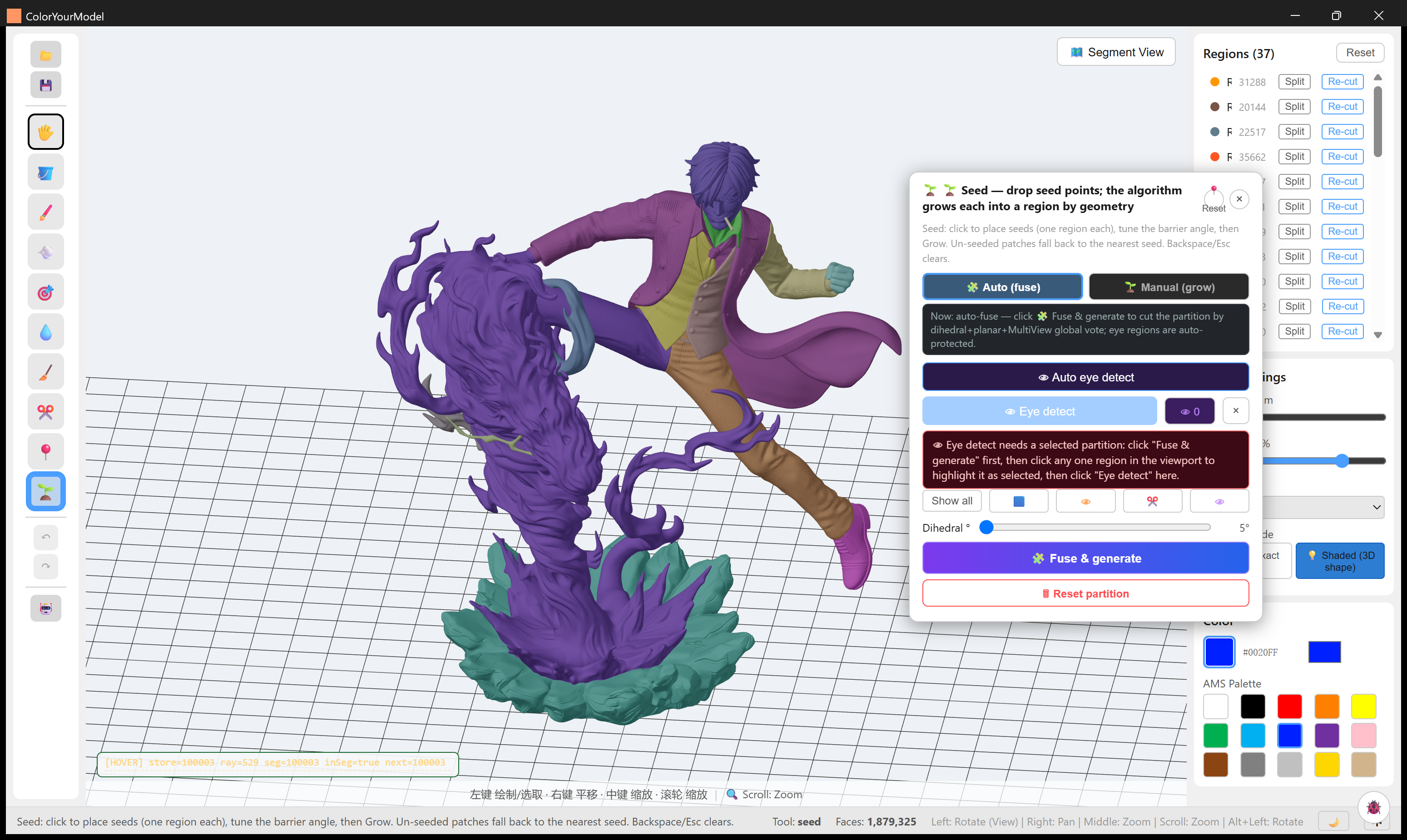 |
| 白模导入(无分区) | 分割 + 上色后 |
分割视图 —— 37 区,大衣 / 马甲 / 长裤 / 火焰底座干净分离
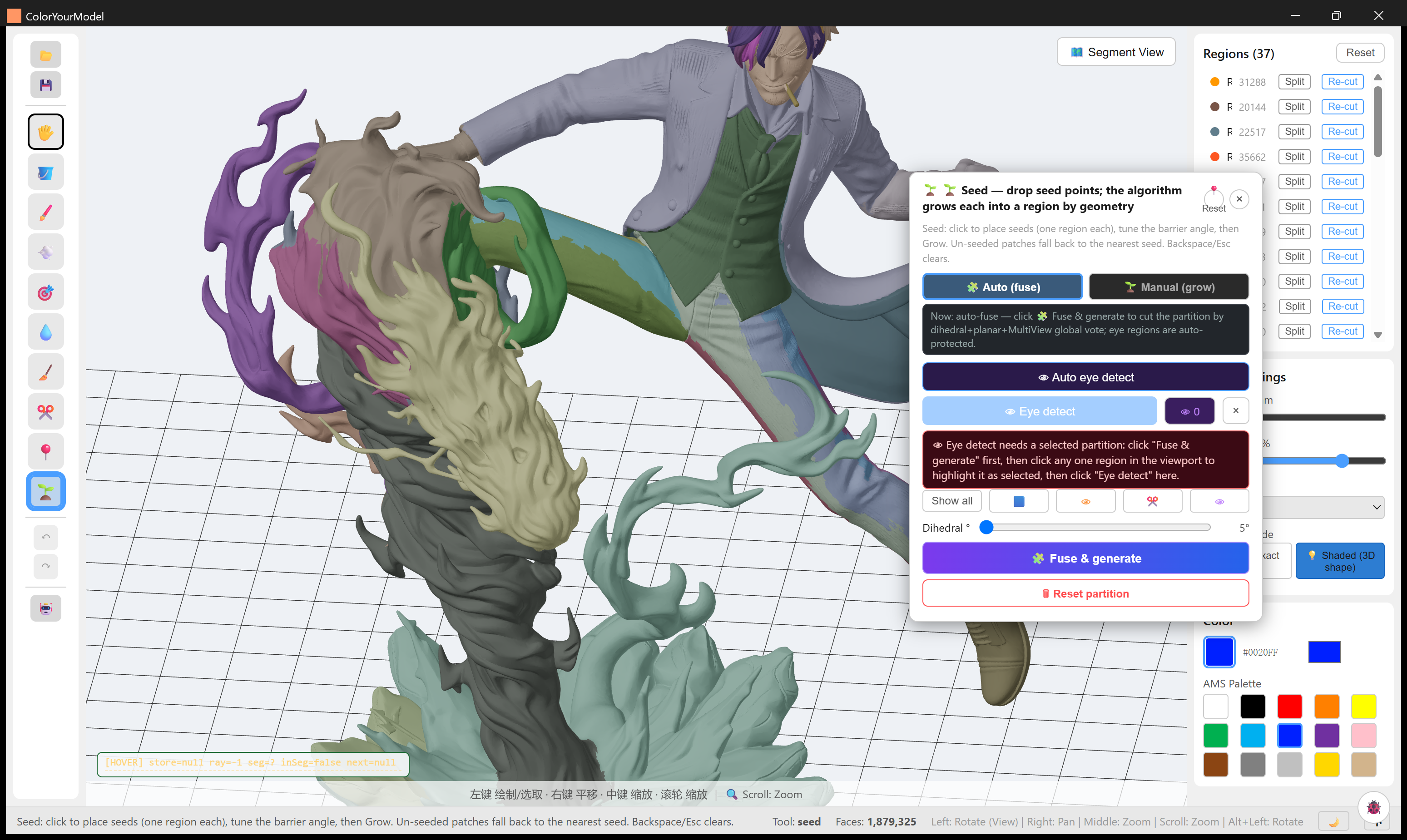
右侧区列表面数统计 + Split / Re-cut 一键可用。折角阈值默认 2°(可调到 0° 应对平滑雕塑面),相邻区永远异色便于辨认。
更多案例
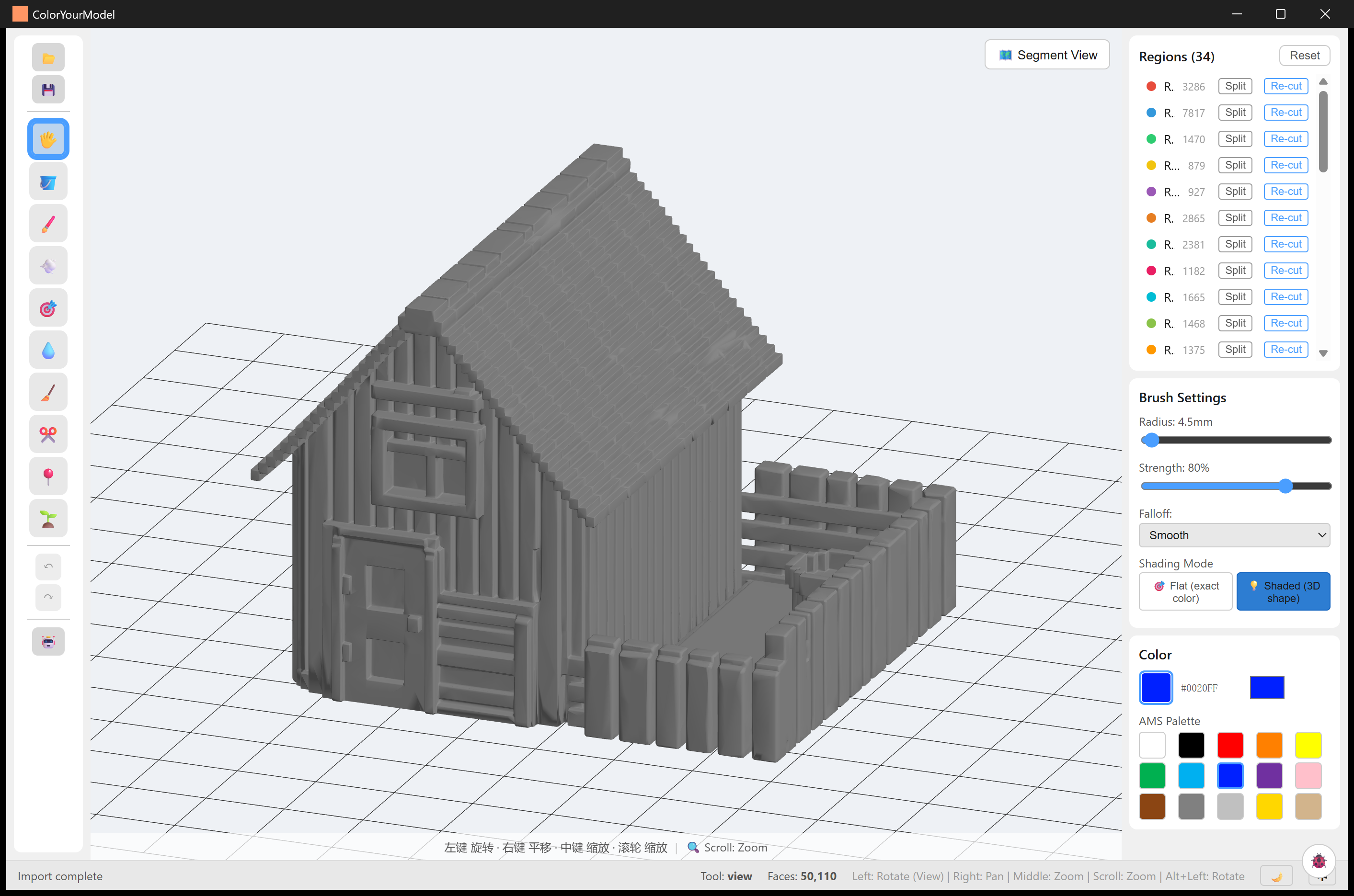
| chicken-coop —— 农场场景 diorama | |
 |
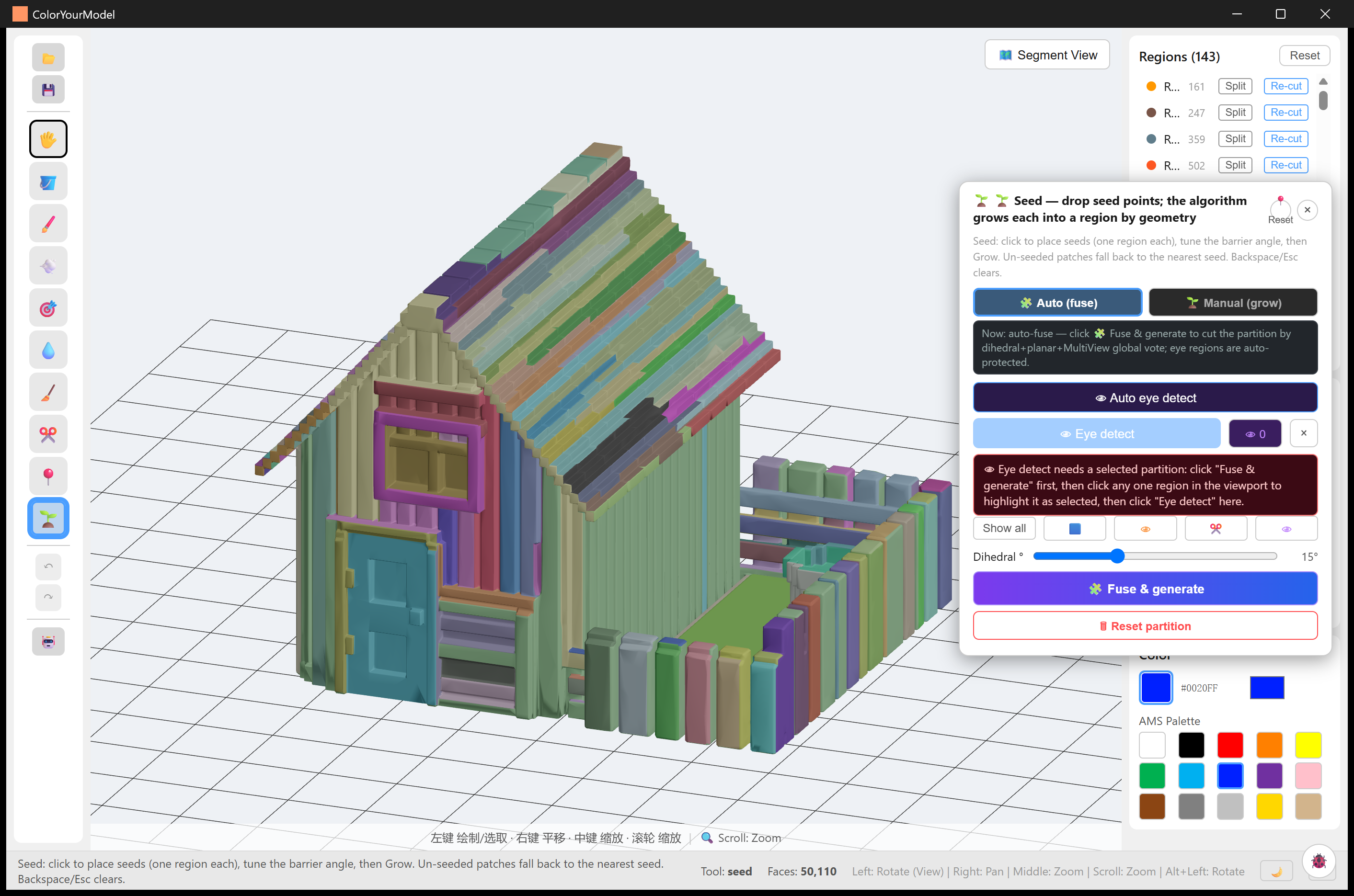 |
| 白模导入 | 分割 + 上色后 |
| liangsheng —— 胸像 14.8 万面 → 11 区 | |
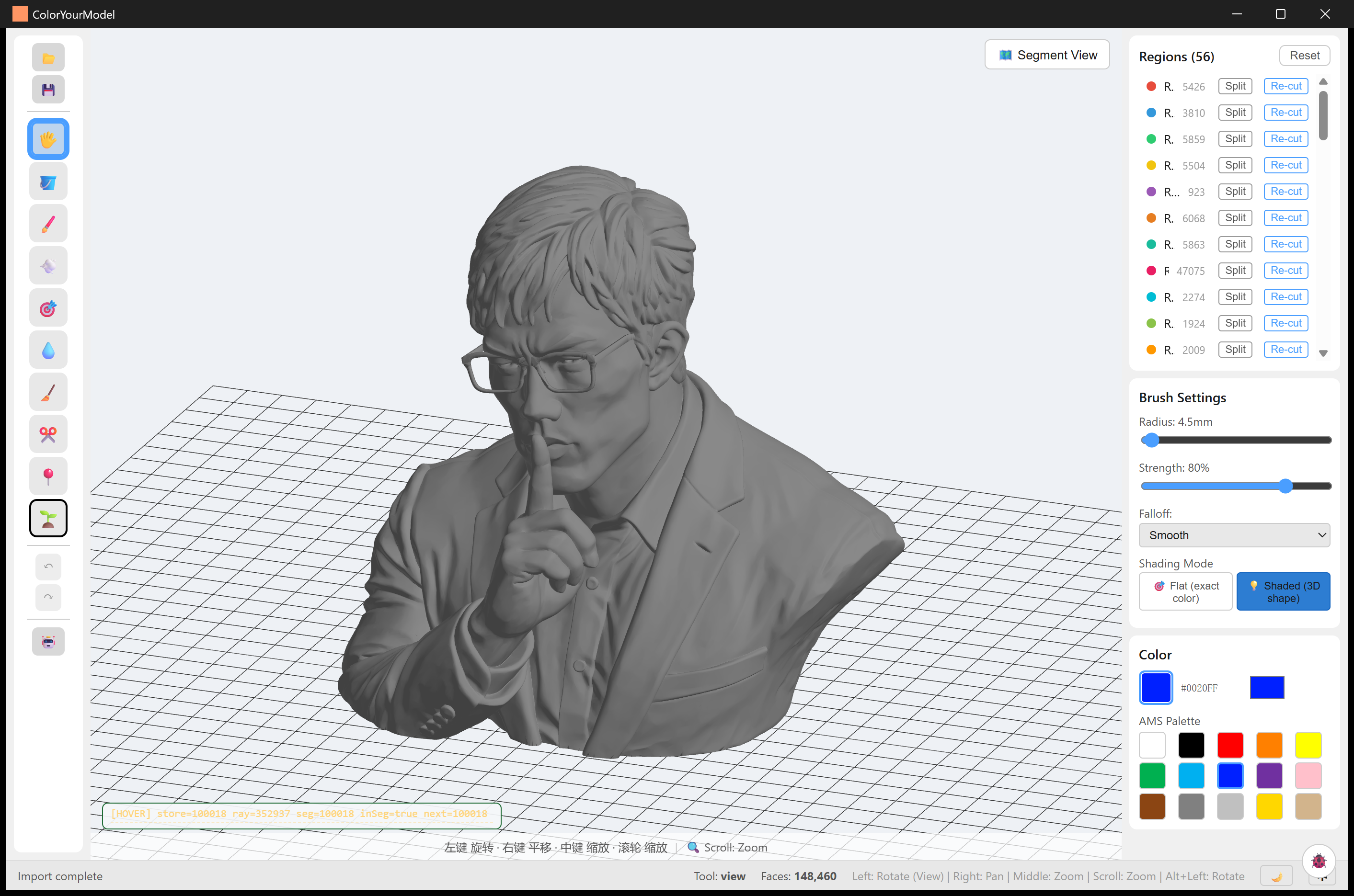 |
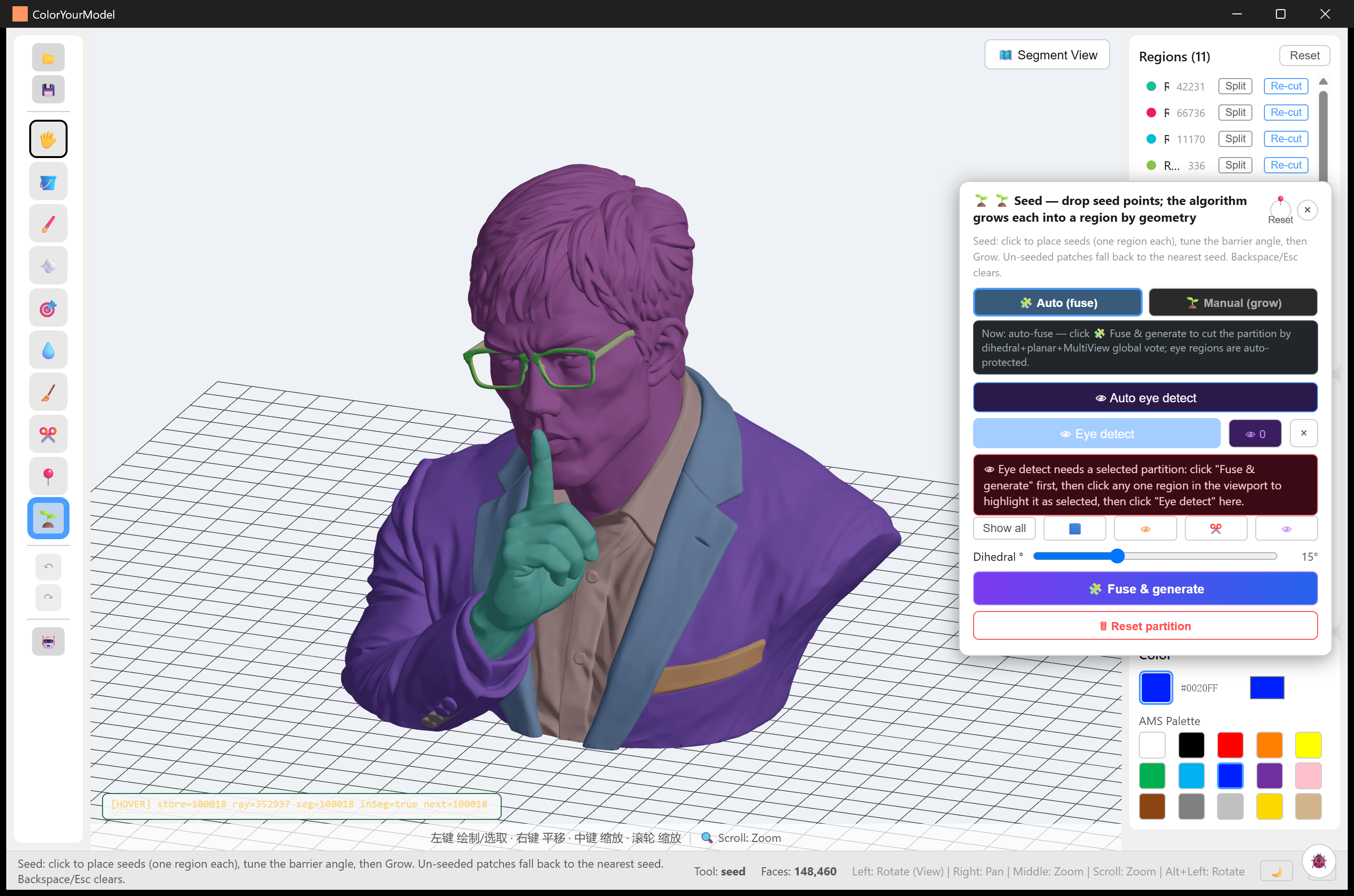 |
| 白模导入 | 11 区上色(已端到端 3MF 导出验证) |
更多案例(91 区机甲、76 区 AI 菠萝屋、12 区色块卡通件……)见示例图库。
Demo 视频
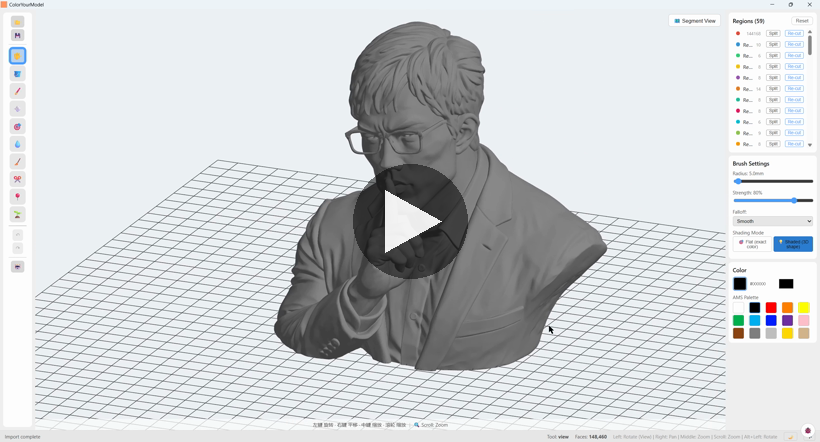
分区与导出 —— 种子融合分割 → 按区 3MF 导出全流程
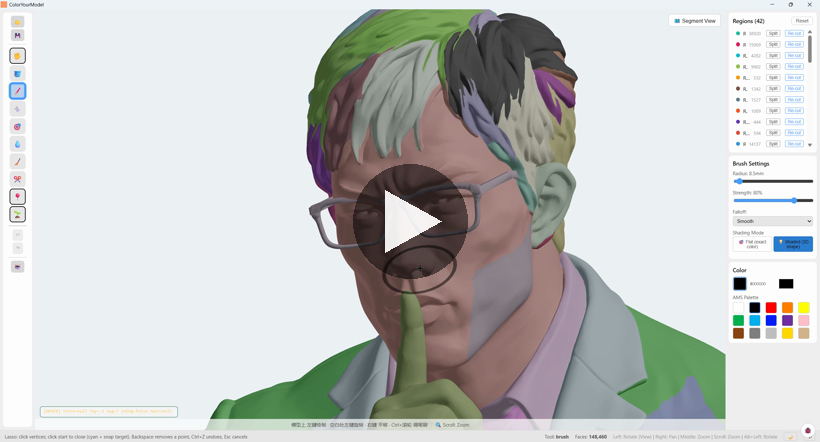
绘制工具 —— 画笔 / 喷涂 / 填充等上色工具
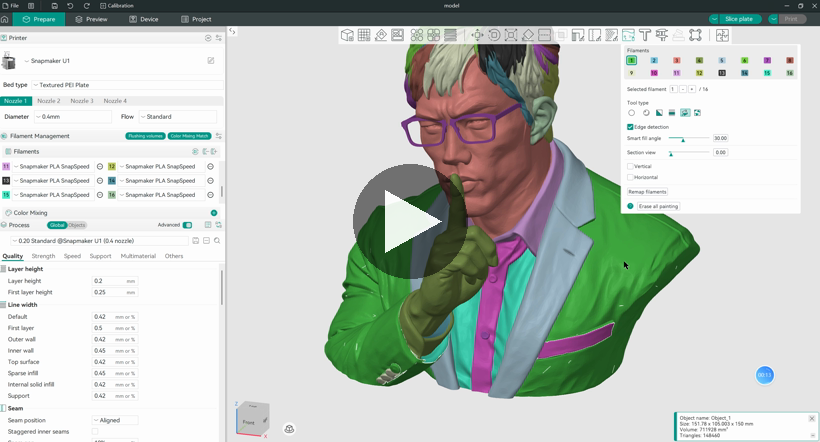
3MF 成果呈现 —— 导出的多色 3MF 载入 Snapmaker Orca,分区映射为耗材分配
安装
| 平台 | 安装包(见下方 Assets) | 大小 |
|---|---|---|
| Windows(推荐) | ColorYourModel_0.1.0_x64-setup.exe |
3.4 MB |
| Windows(MSI) | ColorYourModel_0.1.0_x64_en-US.msi |
5.3 MB |
| Linux (deb) | ColorYourModel_0.1.0_amd64.deb |
5.7 MB |
| Linux (rpm) | ColorYourModel-0.1.0-1.x86_64.rpm |
5.7 MB |
| Linux (AppImage) | ColorYourModel_0.1.0_amd64.AppImage(自带 WebKit 运行时) |
80 MB |
macOS 暂不提供(无签名证书)。UI 默认中文,可切换英文。
快速上手
- 导入 STL —— 187 万面模型约 3 秒(SDF 采样 16 核并行,~14× 加速)
- SeedPanel「融合生成」—— 种子生长 + 平面/多视角/二面角三通道投票融合,带实时阶段进度条
- 上色 —— 普通点击 = 半径限定填充;Shift+点击 = 整区洪水;套索(A* 边界补全)手绘修正
- 导出多色 3MF → 切片器按区分配耗材
Highlights
- 智能分区(seed-grow-fuse):折角阈值 0–35° 可调,平滑雕塑面也能分干净
- 眼睛检测:全局模式无需分区,ROI 拾取模式可精修
- 完整工具链:undo/redo 历史、崩溃诊断日志、结构化 3MF 验证
Known Issues(详见 CHANGELOG)
- SeedPanel 组件测试 3/10 失败(测试选择器过时,非产品 bug;CI 策略:tsc 硬门禁 + vitest continue-on-error)
- 超大模型融合投票阶段超时:house2(472 万面)>30min(
MAX_AUTO_REGIONS=4096未接入 fuse 投票路径,见基准报告)
文档
- 📖 文档站:https://zackaryshen.github.io/ColorYourModel/(用户指南 / 算法 / 技术文档 / 案例图库)
- 🌏 双语 README(English · 中文)
- 🤝 贡献指南:CONTRIBUTING.md
License: AGPL-3.0。本仓库不附带任何模型文件;案例截图的版权与来源见示例图库声明。
Demo videos
Screen-recorded demos referenced from README and the documentation wiki.
- partition-and-export-demo.mp4 — seed-based segmentation (fuse) and 3MF export workflow
- painting-tools-demo.mp4 — brush / spray / fill painting tools
- 3mf-showcase-demo.mp4 — the exported multi-color 3MF loaded in Snapmaker Orca, regions mapped to filament assignments