







RayMail is a complete, open-source, self-hosted email stack you run on your own VPS. It replaces the usual pile of Postfix + Dovecot + Roundcube + a tracking SaaS with one Docker Compose file:
- A real mail server — RFC-compliant SMTP, IMAP and JMAP from Stalwart, with automatic DKIM key generation.
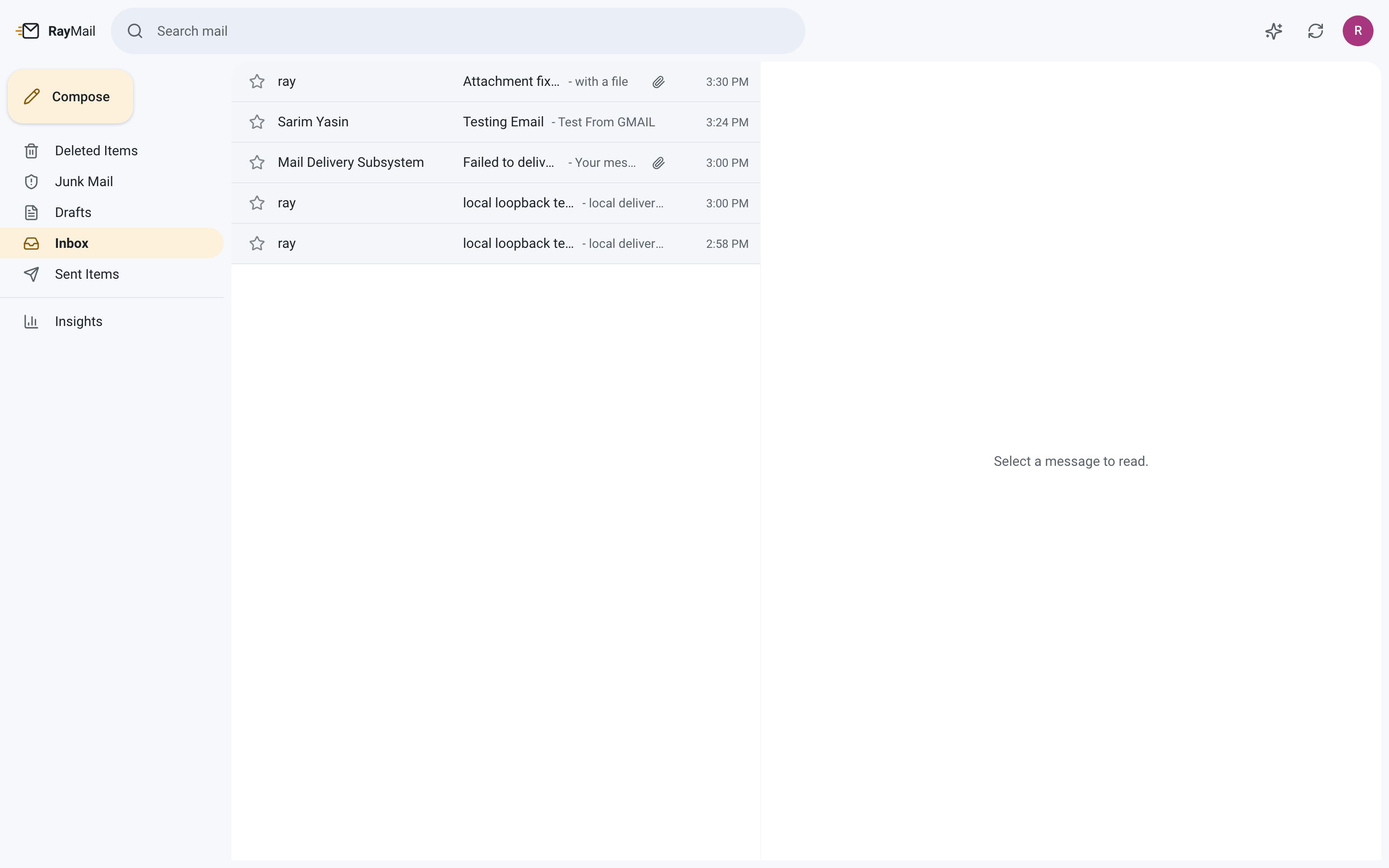
- A modern webmail client — a fast, Gmail-style three-pane workspace built in Next.js 15 and TypeScript.
- Delivery telemetry that is actually yours — open and click tracking, a full
queued → sent → delivered → opened → clickedpipeline, and a document vault, all stored locally in SQLite. No third-party tracking pixel, no data leaving your server. - An optional AI assistant — draft replies, summarise long threads and brief your inbox, with aggressive token budgeting so it stays cheap.
Desktop and mobile clients (Outlook, Apple Mail, Thunderbird, K-9, Gmail app) connect over standard IMAP/SMTP. The webmail speaks JMAP over the internal Docker network, so mail credentials never reach the browser.
curl -fsSL https://raw.githubusercontent.com/DeveloperSarim/raymail/main/install.sh | bashThe installer audits your ports, warns you if your provider blocks outbound :25, generates secrets, fixes container volume ownership, starts the stack, completes the mail-server setup handshake and prints the exact DNS records you need.
Step by step (click to expand)
# 1. clone
git clone https://github.com/DeveloperSarim/raymail.git
cd raymail

# 2. configure
cp .env.example .env
$EDITOR .env          # set MAIL_DOMAIN, MAIL_HOSTNAME, APP_URL

# 3. prepare volumes
#    both containers run unprivileged - root-owned bind mounts are the
#    single most common first-boot failure
mkdir -p stalwart/etc stalwart/data/logs data
sudo chown -R 2000:2000 stalwart/etc stalwart/data   # stalwart runs as uid 2000
sudo chown -R 1001:1001 data                         # web runs as uid 1001

# 4. start
docker compose up -d

# 5. finish setup, then print your DNS records
./deploy/dns-records.py

# 6. TLS + reverse proxy
sudo ./deploy/setup-tls.sh

# 7. health check
./deploy/verify.sh| Minimum | |
|---|---|
| OS | Any Linux with Docker (Ubuntu 22.04+ tested), or macOS for local development |
| RAM | 1 GB (2 GB comfortable) |
| Disk | 5 GB + your mail |
| Ports | 25, 465, 587, 993 free, plus two loopback ports |
| DNS | A domain you control |
|
|
|
|
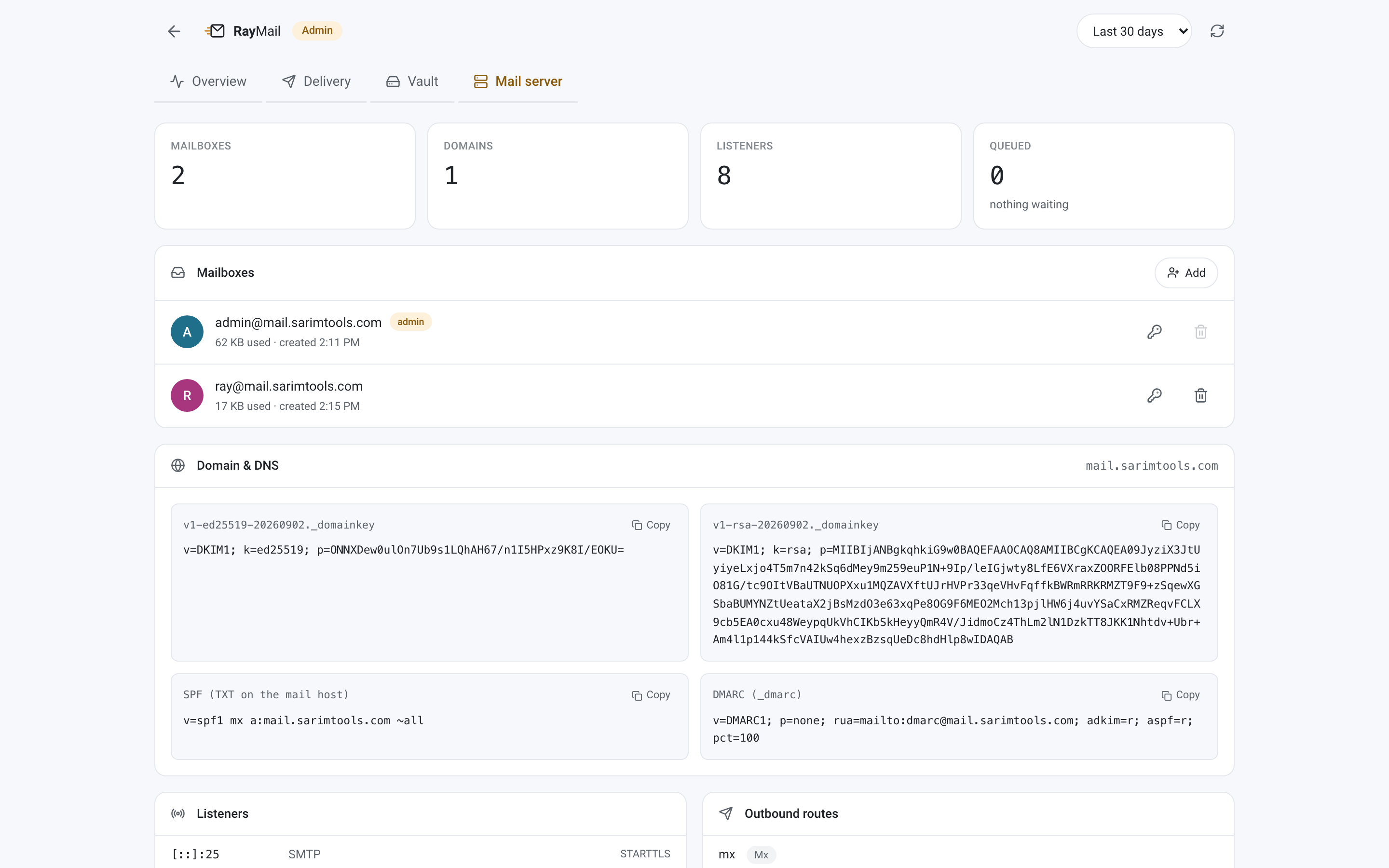 The built-in mail server console — create mailboxes, rotate passwords, copy DNS records, inspect listeners and the outbound queue.
flowchart LR
    MX[Sending MX]
    C[Outlook / Apple Mail / Thunderbird]
    B[Browser]
    P[Reverse proxy 443]
    W[RayMail web - Next.js]
    SW[Stalwart - 25 465 587 993]
    DB[(SQLite telemetry)]
    R[Smarthost relay 587]

    MX -->|inbound SMTP| SW
    C -->|IMAP and SMTP| SW
    B --> P
    P --> W
    W <-->|JMAP| SW
    W --> DB
    SW -->|outbound| R
    R --> MX
Delivery pipeline — a message only moves forward; bounced is terminal from anywhere.
flowchart LR
    Q[queued] --> S[sent]
    S --> D[delivered]
    D --> O[opened]
    O --> C[clicked]
    Q --> X[bounced]
    S --> X
    D --> X
| Port | Bind | Purpose | Exposed |
|---|---|---|---|
25 |
0.0.0.0 |
Inbound MX | 🌍 Public |
465 |
0.0.0.0 |
SMTP submission, implicit TLS | 🌍 Public |
587 |
0.0.0.0 |
SMTP submission, STARTTLS | 🌍 Public |
993 |
0.0.0.0 |
IMAP, implicit TLS | 🌍 Public |
3880 |
127.0.0.1 |
Webmail + telemetry API | 🔒 Proxy only |
3881 |
127.0.0.1 |
Mail server admin + JMAP | 🔒 Loopback only |
RayMail never binds
:80or:443— those stay with whatever web server you already run.
raymail/
├── docker-compose.yml        # stalwart + web
├── install.sh                # one-command installer
├── deploy/
│   ├── setup-tls.sh          # certbot + reverse-proxy vhost
│   ├── configure-relay.py    # smarthost for blocked :25
│   ├── dns-records.py        # prints records incl. live DKIM
│   └── verify.sh             # read-only health check
└── web/src/
    ├── app/                  # routes: pages at /, API under /api
    ├── components/           # presentational UI
    ├── hooks/                # TanStack Query bindings
    ├── lib/                  # db, telemetry tokens, session crypto
    ├── services/             # JMAP + Stalwart admin + DeepSeek clients
    └── types/                # domain models
Everything lives in .env.
| Variable | Required | Purpose |
|---|---|---|
MAIL_DOMAIN |
✅ | Domain RayMail handles mail for |
MAIL_HOSTNAME |
✅ | Public hostname, used in SMTP greetings |
APP_URL |
✅ | Public URL, used for tracking links |
TELEMETRY_SECRET |
✅ | Signs tracking tokens and encrypts sessions |
STALWART_ADMIN_USER / _PASSWORD |
✅ | Administrator mailbox |
RELAY_HOST / _PORT / _USERNAME / _PASSWORD |
Smarthost — required when :25 is blocked |
|
DEEPSEEK_API_KEY |
➖ | Enables the AI assistant |
DEEPSEEK_MODEL |
➖ | Defaults to deepseek-chat |
Desktop client settings
Incoming   IMAP    mail.example.com   993   SSL/TLS
Outgoing   SMTP    mail.example.com   587   STARTTLS
Username   the full address, you@mail.example.com
Password   your mailbox password
Auth       normal password, required for outgoing
Works with Microsoft Outlook, Apple Mail, Thunderbird, K-9 Mail and the Gmail app.
AI token budgeting
The cost control is in what is not sent to the model:
| Lever | Effect |
|---|---|
| HTML stripped to text | Drops markup, styles and tracking pixels before the model sees anything |
| Quoted history removed | A reply chain repeats the thread on every message; it is paid for once |
| Character budget | Bodies capped at ~6k characters, biased to the head where the ask lives |
| Overview uses envelopes only | Sender + subject + preview — hundreds of tokens instead of tens of thousands |
| Results cached on a content hash | Re-opening a message costs nothing; only changed mail is re-summarised |
max_tokens per task |
Every task has a natural length and is capped to it |
Actual spend is shown in the admin dashboard, split into tokens in, tokens out, and results served from cache.
Self-hosted mail lands in spam for a small number of fixable reasons. In order of impact:
- PTR mismatch — forward and reverse DNS must agree. Set the reverse record for your IP to your mail hostname.
- Missing or misaligned DKIM/SPF/DMARC —
./deploy/dns-records.pyprints the exact records, including your live DKIM public keys. - Blocked outbound
:25— many providers block it. RayMail then relays through a smarthost on:587; inbound:25is unaffected. - DMARC alignment — if you relay, your Return-Path is usually a subdomain. Use relaxed alignment (
adkim=r; aspf=r) or every relayed message fails. - A brand-new domain has no reputation. Start with
p=none, send slowly, and tighten top=quarantineonce reports come back clean.
Two questions come up more than any other, both answered in detail in Discussions: mail still goes to spam with DKIM/SPF/DMARC set · first boot fails with "Permission denied"
Troubleshooting matrix
| Symptom | Likely cause | Check |
|---|---|---|
| Outbound mail stuck in queue | :25 egress blocked, no relay set |
RELAY_HOST in .env |
| Container exits on first boot | Root-owned bind mounts | chown -R 2000:2000 stalwart/ |
certbot fails |
A record missing or not propagated |
dig +short A mail.example.com |
| Outlook rejects the password | Using the local part, not the full address | Log in as you@mail.example.com |
465/993 silent, no handshake |
No certificate installed yet | Run ./deploy/setup-tls.sh |
| TLS warning in a mail client | Server started before the cert existed | docker restart raymail-stalwart |
| Opens never register | Recipient blocks remote images | Expected — clicks still track |
| Mail goes to spam | See the five points above | Gmail → Show original |
| Reverse proxy won't reload | Vhost syntax | apache2ctl configtest |
cd web
npm install
npm run dev        # http://localhost:3000
npm run typecheck  # tsc --noEmit, strict mode
npm test           # token forgery + open-redirect guards
The test suite runs on Node's built-in runner with no framework. It covers the security boundary that matters most: tracking tokens are HMAC-signed, so opens and clicks cannot be forged and the click redirector cannot be repointed at another host.
Contributions are welcome — issues, features and documentation alike.
- Fork the repository and create a branch:
git checkout -b feature/my-change - Keep TypeScript strict —
npm run typecheckmust pass - Add a test when you touch security or money paths
- Commit with a clear message and open a pull request
Good first issues
- Server-side JMAP search (the list currently filters client-side)
- Bounce ingestion from the Stalwart queue into the telemetry pipeline
- Multi-account support in the webmail
- A nginx and a Caddy variant of
deploy/setup-tls.sh - Thread grouping in the message list



Released under the MIT License. Use it, fork it, ship it.
Stalwart Mail Server · Next.js · Tailwind CSS · TanStack Query · Zustand · Lucide
Built and maintained by DeveloperSarim
Keywords — self-hosted email server · open source webmail · docker mail server · email tracking · open and click tracking · SMTP IMAP JMAP server · DKIM SPF DMARC · Stalwart mail · Next.js webmail client · privacy-first email · self-hosted Gmail alternative