Repository navigation
Releases: abhishekash/agent-observatory
Releases · abhishekash/agent-observatory
Release list
Agent Observatory v0.1.2

Agent and session overview
- Show agent, full session ID, repo/project, observed status, update age, wait reason, and task.
- Expand session details for branch, model, usage, latest activity, and working directory.
- Mark old unfinished sessions as “No updates” rather than implying they are live or awaiting approval.
MCP server inventory and call correlation
- List observed servers with calls, tools, and errors across stored history.
- Filter MCP calls by selecting a server.
- Recognize qualified Claude Code and Codex MCP names and link call/result events.
- Correct successful and failed completion status and preserve arguments/results in call details.
Optional AI summaries
- Generate a session summary on request using a configured Chat Completions compatible endpoint.
- No provider is contacted automatically. Task and recent action headlines are bounded, filtered to the selected session, and sent only after the user presses “AI summary.”
Storage assessment
- Documented why SQLite remains the live store and when DuckDB could help with snapshot analytics:
docs/decisions/duckdb.md.
Verification: 45 unit tests pass. CI and PyPI build/publish workflows passed for this commit.
Agent Observatory 0.1.1 — local agent activity in your terminal
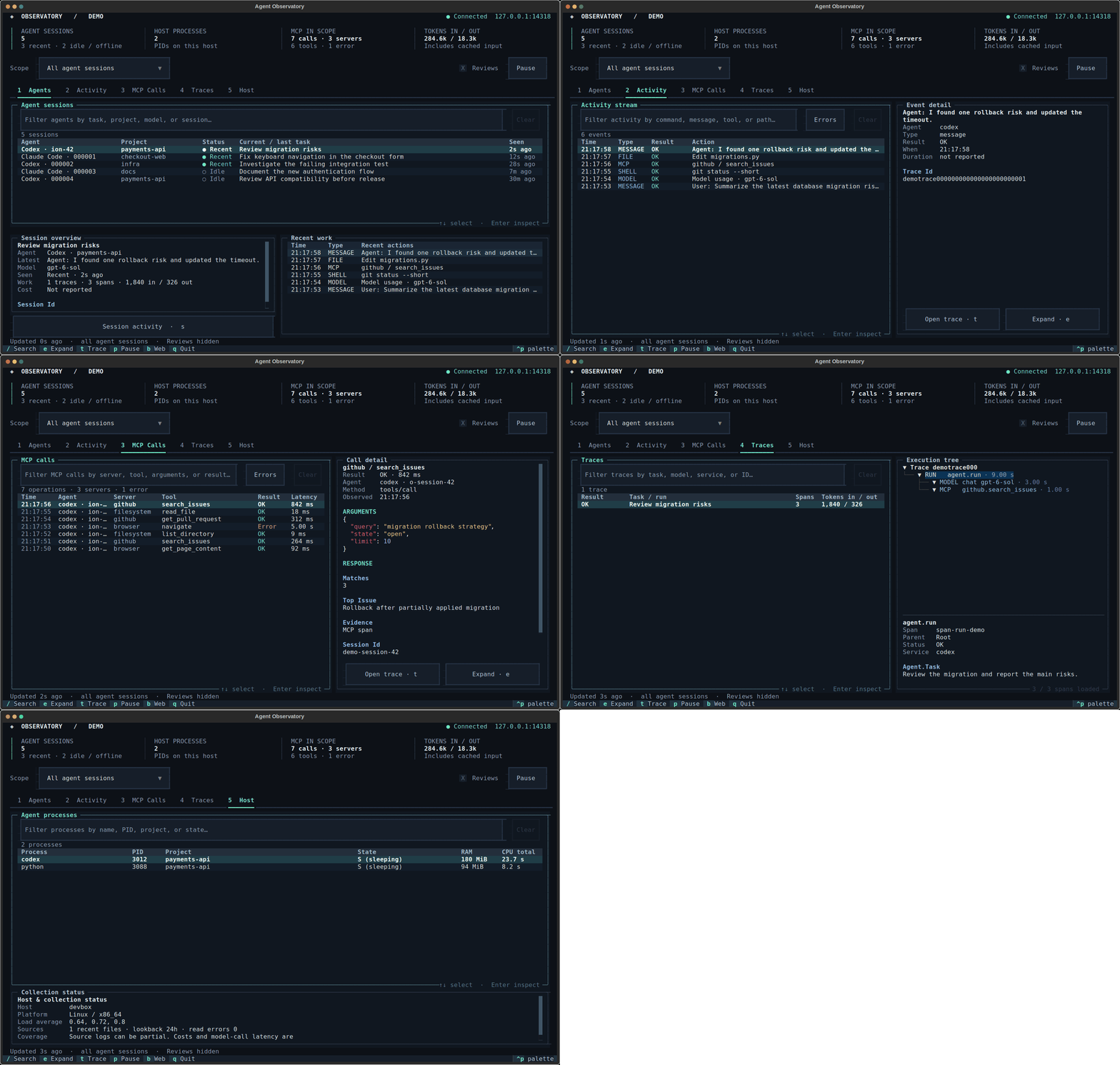
Agent Observatory is a local terminal and browser dashboard for AI agent activity.
It discovers Codex and Claude Code session records and receives OpenTelemetry
from instrumented agents, showing tasks, tool calls, MCP, tokens, errors, and
host activity.
Try it
Requires uv and Python 3.11+:
uvx --from agent-observatory-cli agent-observatoryOpen Agents for sessions, Activity or MCP Calls for recorded operations,
and press b for the local web dashboard. Other runtimes need instrumentation
or OTLP export. Available details depend on what the producer records.
This documentation and packaging update
- Fixes demo images and documentation links in the PyPI project description.
- Adds a one-command quick start and first-minute walkthrough.
- Adds package documentation links and first-run feedback forms.
- Links to SpanHound for MCP-based investigation of saved JSONL/OTLP JSON traces.