OopisOS v3.0

   /$$$$$$                      /$$            /$$$$$$   /$$$$$$
 /$$__  $$                    |__/           /$$__  $$ /$$__  $$
| $$  \ $$  /$$$$$$   /$$$$$$  /$$  /$$$$$$$| $$  \ $$| $$  \__/
| $$  | $$ /$$__  $$ /$$__  $$| $$ /$$_____/| $$  | $$|  $$$$$$
| $$  | $$| $$  \ $$| $$  \ $$| $$|  $$$$$$ | $$  | $$ \____  $$
| $$  | $$| $$  | $$| $$  | $$| $$ \____  $$| $$  | $$ /$$  \ $$
|  $$$$$$/|  $$$$$$/| $$$$$$$/| $$ /$$$$$$$/|  $$$$$$/|  $$$$$$/
 \______/  \______/ | $$____/ |__/|_______/  \______/  \______/
                    | $$
                    | $$
                    |__/  A Browser-Based OS Simulation
OopisOS v3.0: The Keystone Release
Welcome to OopisOS, a sophisticated OS simulation that runs entirely within your browser. It's a self-contained, persistent world built on a foundation of privacy and exploration, featuring a rich command-line environment, a secure multi-user file system, and a suite of powerful integrated tools. All user data is stored locally in your browser; your world remains your own.
Getting Started: The 60-Second Experience
-
Open: Simply open
index.htmlin any modern web browser. -
Inflate: You are logged in as "Guest". To see the system's potential, populate your home directory with a full suite of example files by running this command:
Bash
run /extras/inflate.sh -
Explore: Now, explore the new files and directories that have been created:
Bash
tree /home/Guest/docs
Intrigued? Read on to discover the depth of what you can do in your new OS.
Key Features Overview
OopisOS v3.0 ("Keystone") is a major release focused on security, stability, and developer experience.
Core Shell Experience
-
Advanced Terminal: An interactive command-line with history, tab completion, and background processes (
&). -
Piping & Redirection: Chain commands together with the pipe (
|) or redirect output to files with>and>>. -
Sequencing & Aliasing: Execute multiple commands with
;and create shortcuts for longer commands withalias. -
Environment Variables: Manage session-specific variables with
set,unset, and$VARexpansion.
Multi-User Security Model
-
True Multi-User Environment: Create users (
useradd), groups (groupadd), and manage group memberships (usermod -aG). -
Privilege Escalation: Execute commands as the superuser with
sudoand safely manage permissions withvisudo. -
Unix-like Permissions: Use
chmodwith 3-digit octal modes (e.g.,755) to control read, write, and execute permissions. -
Ownership Control: Change file ownership with
chownand group ownership withchgrp.
Persistent File System & Applications
-
Hierarchical VFS: A robust virtual file system powered by IndexedDB that persists between sessions.
-
File Management: A comprehensive suite of commands including
ls,find,tree,diff,mkdir,cp,mv,rm,zip, andunzip. -
Application Suite:
-
edit: A powerful text editor with live Markdown preview. -
paint: A character-based art studio for your inner artist. -
adventure: A text-adventure game engine. -
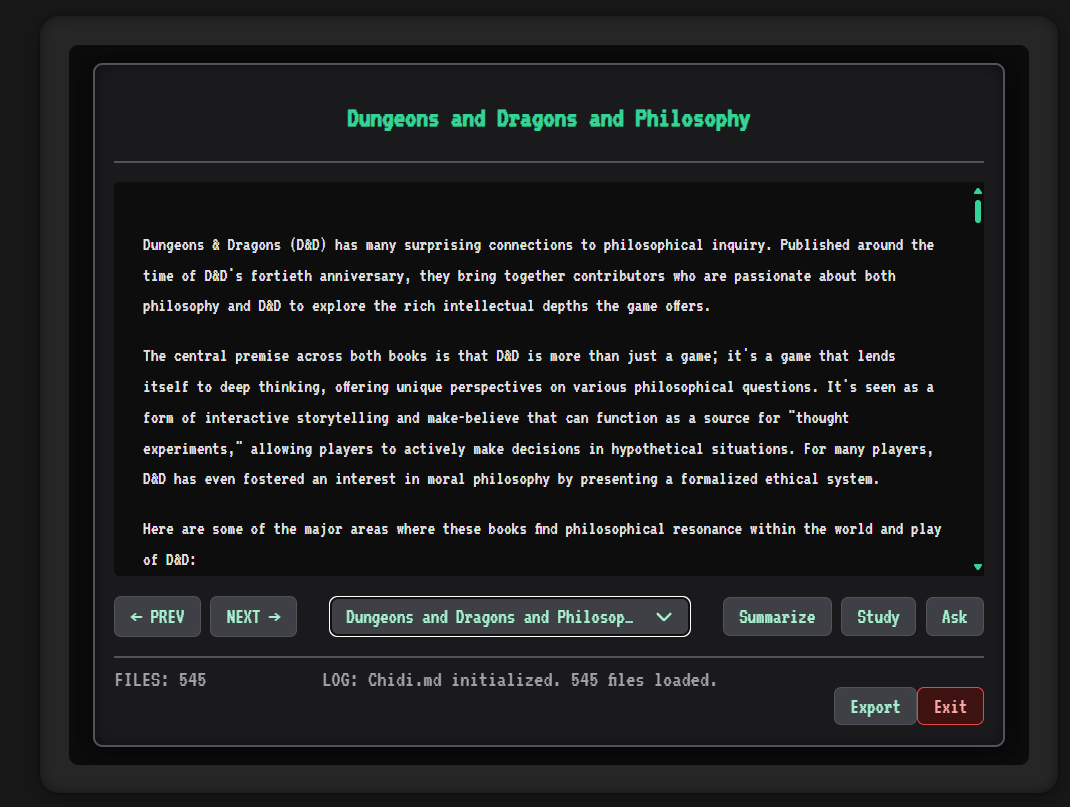
chidi: An AI-powered document analysis tool. -
gemini: A tool-using AI assistant for your terminal.
-
Core Architectural Concepts
OopisOS is built on several foundational principles that ensure it is secure, modular, and persistent.
The Persistence Layer: A Self-Contained World
The entire state of OopisOS is stored locally and persistently within your browser, requiring no server interaction.
-
IndexedDB: Provides the robust, transactional database needed to manage the entire hierarchical file system.
-
LocalStorage: Acts as a faster key-value store for session-critical data like user credentials, command history, and aliases.
The Security Model: Control and Privacy
-
User Roles: The system includes a "superuser" (
root) with full privileges, alongside standard users who are subject to permission checks. The defaultrootpassword ismcgoopis. -
Password Hashing: User passwords are not stored in plain text. They are securely hashed using the browser's Web Crypto API.
-
Permission System: The
chmodcommand implements the standard Unix-like octal permission model.
The Command Contract: Secure by Design
The v3.0 "Keystone" release introduces a new, highly modular command architecture. Adding a new command is a declarative process where you declare your command's requirements to the CommandExecutor, which enforces these rules before your command's core logic is ever run. This is a critical security and stability feature. The contract includes:
-
flagDefinitions: All flags the command accepts. -
argValidation: The number of arguments your command expects. -
pathValidation: Which arguments are file paths and what type they should be. -
permissionChecks: Which permissions (read,write,execute) the user must have on those paths.
For Developers: Contributing to OopisOS
The codebase is organized into modular files with clear responsibilities.
-
main.js: Main entry point and bootloader. -
commexec.js: The Command Executor, which orchestrates the command lifecycle. -
scripts/commands/registry.js: The registry where all command modules register themselves. -
scripts/commands/*.js: Self-contained modules for each individual command. -
fs_manager.js: The gatekeeper for all Virtual File System operations and permission checks. -
user_manager.js: Handles all logic for users, groups, and authentication.
To add a new command, simply create a new file in /scripts/commands/, define the command's contract and logic using the standard pattern, and add a <script> tag for it in index.html.
Further Documentation
To keep this document focused, more detailed information has been moved to separate files.
-
/docs/guide.html: The full, styled User Guide. -
/docs/command_reference.md: An exhaustive reference for every command. -
/docs/developer.md: In-depth architectural documentation for contributors. -
/docs/security.md: A detailed overview of the OopisOS security model. -
/docs/tutorial.md: Guided tutorials for more complex tasks.