LayoutCreation
Layout creation was something that was needed to fit the needs of the ground station, due to it's demand to change data and visuals over many different experiments and projects. The first iteration of this process was implemented over the duration of Google Summer of Code 2018.
The Initial Window is the first thing that is prompted to the user when USOC starts. It looks like this:
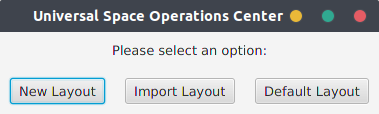
Three steps can be taken from here:
-
Creation of a new layout
- Permits the creation of a new layout from scratch. The LayoutCreator window is shown.
-
Load a layout from disk
- Loads a layout from disk. (As of now, only the json format is supported)
-
Load a default layout
- Loads a file called 'Default.json', found in the
layouts/directory.
- Loads a file called 'Default.json', found in the
More information on how the application handles Layouts can be seen here.
The LayoutCreator is the visual interface that let's the user set up his own settings and data. It looks like this:
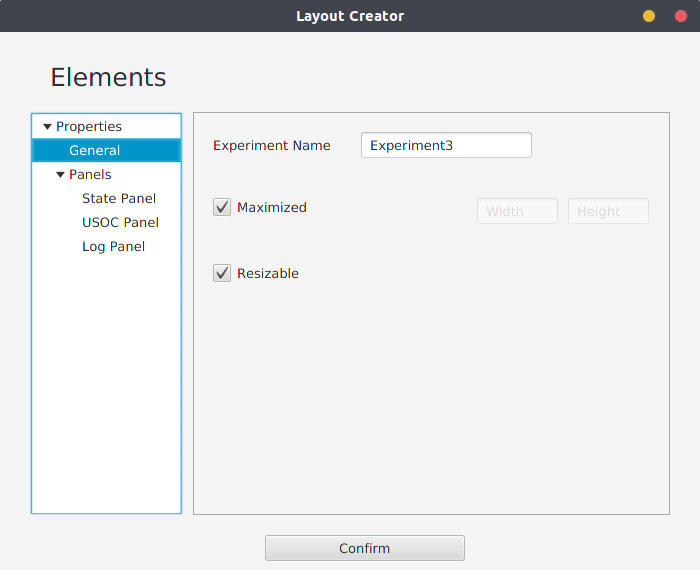
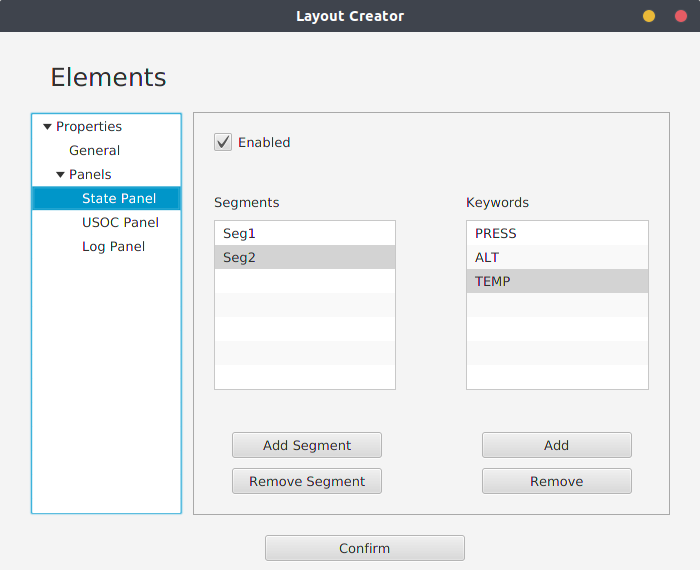
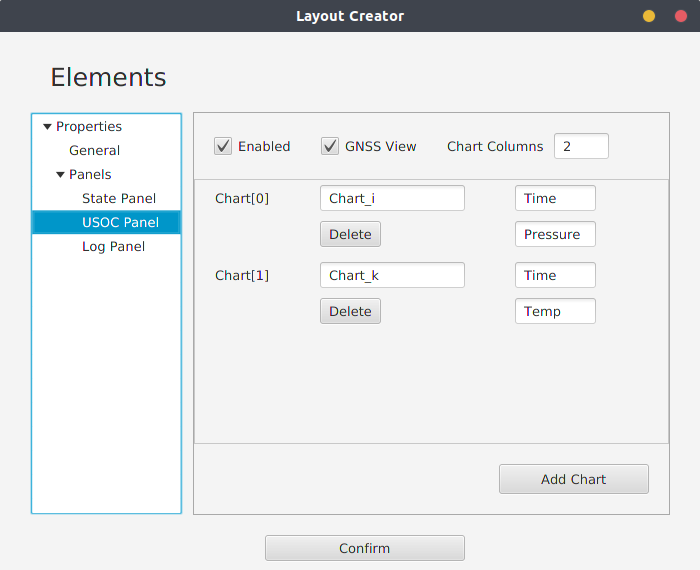
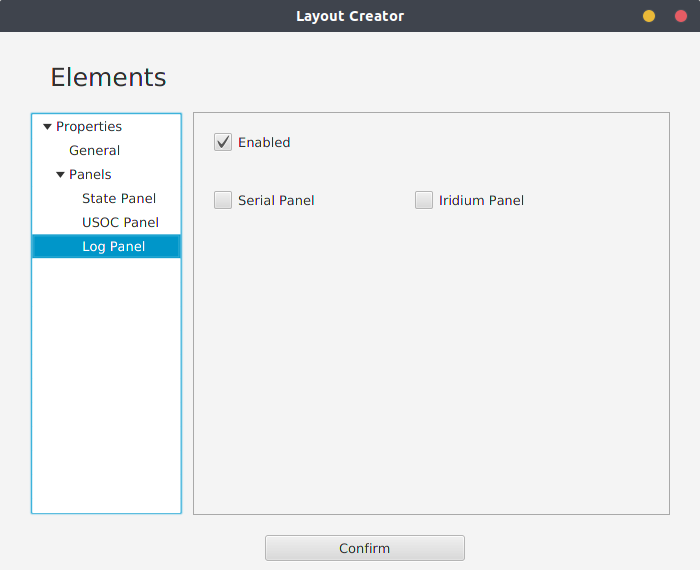
Here, the user can select which settings are best for the experiment's needs. Each panel also has it's own settings and tweaks.
After this process, the user is prompted to either assign data to the UI elements seen above (charts and states) or not.
WIP