Real-time power & angle calculator for GunBound with memory reading, trajectory overlay, wind correction, and multi-mobile physics engine support.



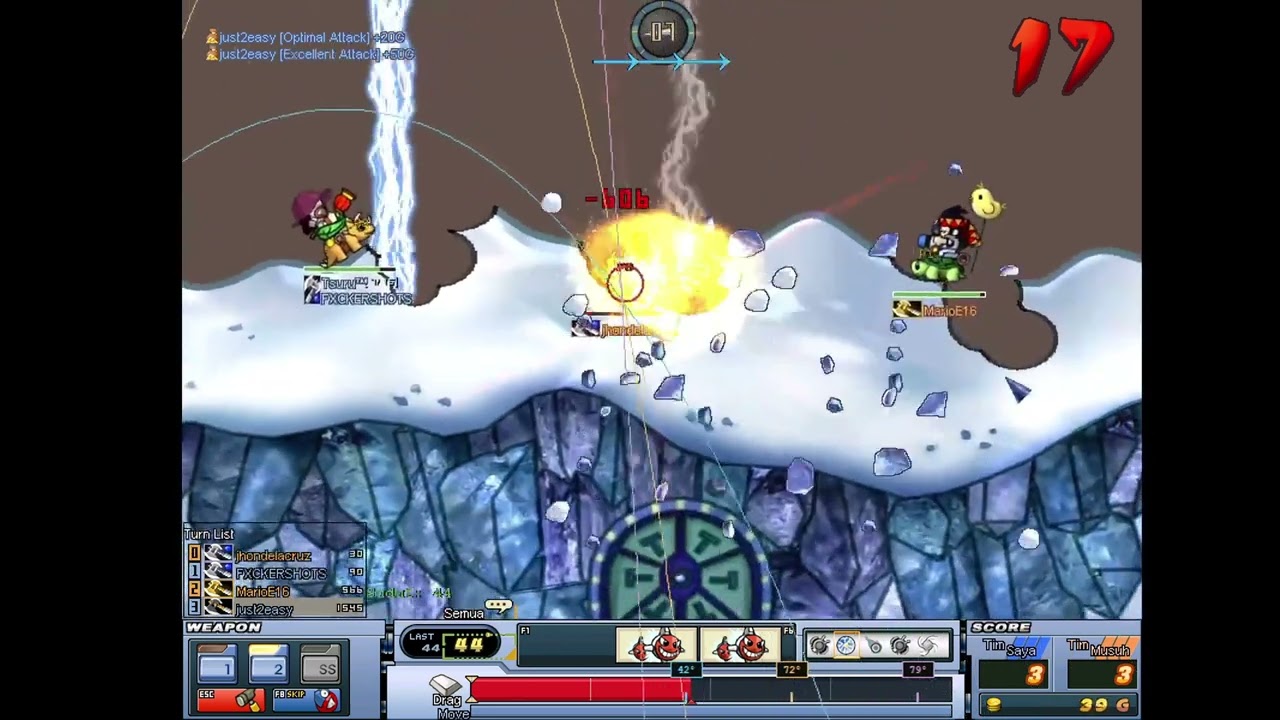
- Memory Reading — Reads player positions, camera, wind direction & speed directly from the
gunbound.exeprocess in real-time. - Multi-Mobile Physics Engine — Supports 3 distinct physics engines:
ICE Engine— for Ice, JD, AdukaICO Engine— for Armor, Mage, Lightning, Grub, Kalsiddon, ASate, Knight, Raon, Nak, BigFoot, Boomer, JFrogTRICO Engine— for Trico (with Spin Mode 1 & 2)TURTLE Engine— specialized for Turtle with a 30-parts coordinate system and dynamic wind-based mass
- Trajectory Overlay — Renders a real-time projectile curve directly on top of the game window.
- Barrel Offset Calibration — Per-mobile curve origin offset configurable via
barrel_offsets.txt. - Physics Constant Calibration — Gravity & mass per mobile customizable via
mobile_constants.txt. - OCR Power Bar Reader — Reads the in-game power bar value using Tesseract OCR + OpenCV.
- Target Lock — Lock onto the nearest player or any position in the game world using the mouse.
- Hotkey Support — Fast controls via keyboard shortcuts without touching the UI.
- Military-theme GUI — Dark mode military-style interface built with Tkinter.
| Mobile | Engine | Notes |
|---|---|---|
| Ice | ICE | Default g=0.608, m=168.0 |
| JD | ICE | Same as Ice engine |
| Aduka | ICE | T2 shot support |
| Trico | TRICO | Spin Mode 1 & 2, wind lookup table |
| Turtle | TURTLE | 30-parts, dynamic mass (wind²×0.02) |
| Armor | ICO | g=0.677, m=105.6 (default) |
| Mage | ICO | Freely calibrated via config file |
| Lightning | ICO | Freely calibrated via config file |
| Grub | ICO | Freely calibrated via config file |
| Kalsiddon | ICO | Freely calibrated via config file |
| ASate | ICO | Freely calibrated via config file |
| Knight | ICO | Freely calibrated via config file |
| Raon | ICO | Freely calibrated via config file |
| Nak | ICO | T2 shot support |
| BigFoot | ICO | Freely calibrated via config file |
| Boomer | ICO | Freely calibrated via config file |
| JFrog | ICO | Freely calibrated via config file |
- OS: Windows (required — uses Win32 API)
- Python: 3.8+
- Tesseract OCR: Install from UB-Mannheim/tesseract, default path:
C:\Program Files\Tesseract-OCR\tesseract.exe - Run as Administrator (required for reading game process memory)
⚠️ GunBound must be running in Windowed Mode at 800×600 resolution without a title bar. The overlay and OCR features will not work correctly in any other display mode.
pip install pymem pywin32 keyboard psutil opencv-python numpy pytesseract- Install all dependencies (see Requirements above).
- Launch GunBound first.
- Run the script as Administrator:
python bot_w8_v79.py
- Click
>> STARTin the GUI to begin reading game memory. - Select your source player (your character) and target player.
- Select the mobile you are currently using.
- Press
Right Shiftto calculate the power. - The trajectory curve will appear on the game overlay.
| Hotkey | Action |
|---|---|
Right Shift |
Calculate power & display trajectory |
ALT |
Lock target to current mouse position (game coords) — non-Turtle |
ALT |
Lock target to nearest player — Turtle mode |
ALT + SHIFT |
Lock target to nearest player with mouse offset — non-Turtle |
ALT + SHIFT |
Lock target to mouse position — Turtle mode |
CTRL |
Cycle Trico spin mode (1↔2) / Turtle overlay mode (FORK → SKY → REGULAR) |
CTRL + SHIFT |
Toggle canvas overlay / Toggle Turtle top panel |
Sets the curve origin offset per mobile (in pixels).
# Format: MobileName x y
# x: + right, - left (relative to shooting direction)
# y: + down, - up
Ice 0 0
Turtle 0 0
Sets physics constants (gravity & mass) per mobile.
# Format: MobileName gravity mass
Ice 0.608 168.0
Armor 0.677 105.6
Turtle uses a 30-parts coordinate system with dynamic mass based on wind:
mass = 149 - wind² × 0.02
Overlay Modes (cycle with CTRL):
| Mode | Contents |
|---|---|
| FORK | Fork4, Fork5, Fork6, Connect (T-preset shots) |
| SKY/TIME | SkyBomb (Plan5 engine), TimeBomb (ICO engine) |
| REGULAR | Standard shooting mode |
This tool is made for educational purposes and to understand ballistic physics within the game. Use it at your own risk. Not affiliated with Softnyx Co., Ltd.
MIT License — free to use and modify with attribution.