Releases: ahui3c/DisplayFaultSimulator_Android
Releases · ahui3c/DisplayFaultSimulator_Android
Release list
Display Fault Simulator 1.9.0

Display Fault Simulator 1.9.0
繁體中文
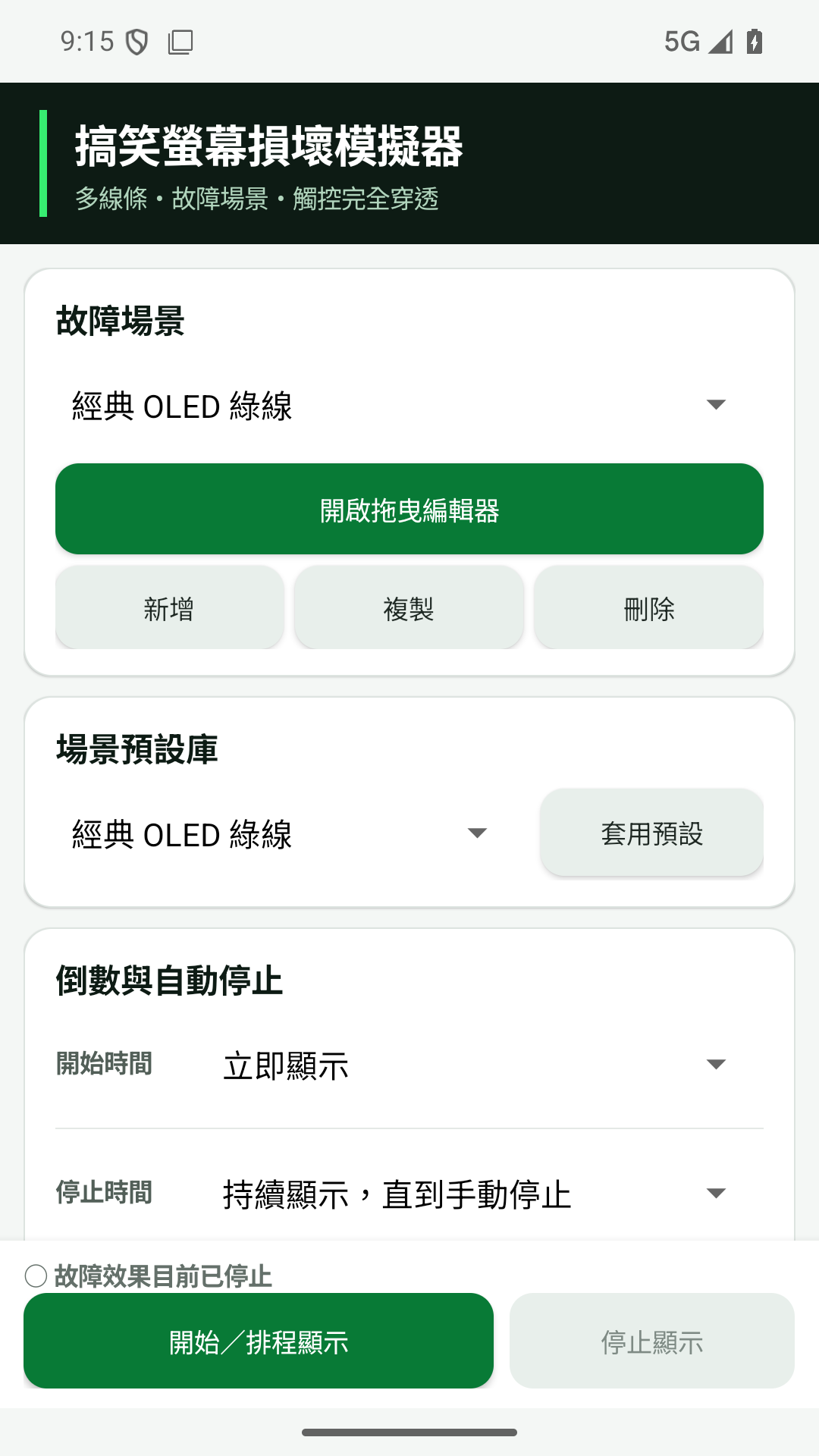
- 重新設計主設定畫面,以更精簡的現代化配置提高操作效率
- 修正 Android 15/16 設定介面與狀態列、瀏海及導覽列重疊
- 新增五種適合折疊機的左側破裂預設:左上角、左下角、鉸鏈髮絲裂、多重撞擊及重度碎裂
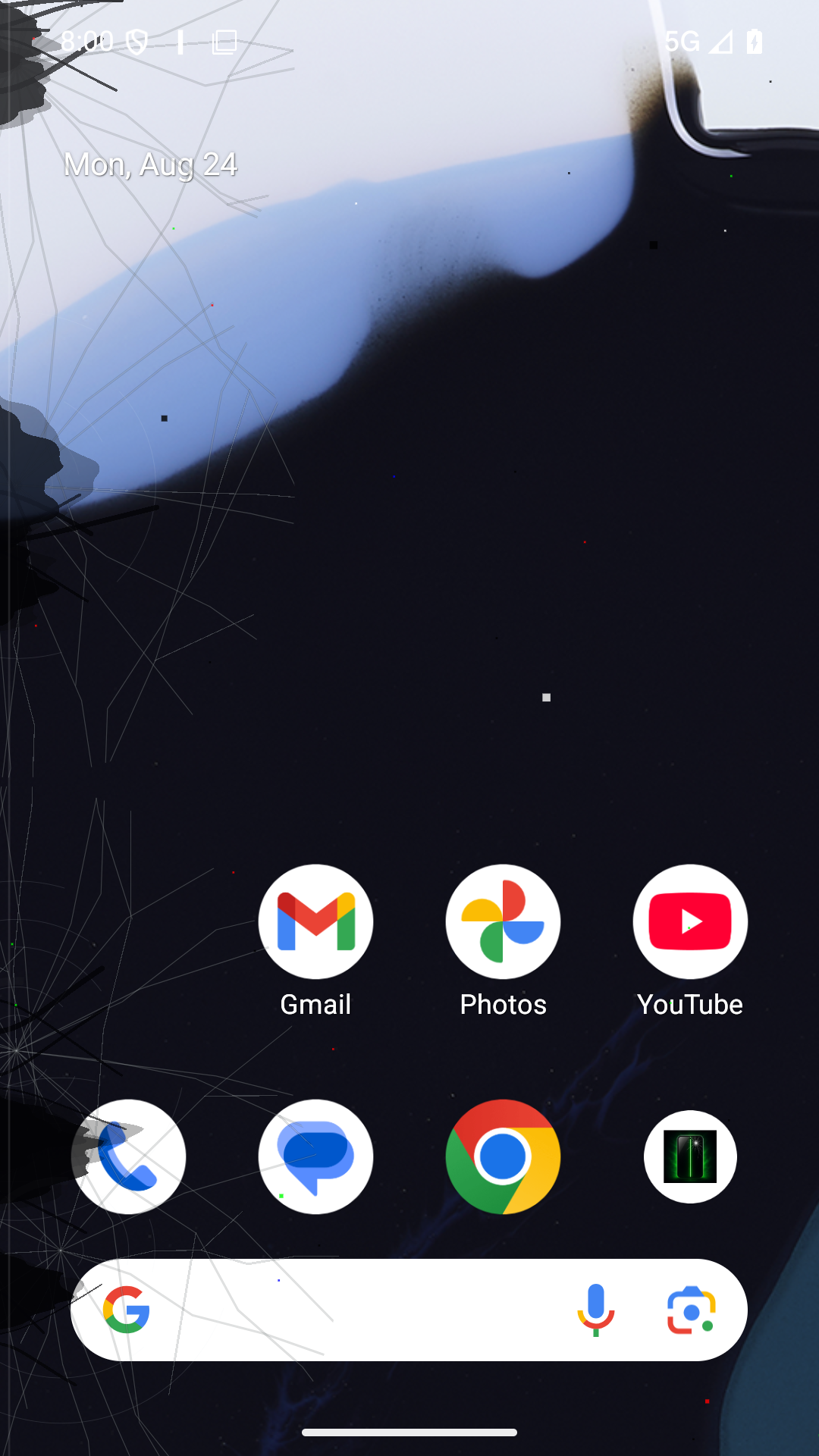
- 移除規則半透明三角碎片,改為貼著螢幕邊緣生長的不規則深黑面板破損與液晶滲漏
- 保留全螢幕覆蓋、硬體座標固定及觸控完全穿透
English
- Redesigned the main settings screen with a more compact modern layout
- Fixed settings UI overlap with status bars, display cutouts, and navigation bars on Android 15/16
- Added five left-edge crack presets for foldables: upper corner, lower edge, hinge hairlines, multiple impacts, and severe shatter
- Replaced translucent geometric shards with irregular deep-black panel ruptures and LCD bleed attached to the display edge
- Preserved full-screen coverage, hardware-coordinate anchoring, and complete touch-through behavior
rnrn## Screenshots
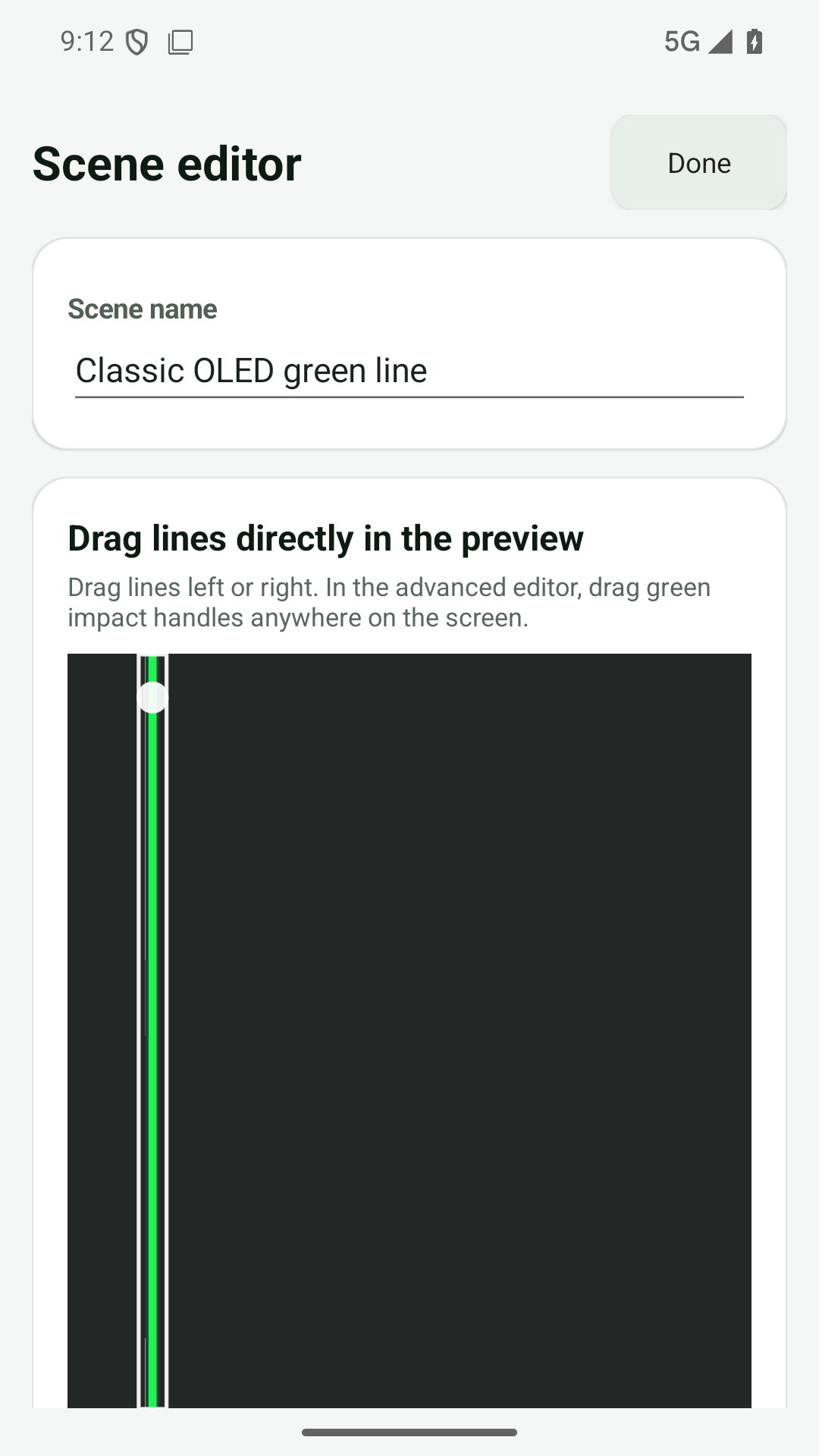
| Modern settings | Scene editor | Left-edge panel rupture |
|---|---|---|
 |
 |
 |
Display Fault Simulator 1.8.1
Display Fault Simulator 1.8.1
繁體中文
- 修正裝置或 App 畫面旋轉時,故障效果跟著介面轉向的問題
- 線條、裂紋、漏液、壞點等效果現在固定於螢幕硬體座標
- 支援 0°、90°、180°、270° 的反向旋轉補償
- 保留全螢幕覆蓋與觸控穿透行為
English
- Fixed fault effects rotating with the app UI when the device orientation changes
- Lines, cracks, liquid damage, dead pixels, and other effects now remain anchored to the physical display coordinates
- Added inverse rotation compensation for 0°, 90°, 180°, and 270° orientations
- Preserved full-screen coverage and touch-through behavior
Display Fault Simulator v1.7.1
Display Fault Simulator 1.7.1
繁體中文
線上自動更新
- 主畫面新增「檢查線上更新」功能
- 按下後立即檢查
ahui3c/DisplayFaultSimulator_Android的最新 GitHub Release - 發現較新版本時自動下載 APK,無需再次按下下載按鈕
- 下載完成後自動驗證 SHA-256、應用程式包名、版本碼及簽署憑證
- 驗證成功後開啟 Android 系統更新安裝畫面
- 支援下載中斷接續、未知來源安裝權限引導及更新後暫存檔清理
- 固定沿用既有發布簽章,修正「應用程式套件與現有套件衝突」而無法覆蓋安裝的問題
Android 基於安全規範,最後安裝步驟仍必須由使用者在系統安裝畫面確認。
English
Online automatic updates
- Added Check for updates to the main screen
- Checks the latest GitHub Release from
ahui3c/DisplayFaultSimulator_Androidimmediately after opening - Automatically downloads a newer APK without requiring another download action
- Verifies the SHA-256 digest, application package, version code, and signing certificate
- Opens Android's system update installer after verification
- Supports interrupted-download recovery, unknown-source permission guidance, and post-update cleanup
- Reuses the existing distribution certificate to fix package-conflict errors during in-place updates
Android security rules still require the user to confirm the final installation on the system installer screen.
Display Fault Simulator v1.4.1
Display Fault Simulator v1.4.1
English
The first public GitHub release of Display Fault Simulator.
Included
- Full-screen, touch-through Android overlay
- Full physical display bounds, including status bar, navigation bar, and display cutout areas
- Multiple configurable lines with opacity, glow, flicker, and timed position shifting
- Direct drag editor and reusable custom scenes
- Countdown start and automatic stop
- Quick Settings tile and persistent notification controls
- Cracked glass, dead pixels, liquid damage, ghosting, and scanline effects
- Nine built-in preset scenes
- English and Traditional Chinese interfaces that follow Android language settings
APK note
The attached APK is an optimized release build signed with an Android development key for direct sideload testing. It is not a Play Store production-signed artifact.
SHA-256: CD41728638BBB323DE119D41590E83BD6FF9D3DE4B9627ACA2999D61A02B21CA
繁體中文
這是 Display Fault Simulator(螢幕故障模擬器)的第一個 GitHub 公開版本。
內容
- Android 全螢幕透明覆蓋效果,觸控完全穿透
- 完整涵蓋螢幕實體範圍,包含狀態列、導覽列與挖孔區域
- 多條線,可調整透明度、光暈、閃爍與定時位置微移
- 直接拖曳編輯器與可重複使用的自訂場景
- 倒數啟動與自動停止
- 快速設定磁貼與常駐通知控制
- 螢幕破裂、壞點、漏液、殘影及掃描線效果
- 九組內建場景預設
- 英文與繁體中文介面,跟隨 Android 語言設定
APK 說明
附加的 APK 是經最佳化的 Release 建置,使用 Android 開發用金鑰簽章,適合直接側載測試;它不是 Google Play 正式簽章版本。
SHA-256:CD41728638BBB323DE119D41590E83BD6FF9D3DE4B9627ACA2999D61A02B21CA