Agent de code souverain — extension VS Code + CLI Ink, audit JSONL EU AI Act, branché sur la passerelle ailiance par défaut




CLI : aki (alias ailiance-agent) · Extension VS Code · UI webview React · Provider par défaut : passerelle ailiance (http://studio:9300)
Un agent de code conversationnel forké de Dirac (lui-même basé sur Cline) avec trois différences qui comptent :
- Tracing JSONL EU AI Act — chaque tour de plan / d'outil est écrit dans
.ailiance-agent/runs/<task_id>/, secrets scrubés, audit prêt pour Annex IV §1(c). - Backend ailiance par défaut — la passerelle souveraine 5 workers (Apertus, Devstral, EuroLLM, Gemma 3, Qwen3-Next) au lieu d'OpenAI/Anthropic. 41 autres providers branchables (Bedrock, Vertex, DeepSeek, Mistral, OpenRouter, etc.).
- Télémétrie désactivée — upstream Dirac envoie des events à PostHog. Ce fork coupe tout. Aucune donnée ne sort de l'hôte.
flowchart TB
user([👤 Utilisateur])
subgraph clients["Clients"]
cli["CLI Ink<br/><code>aki</code> (alias <code>ailiance-agent</code>)"]
vscode["Extension VS Code<br/>+ webview React"]
end
subgraph core["Cœur agent (TypeScript strict)"]
loop["Boucle agent<br/><code>src/core/task/</code>"]
tools["Tool handlers<br/><code>src/core/task/tools/</code>"]
tracer["JsonlTracer<br/><code>.ailiance-agent/runs/<task>/</code>"]
store["State / disk<br/><code>~/.dirac · globalStorage</code>"]
loop --> tools
loop --> tracer
loop --> store
end
subgraph providers["Providers LLM (42)"]
ailiance["🇪🇺 ailiance gateway<br/><b>par défaut</b><br/>:9300 → 5 workers"]
cloud["Anthropic · OpenAI<br/>Bedrock · Vertex · Mistral<br/>DeepSeek · Qwen · …"]
local["🏠 Local stack<br/>Jina :5050 / LiteLLM :4000<br/>(auto-detect)"]
end
user --> cli
user --> vscode
cli --> loop
vscode --> loop
loop --> ailiance
loop -.->|fallback| cloud
loop -.->|<code>useLocalStack=true</code>| local
classDef sov fill:#dbeafe,stroke:#1e40af,stroke-width:2px,color:#0c2a5b
classDef ext fill:#fef3c7,stroke:#92400e
classDef audit fill:#d1fae5,stroke:#065f46,stroke-width:2px
class ailiance,local sov
class cloud ext
class tracer audit
ailiance-agent now ships a full agentic loop with tool emulation that works across every EU-sovereign worker on the cluster:
- Qwen 32B AWQ (primary, vLLM native function calling)
- Eurollm 22B, Apertus 70B, Devstral 24B (worker-side emulation)
- Gemma 3 4B (gateway-side emulation)
The gateway force-routes any request with tools[] to the most reliable
worker, so file editing (write_to_file, edit_file, read_file) and
command execution (execute_command) work end-to-end with aki running
against your local stack.
See docs/local-router.md and CHANGELOG.md for details.
- Universal tool emulation — 5 formats parsed in LocalRouter (
<tool_call>,```tool,```json,```bash,```tool_code, plainread_file("...")) - Force-route to tool-capable workers — requests with
tools[]prioritizesupportsTools:trueworkers automatically aki timeline— Ink CLI view of task history grouped by day with emoji classification and cursor navigation- Anti-hallucination guard — "TOOL CONSTRAINTS" section in system prompt
prevents workers from inventing tool names (
digikey:,bom:,kicad:etc.) - Imperative verbs → ACT — "fais/fait/écris/ajoute/réalise/génère/construis/ implémente" always trigger Act mode regardless of prompt length
function.idpropagation fix — critical fix for multi-turn tool calls (commit783cc66). Previouslytool_resultfell back to plain text, breaking the OpenAI tools protocol. NowtoolUseIdMapmaps correctly across turns.
- Plugin marketplace:
aki plugin install <github-url>to install Claude Code plugins - MCP integration: discover and use MCP servers from installed plugins
- LocalRouter (in-process LLM router): cache, health monitoring, ctx-aware skip, SSE streaming. See docs/local-router.md.
- Local stack (
aki stack {start,stop,status}): managed LiteLLM proxy + Jina semantic router. See docs/local-stack.md. - Auto plan/act mode (opt-in):
autoModeFromPrompt: trueto choose mode from prompt content. See docs/auto-mode.md. - Web UI at
http://127.0.0.1:25463with worker status dashboard, SPA standalone on/spa, gRPC HTTP backend on/grpc/StackService/*. - Refactor: Task class reduced from 1970 → 592 lines (-70%) for maintainability.
- +170 tests (1047 → 1238), 0 régressions.
# Installation globale (Node 20 / 22 / 24 — pas Node 25)
npm install -g ailiance-agent

# Premier prompt — passerelle ailiance par défaut
aki "résume-moi ce dépôt en 5 puces"

# Provider explicite
aki --provider anthropic --model claude-opus-4-7 "ajoute un test pour foo()"

# Mode plan (réfléchit avant d'agir)
aki -p "refactor le module bar/ en deux modules"
L'extension VS Code s'installe via le .vsix du repo (paquet ailiance-agent-0.3.1.vsix).


code --install-extension ailiance-agent-0.3.1.vsixUne fois installée, l'extension ajoute :
- Activity bar — icône ailiance-agent ouvrant le panneau chat (webview React).
- Walkthrough —
ailiance-agent, the EU-sovereign autonomous coding agent(Hash-anchored edits, AST precision, minimal roundtrips, speed). - Context menus — clic droit sur sélection / terminal / commit / Jupyter cell.
- Commit messages — génération automatique sur le bouton de SCM Git.
flowchart LR
    user([👤 Utilisateur VS Code])

    subgraph vscode["Extension VS Code"]
        sidebar["Activity Bar<br/>panneau chat<br/>(webview React)"]
        palette["Command Palette<br/>(Ctrl/Cmd + Shift + P)"]
        context["Context menu<br/>éditeur · terminal · SCM"]
        keys["Keybindings<br/>Cmd + ' · ?"]
        walk["Walkthrough<br/>onboarding 4 cartes"]
    end

    subgraph core["Cœur agent (partagé)"]
        loop["src/core/task/<br/>Task loop ReAct"]
        tracer["JsonlTracer"]
    end

    user --> sidebar --> loop
    user --> palette --> loop
    user --> context --> loop
    user --> keys --> loop
    user --> walk
    loop --> tracer

    classDef ui fill:#dbeafe,stroke:#1e40af
    classDef core fill:#ede9fe,stroke:#5b21b6
    class vscode ui
    class core core
| Commande | Effet |
|---|---|
New Task |
nouveau dialogue agent |
History |
historique des tâches |
Settings |
panneau de configuration (provider, modèles, MCP, hooks) |
Add to ailiance-agent |
ajoute la sélection ou la sortie terminale au chat |
Generate Commit Message with ailiance-agent |
sur le SCM Git, génère un commit via le LLM |
Explain with ailiance-agent |
explique la sélection |
Improve with ailiance-agent |
propose une amélioration |
Generate / Explain / Improve Jupyter Cell |
équivalents notebook |
Open Walkthrough |
(re)lance le tutoriel d'accueil |
Reconstruct Task History |
reconstruit l'historique depuis les traces JSONL |
Accept / Reject / Save with My Changes |
actions sur les diffs proposés par l'agent |
| Touche | Action | Quand |
|---|---|---|
⌘' / Ctrl+' |
Add to ailiance-agent |
sélection active dans l'éditeur |
⌘' / Ctrl+' |
Jump to Chat Input |
sans sélection |
? |
Generate Commit Message with ailiance-agent |
dans la vue SCM Git |
Enter |
Reply (review comment) | dans un comment editor dirac-ai-review |
- Provider + modèle (par défaut
ailiance/auto, ouailiance/devstral-24bpour le code, etc.) - API key par provider (chiffrée en
~/.dirac/) - Mode plan / act, auto-approve, double-check completion, auto-condense
useLocalStack(auto-detect Jina / LiteLLM)enabledMcpServers,mcpToolDenylist,mcpToolAllowlist- Plugin hooks dirs (
PreToolUse/PostToolUse) - Sub-agents
Aucune télémétrie. Aucune donnée n'atteint dirac.run ni PostHog. Les seules requêtes réseau sont :
- Vers le provider LLM choisi (ailiance gateway par défaut, sinon le backend que tu as configuré).
- Vers les serveurs MCP que tu autorises explicitement via
enabledMcpServers.
Toute l'activité de la tâche est tracée localement dans <workspace>/.ailiance-agent/runs/<task_id>/ avec scrubber secret-sensible.
Inspirée de Claude Code. Visible en bas de la chat view :
 ▸ ~/Documents/Projets/ailiance-agent   master
  devstral-24b      ◉ 73%    ⏱ 11:09:42
 / pour commandes · @ pour fichiers · Shift+↓ pour multi-ligne     ● Plan ○ Act (Tab)
 devstral-24b ███░░░░░░░ (12 345) | 0,082 €
 ailiance-agent (master) | 3 fichiers +120 -45
 ⏵⏵ Auto-approve all enabled (Shift+Tab)
- Ligne 1 :
▸ <cwd_complet>+ badge branche (vert si clean, jaune si dirty) - Ligne 2 : badge magenta modèle + badge contexte coloré (vert ≥ 40 %, jaune ≥ 15 %, rouge sinon) + horloge live
| ailiance-agent | Dirac upstream | |
|---|---|---|
| Provider par défaut | ailiance gateway (5 modèles EU/CH/Asie souverains) | OpenAI |
| Télémétrie | aucune (PostHog désactivé) | events vers dirac.run |
| Audit | trace JSONL secret-scrubée par tâche, prête pour EU AI Act Annex IV | logs upstream classiques |
| Routage local | auto-detect Jina :5050 / LiteLLM :4000 si useLocalStack |
absent |
| Branding CLI | aki (court) + statusline 2 lignes |
dirac |
| Plugin hooks | PreToolUse / PostToolUse câblés au runtime |
upstream |
| Filtrage MCP | enabledMcpServers + mcpToolDenylist + mcpToolAllowlist |
upstream |
Pour le reste — boucle ReAct, hash-anchored parallel edits, AST manipulation, --auto-condense, --double-check-completion, 41 providers tiers — on hérite et on garde la compatibilité stricte avec Dirac. Les améliorations qui ne sont pas spécifiques au fork remontent en upstream.
sequenceDiagram
    autonumber
    participant U as Utilisateur
    participant A as Agent (Task)
    participant L as LLM (ailiance / autre)
    participant T as Outils
    participant J as JsonlTracer

    U->>A: prompt initial
    A->>J: meta.json (task_id, cwd, mode, model)

    loop ReAct jusqu'à attempt_completion
        A->>L: stream chat completions
        L-->>A: tokens (texte + tool_calls)
        A->>J: trace.jsonl ← phase=plan
        opt tool_call émis
            A->>T: exécute (read / edit / bash …)
            T-->>A: résultat
            A->>J: trace.jsonl ← phase=execute
        end
    end

    A->>J: trace.jsonl ← phase=summarize
    A-->>U: réponse finale + résumé

    Note over J: Scrubber sur tous les writes :<br/>AWS keys · PEM · URLs<br/>champs <code>password / apiKey / secret</code>
.ailiance-agent/runs/<task_id>/
meta.json— task_id, cwd, mode (plan/act), model, provider, début, fintrace.jsonl— un évènement par ligne, phase ∈plan / execute / summarize / abort
Les secrets sont retirés au moment de l'écriture par JsonlTracer:210 (regex blocklist). Aucune purge a posteriori nécessaire.
flowchart LR
    subgraph default["🇪🇺 Par défaut"]
        EU["ailiance gateway<br/>5 workers<br/>:9300/v1"]
    end

    subgraph cloud["☁️ Cloud / hébergés"]
        ANT["Anthropic"]
        OAI["OpenAI"]
        BED["AWS Bedrock"]
        VTX["Vertex AI"]
        AZ["Azure OpenAI"]
        OR["OpenRouter"]
        DS["DeepSeek"]
        QW["Qwen"]
        MIS["Mistral"]
        AIH["AIHubMix<br/>(nouveau v0.3)"]
        ETC["… 30+ autres<br/>cf. <code>src/core/api/providers/</code>"]
    end

    subgraph local["🏠 Local"]
        OL["Ollama"]
        LMS["LM Studio"]
        VLLM["vLLM"]
        TGI["TGI"]
        JINA["Jina :5050<br/>(auto)"]
        LL["LiteLLM :4000<br/>(auto)"]
    end

    cli([aki / ailiance-agent])
    cli --> EU
    cli -.-> cloud
    cli -.-> local

    classDef def fill:#dbeafe,stroke:#1e40af,stroke-width:2px
    classDef cl fill:#fef3c7,stroke:#92400e
    classDef lo fill:#d1fae5,stroke:#065f46
    class default def
    class cloud cl
    class local lo
Switch : aki --provider <nom> --model <id> ou via le panneau de config. La liste complète : src/core/api/providers/ (un fichier par backend). 42 providers. Configurations stockées chiffrées dans ~/.dirac/.
Active le routage local dynamique :
flowchart LR
    REQ([requête LLM])
    USE{<code>useLocalStack</code><br/>activé ?}
    PROBE1{Jina :5050<br/>répond ?}
    PROBE2{LiteLLM :4000<br/>répond ?}

    REQ --> USE
    USE -- non --> CONF["base URL configurée<br/>(ailiance par défaut)"]
    USE -- oui --> PROBE1
    PROBE1 -- oui --> J["Jina semantic router<br/>:5050/v1"]
    PROBE1 -- non --> PROBE2
    PROBE2 -- oui --> LL["LiteLLM proxy<br/>:4000/v1"]
    PROBE2 -- non --> CONF

    classDef ok fill:#d1fae5,stroke:#065f46
    classDef miss fill:#fef3c7,stroke:#92400e
    class J,LL ok
    class CONF miss
Cache 30 s pour ne pas pinger les ports à chaque requête (src/services/local-stack/LocalStackDetector.ts). Activable globalement (useLocalStack setting key) ou par appel.
git clone https://github.com/ailiance/ailiance-agent.git
cd ailiance-agent
npm run install:all   # bootstrap monorepo (root + cli + webview-ui)
npm run protos        # génère src/generated/ + src/shared/proto/ — REQUIS avant build
npm run build
npm test              # suite mocha (root) + vitest (cli, webview-ui)
npm run lint          # biome
Workspaces :
| Path | Rôle |
|---|---|
src/ |
Extension VS Code + cœur agent (TS strict) |
cli/ |
CLI Ink (binaire aki, build esbuild → dist/cli.mjs) |
webview-ui/ |
Frontend React (Vite + Storybook) |
proto/ |
Protobuf (gRPC entre host / webview / CLI) |
agent-registry/, evals/, walkthrough/, locales/ |
Assets non-code |
| Clef | Effet |
|---|---|
AGENT_KIKI_GATEWAY=<url> (env) ou --baseurl |
Override de la passerelle ailiance par défaut |
useLocalStack (setting) |
Active l'auto-detect Jina :5050 / LiteLLM :4000 |
enabledMcpServers (setting) |
Liste blanche des serveurs MCP à charger |
mcpToolDenylist / mcpToolAllowlist (setting) |
Filtrage fin par outil |
enableParallelToolCalling |
(déjà existant upstream) — true par défaut |
L'API gateway ailiance attend le suffixe /v1 (cf. ailiance/src/gateway/server.py — /v1/chat/completions est la seule route exposée).
| Tâche | Location |
|---|---|
| Boucle d'exécution agent / state | src/core/task/ |
| Provider LLM (anthropic, openai, …) | src/core/api/providers/ |
| Tracing JSONL + scrubber | src/core/tracing/JsonlTracer.ts |
| Persistence disque | src/core/storage/ |
| Tool handlers | src/core/task/tools/handlers/ |
| Slash commands | src/core/slash-commands/ |
| Prompts système | src/core/prompts/ |
| CLI Ink (TUI) | cli/src/ |
| Statusline (ChatFooter) | cli/src/components/ChatFooter.tsx |
| UI React (panel webview) | webview-ui/src/ |
| Notes acceptance MVP | docs/ |
Voir docs/CHANGELOG.md. Versions actives :
- v0.3.1 (2026-05-06) — fleet ailiance passé à 5 workers (Gemma 3, Qwen3-Next 80B MoE)
- v0.3.0 (2026-05-06) — statusline 2 lignes, local stack auto-detect, plugin hooks runtime, filtrage MCP, provider AIHubMix
- v0.2.0 (2026-05-05) — convergence agent end-to-end avec ailiance (parsing tool-calls Mistral)
- v0.1.0 (2026-05-05) — fork initial : tracing JSONL, télémétrie off, defaults ailiance
- Backend : par défaut
http://studio:9300/v1(Tailscale privé). Override viaAGENT_KIKI_GATEWAYou--baseurl. Le suffixe/v1est obligatoire. - ailiance LoRA adapters : worker wrap base +
linear_to_lora_layers, charge les poids viastrict=False(ailiance:1ed24b8). Adapter par domaine activé quand le headerX-Lora-Domainest présent. - Sentinel apiKey : sans provider configuré, le fork persiste
openAiApiKey="unused"comme sentinelle pour le code path openai-compatible. La passerelle ailiance ne valide pas les clés. - Trace gap : les tâches abandonnées avant un tool call valide produisent un dossier de run avec meta/trace vides. Audit downstream : traiter comme
incomplete. - Node.js v25 non supporté (bug V8 Turboshaft upstream). Utiliser Node 20, 22 ou 24 LTS.
- Pas de rotation des traces :
<cwd>/.ailiance-agent/runs/s'accumule sans purge auto. Nettoyage manuel jusqu'à v0.4.
Fork de Dirac, lui-même basé sur Cline. Les améliorations qui ne sont pas spécifiques au fork (boucle agent, optimisations de contexte, suite d'évals, parallel edits, AST manipulation, sub-agents) viennent d'upstream et restent compatibles. License Apache-2.0, préservée.
Dirac topped the Terminal-Bench-2 leaderboard for
gemini-3-flash-previewwith a 65.2% score!
It is a well studied phenomenon that any given model's reasoning ability degrades with the context length. If we can keep context tightly curated, we improve both accuracy and cost while making larger changes tractable in a single task.
Dirac is an open-source coding agent built with this in mind. It reduces API costs by 64.8% on average while producing better and faster work. Using hash-anchored parallel edits, AST manipulation, and a suite of advanced optimizations. Oh, and no MCP.
Our goal: Optimize for bang-for-the-buck on tooling with bare minimum prompting instead of going blindly minimalistic.
Dirac is benchmarked against other leading open-source agents on complex, real-world refactoring tasks. Dirac consistently achieves 100% accuracy at a fraction of the cost. These evals are run on public github repos and should be reproducible by anyone.
🏆 TerminalBench 2.0 Leaderboard: Dirac recently topped the Terminal-Bench-2 leaderboard with a 65.2% score using
gemini-3-flash-preview. This outperforms both Google's official baseline (47.6%) and the top closed-source agent Junie CLI (64.3%). This was achieved without any benchmark-specific info or anyAGENTS.mdfiles being inserted.
Note on the cost table below: A bug was discovered in Cline, the parent repo, after running these evals (issue #10314). We have submitted a PR #10315 to fix this. This bug caused the evals for Dirac and Cline to slightly underreport the numbers ($0.03 vs $0.05 per million token cache read). Although there won't be a large difference, we will update the evals soon.
All tasks for all models used gemini-3-flash-preview with thinking set to high
| Task (Repo) | Files* | Cline | Kilo | Ohmypi | Opencode | Pimono | Roo | Dirac |
|---|---|---|---|---|---|---|---|---|
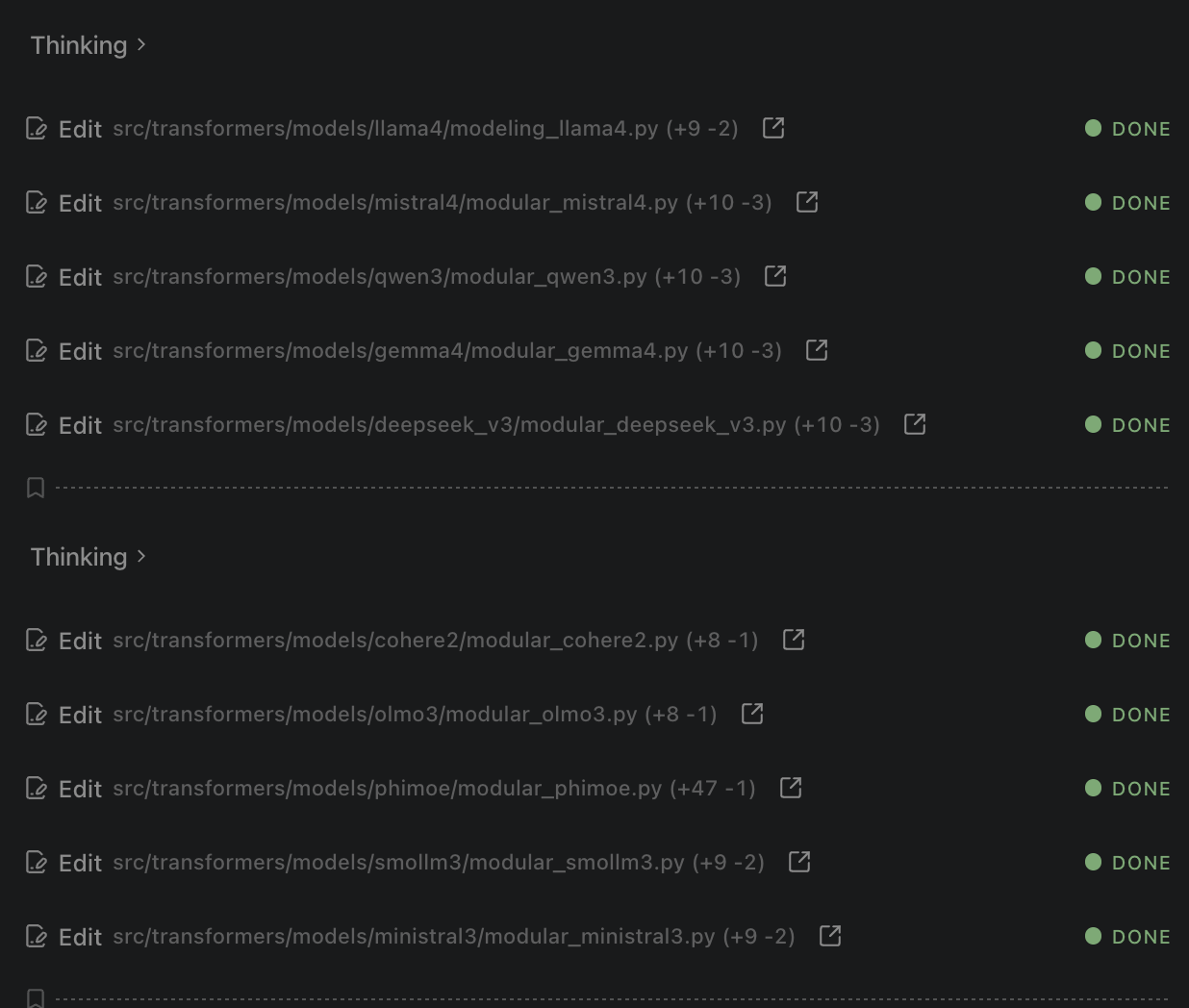
| Task1 (transformers) | 8 | 🟢 (diff) [$0.37] | 🔴 (diff) [N/A] | 🟡 (diff) [$0.24] | 🟢 (diff) [$0.20] | 🟢 (diff) [$0.34] | 🟢 (diff) [$0.49] | 🟢 (diff) [$0.13] |
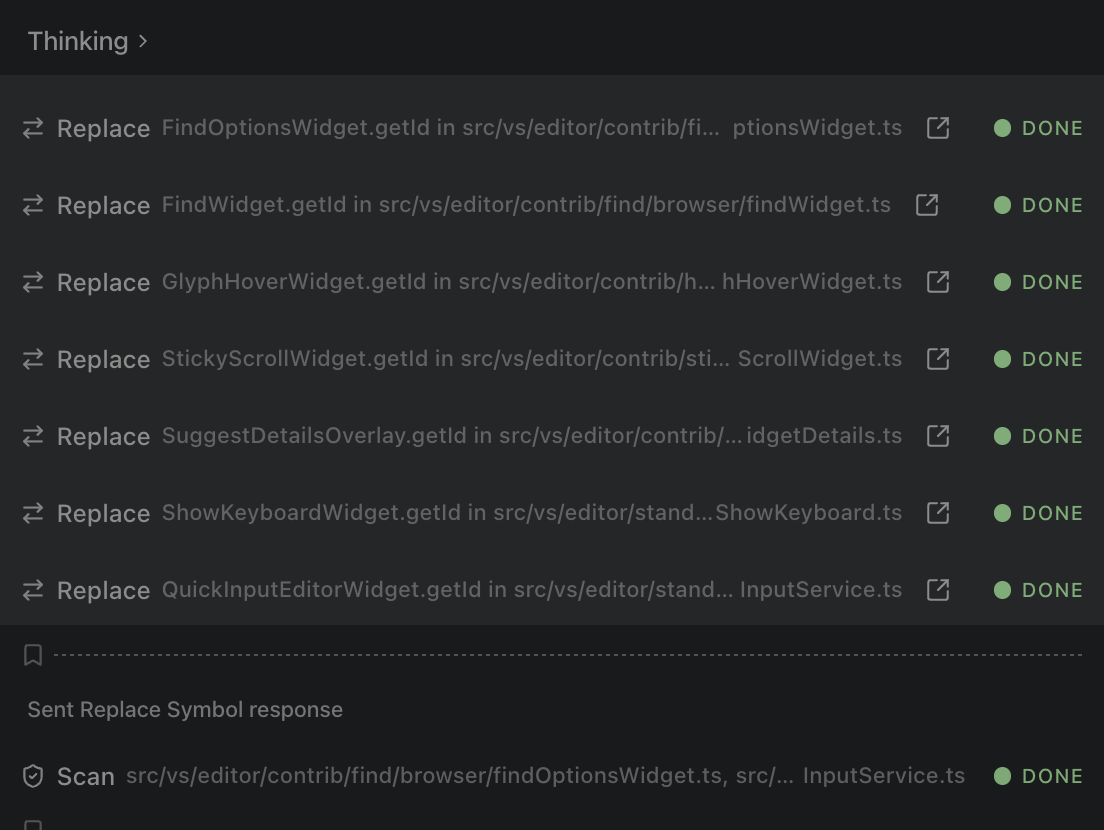
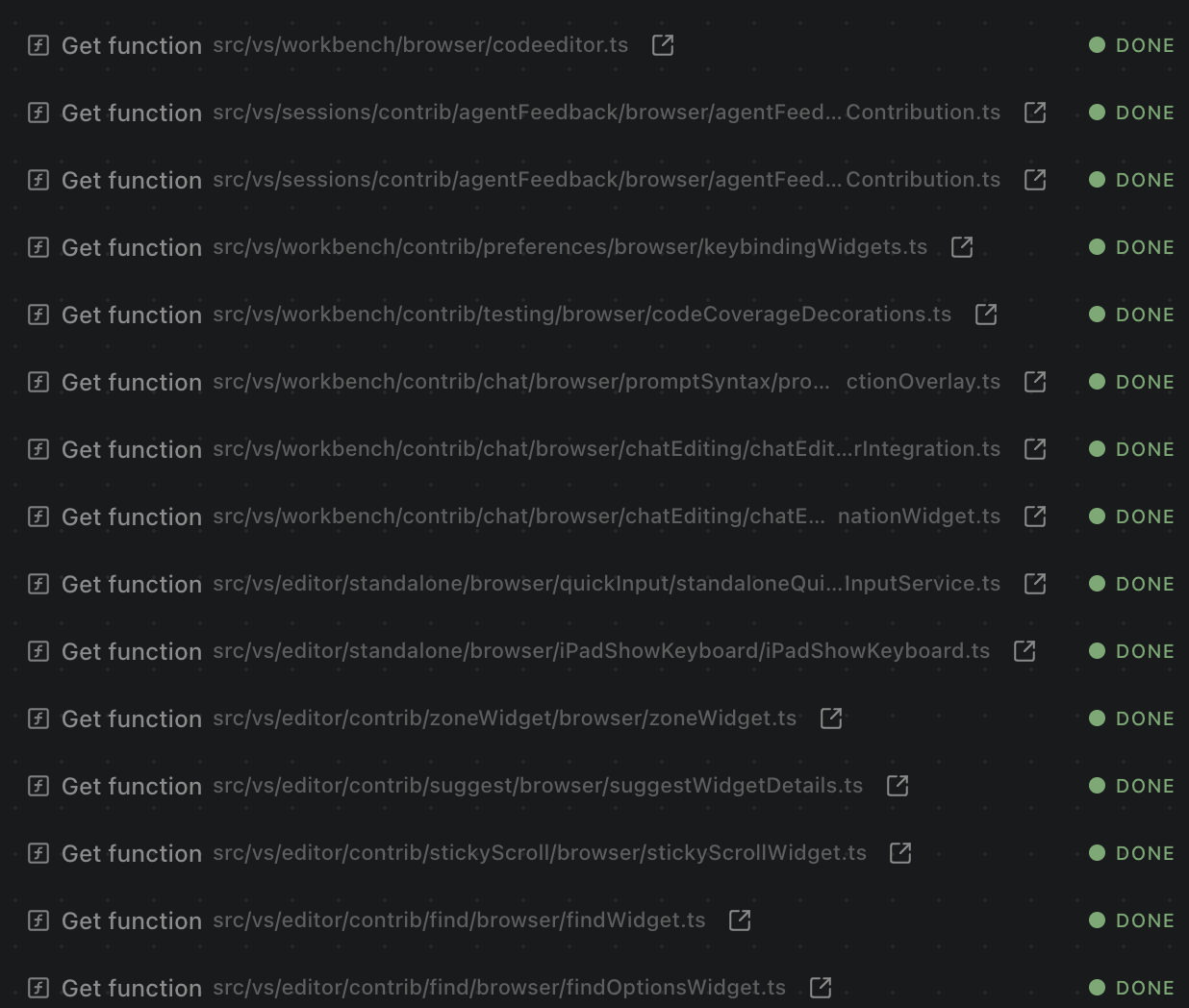
| Task2 (vscode) | 21 | 🟢 (diff) [$0.67] | 🟡 (diff) [$0.78] | 🟢 (diff) [$0.63] | 🟢 (diff) [$0.40] | 🟢 (diff) [$0.48] | 🟡 (diff) [$0.58] | 🟢 (diff) [$0.23] |
| Task3 (vscode) | 12 | 🟡 (diff) [$0.42] | 🟢 (diff) [$0.70] | 🟢 (diff) [$0.64] | 🟢 (diff) [$0.32] | 🟢 (diff) [$0.25] | 🟡 (diff) [$0.45] | 🟢 (diff) [$0.16] |
| Task4 (django) | 14 | 🟢 (diff) [$0.36] | 🟢 (diff) [$0.42] | 🟡 (diff) [$0.32] | 🟢 (diff) [$0.24] | 🟡 (diff) [$0.24] | 🟢 (diff) [$0.17] | 🟢 (diff) [$0.08] |
| Task5 (vscode) | 3 | 🔴 (diff) [N/A] | 🟢 (diff) [$0.71] | 🟢 (diff) [$0.43] | 🟢 (diff) [$0.53] | 🟢 (diff) [$0.50] | 🟢 (diff) [$0.36] | 🟢 (diff) [$0.17] |
| Task6 (transformers) | 25 | 🟢 (diff) [$0.87] | 🟡 (diff) [$1.51] | 🟢 (diff) [$0.94] | 🟢 (diff) [$0.90] | 🟢 (diff) [$0.52] | 🟢 (diff) [$1.44] | 🟢 (diff) [$0.34] |
| Task7 (vscode) | 13 | 🟡 (diff) [$0.51] | 🟢 (diff) [$0.77] | 🟢 (diff) [$0.74] | 🟢 (diff) [$0.67] | 🟡 (diff) [$0.45] | 🟢 (diff) [$1.05] | 🟢 (diff) [$0.25] |
| Task8 (transformers) | 3 | 🟢 (diff) [$0.25] | 🟢 (diff) [$0.19] | 🟢 (diff) [$0.17] | 🟢 (diff) [$0.26] | 🟢 (diff) [$0.23] | 🟢 (diff) [$0.29] | 🟢 (diff) [$0.12] |
| Total Correct | 5/8 | 5/8 | 6/8 | 8/8 | 6/8 | 6/8 | 8/8 | |
| Avg Cost | $0.49 | $0.73 | $0.51 | $0.44 | $0.38 | $0.60 | $0.18 |
🟢 Success | 🟡 Incomplete | 🔴 Failure
Cost Comparison: Dirac is 64.8% cheaper than the competition (a 2.8x cost reduction).
* Expected number of files to be modified/created to complete the task.
See evals/README.md for detailed task descriptions and methodology.
- Hash-Anchored Edits: Dirac uses stable line hashes to target edits with extreme precision, avoiding the "lost in translation" issues of traditional line-number based editing.
- AST-Native Precision: Built-in understanding of language syntax (TypeScript, Python, C++, etc.) allows Dirac to perform structural manipulations like function extraction or class refactoring with 100% accuracy.
- Multi-File Batching: Dirac can process and edit multiple files in a single LLM roundtrip, significantly reducing latency and API costs.
- High-Bandwidth Context: Optimized context curation keeps the agent lean and fast, ensuring the LLM always has the most relevant information without wasting tokens.
- Autonomous Tool Use: Dirac can read/write files, execute terminal commands, use a headless browser, and more - all while keeping you in control with an approval-based workflow.
- Skills & AGENTS.md: Customize Dirac's behavior with project-specific instructions using
AGENTS.mdfiles. It also seamlessly picks up Claude's skills by automatically reading from.ai,.claude, and.agentsdirectories. - Native Tool Calling Only: To ensure maximum reliability and performance, Dirac exclusively supports models with native tool calling enabled. (Note: MCP is not supported).
Install Dirac from the VS Code Marketplace.
Install the Dirac CLI globally using npm:
npm install -g dirac-cliNote: Node.js v25 is currently not supported due to an upstream V8 Turboshaft compiler bug that causes out-of-memory crashes during WASM initialization. Please use Node.js v20, v22, or v24 (LTS versions).
- Authenticate:
dirac auth
- Run your first task:
dirac "Analyze the architecture of this project"
You can provide API keys via environment variables to skip the dirac auth step. This is ideal for CI/CD or non-persistent environments.
For provider-specific setup (e.g. AWS Bedrock, Google Cloud Vertex AI), see the Provider Settings guide.
Common API Keys:
ANTHROPIC_API_KEYOPENAI_API_KEYOPENROUTER_API_KEYGEMINI_API_KEYGROQ_API_KEYMISTRAL_API_KEYXAI_API_KEY(x.ai)HF_TOKEN(HuggingFace)- ... and others (see
src/shared/storage/env-config.tsfor the full list).
You can use any OpenAI-compatible provider (e.g., DeepSeek, DeepInfra, OpenRouter, or your own local proxy) by providing the base URL and model ID.
Environment Variables:
OPENAI_API_BASE(orOPENAI_COMPATIBLE_CUSTOM_KEY): Your API key.CUSTOM_HEADERS: Optional custom headers (e.g.,"Authorization=Bearer token,X-Account-Id=123"or JSON format).
CLI Example:
# Using environment variables
export OPENAI_API_BASE="your-api-key"
export CUSTOM_HEADERS="Authorization=Bearer XXX"

dirac "explain Dirac Delta function" \
  --provider "https://api.yourprovider.com/v1" \
  --model "your-model-id"
CLI Flag Example:
dirac "explain Dirac Delta function" \
  --provider "https://api.deepseek.com/v1" \
  --model "deepseek-v4-pro" \
--headers "X-Custom-Header=Value"dirac "prompt": Start an interactive task.dirac -p "prompt": Run in Plan Mode to see the strategy before executing.dirac -y "prompt": Yolo Mode (auto-approve all actions, great for simple fixes).git diff | dirac "Review these changes": Pipe context directly into Dirac.dirac history: View and resume previous tasks.
- Open the Dirac sidebar in VS Code.
- Configure your preferred AI provider (Anthropic, OpenAI, OpenRouter, etc.).
- Start a new task by describing what you want to build or fix.
- Watch Dirac go!
Dirac is open source and licensed under the Apache License 2.0.
Dirac is a fork of the excellent Cline project. We are grateful to the Cline team and contributors for their foundational work.
Built with ❤️ by Max Trivedi at Dirac Delta Labs