
2.5.2 - 2026-09-27
中文
修复 Codex 授权与对话兼容。 修复部分 Codex 请求参数、登录令牌和流式回答格式的兼容问题;连接测试改用较低推理强度,等待上限延长至 60 秒。参数被拒绝、模型不可用、额度受限、网络故障与授权失效会分别提示,减少误报“返回格式不符合协议”或要求重新登录的情况。
修复 Codex 对话连接。 修复桌面端 OpenAI Codex Beta 已授权并保存模型后,发送消息仍提示“网络连接中断”的问题。其余功能沿用 2.5.0。
需要资料时向外搜索,暂时不用的对话交给归档。
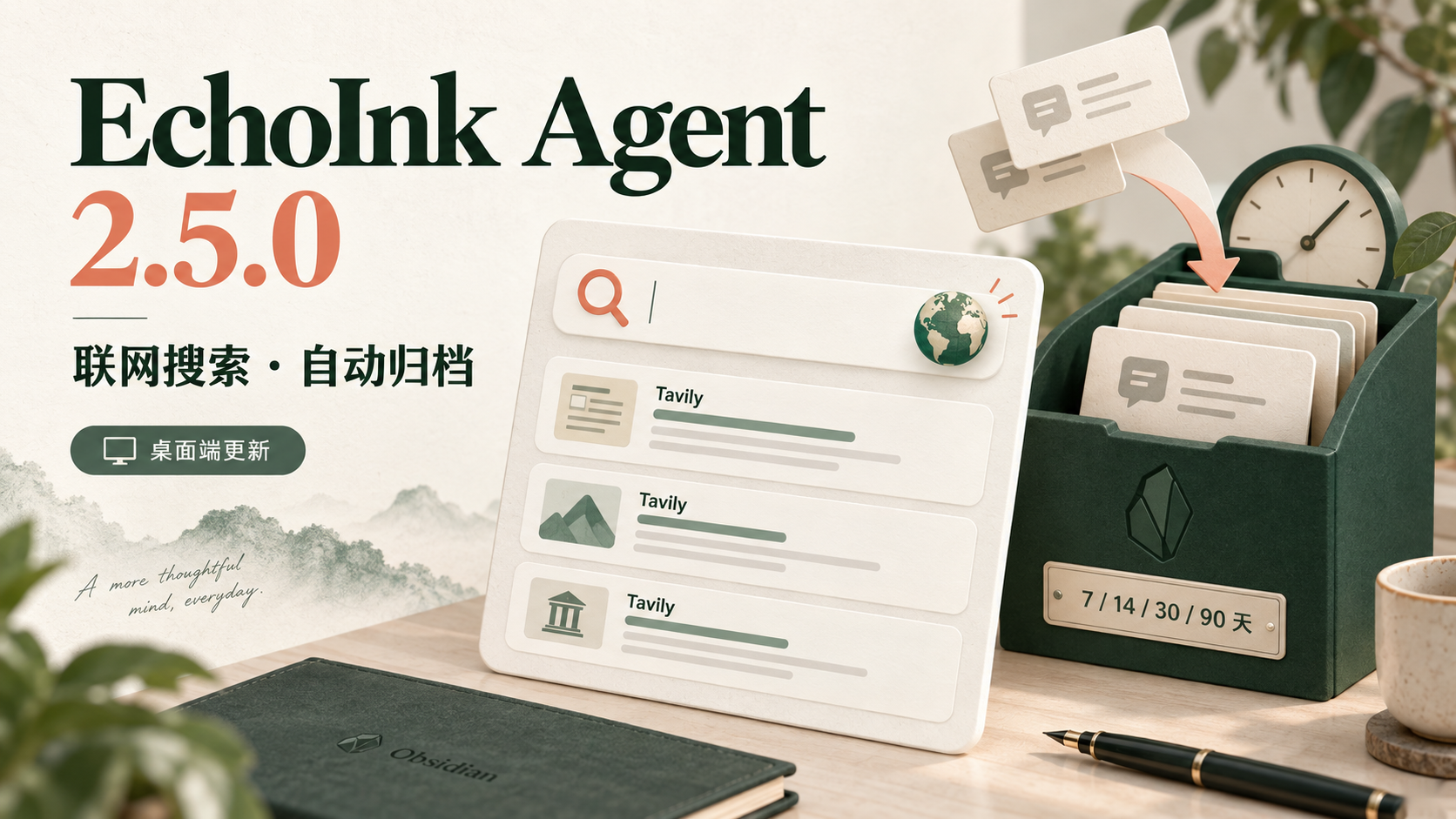
2.5.0 为桌面端加入 Tavily 联网搜索与会话自动归档。两项功能默认关闭,由你决定何时开启。
- 联网搜索,回答附带来源。 配置 Tavily 后,当前模型可以按问题需要搜索网页,阅读摘要并引用返回的链接。你可以继续使用已有的对话模型。
- 模型和工具分开配置。 API Provider 顶部新增“大模型 API / tool 工具”切换;Tavily 支持 Key 显隐、连接测试和独立开关。测试成功不会自动开启搜索。
- 按时间整理旧对话。 在复盘管理中选择 7、14、30 或 90 天,超过期限未更新的对话会自动归档。正在查看、运行、排队或保留待发送草稿的对话会被跳过;已归档对话可以恢复,不会删除内容,也不需要模型服务。
- 小窗口设置更整齐。 修复 Tavily 说明与开关在窄窗口下错位的问题。
开始使用
联网搜索:打开 设置 → EchoInk Agent → API Provider → tool 工具,填入自己的 Tavily API Key,测试连接后自主开启“联网搜索”。连接测试会执行一次 basic 搜索并消耗 1 credit;正常搜索也使用 basic,最多返回 5 条结果。Tavily 需要单独的账号与 Key,额度和价格以 官方政策 为准。开关调整会在已有对话的下一轮生效。
自动归档:打开 复盘 → 管理 → 自动归档 选择期限。检查只在插件运行时进行;可在“已归档会话”中恢复对话。当前不包含会话置顶功能。部分搜索过程摘要仍可能显示通用工具标题,实际网页结果和来源链接可正常返回。
本次新增搜索与自动归档仅用于桌面端。移动端继续保留现有 Beta 功能,iOS 与 Android 真机验证仍未完成。搜索词会发送给 Tavily,返回的摘要和链接交给当前模型用于回答;请按你的信息分享范围使用。
下载与升级
需要 Obsidian 1.11.4 及以上。下载本页的 main.js、manifest.json、styles.css,放入 Vault 的 .obsidian/plugins/codex-echoink/,保留已有 data.json 和其他数据文件,重新启用插件。社区目录同步后,也可在 Obsidian 社区插件页面检查更新。
English
Fixed Codex authorization and chat compatibility. Fixed compatibility issues with certain Codex request parameters, authorization tokens, and streamed responses. Connection tests now use lower reasoning effort and wait up to 60 seconds. Request rejection, unavailable models, usage limits, network failures, and expired authorization now produce distinct messages, reducing misleading response-format errors and requests to sign in again.
Fixed Codex chat connectivity. Fixed an issue where desktop OpenAI Codex Beta could report a network interruption when sending messages after authorization and model setup. All other features remain as in 2.5.0.
Search outside your vault when you need sources, and archive conversations when you are done with them.
2.5.0 brings Tavily web search and automatic conversation archiving to desktop. Both are off by default, so you choose when to enable them.
- Search the web and follow sources. Once Tavily is configured, your current model can search when a question calls for it, read snippets, and cite the returned links. You can keep your existing chat model.
- Configure models and tools separately. The API Provider page now has model API and tool API tabs. Tavily includes key visibility controls, a connection test, and its own switch. A successful test does not enable search automatically.
- Organize older conversations by age. Choose 7, 14, 30, or 90 days in Review settings. Conversations with no updates beyond that period are archived automatically. Conversations being viewed, running, queued, or holding an unsent draft are skipped. Archived conversations can be restored; nothing is deleted, and no model service is required.
- Keep settings usable in narrow windows. Tavily descriptions and the search switch now stay aligned in smaller settings windows.
Get started
Web search: open Settings → EchoInk Agent → API Provider → tool 工具 (Tools), enter your own Tavily API key, test the connection, and enable web search. Each connection test makes one basic search and consumes 1 credit. Normal searches also use basic and return up to 5 results. A separate Tavily account and key are required; quotas and pricing follow its current policy. Switch changes apply to the next turn of an existing conversation.
Automatic archiving: choose a period under Review → Management → Automatic archiving. Checks run only while the plugin is active. Restore conversations from Archived conversations. Conversation pinning is not included. Some search activity summaries may still use a generic tool title; web results and source links remain available.
The new search and archiving features are desktop-only. Mobile retains its existing Beta features, and real iOS and Android device validation remains incomplete. Search queries are sent to Tavily; returned snippets and links are passed to your current model for its answer. Use search according to what you are comfortable sharing.
Download and upgrade
Requires Obsidian 1.11.4 or later. Download main.js, manifest.json, and styles.css from this release and place them in the vault's .obsidian/plugins/codex-echoink/ folder. Keep existing data.json and other data files, then re-enable the plugin. You can also check for updates in Obsidian Community plugins once its directory picks up this version.