Getting an "Unable to receive new note..." error message #29


|
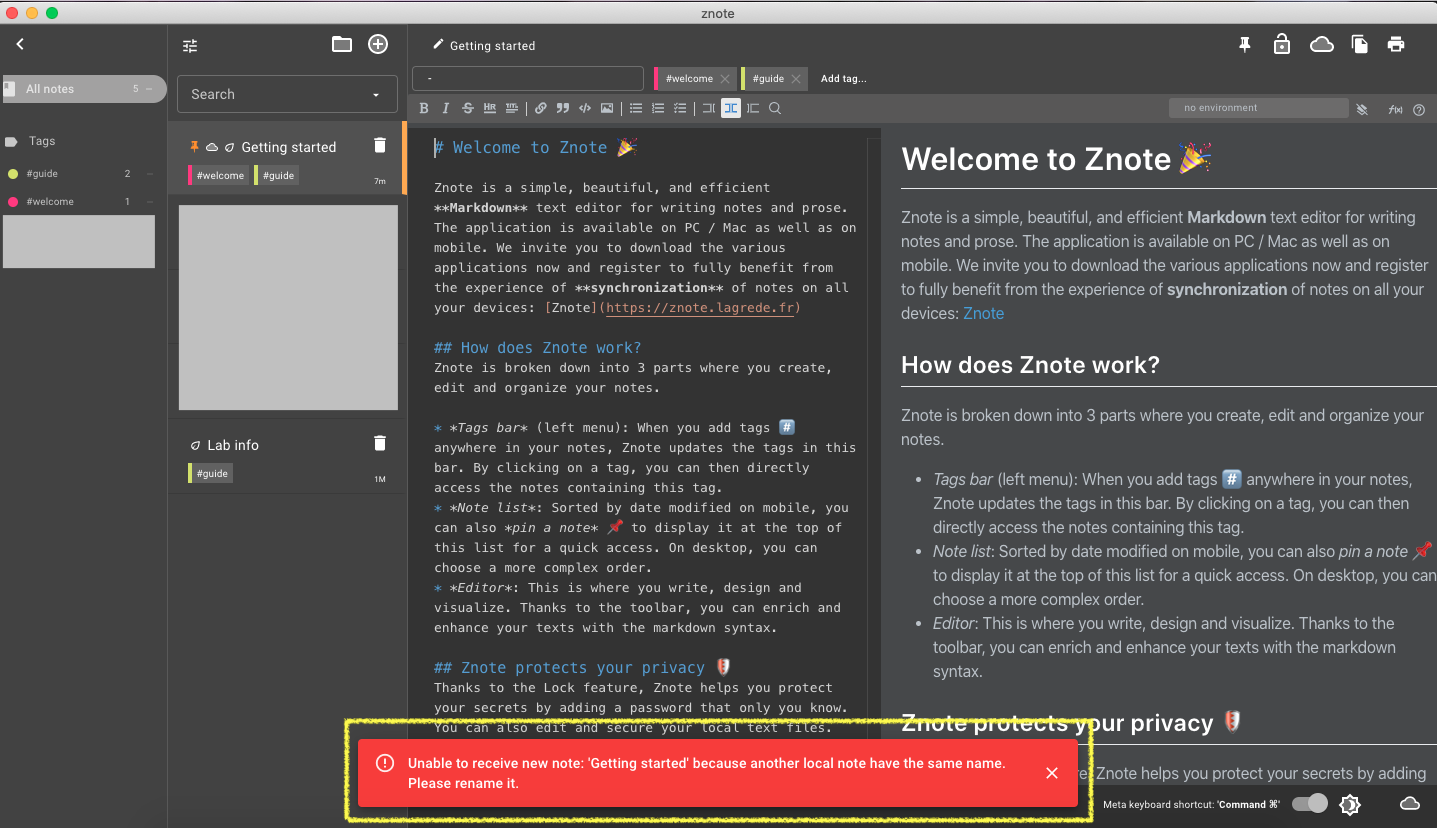
I recently started using your app on desktop (Mac). After installing on other iOS devices and adding notes directly on those devices and syncing to reflect on desktop, every time I open the app on deskop now I am getting an error message "Unable to receive new note: 'Getting started' because another local note have the same name. Please rename it." I did not delete the "Getting Started" and "Lab Info" notes that came with the installation, as I wish to keep them for referencing - and I did not create any duplicates. I have also already updated to the latest app release. Please advise how to make this error message go away. I am pretty sure I did an uninstall and re-install at some point as well. |
Replies: 1 comment 3 replies

|
Hello @debrakayeelliott, To remove this message, simply change the name of the concerning note on the Desktop or on your mobile device. Cheers, |

|
Okay, I'll try that, thanks. |
|
@alagrede 2 other questions:
|

|
Hello @debrakayeelliott, Regarding cloud storage, I plan to increase the free limit higher this summer. It's a security for me to make sure that every user will have free cloud space to save notes. Cheers, |


Hello @debrakayeelliott,
Thanks for the report. Upon investigation, the default "Getting Started" note has the same name as the "Getting Started" desktop note but with a different identifier (so it's actually different notes). We will fixed this for the next release. 🙏
To remove this message, simply change the name of the concerning note on the Desktop or on your mobile device.
Cheers,
Anthony