



A module for Django that helps you to build pattern libraries and follow the Atomic design methodology.
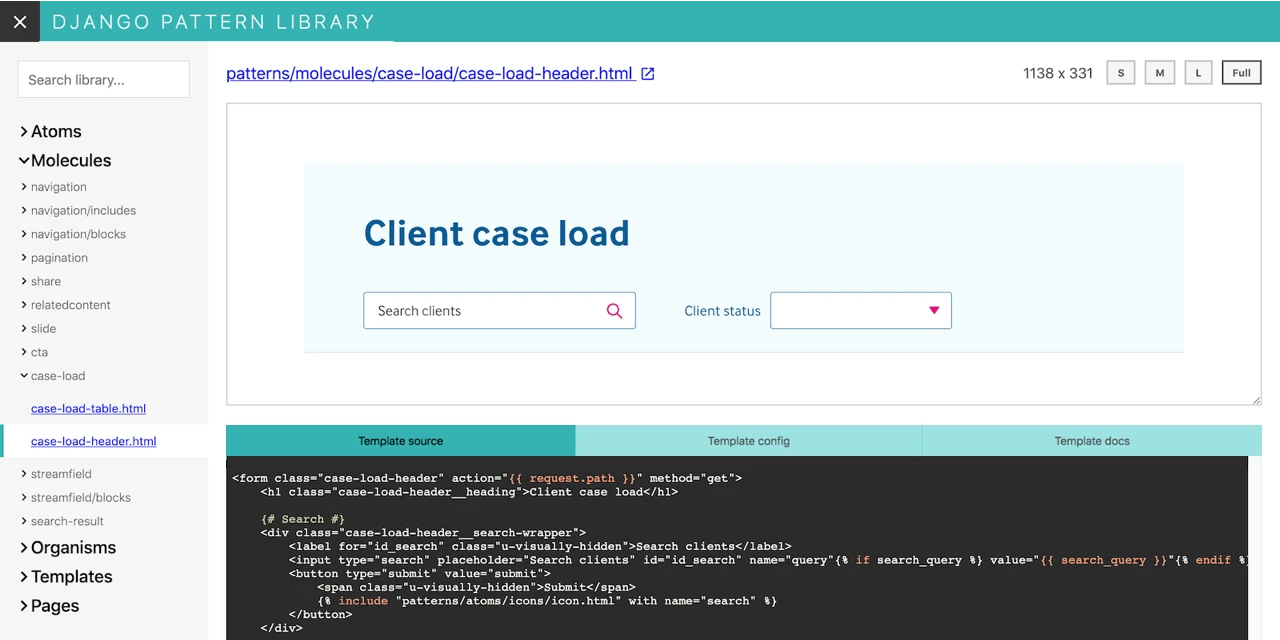
Documentation is located in GitHub in docs/.
At the moment, the main focus is to allow developers and designers use exactly the same Django templates in a design pattern library and in production code.
There are a lot of alternative solutions for building pattern libraries already. Have a look at Pattern Lab and Astrum, for example. But at Torchbox we mainly use Python and Django and we find it hard to maintain layout on big projects in several places: in a project's pattern library and in actual production code. This is our attempt to solve this issue and reduce the amount of copy-pasted code.
To learn more about how this package can be used, have a look at our Wagtail Space 2020 talk: Reusable UI components: A journey from React to Wagtail

In your Django settings, add pattern_library into your INSTALLED_APPS, and pattern_library.loader_tags into the TEMPLATES setting. For example:
INSTALLED_APPS = [
    # ...
    'pattern_library',
    # ...
]

TEMPLATES = [
    {
        'BACKEND': 'django.template.backends.django.DjangoTemplates',
        'DIRS': [],
        'APP_DIRS': True,
        'OPTIONS': {
            'context_processors': [
                'django.template.context_processors.debug',
                'django.template.context_processors.request',
                'django.contrib.auth.context_processors.auth',
                'django.contrib.messages.context_processors.messages',
            ],
            'builtins': ['pattern_library.loader_tags'],
        },
    },
]
Note that this module only supports the Django template backend out of the box.
Set the PATTERN_LIBRARY_TEMPLATE_DIR setting to point to a template directory with your patterns:
PATTERN_LIBRARY_TEMPLATE_DIR = os.path.join(BASE_DIR, 'project_styleguide', 'templates')Note that PATTERN_LIBRARY_TEMPLATE_DIR must be available for
template loaders.
Include pattern_library.urls into your urlpatterns. Here's an example urls.py:
from django.apps import apps
from django.conf.urls import url, include

urlpatterns = [
    # ... Your URLs
]

if apps.is_installed('pattern_library'):
    urlpatterns += [
        url(r'^pattern-library/', include('pattern_library.urls')),
    ]
This package is not intended for production. It is highly recommended to only enable this package in testing environments for a restricted, trusted audience. One simple way to do this is to only expose its URLs if apps.is_installed('pattern_library'), as demonstrated above, and only have the app installed in environment-specific settings.
See anything you like in here? Anything missing? We welcome all support, whether on bug reports, feature requests, code, design, reviews, tests, documentation, and more. Please have a look at our contribution guidelines.
If you just want to set up the project on your own computer, the contribution guidelines also contain all of the setup commands.
View the full list of contributors. BSD licensed.