Hats is a Minecraft plugin designed for servers running version b1.7.3. It allows players to wear blocks in the helmet slot as hats and optionally emit light from these hats, depending on the configured blocks. The plugin also includes sound and visual effects to enhance the experience of wearing and interacting with hats.



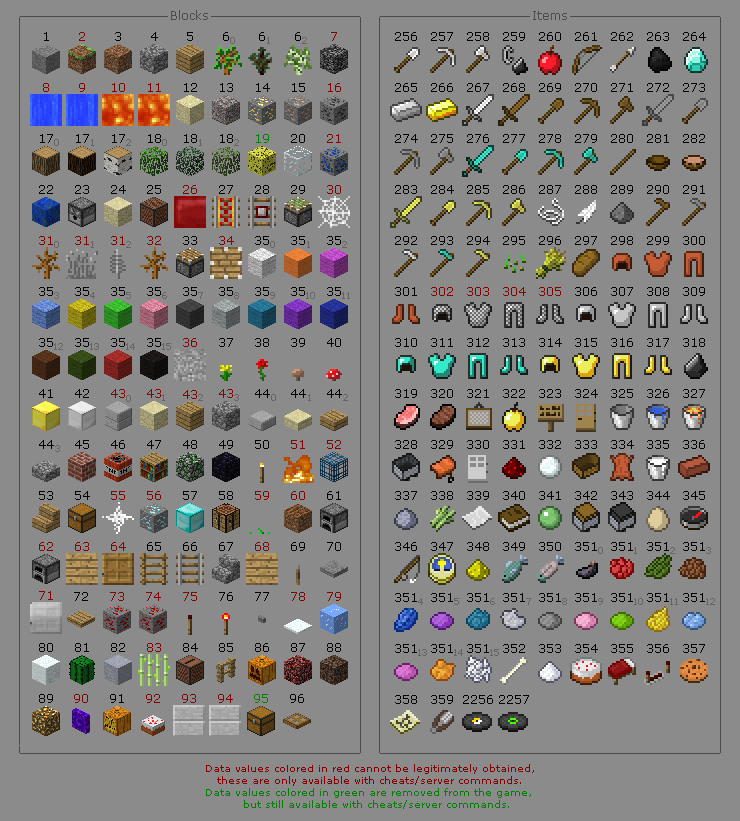
- Wear any block as a hat. (Block IDs 1-96)
- Configure which hats will emit light around the player, visible to everyone.
- Modify the radius and intensity of the emitted light.
- Enjoy sound and visual effects when wearing hats or switching the light on/off.
- Ability to disable certain features.
- Side features:
- Condition checks: No block held in hand, Item cannot be worn as a hat, Held block is already worn as a hat, Swap between new and old hat, Dropping the old hat on the ground when a new one is equipped with a full inventory.
- Ensures only one unit of a block is worn in the helmet slot, preventing players from using it as an additional inventory slot.
- Checks for a newer version of the plugin and provides a download link in the console if available.
Latest releases of Hats can be found here on GitHub.
Alternatively, you can also download through Modrinth.
The plugin is fully open-source and transparent. If you'd like additional peace of mind, you're welcome to scan the .jar file using VirusTotal.
Your b1.7.3 server must be running one of the following APIs: CB1060-CB1092, Project Poseidon or UberBukkit.
By default, only OPs have permission.
Use PermissionsEx or similar plugins to grant groups the permission, enabling the commands.
Note
Commands, permissions, and configs below are examples of the latest pre-release of Hats. Not to be confused with the stable release.
| Command | Permission | Description |
|---|---|---|
/hat |
hats.wear |
Wear the block in hand as a hat. |
/hat effects |
hats.wear |
Toggle personal effects. |
/hat light |
hats.light |
Toggle personal hat light. |
/hat light view |
None | View hat light source blocks. |
/hat about |
None | See Hats' information. |
/hat settings <args...> |
hats.settings |
Manage Hats' settings. |
| Arg | Description |
|---|---|
reload |
Reload Hats' configuration. |
toggle <hats|effects|light> |
Toggle features. |
alter <radius|level> |
Alter hat light behavior. |
<add|remove> <1-96> |
Modify hat light source blocks. |
| Permission | Description |
|---|---|
hats.* |
Wildcard permission granting everything. |
hats.perks |
Grants hats.wear and hats.light. |
hats.wear |
Allows the player to wear blocks as hats. |
hats.light |
Allows specific hats to emit light and be toggled by the player when worn. |
hats.settings |
Allows the player to reload and change the config. |
Automatically generates configuration files config.yml and players.yml located at plugins/Hats/.
hats:
    toggle: true
    effects: true
    light:
        toggle: true
        radius: NARROW
        level: LOW
        source:
        - 10
        - 11
        - 50
        - 51
        - 52
        - 62
        - 89
        - 90
- 91players:
light-enabled: []
effects-disabled: []Caution
If you made changes to the configuration while the server is running, it is strongly recommended to use /hat settings reload to apply the changes instead of /reload.