Repository navigation
Home

A zero-setup local development environment for Windows and macOS.
PHP and Node projects on .test domains with trusted HTTPS, plus MySQL, PostgreSQL and MongoDB, all from one binary.
Mullion is a single binary that gives every project on your machine its own .test domain with a trusted padlock, the right PHP or Node version, and a managed dev server it wakes up on demand. Commands, queue workers, Git and a built-in terminal for each project all live in one control panel — no Docker, no VM, and no config files to write.
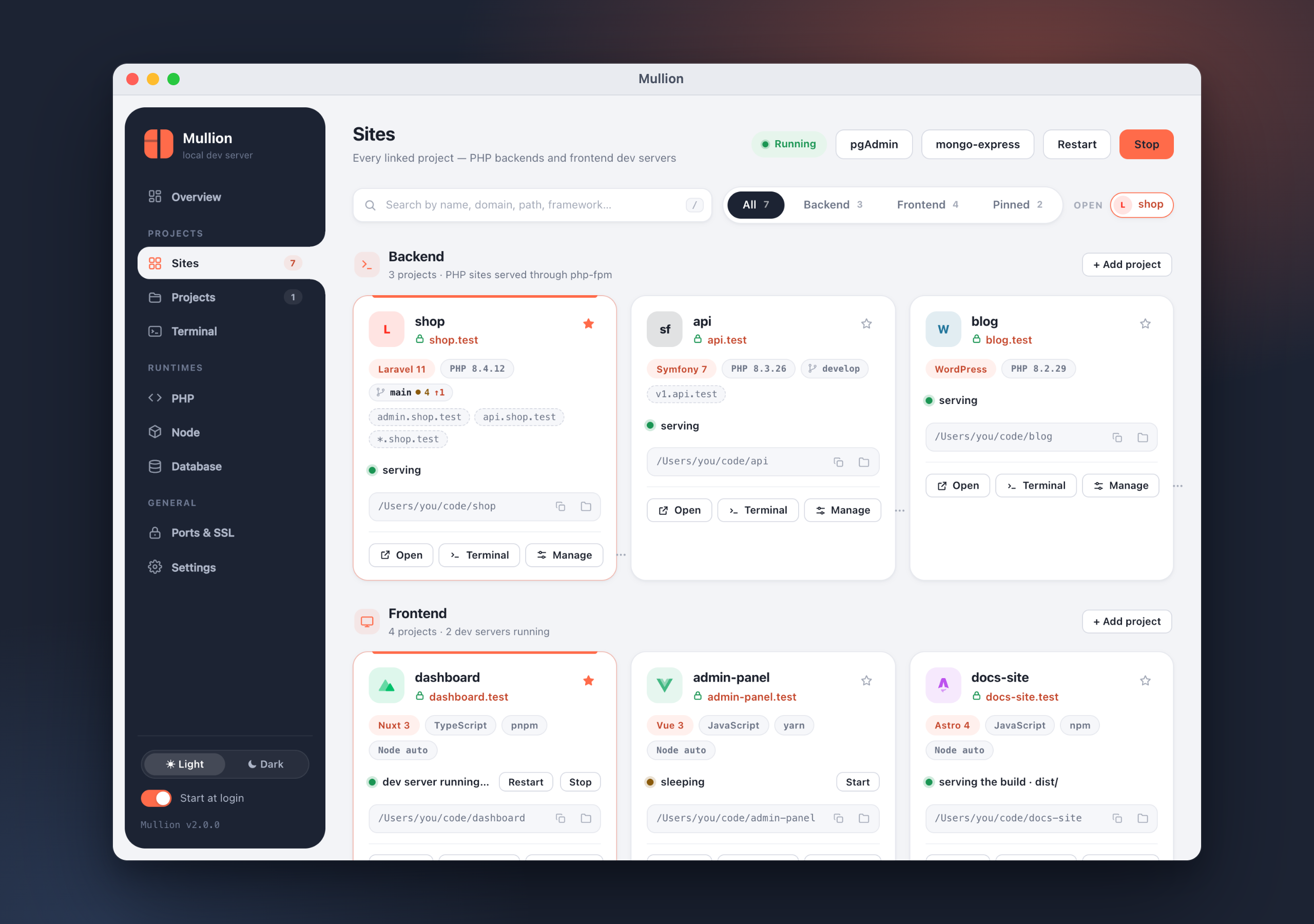
cd ~/code/shop       && mullion link   →  https://shop.test
cd ~/code/storefront && mullion link   →  https://storefront.test
Start
- Getting Started — install, link your first projects, and open the panel
- Installation — Homebrew, Scoop, the install script, and uninstalling
Using Mullion
- Sites and Domains — linking, HTTPS, aliases, wildcard DNS and dev servers
- Project Page — commands, workers, packages, Git, terminal, domains and settings for one project
- Terminal — the built-in terminal, its runtimes and its suggestions
- Git — status, diff, commit, sync, branches, stashes and conflicts
- Databases — MySQL/MariaDB, PostgreSQL, MongoDB, admin tools and backups
- PHP — versions, extensions, php.ini and Composer
-
Node — versions,
.nvmrc, npm versions and diagnostics - Ports and SSL — ports and conflicts, the local CA, wildcard DNS
- Settings — TLD, terminal placement, backups and diagnostics
Reference
-
CLI Reference — every
mullioncommand, from the real help output -
Troubleshooting —
doctor, passwords, certificates, ports and push - Changelog — what changed in each release
- Building from Source — requirements and build commands for contributors
Download the latest release from Releases — a single file with nothing else to install.
macOS (Homebrew)
brew tap anabiiil/tap
brew trust anabiiil/tap
brew install mullion
mullion setup
Windows (Scoop)
scoop bucket add mullion https://github.com/anabiiil/scoop-bucket
scoop install mullion
mullion setup
See Installation for the one-line script, manual downloads, and what mullion setup does.
- Full documentation site: https://anabiiil.github.io/mullion/
- Source and issues: https://github.com/anabiiil/mullion
- Latest release: https://github.com/anabiiil/mullion/releases/latest