Repository navigation
Databases
MySQL/MariaDB, PostgreSQL and MongoDB side by side. Each has its own admin tool, and backups are offered before anything destructive.
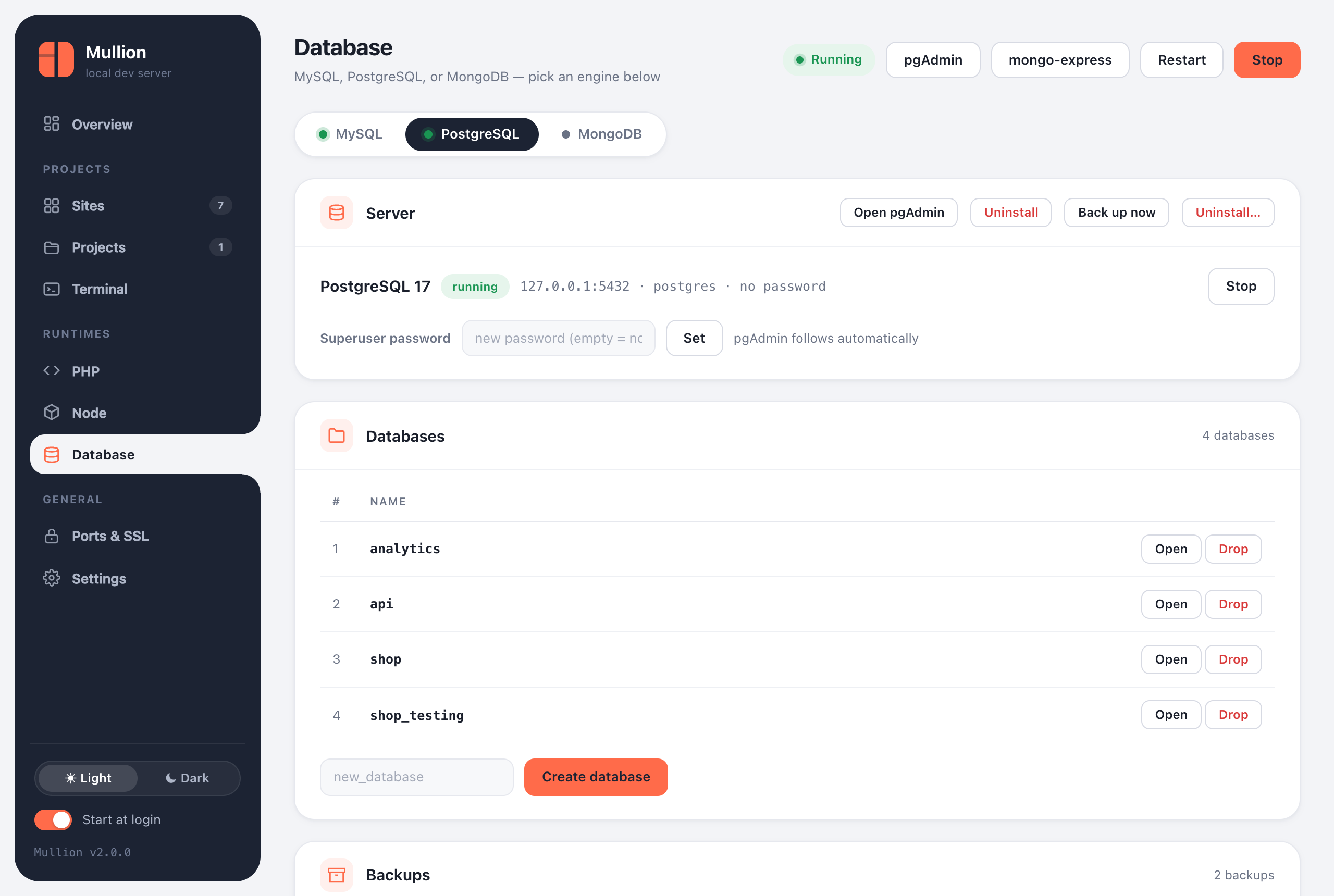
The Database page has a tab for each engine. Each one installs, starts and stops independently, and an engine you stop stays stopped until you start it. The stack and autostart won't bring it back.
| Engine | Default | Admin tool | CLI |
|---|---|---|---|
| MySQL / MariaDB | 8.4 LTS on 127.0.0.1:3306, user root, no password |
phpMyAdmin at https://phpmyadmin.test (HeidiSQL also available on Windows) |
mullion mysql, db, mariadb
|
| PostgreSQL | 17 on 127.0.0.1:5432, user postgres
|
pgAdmin 4, with a "Mullion (PostgreSQL)" server already registered |
mullion postgres (pg), pgadmin
|
| MongoDB | 8.0 on 127.0.0.1:27017
|
mongo-express at https://mongo.test
|
mullion mongo, mongo-express
|
Installed admin tools appear as buttons in the panel's top bar and can be uninstalled from their engine's tab. Uninstalling an admin tool leaves the database server alone.
$ mullion mysql install          # newest 8.4 LTS
$ mullion mysql install 8.0      # a branch, "latest", or a full version
$ mullion mariadb                # switch to MariaDB (newest stable)
$ mullion mysql password secret  # phpMyAdmin follows automatically
$ mullion db create shop         # utf8mb4
$ mullion db list
$ mullion mysql restore ~/Mullion-Backups/2026-09-23_092011-mysql
When you switch versions, your databases migrate automatically: Mullion dumps them from the old server, starts the new one with a fresh data folder, and restores the dump. The old data folder and the dump are kept as backups. If it replaces another MySQL (Laragon, XAMPP, a Homebrew service), it always offers a backup first and imports it.
$ mullion postgres install       # newest 17; "16", "latest" or "16.4" also work
$ mullion pg db create analytics
$ mullion pg password secret
$ mullion pgadmin                # installs (first time) and opens pgAdmin 4
Switching to a different major version stops the previous server. Data folders are per major version, so the old data stays on disk untouched, and Mullion prints where it is.
$ mullion mongo install          # newest 8.0; "7.0", "latest" or a full version
$ mullion mongo db create events
$ mullion mongo-express # admin UI at https://mongo.test-
Back up now on an engine's tab writes a timestamped folder, such as
2026-09-24_181502-postgres. You can also runmullion mysql backup,mullion postgres backup, ormullion mongo backup. - Each engine's Backups card lists its backups with their size and contents, and has Restore and Delete buttons.
-
mullion backupslists every backup from the CLI. - Backups go to a folder next to the install folder by default:
~/.mullion-BackupsorC:\Mullion-Backups. That way they survive an uninstall. Change the folder in Settings.
$ mullion postgres restore <backup-folder>            # every database, plus roles (best effort)
$ mullion postgres restore <backup-folder> shop       # just one database
$ mullion mongo restore <backup-folder-or-.archive.gz>
$ mullion mysql restore <file.sql-or-folder>
Note: Backups are also taken automatically when you switch MySQL versions and, if you choose, before uninstalling an engine.
An engine's Uninstall… button, or mullion <engine> uninstall, stops the server, backs it up, and removes the binaries, the data and its admin tool. The PostgreSQL and MongoDB commands take --keep-data, --no-backup and --yes.
If another program already uses a database's port, move the engine. Mullion checks the new port for conflicts and restarts the engine if it's running.
$ mullion port set postgres 5433
$ mullion port set mysql 3307 --force   # even if something holds it