Tutorial
In the sample folder are available all input and output files used in this tutorial. Remember to set environment variables before running any application:
export VICTOR_ROOT=/<your_folder>/victor/
export PATH=$PATH:/<your_folder>/victor/bin/
This program calculates phylogenetic trees for the sequences provided as FASTA input. Use
PhylogeneticTrees -h
to show options and default parameters:
Options:
 * [--in <name>]     	 Name of input FASTA file
   [--verbose]       	 Verbose mode

Distance matrix:
   [--global]        	 Needleman-Wunsch-Gotoh global alignment (default)
   [--local]         	 Smith-Waterman local alignment
   [--freeshift]     	 Free-shift alignment
   [--matrix <name>] 	 Custom distance matrix
   [-m <name>]       	 Name of substitution matrix file (default = blosum30.dat)
   [-o <double>]     	 Open gap penalty (default = 10.00)
   [-e <double>]     	 Extension gap penalty (default = 0.10)

Clustering method:
   [--upgma]         	 Unweighted Pair Group Method with Arithmetic Mean (default = Neighbor joining)

Output format:
   [--out <name>]    	 Name of the Newick tree format output file (default = to screen)
   [--rooted] 	   	 	 Reroot the tree with 'mid-point' method (NJ only)
The following example show how to build the UPGMA tree of hemoglobin subunit beta from different species:
PhylogeneticTrees --in hem_b.fasta --out upgma.newick --upgma
Default is NJ:
PhylogeneticTrees --in hem_b.fasta --out nj.newick
You can use option "--rooted" to get the version of the rooted tree by mid-point method:
PhylogeneticTrees --in hem_b.fasta --out nj.newick --rooted
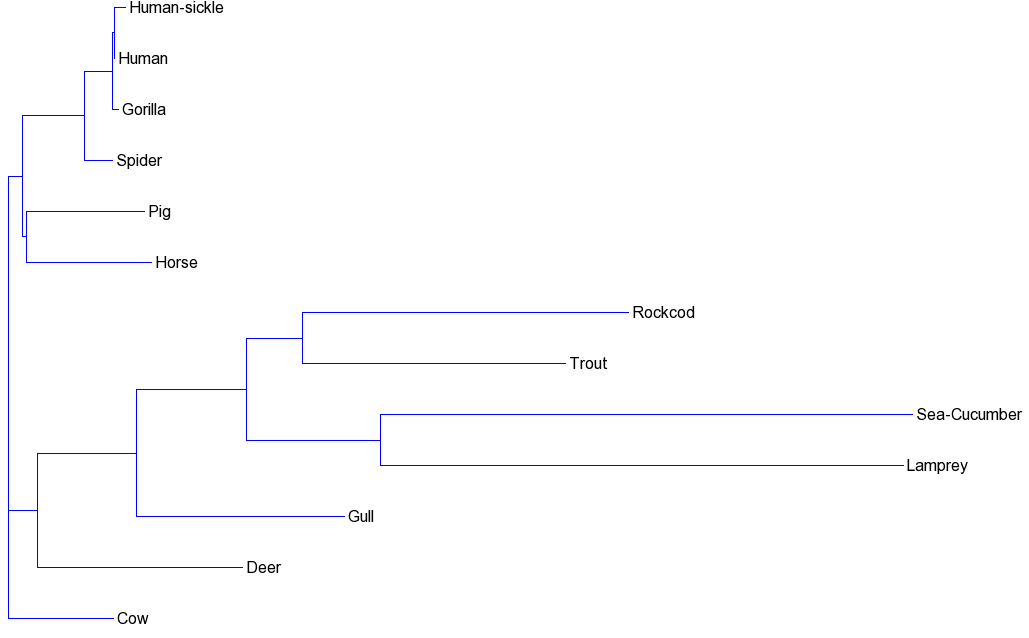
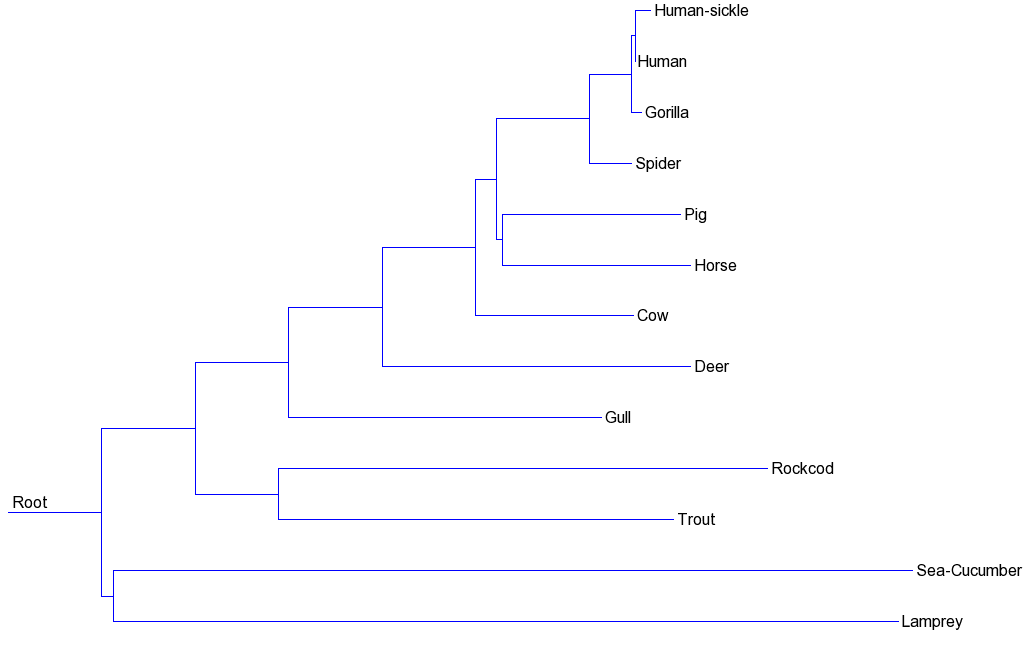
It will produce the files nj.newick (unrooted tree) and rooted_nj.newick (roooted tree). These are the phylogenetic trees obtained and displayed with the Newick Tool from http://trex.uqam.ca/index.php?action=newick&project=trex:
Unrooted NJ tree:
Rooted NJ tree:
This program is an implementation of ClustalW (Thompson, Higgins & Gibson, 1994), one variant of the progressive method for multiple sequence alignment. Use
Msa -h
to show options and default parameters:
Options:
 * [--in <name>]     	 Name of input FASTA file
   [--verbose]       	 Verbose mode

Distance matrix:
   [--global]        	 Needleman-Wunsch-Gotoh global alignment (default)
   [--local]         	 Smith-Waterman local alignment
   [--freeshift]     	 Free-shift alignment
   [--matrix <name>] 	 Custom distance matrix
   [-m <name>]       	 Name of substitution matrix file (default = blosum30.dat)
   [-o <double>]     	 Open gap penalty (default = 10.00)
   [-e <double>]     	 Extension gap penalty (default = 0.10)

Clustering method:
   [--upgma]         	 Unweighted Pair Group Method with Arithmetic Mean (default = Neighbor joining)

ClustalW options:
   [--cwo <double>]  	 Open gap penalty (default = 10.00)
   [--cwe <double>]  	 Extension gap penalty (default = 0.20)
   [--cutoff <double>] 	 Cutoff value for divergent sequences (default = 0.4)
   [--pam ] 		     PAM substitution matrix series (default = Blosum)

Output format:
   [--outNewick <name>]	 Name of the Newick tree format output file (default = to screen)
   [--outMsa <name>] 	 Name of the MSA output FASTA file (default = to screen)
   [--clustal]		     MSA output in clustal format (default = FASTA)
The following example show how to build the MSA of hemoglobin subunit beta from different species:
Msa --in hem_b.fasta --outMsa msa.fasta --outNewick guideTree.newick
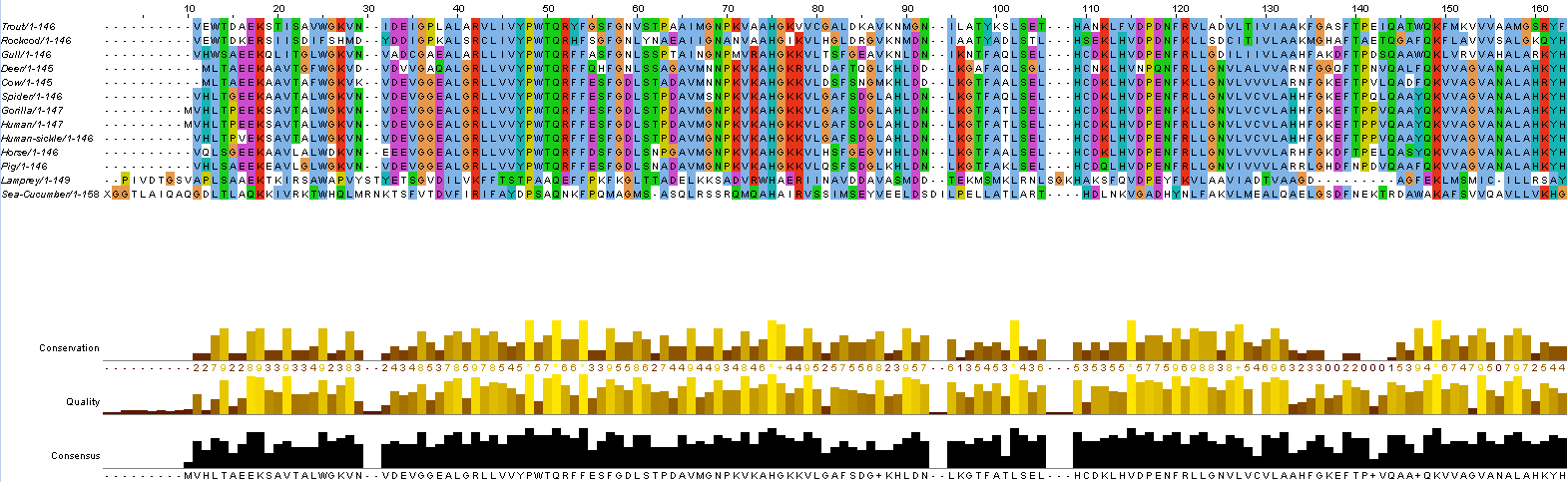
This is the result of multiple alignment displayed with Jalview: