List that blacklist the required urls https://raw.githubusercontent.com/EnergizedProtection/block/master/ultimate/formats/hosts.txt
Additional Documentation of the issue
EnergizedProtection/block#310
URL's needed to be whitelisted
api.amazonalexa.com
dcape-na.amazon.com
arcus-uswest.amazon.com
msh.amazon.com // <- Note: make a judgement call on this one. See details.
Details:
api.amazonalexa.com // needed to setup a new firestick. Without it whitelisted, after you register the network name and password so that the firestick is connected to the internet, and after the first update completes, you can never finish the setup process it will get stuck on this page.

If api.amazonalexa.com is whitelisted it will continue to the page that says "Your Amazon Fire TV Stick 4K is registered to (owners name) Do you want to use this account?"
Once the firestick is setup (even if it was setup on a different network then transported to the new network where api.amazonalexa.com is blocked) then the firestick appears to work properly (in my experience so far). Would never know there was a problem with this url if the room mate hadn't factory reset the firestick by mistake and I had to re-register it. Note: If you just de-register the firestick and re-sign back into an account, this problem doesn't happen. For the issue to occur you have to reset to factory default or use a new firestick.
dcape-na.amazon.com // needed to find apps. For example, if you type in hbo go in the search bar without dcape-na.amazon.com whitelisted it will pull up Movies and TV category and Search in Apps category which doesn't list the hbo go app as shown below.

If dcape-na.amazon.com is whitelisted then it will additionally pull up an App and Games category where the HBO GO app is listed.
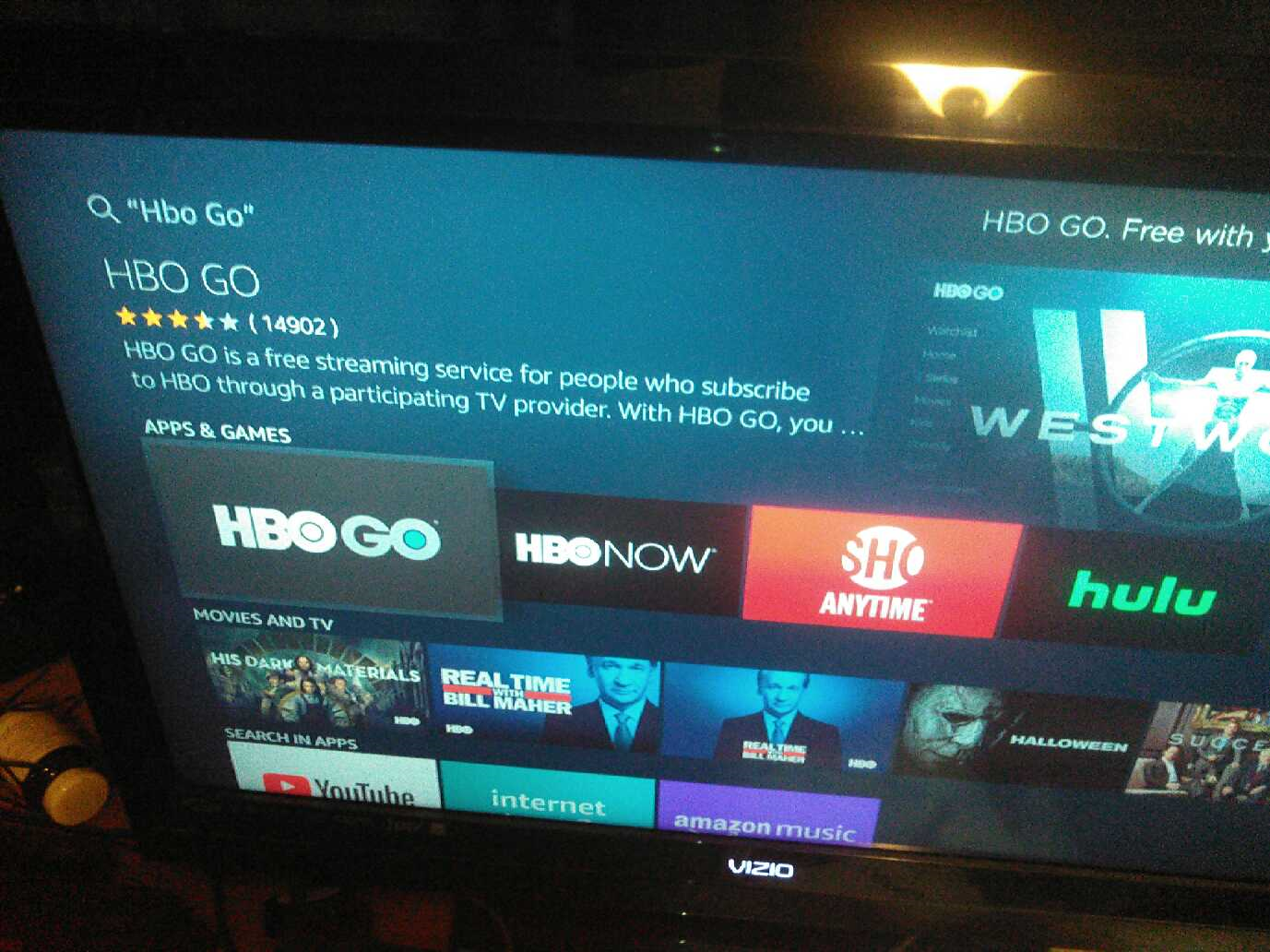
Note: to repeat this issue, you must go to manage install applications and clear data for Appstore, otherwise previous searches will show up as apps and the apps you previously searched for before
dcape-na.amazon.com was blacklisted will still show up as options to download.
In addition, without dcape-na.amazon.com whitelisted the firestick may be the cause for on occasion pull up a screen that says "An authentication error has occurred." This particular authentication error only happened once and I believe it happened when I typed in "Starz" in the search bar to look for the app to download.

Without arcus-uswest.amazon.com whitelisted the firestick will not show you your downloaded apps on the homepage where it says "recent" category and "your apps and channels" category.

arcus-uswest.amazon.com whitelisted it shows "recent" list and "your apps and channels" list as shown below

Note: to repeat this issue, you must go to manage install applications and clear data for Appstore, Alexa shopping, and Prime Video. Also, you will loose the order of your listed apps if you organized them previously.
I also noticed without msh.amazon.com whitelisted, if you download an app it will get to about 90% of the download circle that shows you the status of the download and then freeze for about a minute as shown in the picture below.
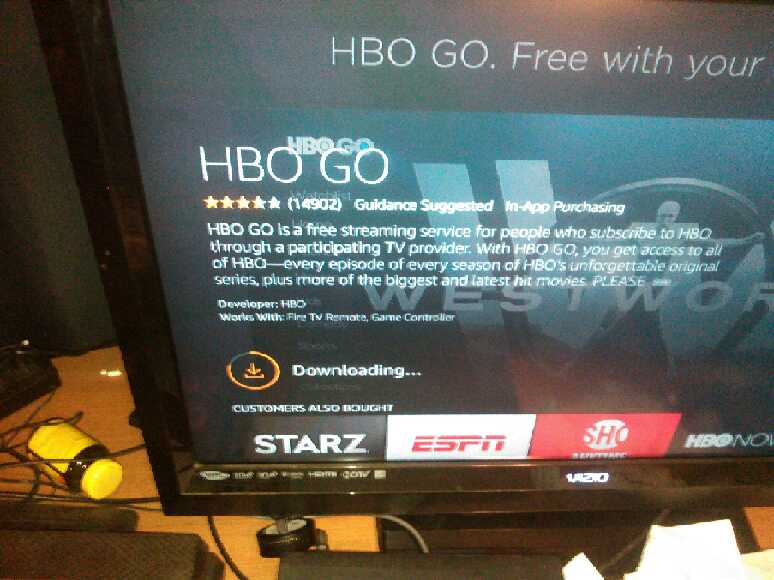
Thus, instead of a 5 second download it takes about a minute to complete. However, other than taking longer to complete downloads I haven't notice any other issues yet with msh.amazon.com blacklisted. So probably would be a good idea to figure out what msh.amazon.com does. If it provides ads or tracking then keep it on the blocklist. If it doesn't do anything bad then whitelist it so the downloads are much faster. Make a judgement call on that one.
List that blacklist the required urls https://raw.githubusercontent.com/EnergizedProtection/block/master/ultimate/formats/hosts.txt
Additional Documentation of the issue
EnergizedProtection/block#310
URL's needed to be whitelisted
Details:

api.amazonalexa.com // needed to setup a new firestick. Without it whitelisted, after you register the network name and password so that the firestick is connected to the internet, and after the first update completes, you can never finish the setup process it will get stuck on this page.
If api.amazonalexa.com is whitelisted it will continue to the page that says "Your Amazon Fire TV Stick 4K is registered to (owners name) Do you want to use this account?"
Once the firestick is setup (even if it was setup on a different network then transported to the new network where api.amazonalexa.com is blocked) then the firestick appears to work properly (in my experience so far). Would never know there was a problem with this url if the room mate hadn't factory reset the firestick by mistake and I had to re-register it. Note: If you just de-register the firestick and re-sign back into an account, this problem doesn't happen. For the issue to occur you have to reset to factory default or use a new firestick.
dcape-na.amazon.com // needed to find apps. For example, if you type in hbo go in the search bar without dcape-na.amazon.com whitelisted it will pull up Movies and TV category and Search in Apps category which doesn't list the hbo go app as shown below.

If dcape-na.amazon.com is whitelisted then it will additionally pull up an App and Games category where the HBO GO app is listed.

Note: to repeat this issue, you must go to manage install applications and clear data for Appstore, otherwise previous searches will show up as apps and the apps you previously searched for before
dcape-na.amazon.com was blacklisted will still show up as options to download.
In addition, without dcape-na.amazon.com whitelisted the firestick may be the cause for on occasion pull up a screen that says "An authentication error has occurred." This particular authentication error only happened once and I believe it happened when I typed in "Starz" in the search bar to look for the app to download.

Without arcus-uswest.amazon.com whitelisted the firestick will not show you your downloaded apps on the homepage where it says "recent" category and "your apps and channels" category.

arcus-uswest.amazon.com whitelisted it shows "recent" list and "your apps and channels" list as shown below

Note: to repeat this issue, you must go to manage install applications and clear data for Appstore, Alexa shopping, and Prime Video. Also, you will loose the order of your listed apps if you organized them previously.
I also noticed without msh.amazon.com whitelisted, if you download an app it will get to about 90% of the download circle that shows you the status of the download and then freeze for about a minute as shown in the picture below.

Thus, instead of a 5 second download it takes about a minute to complete. However, other than taking longer to complete downloads I haven't notice any other issues yet with msh.amazon.com blacklisted. So probably would be a good idea to figure out what msh.amazon.com does. If it provides ads or tracking then keep it on the blocklist. If it doesn't do anything bad then whitelist it so the downloads are much faster. Make a judgement call on that one.