Timetables: logical_date (deprecated execution_date) does not align with data_interval.start for manual DAG trigger #21570

Description

Apache Airflow version
2.2.3 (latest released)
What happened
I created a simple DAG using the CronDataIntervalTimetable. I used the Trigger DAG button on the UI to trigger a DAG Run. The cron expression that I was using was 5,10,15,20,25 * * * * and I pressed the button at 13:18.
I expected the Data Interval to be 13.10 to 13.15 and that was represented correctly on the UI -
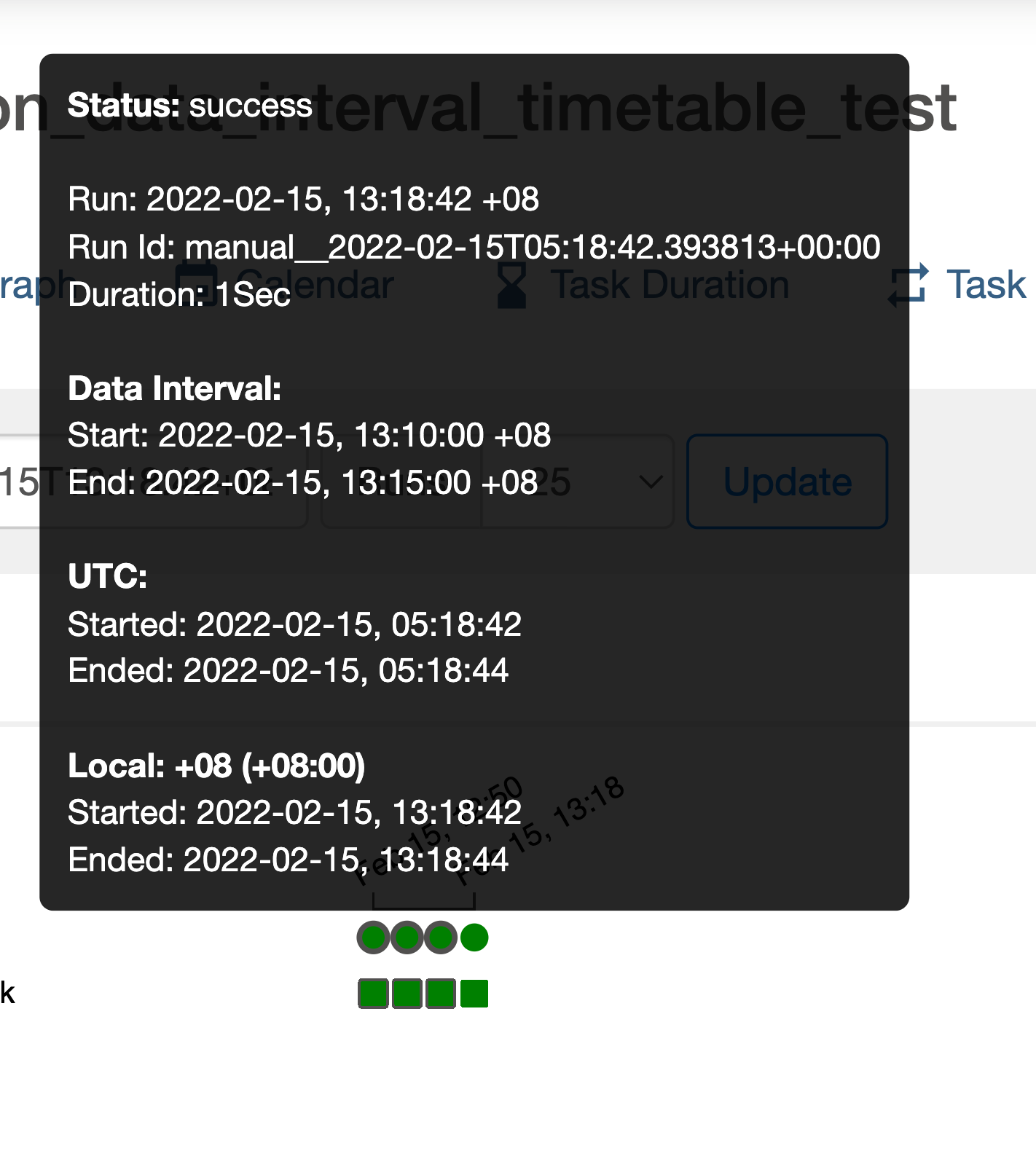
I also expected the execution_date a.k.a logical_date to be equal to data_interval.start i.e 13.10. However it was 13.18 instead (or 05:18 in UTC as shown in the image).
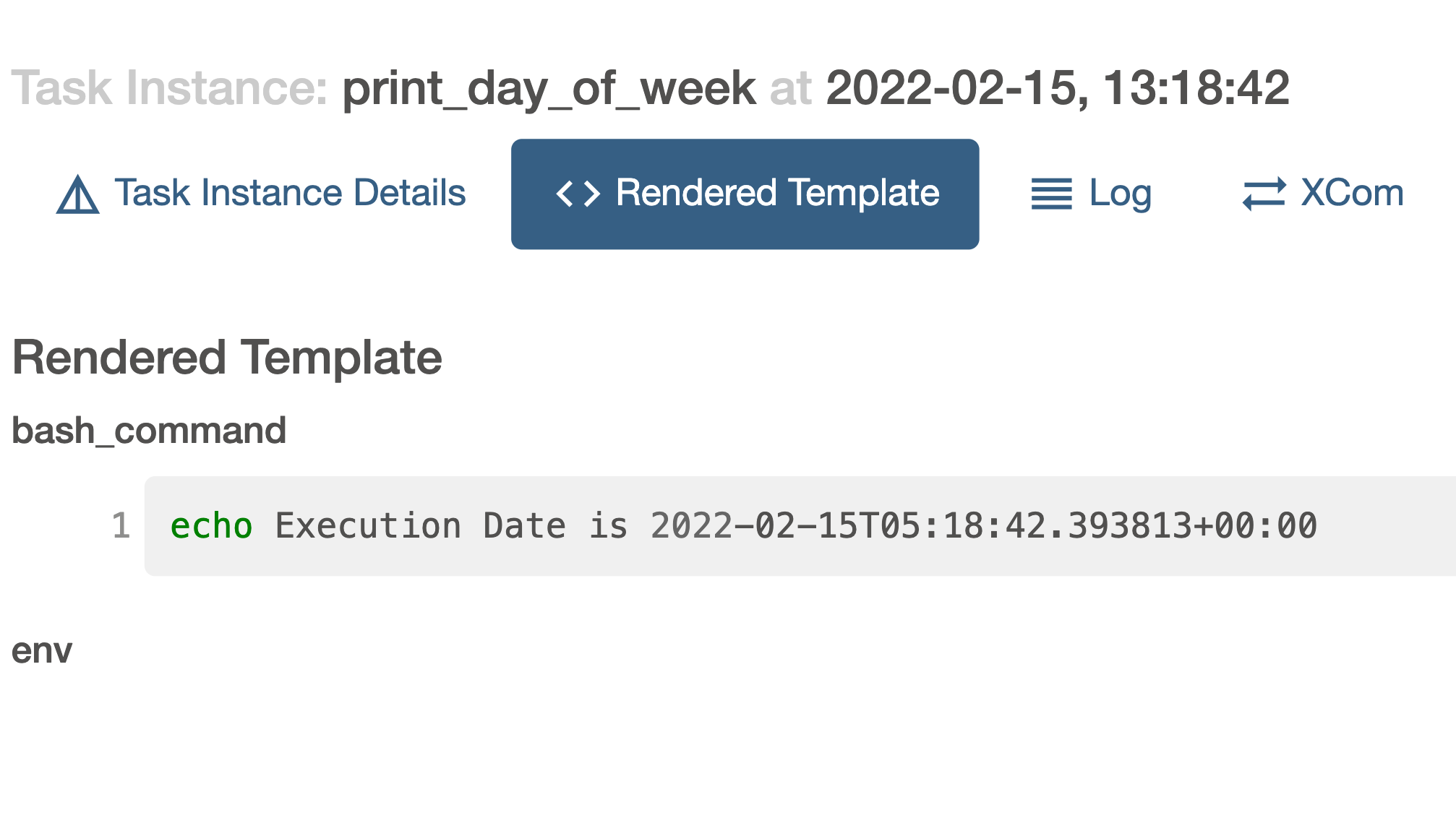
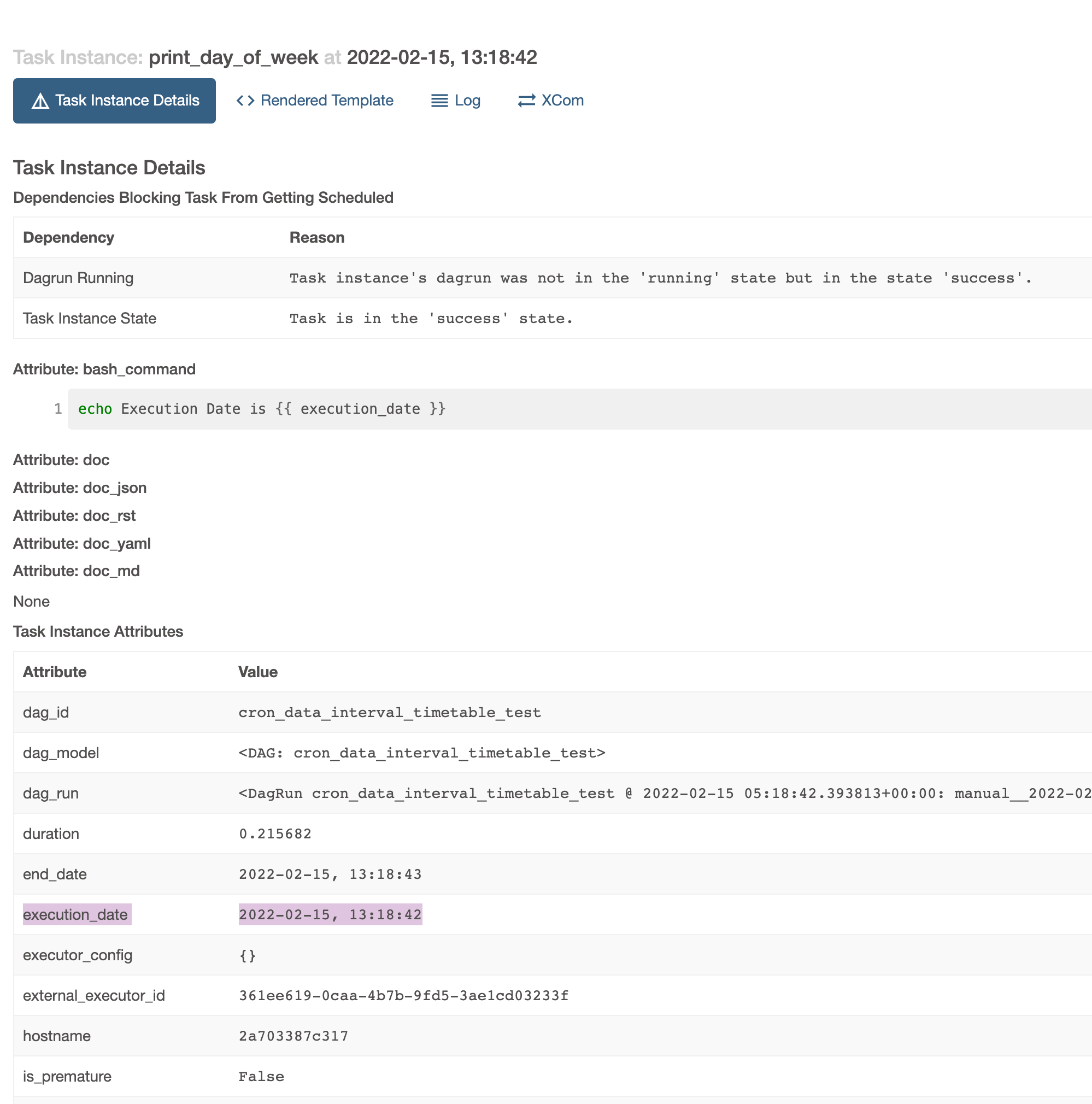
The same can be seen from the Task Instance Details tab of the BashOperator.
What you expected to happen
As explained above, I expected the execution_date to be equal to the data_interval.start. In fact, for timetables this is how logical_date (i.e execution_date) it is defined -
airflow/airflow/timetables/base.py
Lines 93 to 100 in 0cd3b11
Thus it seems rather odd or it to behave differently in this case. We do know the data_interval from the Timetable's infer_manual_data_interval function and it is reflected correctly on the UI too. However, the execution_date is not updated accordingly.
How to reproduce
Add a file cron_data_interval_timetable_test.py with the following contents to the dags folder. Update the timezone to your local timezone for convenience -
import datetime

from airflow import DAG
from airflow.operators.bash import BashOperator
from airflow.timetables.interval import CronDataIntervalTimetable
from pendulum.tz.timezone import Timezone

with DAG(
    dag_id="cron_data_interval_timetable_test",
    start_date=datetime.datetime(2021, 1, 1),
    timetable=CronDataIntervalTimetable("5,10,15,20,25 * * * *", Timezone("Asia/Singapore")),
    tags=["example", "timetable"],
    catchup=False
) as dag:
    BashOperator(
    task_id="print_day_of_week",
    bash_command="echo Execution Date is {{ execution_date }}",
)
Enable this DAG on the UI and trigger a manual run using the play button on the top right. Then look into the DAG run's print_day_of_week tasks's Rendered Template and Task Instance Details. Both mention execution date.
Operating System
MacOS Big Sur (11.6.1)
Versions of Apache Airflow Providers
No response
Deployment
Docker-Compose
Deployment details
curl -LfO 'https://airflow.apache.org/docs/apache-airflow/2.2.3/docker-compose.yaml'docker compose up
Anything else
No response
Are you willing to submit PR?
- Yes I am willing to submit a PR!
Code of Conduct
- I agree to follow this project's Code of Conduct