Enabling User File Access Sharing - #1251
Conversation


…-user-file-access
…component to be updated


 Yicong-Huang
left a comment
Yicong-Huang
left a comment
Yicong-Huang
left a comment
There was a problem hiding this comment.
Please change as we discussed. Thanks.


|
The "owner" badge is accomplished in two different ways, both have pros and cons: -- for workflow ownership badge, I created a new endpoint called "getOwner", when the modal is opened, the front end sends a request to that endpoint and reads the response value to indicate the owner. The advantage of this method is that it does not interfere the current data transmission and get things confusing--the grantedList and ownership are gained independently. -- for file ownership badge, I modified the current endpoint for getGrantedList, in the backend, it now marks the owner as "owner" in the returned json. In front-end, the owner's record gets picked up from the json object and other records will be used as the list of accesses. The advantage of this approach is that it does not send extra requests and it would be easy to modify the backend if similar features are introduced in the future. If you think any of these two approaches is more suitable for the project, please tell me so I can modify the other one. |
Yicong-Huang
left a comment
Yicong-Huang
left a comment
There was a problem hiding this comment.
I've tested your PR all look good. I see two issues:
- icon/badge location needs better design. in #1269 I have changed everything to ng-zorro and will be easier to add icons/badges to desired position. Given that this change is much larger, I suggest we merge #1269 before your PR.
- when I share a file's read access to another, the shared account can delete the shared file. This should be prohibited. In short, make sure we check the session user has write access to delete any file.
# Conflicts:
#	core/new-gui/src/app/app.module.ts
#	core/new-gui/src/app/dashboard/component/feature-container/saved-workflow-section/ngbd-modal-share-access/ngbd-modal-share-access.component.html
#	core/new-gui/src/app/dashboard/component/feature-container/saved-workflow-section/saved-workflow-section.component.html
#	core/new-gui/src/app/dashboard/component/feature-container/saved-workflow-section/saved-workflow-section.component.spec.ts
#	core/new-gui/src/app/dashboard/component/feature-container/saved-workflow-section/saved-workflow-section.component.ts
#	core/new-gui/src/app/dashboard/component/feature-container/user-file-section/user-file-section.component.html
Front End Icon Layout optimized
Collaborators are not allowed to re-share now

973804e to
f28c690
Compare

### Share File
Implemented the feature of UserFile Access Sharing
- `UserFile` now has a `AccessEntry` associated with it. The corresponding MySQL table is `user_file_access`.
- `UserFile` has two `accessLevel`s, `Read` and `Write`. It also has a special `Owner` accessLevel, which can be treated as `Write`.
    - `Read` access can execute the file.
    - `Write` access can additionally delete the file.
    - Owner of the file can decide to share the workflow to another user, with either `Read` or `Write` access.

### Shared File Execution
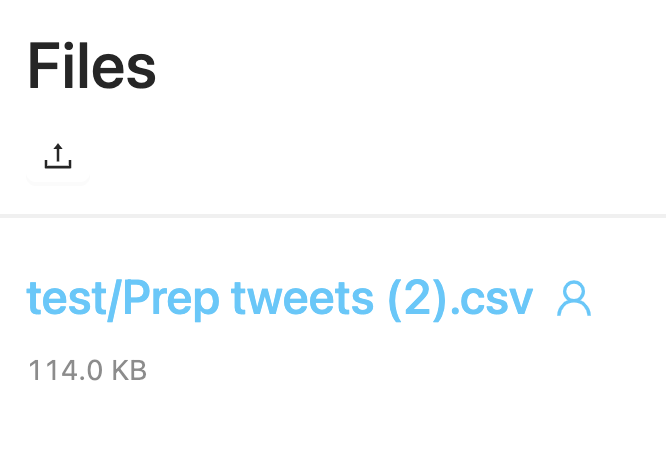
- Shared File are being uniquely identified as `{OwnerName}/{FileName}`, across the dashboard and workspace. <img width="333" alt="Screen Shot 2021-08-05 at 10 51 18" src="https://user-images.githubusercontent.com/17627829/128397558-c517475b-1564-4c2f-b39c-c93d340757c0.png">


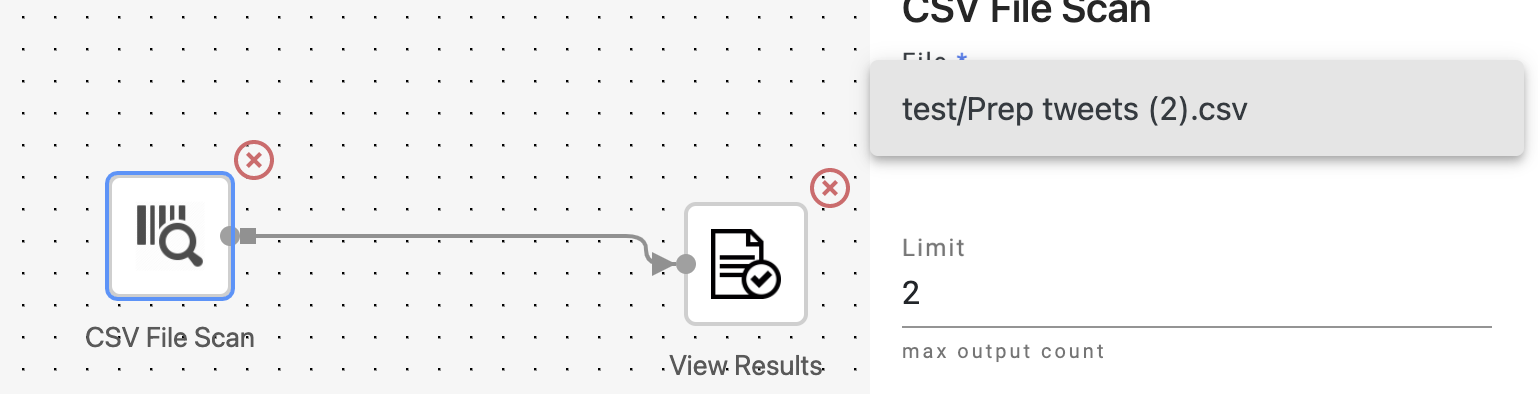
- Shared file can be executed in the workflow, the actual file path is resolved from database. <img width="769" alt="Screen Shot 2021-08-05 at 10 51 32" src="https://user-images.githubusercontent.com/17627829/128397570-a2ece10f-bc0b-47e7-81e7-6dc16843f0b0.png">

### UI Update
This PR also includes some frontend UI changes:
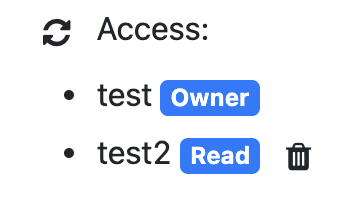
- Now shows access entries as badges.
<img width="180" alt="Screen Shot 2021-08-05 at 10 48 54" src="https://user-images.githubusercontent.com/17627829/128397215-8aae558f-e0b1-487f-9ad7-dbef559b7a2b.png">

- Now shows
    - an icon
<img width="27" alt="Screen Shot 2021-08-05 at 10 47 56" src="https://user-images.githubusercontent.com/17627829/128397085-bf5fd416-e84d-4cca-b544-3b48ca30045a.png"> to indicate ownership
    - and another icon
<img width="29" alt="Screen Shot 2021-08-05 at 10 47 37" src="https://user-images.githubusercontent.com/17627829/128397120-55e77cc7-bcd9-46f8-bfea-9fc07d21281b.png"> to indicate being shared.


Co-authored-by: Yicong Huang <17627829+Yicong-Huang@users.noreply.github.com>


2 participants


Share File
Implemented the feature of UserFile Access Sharing
UserFilenow has aAccessEntryassociated with it. The corresponding MySQL table isuser_file_access.UserFilehas twoaccessLevels,ReadandWrite. It also has a specialOwneraccessLevel, which can be treated asWrite.Readaccess can execute the file.Writeaccess can additionally delete the file.ReadorWriteaccess.Shared File Execution
Shared File are being uniquely identified as
{OwnerName}/{FileName}, across the dashboard and workspace.Shared file can be executed in the workflow, the actual file path is resolved from database.
UI Update
This PR also includes some frontend UI changes: