Russian AI Cup command line tool
Install packages from requirements file, run:
pip3 install -r requirements.txt
Edit config file config.yaml
To create a game, run:
./raic_cli.py create-game
or you can set number games:
./raic_cli.py create-game --limit 2
or without limit:
./raic_cli.py create-game --nolimit
See more options:
./raic_cli.py create-game -- --help
If something went wrong than error should be print.
To find games, run:
./raic_cli.py find-games $USER
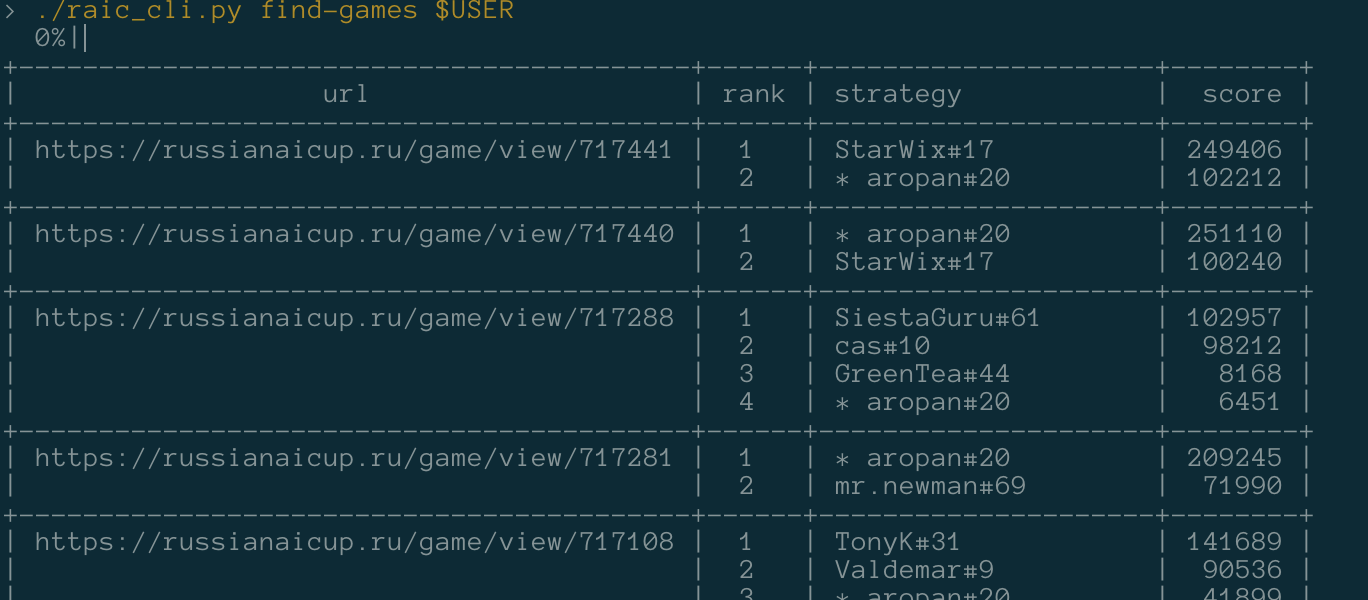
or set some params for filter:
./raic_cli.py find-games $USER --nolimit --datetime-from '26 Dec' --rank 2 --contest finals
or without games ./raic_cli.py find-games $USER --nogames or without statistics ./raic_cli.py find-games $USER --nostatistics.
First query for user will take a long time. Use limit or datetime-from for more fast response (without iterating over all games).