Releases: at0m-b0mb/Faraday-FlipperZero
Release list
Faraday v1.2 - the nice one

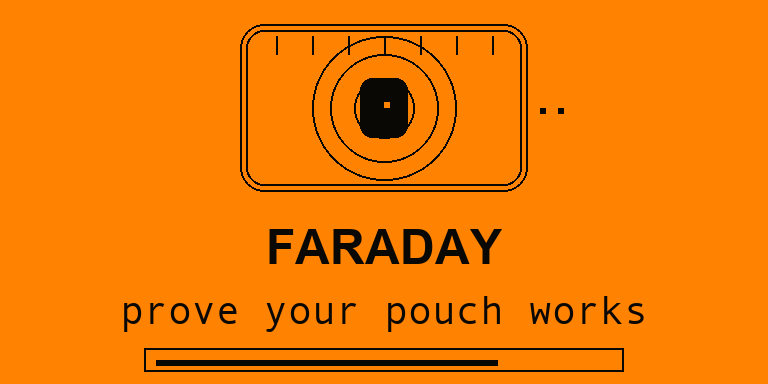
Same measurements — a much nicer app to hold. v1.2 is all polish.
✨ What's new
- Animated launch splash — a branded intro on first open: a key fob radiating waves that stay contained inside the pouch, the wordmark, the tagline and a progress bar that auto-advances (~1.7s). Any key skips it. It plays once per launch and never gets in your way when you back out of a test.
- A verdict that feels earned — the OPEN/BAG bars grow in, the attenuation figure tallies up from zero, and the pips fill as the result lands, instead of snapping on all at once.
- A grade that rewards or warns — a B or better shows in a filled badge; a poorer grade is only outlined. A top A+ gets a little corner sparkle.
- Livelier capture screens — a marker sweeps the empty meter while the app is listening, and a live sparkline traces the signal under the bar during the baseline capture.
Nothing about the measurements changed — no thresholds, no radio paths, no saved-result format. Your v1.1 result logs stay valid and comparable.
Install
- Download
faraday.fapbelow. - In qFlipper, drag it onto
SD Card / apps / Tools /. - On the Flipper: Apps → Tools → Faraday.
Verified
- SDK release — Target 7, API 87.1 · SDK dev — Target 7, API 88.2
- Grading engine host tests — 54 checks, 0 failures
Listen-only: Faraday never transmits on either radio.
Full notes: CHANGELOG.md · Diff: v1.1…v1.2
Faraday v1.1 — find the leak, keep the results
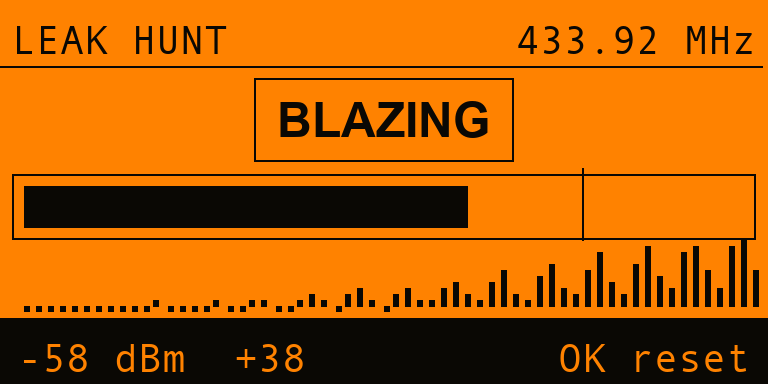
v1.0 could tell you a pouch leaks. v1.1 tells you where — and remembers what you measured.
🔦 Leak Hunt
A grade is a verdict. This is a search. Seal your fob in the pouch, hold its button down, and sweep the Flipper along the seams, the zip, the fold and the corners:
- a live meter with peak-hold,
- a warmer/colder word —
COLD → COOL → WARM → HOT → BLAZING, - a rolling trace of the sweep you just made, so a spike tells you to go back a centimetre,
- geiger clicks that speed up as you close in.
Everything is measured against the tracked noise floor, so it reads the same whether you're hunting a strong fob or a weak one. OK resets the peak to re-sweep a spot cleanly.
💾 Saved results
Every finished test is appended to /ext/apps_data/faraday/results.csv — timestamp, band, both raw levels, and the grade. The newest 20 are browsable on-device, newest first. Pull the CSV off with qFlipper and compare three pouches in a spreadsheet before you buy one.
⚙️ Settings that stick
Band, sound and LED now survive a reboot, stored with a magic/version/checksum so a stale or corrupt file falls back to defaults instead of loading garbage. A saved band index is range-checked before it's ever used to index the band table.
🗺️ One roadmap item dropped, on purpose
The planned "sweep every Sub-GHz band in one run for a per-band profile" is gone. It sounds good and isn't physically meaningful: your fob transmits on one band, so the other three would just measure ambient noise and report a flattering, meaningless attenuation. Profiling across bands needs a different transmitter each time — which is simply a separate test.
Install
- Download
faraday.fapbelow. - In qFlipper, drag it onto
SD Card / apps / Tools /. - On the Flipper: Apps → Tools → Faraday.
Verified
- SDK release — Target 7, API 87.1 · SDK dev — Target 7, API 88.0
- Grading engine host tests — 54 checks, 0 failures
Listen-only: Faraday never transmits on either radio.
Full notes: CHANGELOG.md · Diff: v1.0…v1.1
Faraday v1.0 — prove your pouch actually works
Everyone buys a Faraday pouch for their car key or their contactless cards. Almost nobody checks that it works.
Faraday is the instrument that checks. It measures your key fob in the open, measures it again sealed in the pouch, and tells you exactly how many decibels the pouch actually took off — with a grade from A+ to F.
What's in 1.0
- Sub-GHz shielding test — your fob's carrier measured in real dBm on the internal CC1101 (315 / 433.92 / 868.35 / 915 MHz). The result is a genuine dB attenuation figure, not a bar graph.
- NFC shielding test — how much of an external 13.56 MHz reader field the pouch keeps out, via the onboard ST25R3916 field detector. Scored in % blocked (duty-cycle isn't power, so it isn't dressed up as dB).
- Two taps, start to finish — Baseline → Shielded → Verdict. Peak-hold does the work.
- A grade you can act on —
A+ SEALED·A STRONG·B GOOD·C FAIR·D WEAK·F OPEN.
It tries hard not to lie to you
- Refuses bad data. Press OK before your fob has actually transmitted and it declines — an unpressed fob would otherwise "prove" any pouch perfect.
- Admits its own limits. If the shielded signal sinks below the noise floor, it reports
>= 54 dBrather than claiming a precision it doesn't have. - Says what it is. A comparison of two readings you took, not a lab certification — and the README says so plainly.
Install
- Download
faraday.fapbelow. - In qFlipper, drag it onto
SD Card / apps / Tools /. - On the Flipper: Apps → Tools → Faraday.
Or build it yourself: python3 -m pip install --upgrade ufbt && ufbt
Verified
- Flipper SDK release channel — Target 7, API 87.1
- Flipper SDK dev channel — Target 7, API 88.0
- Grading engine host unit tests — 54 checks, 0 failures (
make -C test, run in CI)
Listen-only: Faraday never transmits on either radio.
Full notes: CHANGELOG.md