Releases: at0m-b0mb/RollCall-FlipperZero
Release list
RollCall v1.1

🔑 RollCall v1.1 — Rolling-Code Health Check
Press your own key fob, garage or gate remote a few times. RollCall decodes
each press, tells you whether it's a rolling code or a static fixed
code, and proves on the air whether the code actually advances between
presses — then hands back a plain-English grade.
Listen-only. It never transmits, replays, jams or clones. No extra
hardware — just the Flipper's built-in Sub-GHz radio.
🐛 Fixed: presses never registered
In v1.0 the capture screen sat at 0 no matter how many times you pressed
your remote — no counter, no blip, and the run never finished on its own.
The radio helper defined its own copy of the "new press" event id while the
capture scene listened for a different one, so every decoded press was dropped
before it reached the screen. The presses were being recorded correctly, so
OK: Analyze still produced a real verdict — only the live screen was deaf.
The event id now comes from a single definition, so the worker and the scene
can't drift apart again.
✨ Find My Remote
A remote that registers nothing is almost always a remote on a band you aren't
listening to. Find My Remote settles it: hold the button down and RollCall
sweeps every band it supports, ranking each by how far its peak climbs above
its own noise floor.
Press OK and it adopts that band, saves it, and drops straight into the
health check. It only reports a band that genuinely beat its floor — no signal
means no answer, never a guess.
📶 Live signal row
The capture screen now carries a carrier-strength bar, a dBm readout, and a pip
that lights when the radio is producing raw pulses. That tells you which
problem you have instead of leaving you staring at a zero:
| What you see | What it means | Fix |
|---|---|---|
| Bar flat, pip dark | Nothing on this frequency | Run Find My Remote |
Bar jumps, counter stays 0 (RF seen, no decode) |
Right frequency, undecoded protocol | Change Modulation |
| One press counted twice, or two counted as one | Collapse window doesn't fit your fob | Adjust Press gap |
Also new
- 14 bands instead of 6 — adds 303.87 · 310 · 318 · 330 · 345 · 418 · 434.42 · 434.77 MHz
- Settings persist across launches — set your band once
- Configurable press gap (0.25 s – 1.5 s)
- Press target raised to 8; bit length and signal strength recorded per press
- Manufacturer keystore and rainbow tables loaded, for richer KeeLoq / Nice Flor-S / CAME Atomo parcels
- Capture feedback honours sound and vibro, not just the LED
- Host test suite for the grading logic (63 checks under ASan/UBSan), running in CI
Install
- Download
rollcall.fapbelow. - Copy it to your SD card at
apps/Sub-GHz/
(/ext/apps/Sub-GHz/rollcall.fap) — qFlipper drag-and-drop works. - On the Flipper: Apps → Sub-GHz → RollCall.
Using it
- Settings → pick your Band (315 US / 433.92 EU) and
Modulation (start with AM650).
Don't know your band? Run Find My Remote and let it find one. - Run Health Check, then press your remote a few times, pausing
~1s between presses. - Read the grade — OK opens the per-press ledger showing each code
fingerprint (newvssame).
| Grade | Meaning |
|---|---|
| A | ✅ Rolling, and every press produced a different code |
| B | 🟢 Rolling; needs another press or two to confirm |
| C | 🟡 Rolling protocol, but the code didn't change — retest |
| F | 🔴 Fixed code — identical every press, replayable |
| ? | ⚪ Decoded but unclassified — try another band/modulation |
A
.fapis tied to its firmware API. If it won't launch, rebuild with
ufbtmatched to your firmware (see the README).
Verified against firmware API 87.1 (release) and 88.2 (dev).
Built from v1.1 on the release firmware channel.
MIT · by at0m-b0mb
RollCall v1.0 — Does your remote actually roll?

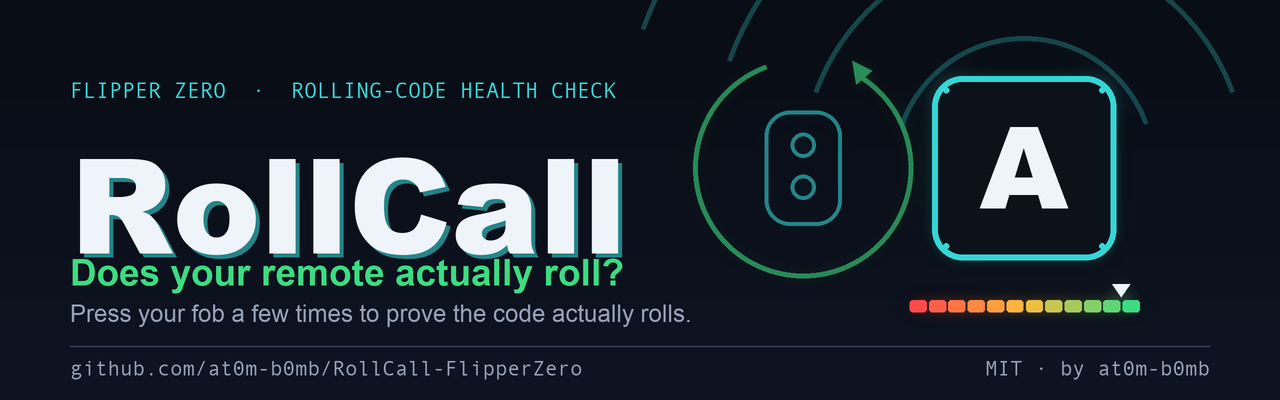
RollCall is a rolling-code health check for your own key fobs, garage and gate remotes.
Press your remote a few times — RollCall decodes each press, tells you whether it's a rolling code or a static fixed code, and proves on the air whether the code actually advances between presses. Then it hands back a plain-English grade.
Listen-only by design. It never transmits, replays, jams or clones. No extra hardware — just the Flipper's built-in Sub-GHz radio.
📦 What's in this release
| File | What it is |
|---|---|
rollcall.fap |
The installable app. Drag this to your Flipper. |
Source code (zip / tar.gz) |
Full source — app, asset generators, CI. |
⚡ Install
Easiest — qFlipper:
- Download
rollcall.fapbelow. - Open qFlipper, connect your Flipper Zero.
- Drag it into SD Card →
apps→Sub-GHz. - On the Flipper: Apps → Sub-GHz → RollCall.
From source:
python3 -m pip install --upgrade ufbt
git clone https://github.com/at0m-b0mb/RollCall-FlipperZero.git
cd RollCall-FlipperZero
ufbt && ufbt launch
🎯 Using it
- Settings → pick your Band (315 US / 433.92 EU) and Modulation (start with AM650).
- Run Health Check, then press your remote a few times, pausing ~1s between presses.
- Read the grade. OK opens the per-press ledger showing each code fingerprint (
newvssame).
Nothing decoding? Wrong band/modulation is the usual cause — switch 315 ↔ 433.92 or AM ↔ FM.
📊 The grades
| Grade | Meaning | What RollCall saw |
|---|---|---|
| A | ✅ Healthy | Rolling protocol and every press produced a different code |
| B | 🟢 Likely OK | Rolling; code changed but needs another press or two to confirm |
| C | 🟡 Caution | Rolling protocol, but the code didn't change — retest with a pause |
| F | 🔴 At risk | Fixed code — identical every press, replayable |
| ? | ⚪ Unknown | Decoded but unclassified — try another band/modulation |
✅ Verified
- Builds clean with ufbt — Target 7 / API 87.1, APPCHK passed
- CI green on both
releaseanddevfirmware channels - Grading logic covered by a native decision-table test (all branches pass)
- Loadable size ~84 KB — fits comfortably in FAP RAM
SHA-256 (rollcall.fap): 9d60a1e085f4adb0121a98c3433f9da6c26581b30eb374d636aff09b126f4f95
⚖️ Ethics
Test only remotes you own or are explicitly authorised to assess. RollCall is an educational, defensive tool — know whether your own remote resists replay before someone else finds out it doesn't.
MIT · by at0m-b0mb