







Free open-source ManyChat alternative — Instagram DM automation, comment-to-DM funnels, story replies, AI auto-replies, and a live inbox.
A self-hosted, AI-ready, developer-friendly alternative to paid Instagram automation tools like ManyChat, Chatfuel, and SendPulse.
No monthly SaaS fees. No vendor lock-in. Your data stays in your Supabase.
🎬 Video Guide · Join Web Testers · Self Host · Features · Env Setup · Deploy · FAQ · Product Hunt · Discord · Telegram
Get your self-hosted Instagram automation platform live in under 18 minutes! Follow this step-by-step video tutorial to fork, configure, and deploy the application.
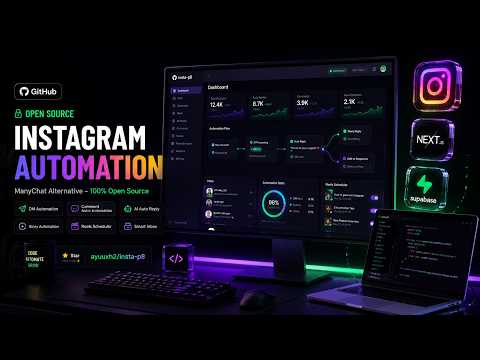
👉 Click here to watch the full step-by-step tutorial on YouTube
InstaAuto is an open-source Instagram automation platform built for creators, indie hackers, agencies, brands, and developers who want to automate Instagram workflows without paying recurring fees for closed SaaS tools.
Use it to build:
- Instagram DM automation
- Instagram comment auto-replies
- Instagram story automation
- AI Instagram auto-replies
- Keyword-triggered message funnels
- Live Instagram inbox dashboard
- Instagram Ice Breakers
- Self-hosted ManyChat alternative
- Open-source Instagram chatbot
If you are searching for a free ManyChat alternative, open-source Instagram DM bot, self-hosted Instagram automation tool, Instagram AI chatbot, or Instagram comment-to-DM automation, this project is built for that exact use case.
You have two ways to use InstaAuto:
If you do not want to deploy anything yourself, you can request access to the hosted web app and join as a tester.
- Best for: creators, small businesses, marketers, beta testers
- What you need: an Instagram Business or Creator account
- How it works: request access, connect Instagram, create automations, test DMs/comments/stories
The hosted app may require manual approval because Instagram platform permissions and tester roles are controlled through Meta.
If you are a developer or agency, self-host InstaAuto on your own Vercel + Supabase account.
- Best for: developers, agencies, privacy-focused teams, power users
- You control: database, tokens, deployment, AI gateway, webhook URL
- Cost: can run on free tiers for small usage
Try a real Instagram automation demo before self-hosting.
- Instagram profile: @ayuuxh2
- DM keyword demo: send
helloin DMs → bot replies with a welcome message - Comment-to-DM demo: comment
linkon the demo post → bot public-replies and DMs you the link - Comment-to-DM demo post: instagram.com/p/DWb3vuZDxm6
- Story reply demo: reply
infoto an active story → bot DMs you back
This showcase helps contributors and testers verify that the open-source Instagram DM automation, comment-to-DM funnels, and story-reply workflow are working in production.
Please use the demo responsibly. Do not spam the showcase profile or post.
ManyChat is great, but it is closed-source and paid. InstaAuto is for people who want ownership and flexibility.
| Feature | ManyChat | InstaAuto |
|---|---|---|
| Open source | ❌ | ✅ |
| Self-hosted | ❌ | ✅ |
| Monthly SaaS fee | ✅ | ❌ |
| Own your database | ❌ | ✅ |
| Custom API routes | Limited | ✅ |
| AI-native replies | Paid/add-on style | ✅ |
| Developer extensibility | Limited | ✅ |
| Supabase/Postgres backend | ❌ | ✅ |
| Vercel deployable | ❌ | ✅ |
| Full source code access | ❌ | ✅ |
Positioning: InstaAuto is not a drop-in clone. It is an open-source, self-hosted automation base for builders who want to customize Instagram automation deeply.
- Keyword-based DM auto-replies
- Multi-keyword matching
- Postback/button payload handling
- Auto-save incoming DMs to inbox
- Auto-save outgoing bot replies
- Live conversation dashboard
- Manual reply from inbox
- Rich response cards with buttons
- Follow-gated locked content flows
- Auto-reply to Instagram post comments
- Send private DM after a comment trigger
- Specific-post automations
- Global keyword automations
- Reply-all mode for selected posts
- Public comment reply like “Check your DMs”
- Comment-to-DM funnels for lead magnets, links, offers, downloads, coupons, courses, and products
- Story mention automation
- Story reply automation
- Story reaction automation
- Emoji reaction triggers
- Specific story matching support
- Automatic DM responses for story engagement
- AI fallback when no keyword automation matches
- Custom AI personality context per account
- Reads recent conversation history
- Matches language and tone: English, Hindi, Hinglish, casual, formal
- Short human-like replies
- Typing indicators
- Random delay before response for more natural behavior
- Proxy-based AI gateway support via
/api/groq/chat
- Add up to 4 Instagram Ice Breakers
- Save question + auto-response
- Sync Ice Breakers to Instagram Messenger profile
- Handle Ice Breaker postback responses in webhook
- Conversation list
- Message history
- Manual DM replies
- Store incoming and outgoing Instagram messages
- Useful for creators who want automation plus manual support
- Automation count
- Active triggers
- Audience reached
- Messages sent
- Recent activity
- Quick view of account automation health
- Framework: Next.js 16 App Router
- Frontend: React 19, TypeScript
- Styling: Tailwind CSS, shadcn/ui-style components
- Icons: Lucide React
- Database: Supabase Postgres
- Storage: Supabase Storage
- Deployment: Vercel
- Analytics: Vercel Analytics
- Instagram API: Instagram API with Instagram Login, Graph API v24.0
- AI Gateway: Groq/OpenAI-compatible proxy pattern
Instagram User
     ↓
Instagram Webhook
     ↓
Next.js API Routes
     ↓
Automation Matcher
     ↓
Supabase Database
     ↓
Instagram Graph API Reply
Important modules:
app/api/instagram/callback       OAuth login + token exchange
app/api/instagram/webhook        DM/comment/story webhook brain
app/api/instagram/media          User media list (reels, photos)
app/api/automations              Automation CRUD
app/api/ice-breakers             Ice Breaker management + sync
app/api/inbox                    Conversations, messages, manual send
app/api/groq                     AI auto-reply settings + chat proxy
components/dashboard             Dashboard and automations UI
components/inbox                 Live inbox UI
lib/supabase-server.ts           Supabase server client (RLS-aware)
lib/supabase-admin.ts            Service-role client (bypasses RLS)
lib/supabase-migrate.ts          Runtime migration runner
lib/unlock-tracking.ts           3-attempt gate-cap counter (RPC-backed)
lib/instagram-api.ts             sendCardDM, sendTextDM, buildFollowGateCard, etc.
schema.sql                       Canonical database schema (run in SQL editor)
db                               Legacy schema fragment (see schema.sql)
scripts/ Legacy per-feature SQL migrationsgit clone https://github.com/ayuuxh2/insta-p8.git
cd insta-p8npm installYou can also use Bun or pnpm if that is your preferred package manager.
- Create a new project on Supabase
- Copy your project URL
- Copy anon key
- Copy service role key
Run schema.sql in the Supabase SQL editor (Database → SQL editor → New query):
1. Open the Supabase dashboard for your project
2. Click "SQL editor" in the left sidebar
3. Click "New query"
4. Paste the entire contents of schema.sql (project root)
5. Click "Run" (or Ctrl+Enter)
schema.sql is the canonical source of truth for the database. It is idempotent (every CREATE uses IF NOT EXISTS) and safe to re-run. The same file is also bundled into the Vercel serverless bundle and the runtime migration runner (lib/supabase-migrate.ts) runs the equivalent CREATE TABLE / INDEX / EXTENSION statements on every cold start, so new environments self-heal.
One-time manual steps that the auto-migrator does NOT run (applied automatically by schema.sql when you paste it into the SQL editor — they need the anon role, which the migration runner does not switch into):
CREATE POLICY(per-user RLS policies)ALTER TABLE ... ENABLE ROW LEVEL SECURITYCREATE OR REPLACE FUNCTION(RPCs likebump_unlock_attempt)
The follower-gate cap records unlock attempts in public.unlock_attempts. Stale entries (older than 24h) get cleaned up by either the read path or the bump_unlock_attempt RPC's ON CONFLICT clause, but a small footprint will still accumulate. Set up an hourly cleanup:
- Open Database → Extensions in the Supabase dashboard
- Enable
pg_cron - Run this SQL once in the SQL editor:
SELECT cron.schedule('purge-unlock-attempts', '0 * * * *',
  $$DELETE FROM public.unlock_attempts WHERE updated_at < NOW() - INTERVAL '24 hours'$$);
To manually purge right now:
DELETE FROM public.unlock_attempts WHERE updated_at < NOW() - INTERVAL '24 hours';-- Should return 12 tables
SELECT count(*) FROM information_schema.tables
WHERE table_schema = 'public' AND table_type = 'BASE TABLE';
-- Should return the function
SELECT proname FROM pg_proc WHERE proname = 'bump_unlock_attempt';If either query returns 0, re-run schema.sql from the SQL editor.
You need an Instagram Business or Creator account and a Meta Developer app configured for Instagram Login and webhooks.
Required Instagram scopes used by the app:
instagram_business_basic
instagram_business_manage_messages
instagram_business_manage_commentsCreate .env.local:
NEXT_PUBLIC_SUPABASE_URL=your_supabase_project_url
NEXT_PUBLIC_SUPABASE_ANON_KEY=your_supabase_anon_key
SUPABASE_SERVICE_ROLE_KEY=your_supabase_service_role_key

NEXT_PUBLIC_INSTAGRAM_APP_ID=your_instagram_app_id
INSTAGRAM_APP_ID=your_instagram_app_id
INSTAGRAM_APP_SECRET=your_instagram_app_secret
NEXT_PUBLIC_INSTAGRAM_REDIRECT_URI=http://localhost:3000/api/instagram/callback
INSTAGRAM_WEBHOOK_VERIFY_TOKEN=choose_a_strong_verify_token

GATEWAY_SECRET=your_ai_gateway_secret
API_SECRET_KEY=your_internal_hook_secretnpm run devOpen:
http://localhost:3000| Variable | Required | Description |
|---|---|---|
NEXT_PUBLIC_SUPABASE_URL |
✅ | Supabase project URL |
NEXT_PUBLIC_SUPABASE_ANON_KEY |
✅ | Supabase anon/public key |
SUPABASE_SERVICE_ROLE_KEY |
✅ | Supabase service role key for API routes |
NEXT_PUBLIC_INSTAGRAM_APP_ID |
✅ | Public Instagram app/client ID |
INSTAGRAM_APP_ID |
✅ | Server-side Instagram app ID |
INSTAGRAM_APP_SECRET |
✅ | Instagram app secret for token exchange |
NEXT_PUBLIC_INSTAGRAM_REDIRECT_URI |
✅ | OAuth redirect URI |
INSTAGRAM_WEBHOOK_VERIFY_TOKEN |
✅ | Webhook verification token |
GATEWAY_SECRET |
Optional | Secret used for AI gateway/proxy calls |
API_SECRET_KEY |
Optional | Internal API secret for publishing hooks |
Security note: never expose SUPABASE_SERVICE_ROLE_KEY, INSTAGRAM_APP_SECRET, user access tokens, or API_SECRET_KEY in client-side code.
- Fork this repository
- Import it into Vercel
- Add all environment variables
- Set the production redirect URI in Meta Developer Console
- Set your webhook callback URL:
https://your-domain.com/api/instagram/webhook- Deploy
- Connect your Instagram Business/Creator account
- Create your first automation
Before going live, test these flows:
- Login with Instagram Business/Creator account
- Create a DM keyword automation
- Send a test DM from another Instagram account
- Create a comment keyword automation
- Comment on a selected post
- Confirm public comment reply + private DM
- Add Ice Breakers and verify they sync
- Toggle AI auto-reply and send an unmatched DM
- Test inbox manual reply
Yes — InstaAuto is a free, open-source ManyChat alternative. You self-host it on Vercel and Supabase free tiers, connect your Instagram Business or Creator account through the official Instagram API, and get DM keyword automation, comment-to-DM funnels, story-reply automation, and a live inbox without any monthly fee.
Deploy InstaAuto (about 18 minutes with the video guide), connect your Instagram professional account, and create a keyword rule — for example, auto-reply to every DM containing "price". Replies can be text, images, quick-reply chips, or button cards.
When someone comments a trigger word (like "link") on your post, Instagram sends a webhook to your deployment. InstaAuto posts a public reply ("Check your DMs!") and sends the commenter a private DM with your link or lead magnet — the same funnel ManyChat charges for.
Yes — InstaAuto uses the official Instagram API with Instagram Login and its approved permissions. Every reply is triggered by a user-initiated message or comment, within Instagram's messaging window rules. It does not scrape, mass-DM, or bypass rate limits.
No dedicated server — it runs on Vercel serverless functions with a Supabase Postgres database. Both have free tiers that comfortably handle a creator account.
ManyChat and Chatfuel are excellent hosted products with polished UIs and paid plans. InstaAuto trades the polish for ownership: full source code, your own database, unlimited customization, and $0/month.
InstaAuto can be used as:
- Free ManyChat alternative
- Open-source ManyChat alternative
- Free Chatfuel alternative for Instagram
- Instagram DM automation tool
- Instagram comment automation tool
- Instagram chatbot platform
- Instagram AI auto-reply bot
- Instagram lead generation bot
- Comment-to-DM automation tool
- Instagram story automation software
- Self-hosted social media automation
- Instagram marketing automation dashboard
- Creator automation CRM
- Instagram inbox automation
- Open-source Instagram API starter
- Instagram APIs require correct Meta app permissions and review for production use.
- Some features may require your Instagram account to be Business or Creator type.
- Webhooks must be reachable from the public internet.
- Hosted tester access may require approval depending on Meta app tester roles.
- Respect Instagram Platform Terms and anti-spam policies.
- Do not use automation to spam, deceive, scrape, or abuse users.
- One-click Vercel deploy button
- Docker setup
- Better onboarding wizard
- Automation templates
- Multi-account workspace support
- AI model selector
- Better analytics charts
- Webhook event debugger
- Export/import automations
- Public demo video
Contributions are welcome.
Join our Discord community for discussions, support, and updates!
Join our Telegram group for quick help, updates, and community chat!
Good first issues:
- Improve setup docs
- Add Docker support
- Add more automation templates
- Improve dashboard analytics
- Add tests for API routes
- Improve webhook logging
- Add provider-agnostic AI configuration
A huge thank you to our amazing sponsors for supporting this project!
- @Divypratap93 — $10 🇬🇧
If this project helps you avoid paying for expensive Instagram automation tools, please star the repo.
Stars help more developers discover open-source Instagram automation, self-hosted creator tools, and AI-powered social media workflows.
MIT License. Use it, fork it, self-host it, customize it, and build on top of it.