Repository navigation

view-calipers v0.5.1 — Browse. Compare. Build your reference canvas.
A native Windows media viewer and infinite reference canvas, built with Rust + egui. This release brings together the improvements made since the first public v0.1.0 release.
Collections become canvases
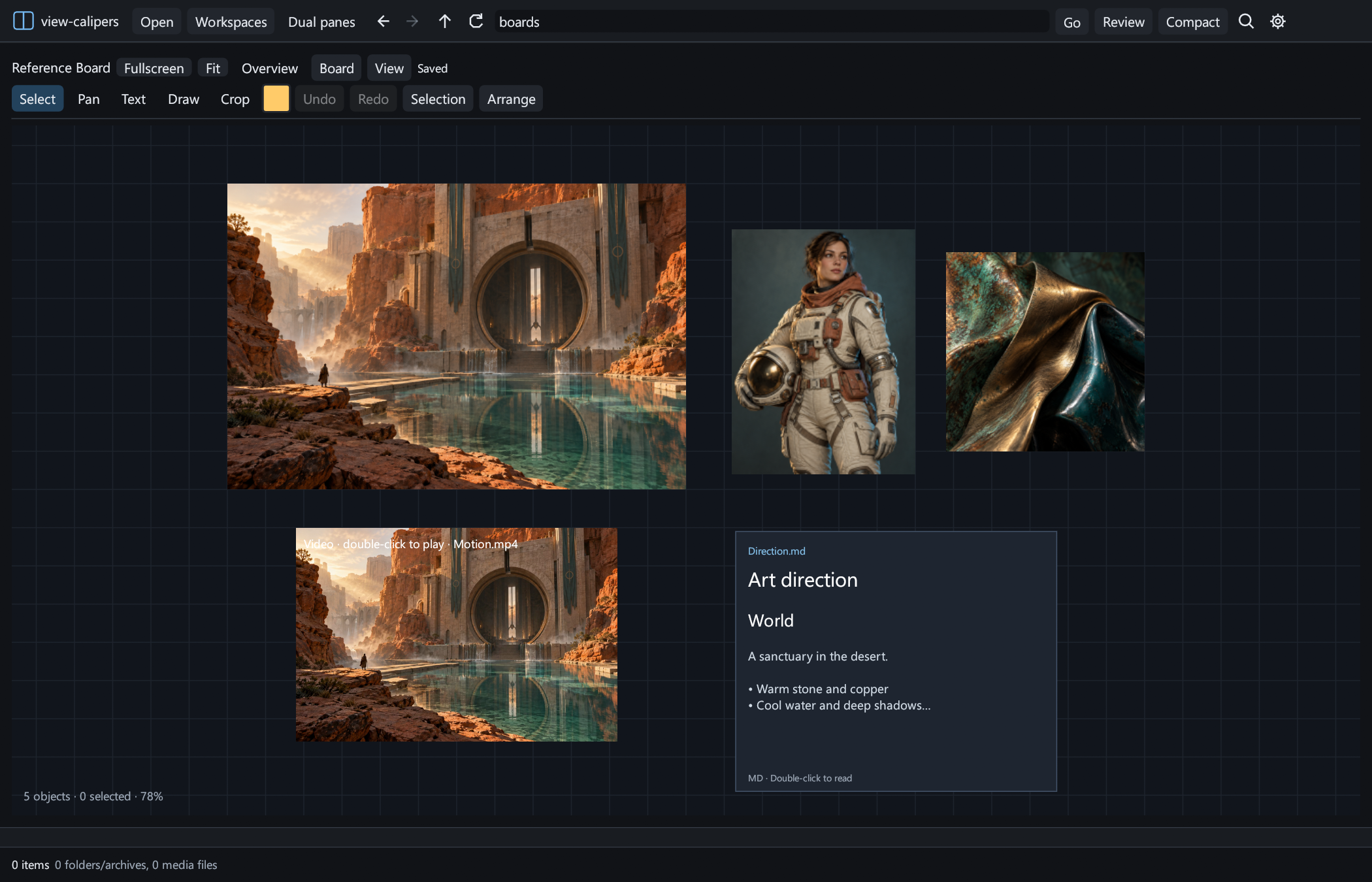
- Arrange images, videos and Markdown on an infinite canvas. Move, rotate and resize references, add text notes and freehand annotations, and play multiple clips independently.
- Local files stay where they are: collections reference the originals. Images pasted or dragged from a browser are saved in the collection folder. Making owned copies of existing references is optional.
- Click a collection in the sidebar to pin its canvas below the current file preview, even with only one file pane. Keep browsing while your reference board stays open.
- Pack and align objects, normalize sizes, organize named groups, lock items and use grid snapping. Crop, mirror, adjust opacity and view references in grayscale without editing source files.
- Focus a reference, keep the window on top, undo/redo changes, or right-click to duplicate an object and open its source folder.
One workbench for your media
- View images, video, PDF, Markdown, comics and archives, plus interactive OBJ, FBX, glTF/GLB and USD mesh previews.
- Browse two independent panes with lockable tabs and saved workspaces. Compare previews vertically or fullscreen side by side with adjustable dividers.
- Scrub video, loop a clip or an A–B selection, and play two preview videos independently. Fullscreen folder sliders provide thumbnail previews as you navigate.
- Use thumbnails or a sortable details list, make folders, rename/copy/move/duplicate files, drag between panes and folders, and send deleted files to the Recycle Bin.
- Filter locally, save searches, or connect to a running Everything index for fast filename lookup.
Faster media browsing
Native GPU photo textures, GPU-generated mipmaps, decoded-image caching and neighboring-file prefetch improve repeated viewing. Reduced-resolution JPEG decoding speeds up thumbnail generation; persistent thumbnail caching avoids repeating work.
Video uses GPU YUV-to-RGB conversion and reusable textures, with persistent scrubbing decoders, RAM frame caching and optional NVIDIA CUDA preloading. Cache budgets are configurable. Hardware decoding falls back to software when unavailable; this is not a zero-copy video pipeline.
Performance measurements and reproduction steps · Canvas controls and storage · Full changelog
Release validation
This build includes parallel test isolation for collection storage and image-cache settings, plus bounded cleanup of temporary video fixtures on Windows. These changes stabilize release checks; the media and canvas features above are unchanged.
Download and run
- Download view-calipers-v0.5.1-windows-x64.zip below.
- Extract it and run view-calipers.exe. The executable is unsigned; no application installer is required.
- Use SHA256SUMS.txt to verify the ZIP if needed.
Requirements: Windows 10/11 x64, OpenGL 3.3 graphics support and the Microsoft Visual C++ x64 runtime. Video requires FFmpeg, FFprobe and FFplay. 3D import requires Blender 4.x or newer. These external applications are not bundled. Images, comics, PDF and Markdown work without FFmpeg or Blender. Everything integration requires the Everything desktop application running with an index.
Existing preferences remain under %LOCALAPPDATA%\ArchView. Collections default to Documents\view-calipers\<collection name>, configurable in Settings. Existing collection data is migrated without changing the referenced original files. The current board format is v3 and reads v1/v2 boards; older app versions may not read boards saved by this release.
The application source is MIT licensed; dependency notices are included in the ZIP.