[UX][A11Y] CKEditor: Make links that are set to open in new window accessible (extlink module in core) #3382

Description

Describe your issue or idea
We are already allowing people to set links added via the WYSIWYG editor to be opening in an new window:
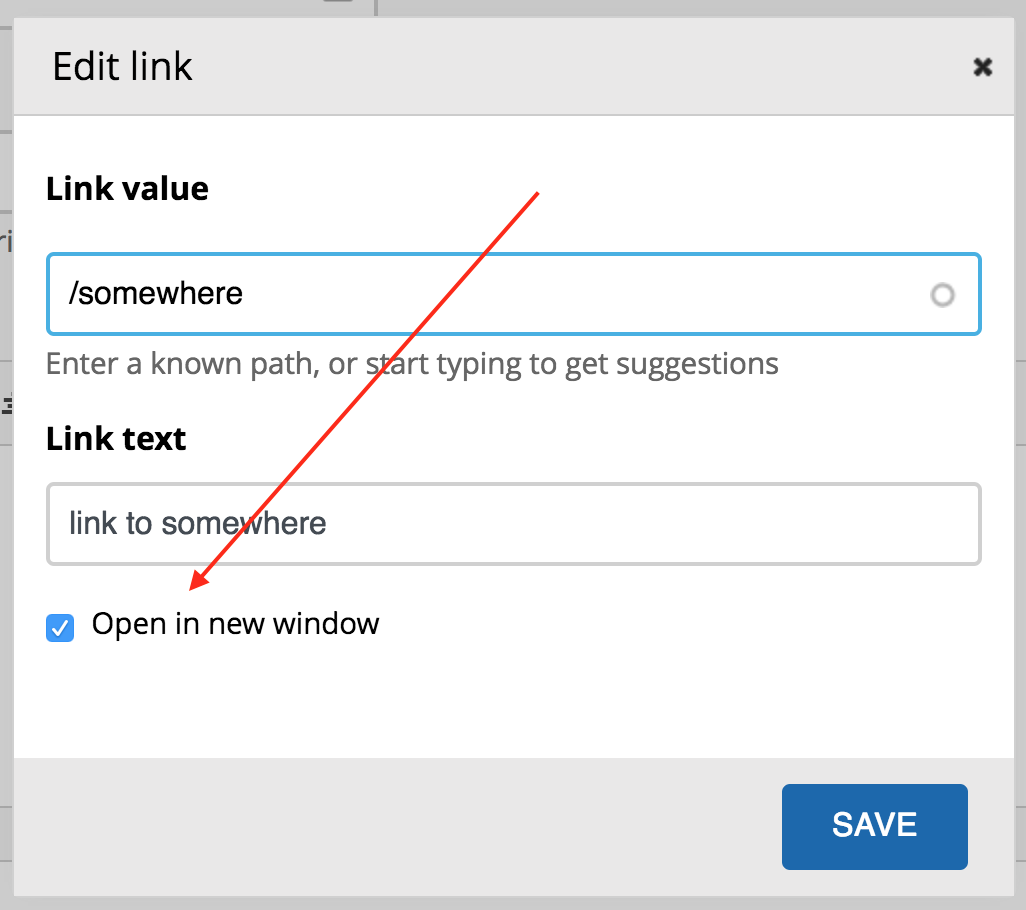
This feature was recently requested for D8 core in https://www.drupal.org/project/drupal/issues/2946155, but was turned down due to accessibility reasons:
Use of
target="_blank"is an accessibility concern, as opening a new window/tab without providing any warning to users, can be confusing and disorientating.There are a handful of good uses for opening links in new windows (such as help links on a form), but it's typically overused by authors to enforce their view of how links should be opened, at the expense of users' choice.
The accessibility issue is part of WCAG 2.0 Change on Request. Specifically, just adding
target="_blank"to a link will result in F22: Failure of Success Criterion 3.2.5 due to opening windows that are not requested by the user (see example 2 there).If we implement this feature, we should do it in a way that helps authors to produce accessible content, e.g. rendering these links with an additional icon to indicate that a new window/tab will open. See WCAG technique H83: Using the target attribute to open a new window on user request and indicating this in link text.
Now, WCAG "Change on Request" is at level AAA, but the Drupal core accessibility gate says we aim to satifsy WCAG and ATAG level AA. So there could be an argument that we don't have to address WCAG "Change on request" here. However I certainly don't want to ship a feature that enables authors to (unwittingly) put a specific, known WCAG failure into their content.
We could be doing something like this in Basis and Seven:
a[target="_blank"]:after {
  content: url(some-icon);
}
Another idea would be to be adding a class so that these can be easily targeted in other non-core themes.
Some others recommend adding a title="Opens in new window" in the link attributes, so that screen readers can pick this.
Steps to reproduce (if reporting a bug)
- Add 2 links via the CKEditor, setting one of them to be opening in a new window
- Click the "source" button and observe the generated code
- Save the content and observe how the two links are being rendered...
Actual behavior (if reporting a bug)
- The code for the link opening in a new window looks like so:
link to somewhere - The 2 links are rendered the same
Expected behavior (if reporting a bug)
- The code should look like something like this:
link to somewhere - The link that opens in a new window should have an icon indicating that it is external. Commonly-used icon is this: https://fontawesome.com/icons/external-link-alt?style=solid