Repository navigation
Home
Vers la page d'accueil en Français
FoxBirdBackup is a program to save and restore Mozilla Firefox and Thunderbird profiles.
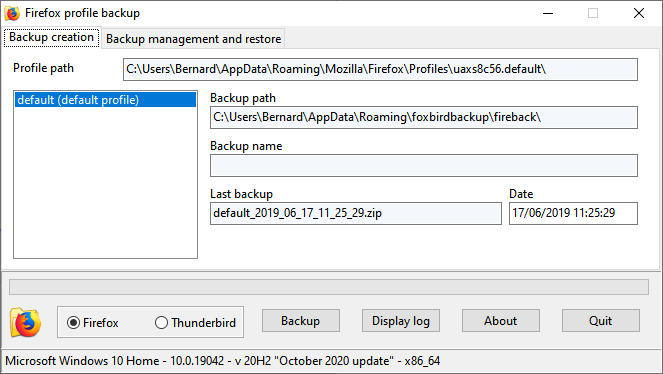
Windows : Download archive, extract and run InstallFoxBirdbackup, then follow instructions of the setup program.
Linux : Download archive and extract in a folder.
First select Firefox or Thunderbird operation. The program operates in English unless you have setup a French language in the OS settings. The first panel, Backup creation and importation, lists current user profiles. User can backup or modify a profile and import an external backup archive. Imported archives are then listed in the second panel. Changes include change of profile name and default activation of a profile.
The second panel, Restoration and backup management, lists backups previously done or imported. User can restore a backup in the profile location or in another location. If the user choose to not overwerite the current profile, the program creates and activate a new profile. User can export a backup on a different folder or drive.
Windows : Use Installation/Uninstallation procedure in Control Panel to uninstall the program. Linux: Delete application files.
Use FoxBirdBackup at your own risks. Profiles manipulation can corrupt or lose critical data. Firefox and Thunderbird brands are property of Mozilla Fundation.