Repository navigation
Osmo-Operator v0.1-3


osmo-operator-desktop.iso
the pmOS phone password is 147147, the live ISO is osmo
Download
DOWNLOAD ALL FOUR IMAGES!!!
GitHub caps release files at 2 GiB: the image ships in pieces. Reassemble, then verify:
cat osmo-operator-desktop.iso.part-* > osmo-operator-desktop.iso
sha256sum -c SHA256SUMS
 )
)
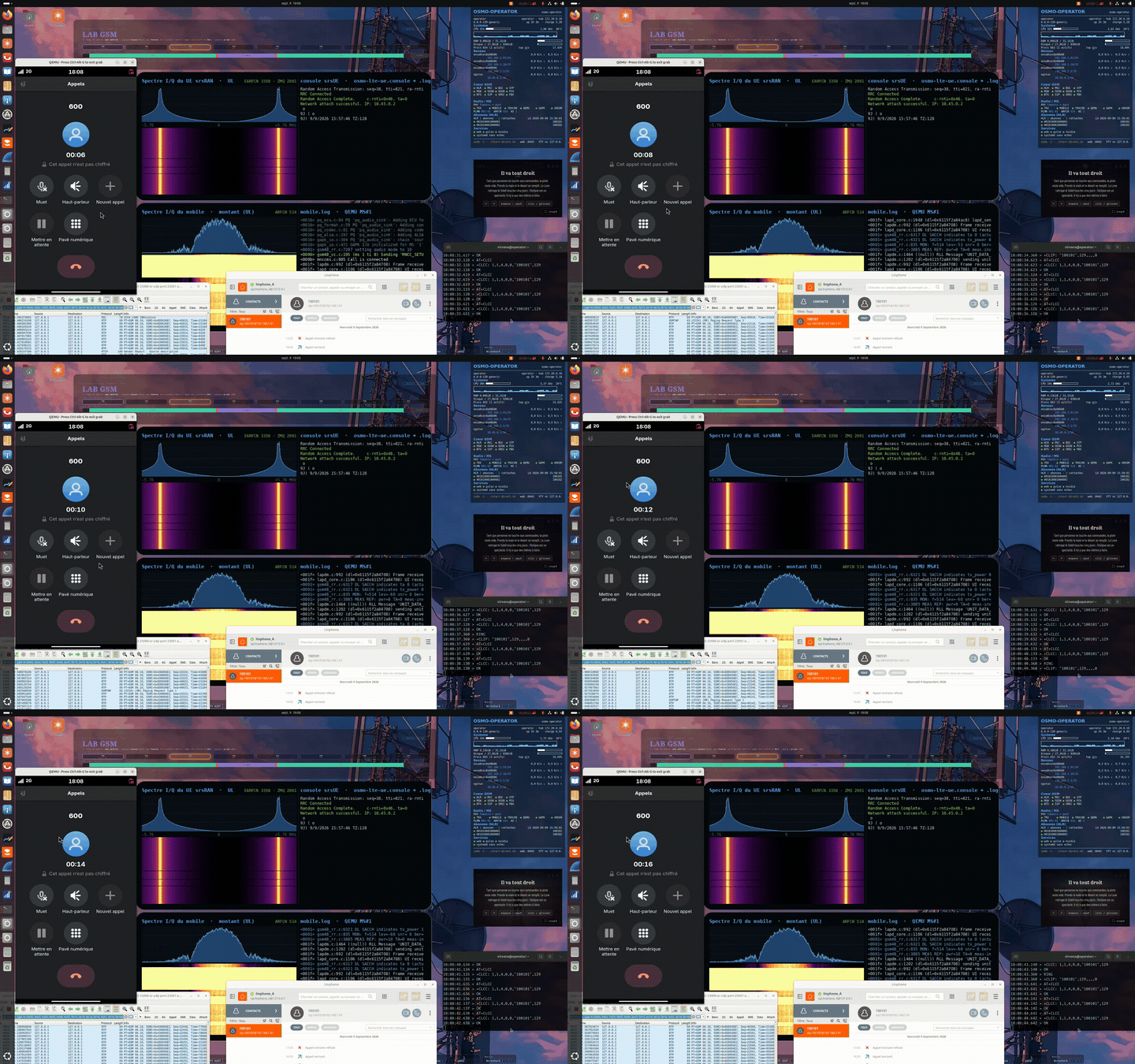
A complete GSM + LTE operator on a single live image, with a GNOME desktop (Wireshark in a window, linphone-desktop, GSM LAB wallpaper) for everything that can't be driven from the VTY. No SDR and no physical phone: the radio is emulated end to end, all the way down to the baseband.
/etc/os-release: IMAGE_VERSION="OSMO_EGPRS_V2" — /etc/osmo-role: OSMO_ROLE=operator, OSMO_LITE=0.
What's inside
2G/GSM — Osmocom
- Full core: osmo-stp (M3UA, SCTP :2905), osmo-bsc, osmo-msc, osmo-hlr, osmo-sgsn, osmo-ggsn (GTPv1-C/U), osmo-pcu, osmo-mgw (MGCP :2427).
- Two DCS1800 cells in LAC 1 — BTS 0 (Cell ID 6001, BSIC 7) and BTS 1 (Cell ID 6012, BSIC 8) — each on its own osmo-bts-trx.
- Layer 1: a real emulated Calypso.
qemu-system-arm -M calypso -cpu arm946runslayer1.highram.elf, loaded byosmoconexactly as on a C123.pont.pyconverts the bursts to I/Q forfake_trx.py, thentrxconand twomobile(osmocom-bb) instances on the terminal side. - Working GPRS/EDGE: BSSGP/NS to the PCU, PDP contexts through osmo-ggsn.
- Voice: external MNCC → Asterisk (SIP :5060, FR/HR codecs) via osmo-sip-connector.
- SMS: SMS-over-GSUP → proto-smsc-daemon, SMPP (:2775) with a test ESME, inter-operator relay (:7890).
- A3A8 authentication with deterministic RAND (
*-force-rand-toypatches): the bench is reproducible from one boot to the next. - Live GSMTAP capture, ready to open directly in Wireshark.
4G/LTE — open5gs + srsRAN
- open5gs core (MME, SGW-C/U, SMF, UPF, PCRF, HSS…) on dedicated loopbacks, Prometheus metrics (:9090), WebUI (:9999), MongoDB behind the HSS.
- PLMN 001/01, TAC 7. NAS security with null ciphering (EIA2/EIA1 + EEA0), on purpose: this is an analysis bench, the NAS reads in clear text in Wireshark.
- srsRAN RAN over ZMQ: srsENB (10 MHz, EARFCN 3350, band 7) and srsUE linked by a socket, no SDR. Milenage test subscriber (IMSI 001010001000001). The UE gets an IP in a netns and reaches the Internet through NAT.
CSFB — the piece that ties the two together
- SGs interface between osmo-msc and the MME (:29118), with the
TAI (001-01, TAC 7) → LAI (001-01, LAC 1)mapping: the VLR files the subscriber under LAC 1 while it is physically on LTE. - Combined EPS+IMSI attach, radio presence on the GSM side: an incoming call is paged by the MME and the UE drops back to the BTS.
- Two provisioned subscribers (100101 and 100102, one per cell): the bench is wired for an inter-cell call with fallback.
postmarketOS — the phone
- An x86_64 pmOS VM with a patched kernel: upstream
linux-postmarketos-stabledoesn't enableCONFIG_PPP, without which an AT modem can't carry IP. The prebuilt kernel (Git LFS) is provided in/opt/user_interface/kernel/pmos/. - 4G data: NetworkManager → pppd (
ATD*99***1#) → virtio-consoleosmo.data→osmo-phonesim-banc.py→ UE netns → srsUE → srsENB → UPF → Internet. - 2G voice and SMS: a second virtio-console
osmo.modem, whereosmo-phonesim-banc.pyplays the 27.007 AT modem (state read from the osmo-bsc, osmo-msc and mobile VTYs) and oFono drives it. No dongle. - Audio: two duplex PulseAudio chains (intel-hda) — a bridge to the osmocom-bb mobile via GAPK, and a chain with echo cancellation.
- Result: data on 4G, voice and SMS on 2G, under the same identity. The behaviour of a real CSFB handset, at the modem level.
- pmOS password:
147147
Running the image
In every case: x86_64, 8 GB of RAM and 4 cores minimum. The live root is a tmpfs (~6 GB in toram mode); logs and captures are bounded there, and purged at every boot. The bench itself runs two QEMUs (the Calypso and the postmarketOS VM): in a virtual machine, enable nested virtualization, otherwise the pmOS VM falls back to software emulation and becomes very slow.
QEMU
qemu-system-x86_64 -cdrom osmo-operator-desktop.iso -m 8G -enable-kvm \
  -cpu host -smp 4 -nic user,hostfwd=tcp::8080-:8080
VirtualBox
- New VM, type Linux / Ubuntu (64-bit), 8 GB of RAM, 4 processors, 3D disabled.
- System → Processor: tick Nested VT-x/AMD-V (if the box is greyed out:
VBoxManage modifyvm "<name>" --nested-hw-virt on). - Storage: attach the ISO to the optical drive. No disk needed, it's a live image.
- NAT network: add a port forwarding rule host 8080 → guest 8080 to reach the bench from the host machine.
VMware (Workstation / Player / Fusion)
- New VM from the ISO, Linux / Ubuntu 64-bit, 8 GB, 4 cores.
- Processors: tick Virtualize Intel VT-x/EPT or AMD-V/RVI.
- Skip Easy Install: it's a live image, it boots from the ISO.
USB stick (the ISO is hybrid, it can be copied raw)
sudo dd if=osmo-operator-desktop.iso of=/dev/sdX bs=4M status=progress conv=fsync
On Windows, Rufus: select the ISO and, if Rufus offers the choice, write in DD Image mode rather than ISO. Then boot from the stick, in UEFI or BIOS, either works. On real hardware, KVM is available directly: this is the most comfortable setup.
Getting started
Everything launches from the dock, where three launchers are pinned as favourites. 2G and 4G are independent and can be started in any order; the smartphone is launched last, once both networks are up.
| Launcher | What it starts | |
|---|---|---|
 |
2G — the red handset | The GSM core and the emulated radio: osmo-stp / bsc / msc / hlr / sgsn / ggsn / pcu, the Calypso under QEMU, the two BTS and the two osmocom-bb mobiles, Asterisk, the SMSC. |
 |
4G — the signal bars | open5gs, srsENB and srsUE over ZMQ, and the SGs interface to the MSC (the CSFB). |
| 📱 | Smartphone — the Adwaita theme's phone icon | The postmarketOS VM: oFono on the virtual modem, data on 4G, voice and SMS on 2G. Launch it last. |
The 2G and 4G icons are SVGs from the repo (data/), hand-drawn rather than taken from the theme: call-start is green in Adwaita with no red variant, and a missing theme icon is silently replaced by a grey rectangle. An embedded SVG can't go missing.
Check that everything is in place: checks/diag-stp-operator.sh.