VTK 8.2.0

VTK (for Visualization Toolkit) is open source software for manipulating and displaying scientific data. It comes with state-of-the-art tools for 3D rendering, a suite of widgets for 3D interaction, and extensive 2D plotting capability. This library is necessary to use CLITK.
Click on the link below: https://vtk.org/download/
In “Previous Release (8.2.0) > Source” click on “VTK-8.2.0.zip“ to download.
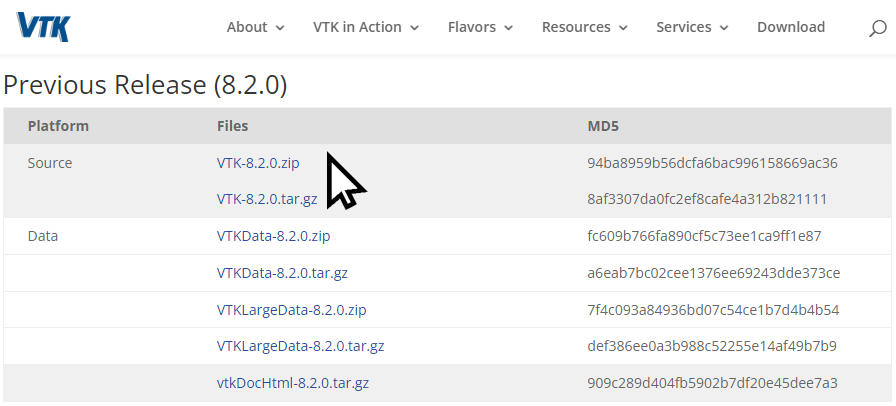
Create a folder “YOURVTKFOLDER”. Uncompressed “VTK-8.2.0.zip“ here.
CAUTION: this path must not be longer than 35 characters, otherwise you may get an error message when you open the folder with Visual Studio 2022.
Open Visual Studio 2022 and click on “Open a local folder”.
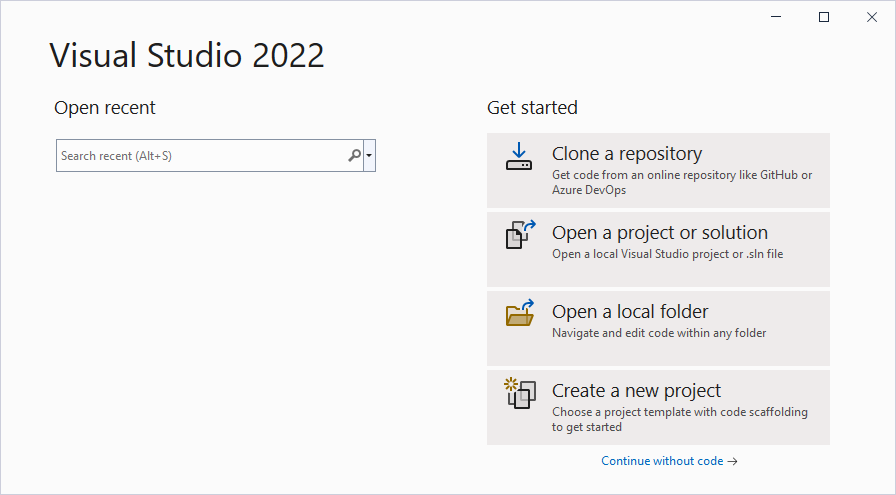
Select the folder "YOURVTKFOLDER". Wait the ending of CMake process (the output from CMake is displayed in the “Output” square in Visual Studio window). When the Cmake shows the message “CMake generation finished”, click on “Open CMake Settings editor” to edit the compilation parameters of VTK.
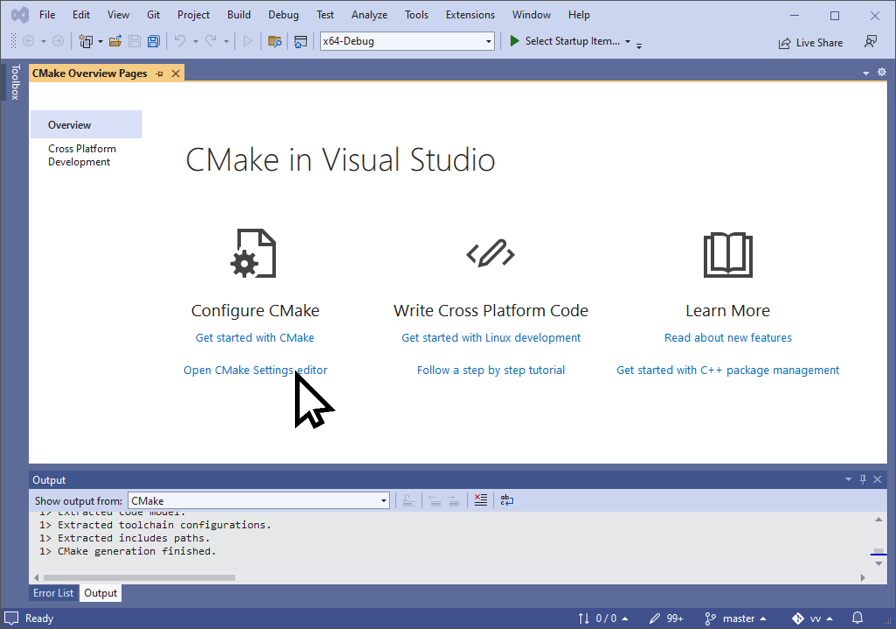
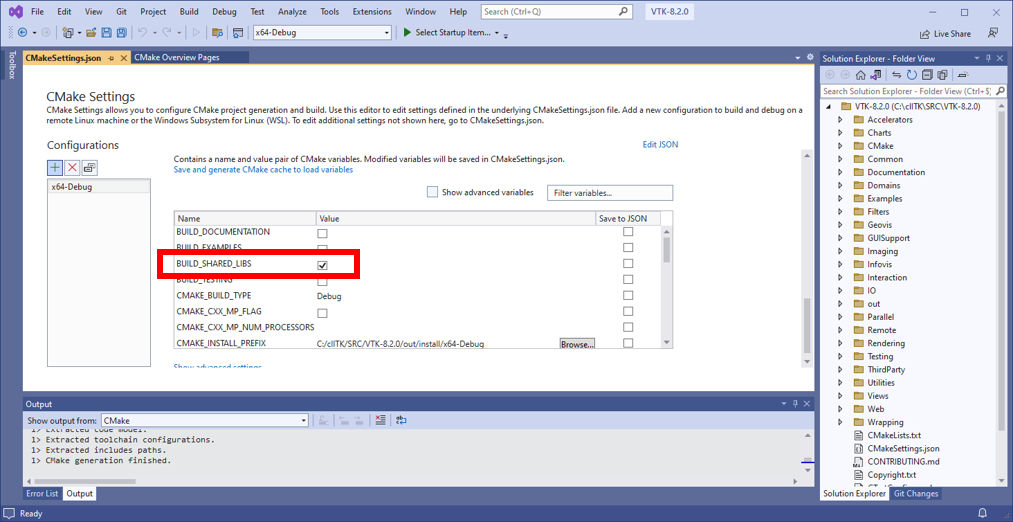
Wait again the “Cmake generation finished” signal and then in “CMake Variables and cache”:
- Checked “Show advanced variables”
- Make sure “BUILD_SHARED_LIBS” option is checked if so, go to the step 3. Otherwise, checked it. This option is now checked and in blod
- Save the CMakeSettings.json file (File > Save CMakeSettings.json or Ctrl + S)
- The option is checked and not in bold
- Checked “VTK_Group_Qt”, this option is now checked and in blod
- Save the CMakeSettings.json file (“File” > “Save CMakeSettings.json” or Ctrl + S)
- The option is checked and not in bold
- Make sure “Qt5_DIR” option is correct. The good folder is YOURQT5FOLDER/5.12.2/msvc2017_64/lib/cmake/Qt5. If Visual Studio doesn’t detect it automatically, fill in this input field. Check also all Qt5***_DIR in order to have coherent folders (see the figure below). If you have made a change:
- Save the CMakeSettings.json file (“File” > “Save CMakeSettings.json” or Ctrl + S)
- The option is checked and not in bold
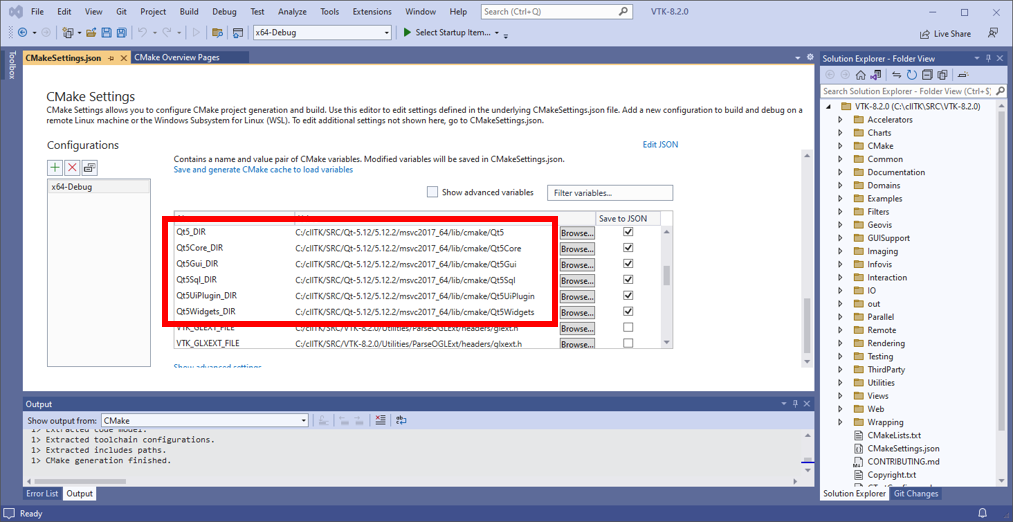
CAUTION: At this step, make sure that all changes have been applied correctly.
- To compile,
- Click on “Build” > “Build All” in the menu bar
- Click on “Build” > “Install VTK” in the menu bar
VTK is now install in YOURVTKFOLDER/out/install/x64-Debug by default (you can change this folder with the option CMAKE_INSTALL_PREFIX)