
Changelog
- Shazam: Identify the currently playing song, view its artist, title and cover artwork, and save previous recognition results.
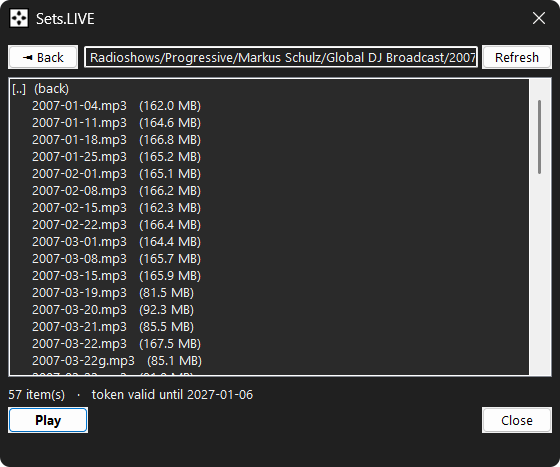
- Sets.LIVE: Browse app.sets.live, queue or download tracks and monitor download progress directly from Billy.
- Playlist Manager: Create, rename, delete, reorder, import and export playlists, with support for custom artwork.
- Loud Button: Replaces Normalize with four loudness modes: Soft, Normal, Modern and Loud.
- Play History: Automatically records played local tracks, stream links and Internet radio stations.
- Resume Local Tracks: Continue local tracks from their previously saved playback position.
- 4K Monitor DPI Fix: Improved interface scaling and layout on 4K and other high-DPI monitors.
- Improved Internet Radio, Recording and Gapless Playback: More reliable connections, improved recording options and smoother track transitions.
Playlist and Library Improvements
- Added a configurable playlist column view.
- Added columns for artist, title, album, track number, year, genre, duration, file information, bitrate, sample rate and channels.
- Columns can be resized, reordered, hidden and automatically fitted.
- Column settings and order are remembered.
- Clicking a column cycles between ascending, descending and original playlist order.
- Added relative-path display support.
- Added recursive folder loading.
- Added configurable automatic playlist scrolling.
- Added Refresh Playlist with
Shift+R. - Refreshing detects added and removed files without interrupting playback unless the current file no longer exists.
- Search results can now be saved as BPP playlists.
- Added batch operations for Favorites and playlists.
- Playlist ordering is now saved between sessions.
- Added friendly display names for saved stream links.
- Added Open File Location in Billy.
- Added quick actions when right-clicking an empty playlist area.
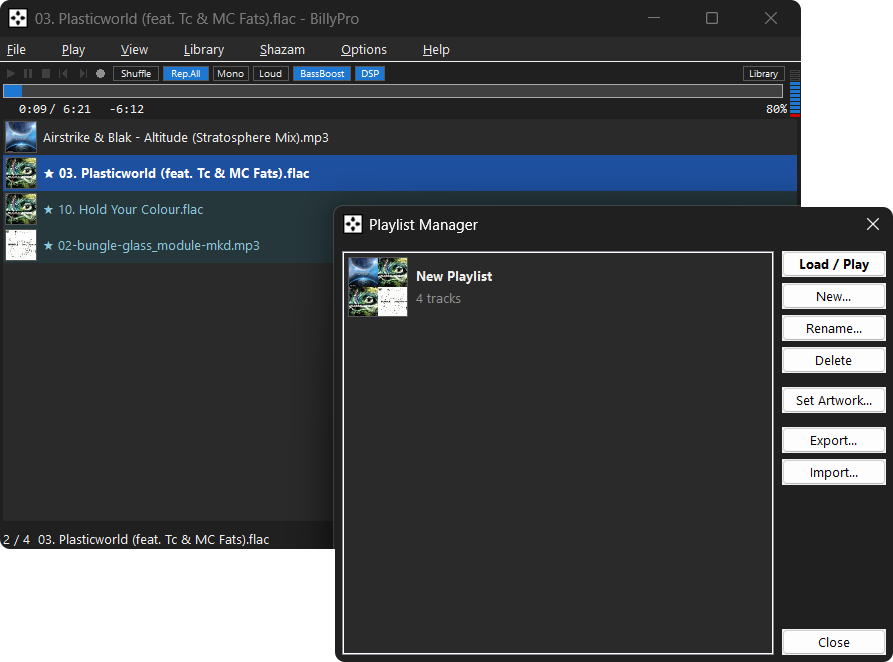
Playlist Manager
- Create, rename, delete, load and reorder playlists.
- Reorder playlists using drag-and-drop or the up/down controls.
- Displays playlist artwork, track counts and artwork mosaics.
- Supports custom playlist artwork.
- Import BPP and M3U playlists.
- Export playlists as M3U.
- Added support for a custom playlist storage folder.
Shazam Song Recognition
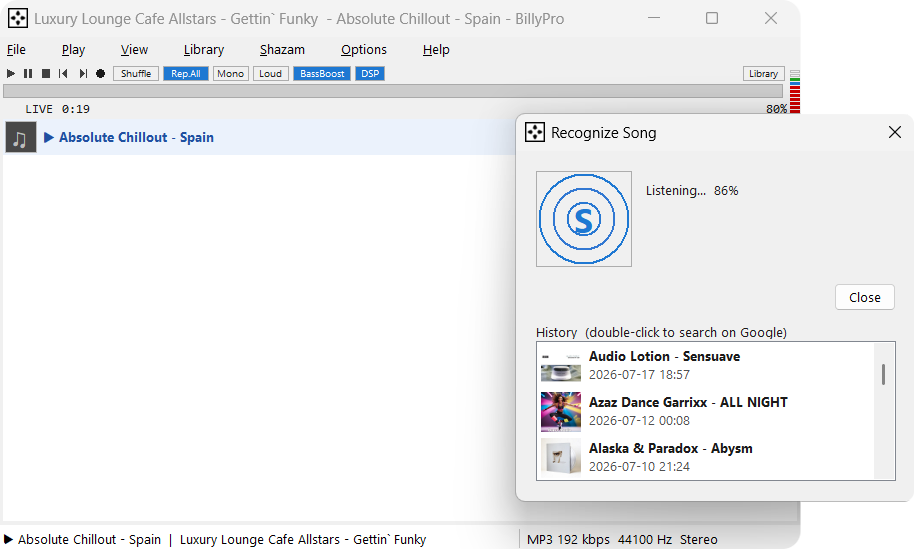
- Added recognition using a short audio sample from the currently playing track or station.
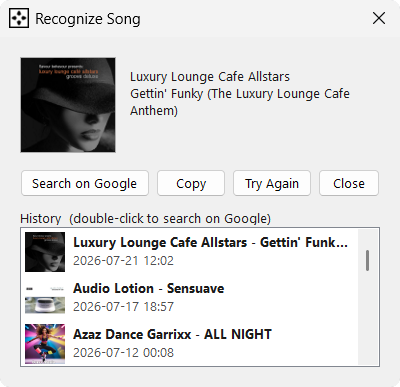
- Displays the recognized artist, title and cover artwork.
- Added copy, retry and Google search actions.
- Added persistent recognition history.
- Recognition history can optionally include locally played tracks.
Sets.LIVE Integration
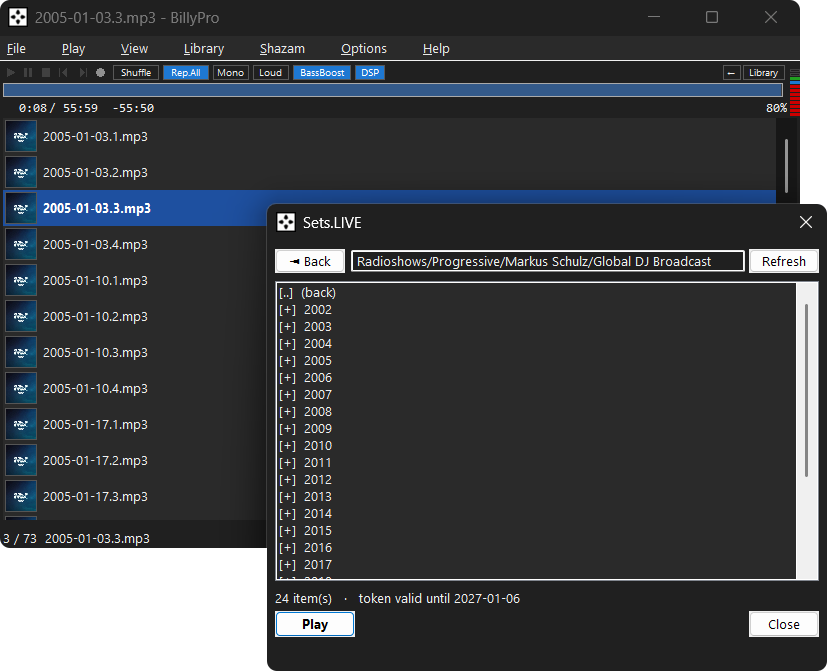
- Configurable Sets.LIVE server and access token.
- Added token validation, registration and expiry handling.
- Browse remote folders and queue tracks for streaming.
- Added back navigation for remote folders.
- Download tracks in the background with visible progress.
- Configurable download folder.
- Automatically handles duplicate filenames.
Internet Radio and Stream Links
- Added Open Stream Link with
Ctrl+N. - Supports HTTP, HTTPS and FTP links.
- Finite remote media can now display duration and use seeking.
- Added cache information and seek-bar buffering indicators.
- Stream links can be saved to Favorites and playlists.
- Added audio information for remote streams.
- Remote artwork loads asynchronously.
- Radio connections now run in the background.
- Added connection timeouts and improved reconnection handling.
- Added reconnect countdown and backoff behaviour.
- Prevented outdated connections from replacing the active station.
- Next and Previous can navigate saved radio Favorites.
- Improved station editing and removal from Favorites.
- Previously received ICY titles are now timestamped.
- Improved parsing of station metadata containing apostrophes.
- Radio metadata is shown consistently in the window title, status bar, recording log and Windows media controls.
- Improved handling of long stream URLs.
- URL scheme detection is now case-insensitive.
- Prevented finite stream links from incorrectly appearing as LIVE streams.
Loud Button and Audio
- Replaced Normalize with the new Loud control.
- Added Soft, Normal, Modern and Loud modes.
- Uses peak and RMS analysis for more consistent volume.
- Added five stream loudness intensity levels.
- Added a first-use explanation for the Loud feature.
- Added a master limiter to reduce clipping.
- Loudness gain is now applied at the master output stage.
- Added Play Once repeat mode.
- Added sub-second playback time display.
Recording
- Improved WAV recording.
- Added FLAC recording support.
- The selected recording format is remembered.
- Internet radio recordings can include a sidecar track-history log.
Gapless Playback and Playback Fixes
- Improved transitions between tracks.
- Fixed resource leaks affecting short tracks.
- Fixed preloaded-track memory and synchronization problems.
- Fixed premature track changes.
- Fixed stale end-of-track callbacks advancing twice.
- Fixed seeking near the end of a track incorrectly stopping playback.
- Fixed playback failures at the exact final byte of a file.
- Improved direct-stream buffer handling.
- Fixed timing issues when seeking DTS audio.
- Fixed scrambled stereo output from some multichannel FLAC files.
- Improved FLAC seek synchronization.
Interface and Controls
- Fixed scaling and layout on 4K and high-DPI monitors.
- Added customizable keyboard shortcuts.
- Shortcuts can be reset or removed.
- Added tooltips for important controls.
- Improved highlighting for the current track, Favorites and search results.
- Improved connection and reconnection information in the window title.
- Added elapsed-time display for Internet radio.
- Improved technical playback information in the status bar.
- Improved compatibility between Column View, Modern View and dark mode.
- Prevented global shortcuts from interfering with text fields and dialogs.
- Improved editing behaviour throughout the interface.
Conversion Improvements
- Added native WAV sample-rate conversion when FFmpeg is unavailable.
- Added anti-alias filtering when downsampling WAV files.
- Converted files are no longer silently overwritten.
- Duplicate filenames receive a numbered suffix.
- Added
Ctrl+Asupport in conversion lists. - Improved conversion progress resetting and reporting.
Additional Fixes
- Fixed crashes caused by very long URLs and text strings.
- Fixed a folder-picker deadlock.
- Fixed playlist corruption caused by browser drag operations.
- Fixed stale library state after switching views.
- Improved restoration of the previous library and playlist state.
- The currently playing track remains visible when appropriate.
- Fixed stale menu selection indicators.
- Prevented streams from incorrectly appearing in the local library.
- Improved folder picker safety.
- Improved browser Back navigation.
- Fixed menu labels containing ampersands.
- Deleting a Favorite now also removes its original entry correctly.
- Added safer text formatting throughout the application.