Skip to content

Support for establishing a username field without a password field#880

Merged
mpbw2 merged 2 commits intomasterfrom
feature-acc-usernamefield
May 6, 2020
Merged

Support for establishing a username field without a password field#880
mpbw2 merged 2 commits intomasterfrom
feature-acc-usernamefield

Conversation

@mpbw2
Copy link
Contributor

@mpbw2 mpbw2 commented May 5, 2020

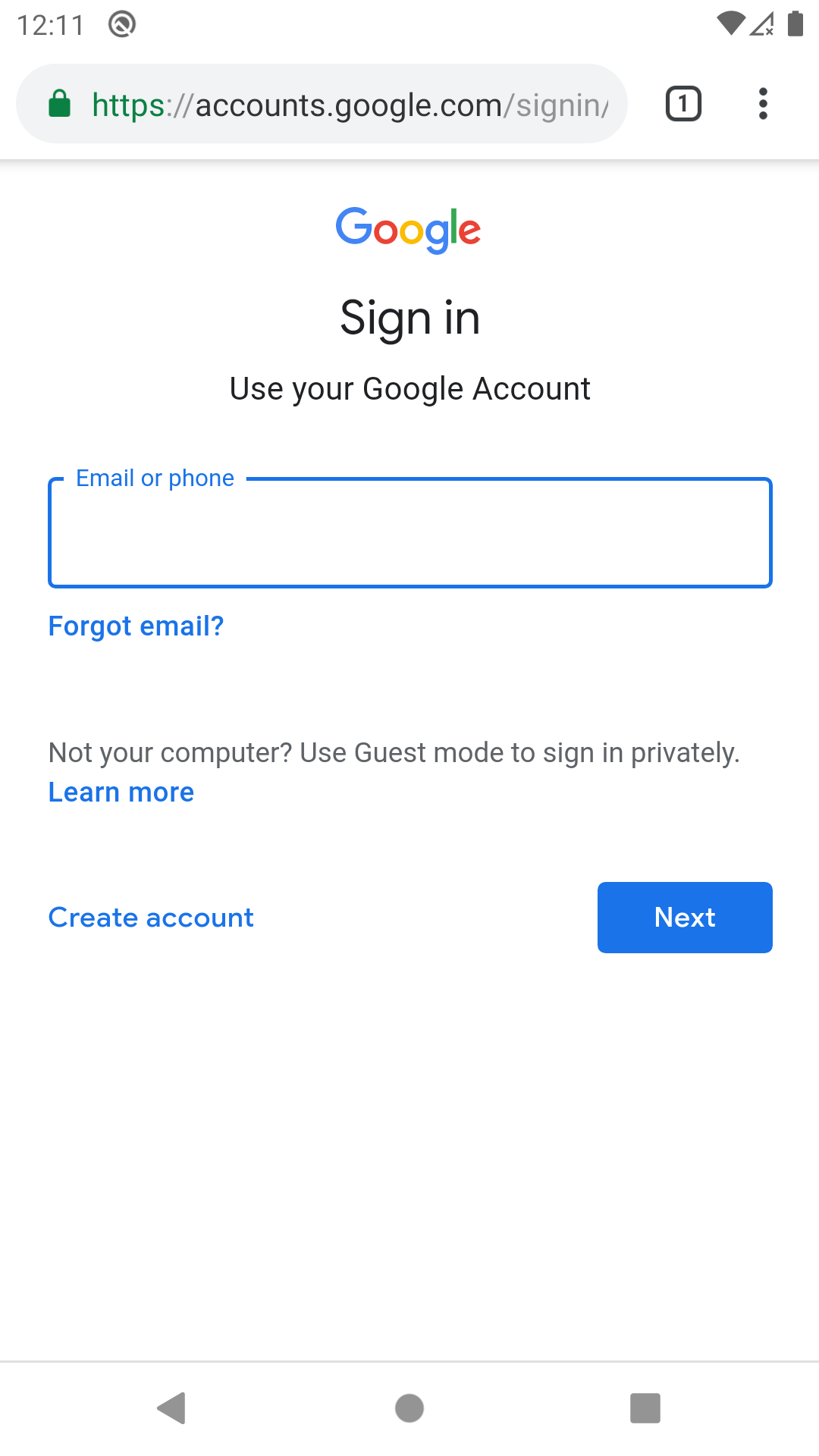
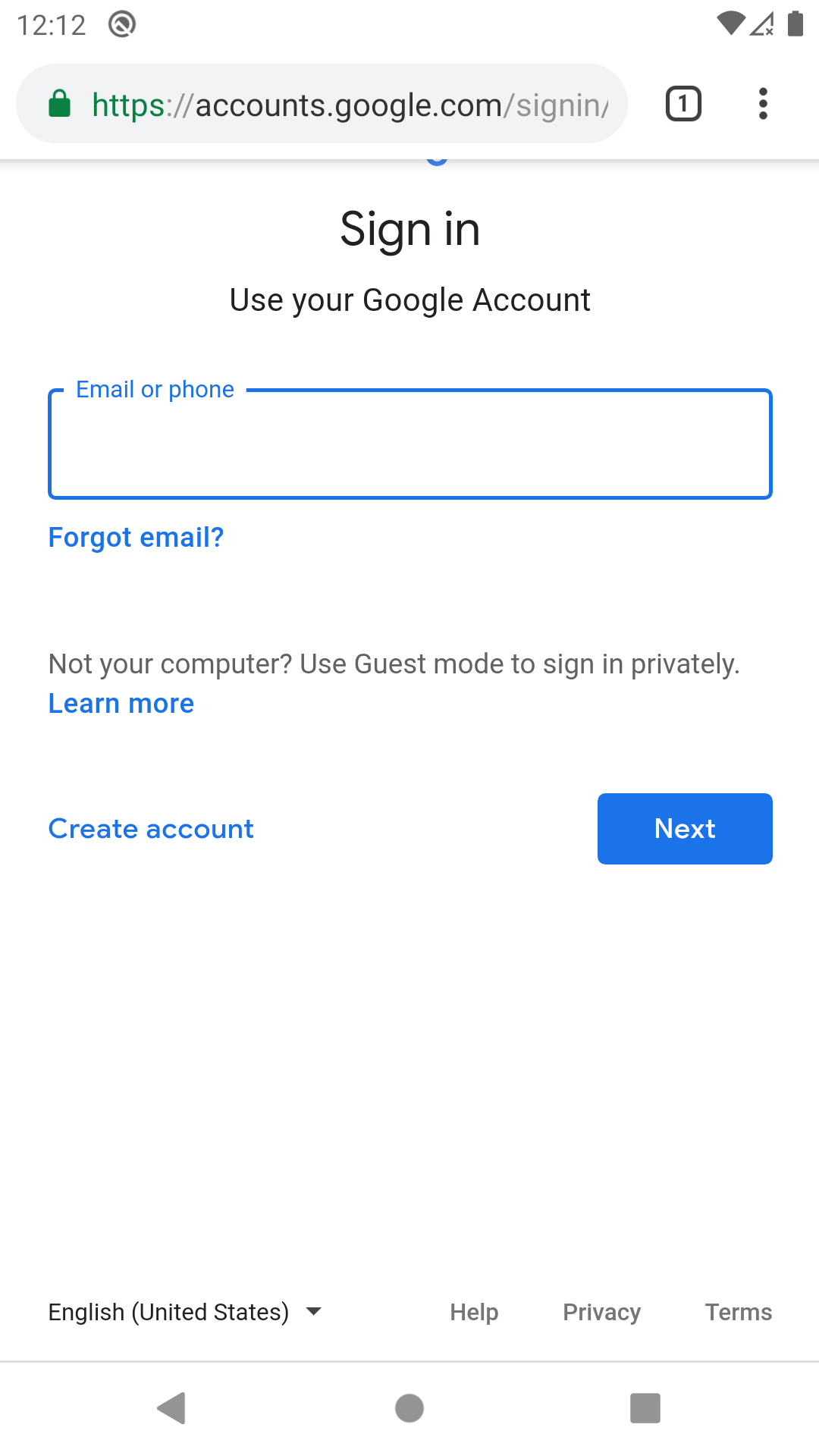
Accessibility: Added support for establishing a username field without the presence of a password field, or for overriding a username field with a different one (think github homepage user/email/pass form). As there doesn't appear to be a reliable way to make this work automagically, this takes the manual route where we simply maintain a list of sites and their corresponding username field IDs.

I opted not to use the entire URI as some of the variations were endless depending on locale, continuation path args, etc. So we're keying off the authority and the end of the path to establish a site & page match, then on the view ID for a username field match.

Additional data was needed earlier in the process to establish the username field, so some operations were shuffled around to prevent them from running twice.

device-2020-05-05-175044

device-2020-05-05-181429

@mpbw2 mpbw2 requested review from cscharf and kspearrin May 5, 2020 22:16
@mpbw2 mpbw2 linked an issue May 5, 2020 that may be closed by this pull request
Copy link

@cscharf cscharf left a comment

Choose a reason for hiding this comment

The reason will be displayed to describe this comment to others. Learn more.

Overall looks good, just had a few questions/comments.

@cscharf cscharf self-requested a review May 6, 2020 13:40
@mpbw2 mpbw2 merged commit b294405 into master May 6, 2020
@mpbw2 mpbw2 deleted the feature-acc-usernamefield branch May 6, 2020 13:48
Comment on lines +122 to +123
new KnownUsernameField("accounts.google.com","ServiceLogin", "Email"),
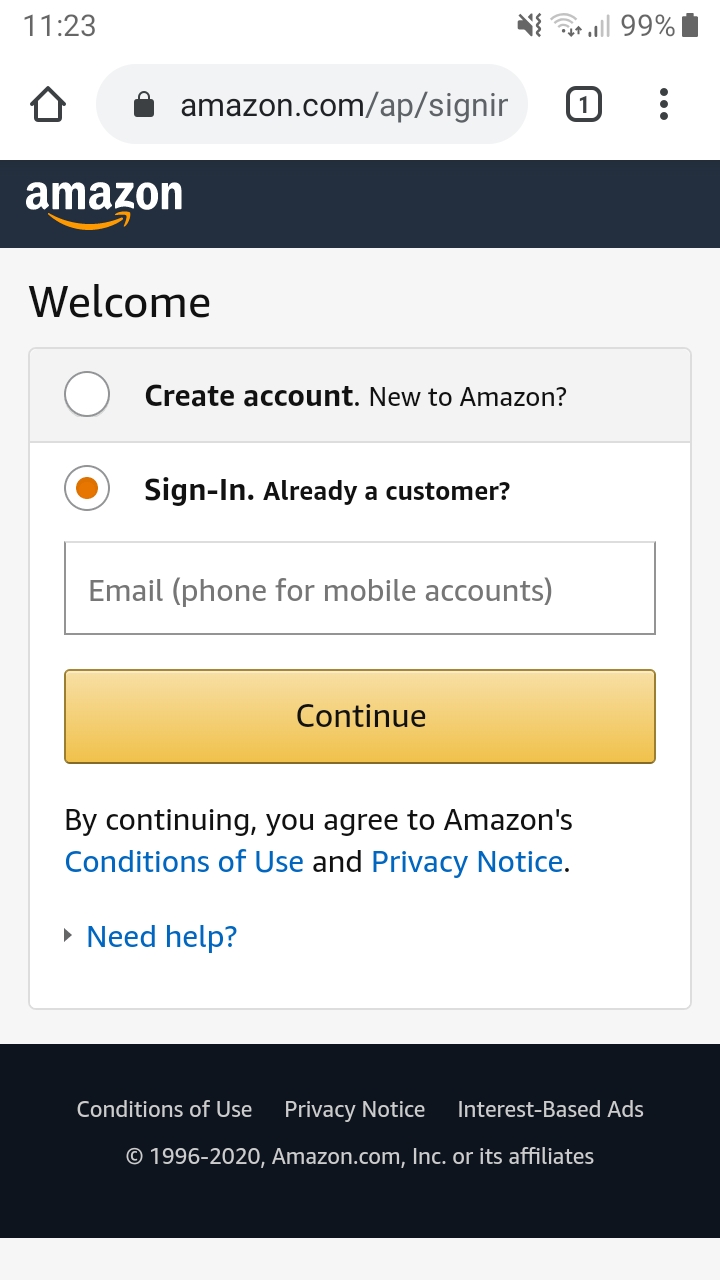
new KnownUsernameField("amazon.com","signin", "ap_email_login"),
Copy link
Member

Choose a reason for hiding this comment

The reason will be displayed to describe this comment to others. Learn more.

Some formatting issues here with spacing.

Copy link
Contributor Author

Choose a reason for hiding this comment

The reason will be displayed to describe this comment to others. Learn more.

Sorry about that - thanks @cscharf for fixing

@cscharf cscharf restored the feature-acc-usernamefield branch May 6, 2020 15:24
@cscharf cscharf deleted the feature-acc-usernamefield branch May 6, 2020 15:30
@contribucious
Copy link

contribucious commented Jun 19, 2020

Hello @mportune-bw,
 

After uncommenting the 5 lines below:

https://github.com/bitwarden/mobile/blob/ff994629de7cbe4d961257ff21b64654b5d13ffd/src/Android/Accessibility/AccessibilityHelpers.cs#L321-L326

... I did a series of tests and here are the results obtained.
 

Results


Google ℹ️  [PR to come]

new KnownUsernameField("accounts.google.com", "ServiceLogin", "Email"),
View me ...  

UPDATED:

Fails to get prompt 99% of the time (not 100% anymore!). But ... I only managed to get this very basic login page once, and without doing anything special. The above values corresponding (manually checked too), the prompt therefore appeared.

Anyway, almost every time (even on a "basic" 1280x720 smartphone), from Belgium at least (despite arriving on accounts.google.com also), I get this instead (view it here and here — more modern/complex page, yet still in mobile mode), whatever the display language:

>>> uriKey: accounts.google.com, uriLocalPath: /signin/v2/identifier, viewId: identifierId

➡️ Context: Tapped on the Sign in button located at the top right of the google.be or google.com home page, leading to https://accounts.google.com/signin/v2/identifier?[many_parameters_here]&flowEntry=ServiceLogin.

ℹ️ Just for info: In my case https://accounts.google.com/ (but also all Gmail related stuff for ex.) redirects me to https://accounts.google.com/ServiceLogin?[many_parameters_here] which redirects me to https://accounts.google.com/signin/v2/identifier?[many_parameters_here]&flowEntry=ServiceLogin immediately.

💡 Proposal: The line below is functional in my case (need to check on your side now):

new KnownUsernameField("accounts.google.com", "identifier", "identifierId"),

↪️ Mobile version test: OK ✔️ / Desktop version test: OK ✔️ / International test: OK? (should — OK with a UK proxy at least)

↪️ So it would be good here to use both your values (the existing entry) and mine (this one above), IMHO. 👍


Amazon ℹ️  [PR to come]

new KnownUsernameField("amazon.com", "signin", "ap_email_login"),
View me ...  

1. Mobile version test: OK ✔️

2. Desktop version test: NOK ❌

💡 Proposal:

new KnownUsernameField("amazon.com", "signin", "ap_email_login,ap_email"), // 1st = Mobile, 2nd = Desktop

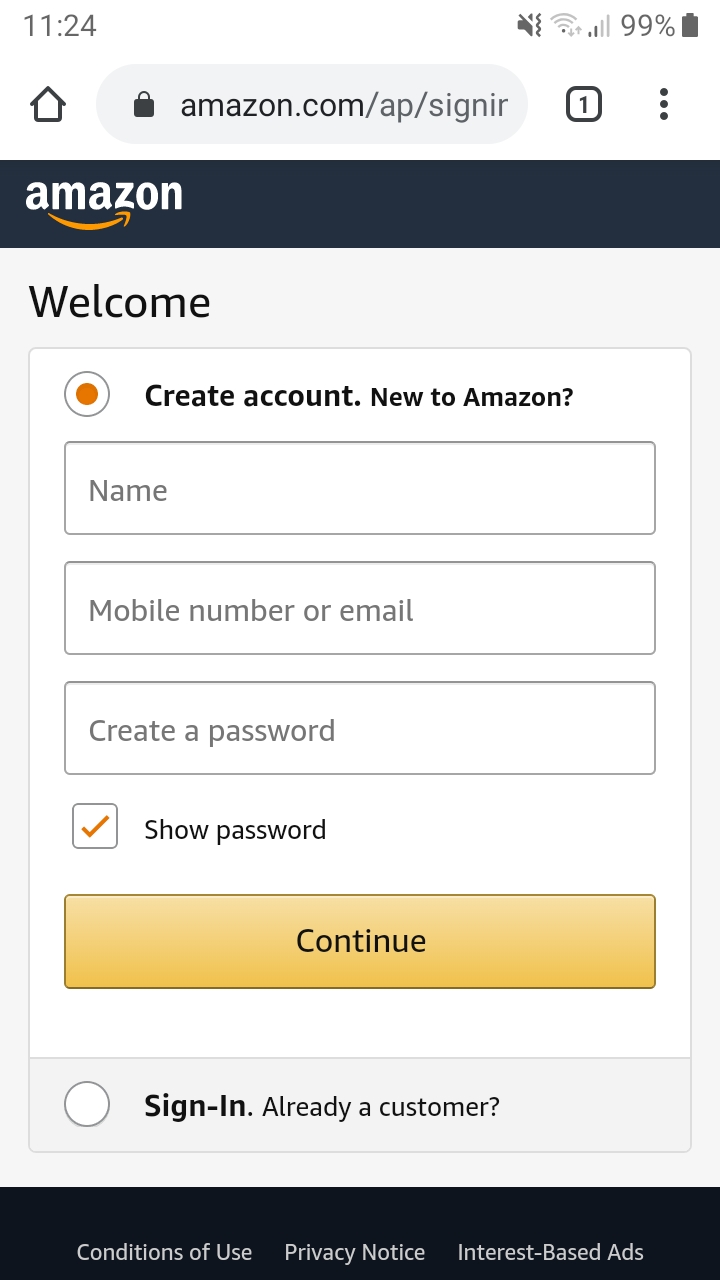
➡️ It is particularly essential here to put the mobile value (ap_email_login) before the desktop value (ap_email) because it turns out that ap_email is also used on the mobile version page but for another use*.

(*) In an account creation subsection located in first position**, displayed instantly when a radio button is tapped — see A (before tapped) and B (after tapped).
(**) Just for information, note that a useless prompt will always be available in this subsection by the way, probably as the first input[type="email"] field found.

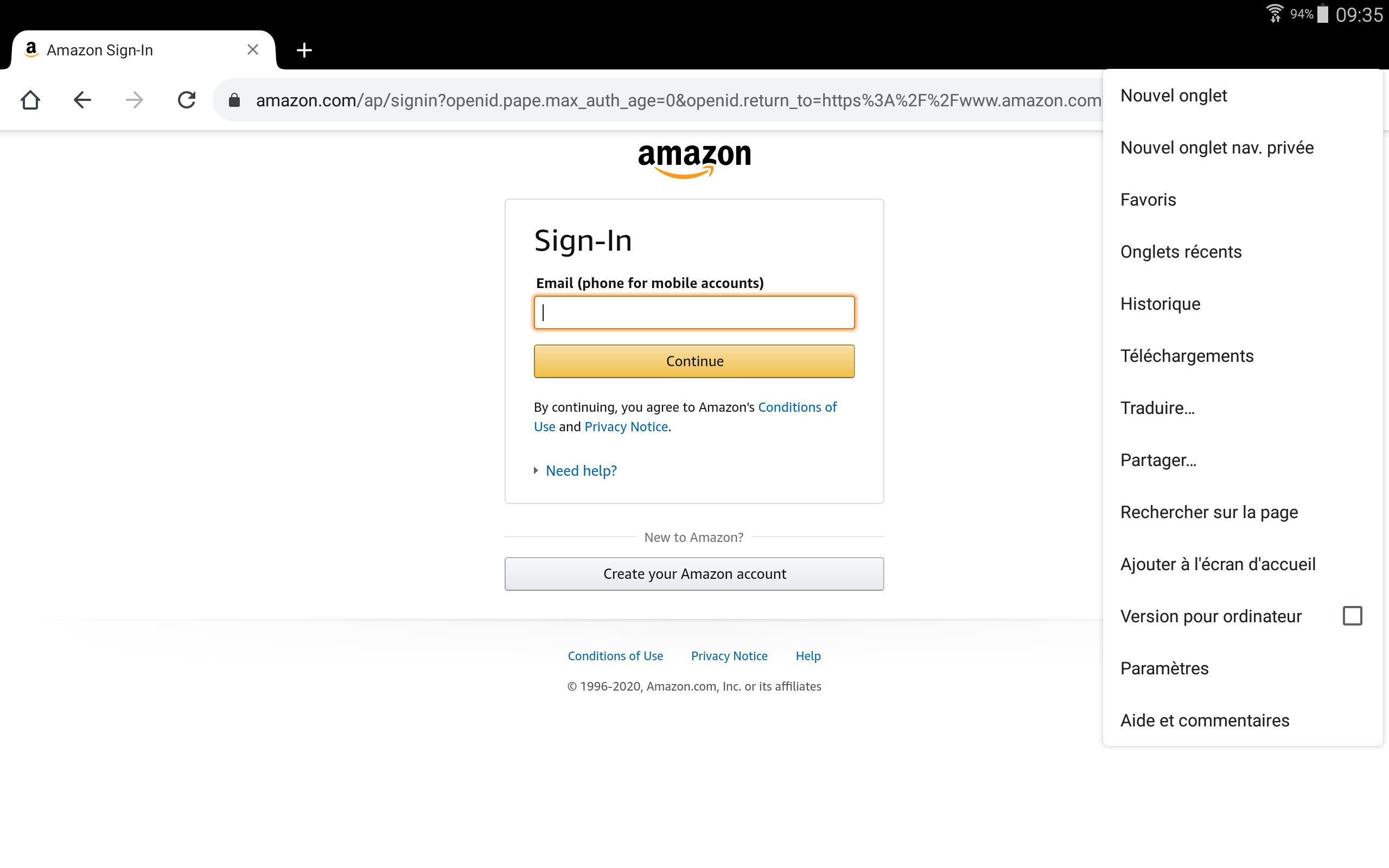
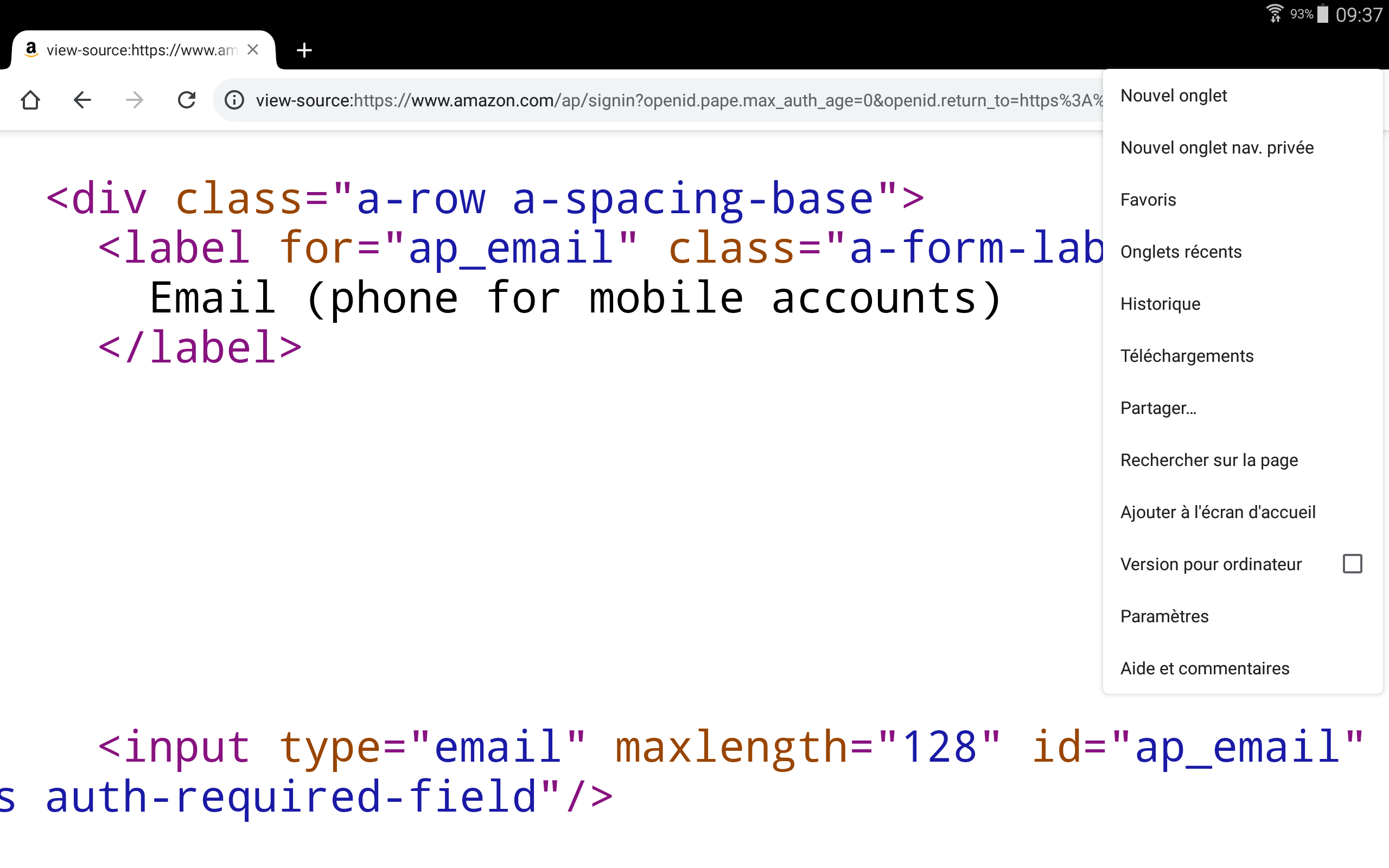
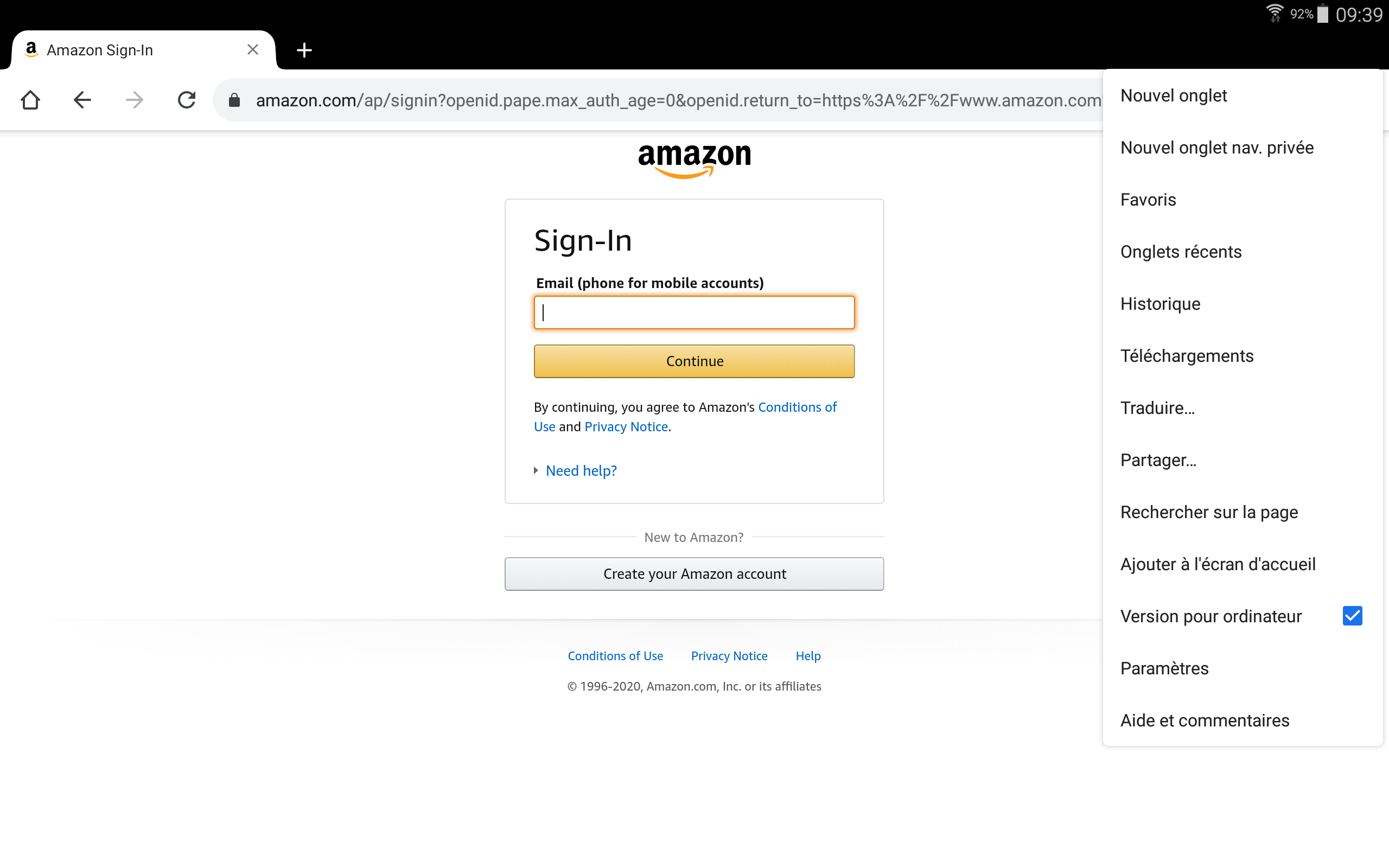
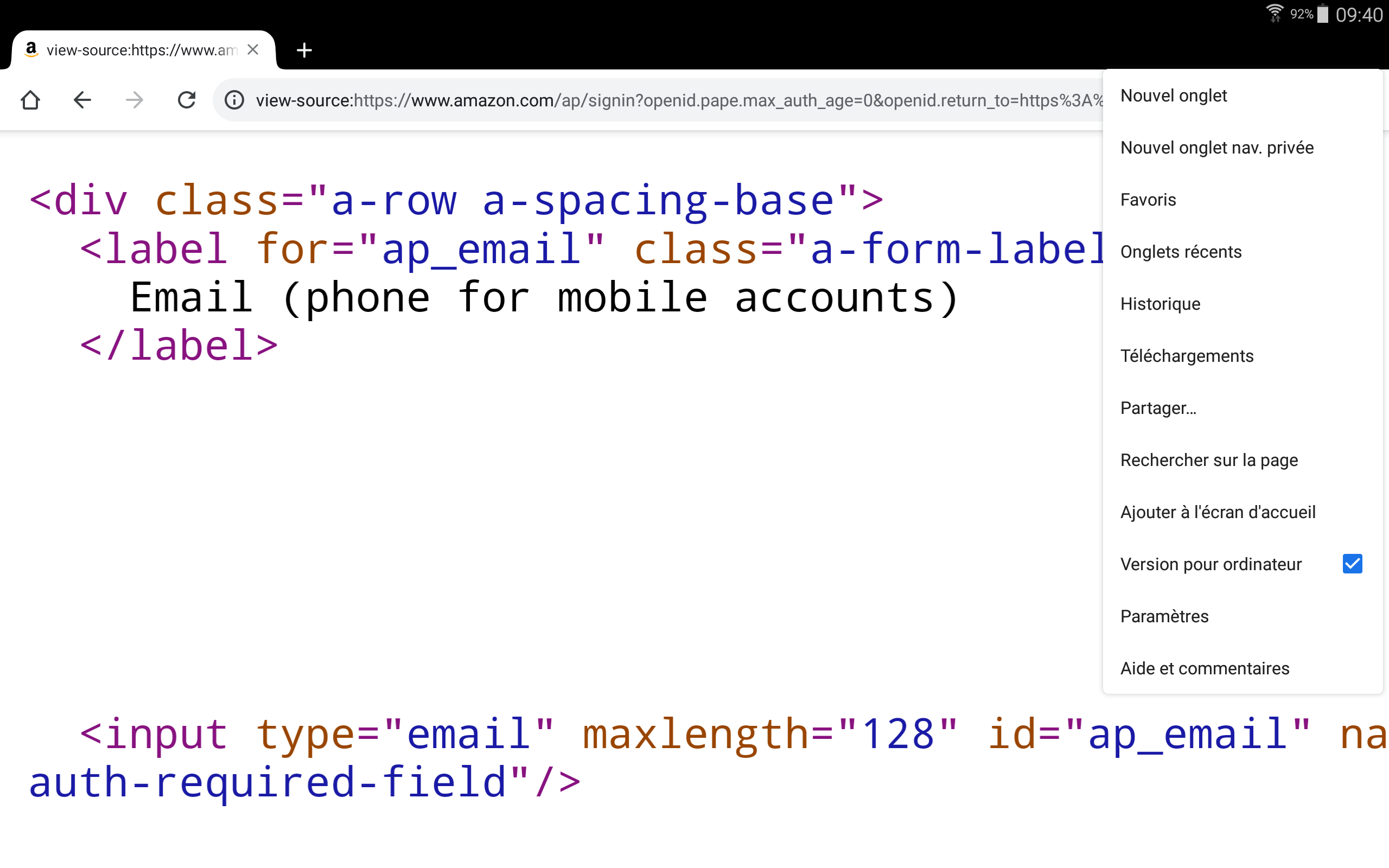
💻 About Desktop mode: used in particular on tablets, sometimes automatically forced via an option available on certain browsers. So, useful to have. Besides, on my 10.5" tablet (2560x1600 but websites displayed in 1280x800) using Google Chrome, Amazon provides me with its Desktop version automatically (see here and here when the "Desktop site" option of Google Chrome is unchecked, and compare with here and here when "Desktop site" is checked — it's identical).

3. International test (if available): NOK ❌

>>> uriKey: amazon.fr, uriLocalPath: /ap/signin, viewId: ap_email_login
>>> uriKey: amazon.co.uk, uriLocalPath: /ap/signin, viewId: ap_email_login

↪️ As you can see, requires the same line but for: amazon.fr, amazon.co.uk, etc. (For security reasons, a wildcard system for the TLD part is probably not ideal.)

ℹ️ The previous section also applies here after verification, so need to use the mobile value (ap_email_login) and the desktop value (ap_email) for each TLD.


GitHub / PayPal / Amazon Web Services (AWS) ✔️

new KnownUsernameField("github.com", "", "user[login]-footer"),
new KnownUsernameField("paypal.com", "signin", "email"),
new KnownUsernameField("signin.aws.amazon.com", "signin", "resolving_input"),
View me ...  

1. Mobile version test: OK ✔️

2. Desktop version test: OK ✔️

3. International test (if available): OK ✔️


eBay ℹ️  [PR to come]

new KnownUsernameField("signin.ebay.com", "eBayISAPI.dll", "userid"),
View me ...  

1. Mobile version test: OK ✔️

2. Desktop version test: OK ✔️

3. International test (if available): NOK ❌

>>> uriKey: signin.befr.ebay.be, uriLocalPath: /ws/eBayISAPI.dll, viewId: userid
>>> uriKey: signin.benl.ebay.be, uriLocalPath: /ws/eBayISAPI.dll, viewId: userid
>>> uriKey: signin.ebay.fr, uriLocalPath: /ws/eBayISAPI.dll, viewId: userid

↪️ As you can see, requires the same line but for: signin.befr.ebay.be, signin.benl.ebay.be, signin.ebay.fr, etc. (A wildcard system for the subdomain part could perhaps be envisaged — for security reasons, the TLDs being listed, as for them, manually.)


UPDATE — 2020/08/06

Pull request made: bitwarden/mobile#1034.

UPDATE — 2020/08/07

Pull request now merged. 👍

@contribucious
Copy link

Finally, it might be good to add support for inputs that do not have an ID, just having a name (common in forms). 👍

Currently no way, it seems, to add Backblaze.com (info):

>>> uriKey: secure.backblaze.com, uriLocalPath: /user_signin.htm, viewId:
<input class="bz-input email-field" name="email-field" type="text" placeholder="Email" value="" data-focused="true">

Thank you again for all your work!

@contribucious
Copy link

contribucious commented Jun 19, 2020

[UPDATE 1] Google part of the long post updated! ☺️
[UPDATE 2] Amazon part updated too. (slight enhancement + screenshots smartphone added)
[UPDATE 3] Google part updated. (screenshots added)
[UPDATE 4] Amazon part updated. (screenshots tablet added, see "About Desktop mode")
[UPDATE 5] Amazon part updated. (added information in the "International test" section)

🆕 [UPDATE 6] Pull request made. Link added.
🆕 [UPDATE 7] Pull request now merged. Link added.

Sign up for free to join this conversation on GitHub. Already have an account? Sign in to comment

Labels

None yet

Projects

None yet

Development

Successfully merging this pull request may close these issues.

Username field not recognized by accessibility service

4 participants