[Support]: Auto-detected VAAPI on Intel Iris Xe crashes ffmpeg every ~10 min with "Failed to sync surface" / hwdownload -5; explicit QSV is a clean workaround #23319


Checklist
Describe the problem you are havingOn a fresh Frigate 0.17.1 install on Home Assistant OS with an Intel Iris Xe (Gen 12) iGPU, Frigate's automatic hwaccel detection picks The error signature in Surface IDs vary across crashes ( Workaround that completely fixes it: explicitly setting Steps to reproduce
Version
In which browser(s) are you experiencing the issue with?N/A — backend ffmpeg crashes, not a UI issue. Frigate config file (minimal repro)mqtt:
enabled: false
detectors:
coral:
type: edgetpu
device: usb
go2rtc:
streams:
cam1: [rtsp://admin:PW@192.168.1.84:554/h265Preview_01_main]
cam1_sub: [rtsp://admin:PW@192.168.1.84:554/h264Preview_01_sub]
cameras:
cam1:
ffmpeg:
# With this commented out, auto-VAAPI is picked and crashes.
# With `hwaccel_args: preset-intel-qsv-h264`, no crashes.
inputs:
- path: rtsp://127.0.0.1:8554/cam1
input_args: preset-rtsp-restream
roles: [record]
- path: rtsp://127.0.0.1:8554/cam1_sub
input_args: preset-rtsp-restream
roles: [detect]
detect:
width: 640
height: 360
fps: 5docker-compose file or Docker CLI commandN/A — running as a Home Assistant Supervisor add-on (slug Relevant Frigate log outputSustained pattern of crashes (timestamps span ~5 minutes; alternating between the two cameras): Quantified comparison (same hardware, same RTSP sources, same Frigate version):
Relevant go2rtc log output(Single startup warning about IPv6 link-local UDP bind; unrelated to the decode crashes — included for completeness.) Operating systemHome Assistant OS Install methodHome Assistant Add-on Network connectionWired Camera make and modelReolink (h265 main + h264 sub via the go2rtc restream — IPs 192.168.1.84 and 192.168.1.85; both PoE wired ethernet, gigabit switch). Both cameras drop together because they share the iGPU; this is not a camera or network issue. Screenshots of the Frigate UI's System metrics pagesI will attach screenshots of the System / Cameras / Detectors tabs in a follow-up comment within 24 hours. Posting now so the diagnostic data lands while it's fresh. Any other information that may be helpfulHypothesis about root cause: likely a wrong A docs note or release-notes pin suggesting Tested workaround: cameras:
cam1:
ffmpeg:
  hwaccel_args: preset-intel-qsv-h264
inputs:
- path: ...
roles: [record] # record streams are -c:v copy, hwaccel doesn't apply
- path: ...
roles: [detect] # detect substream goes through QSV cleanlyHappy to test patches or pre-release builds against this same hardware if useful. |
Replies: 4 comments

|
Your diagnosis and workaround are correct. For Intel Gen 12 (Iris Xe) and newer iGPUs, the recommended preset is The hardware acceleration documentation specifies the following for Intel CPUs: (1)
For H.264 streams specifically: (1) ffmpeg:
hwaccel_args: preset-intel-qsv-h264For H.265 streams: (1) ffmpeg:
hwaccel_args: preset-intel-qsv-h265The default driver is Your explicit QSV configuration is the correct approach for your Gen 12 hardware: (1) cameras:
cam1:
ffmpeg:
hwaccel_args: preset-intel-qsv-h264The VAAPI surface sync failures you're experiencing ( The hwaccel presets not only replace longer args but also give Frigate hints about available hardware, allowing optimizations for encoding the birdseye restream or scaling streams. (2) 📚 Sources: Have another question? Just tag @inkeep. |

|
To be clear this is not a bug, vaapi is a best guess effort, currently there is no dynamic GPU hardware acceleration selection where we know exactly which Intel generation is used and which preset to use. Configuration can always be needed given specific hardware |
|
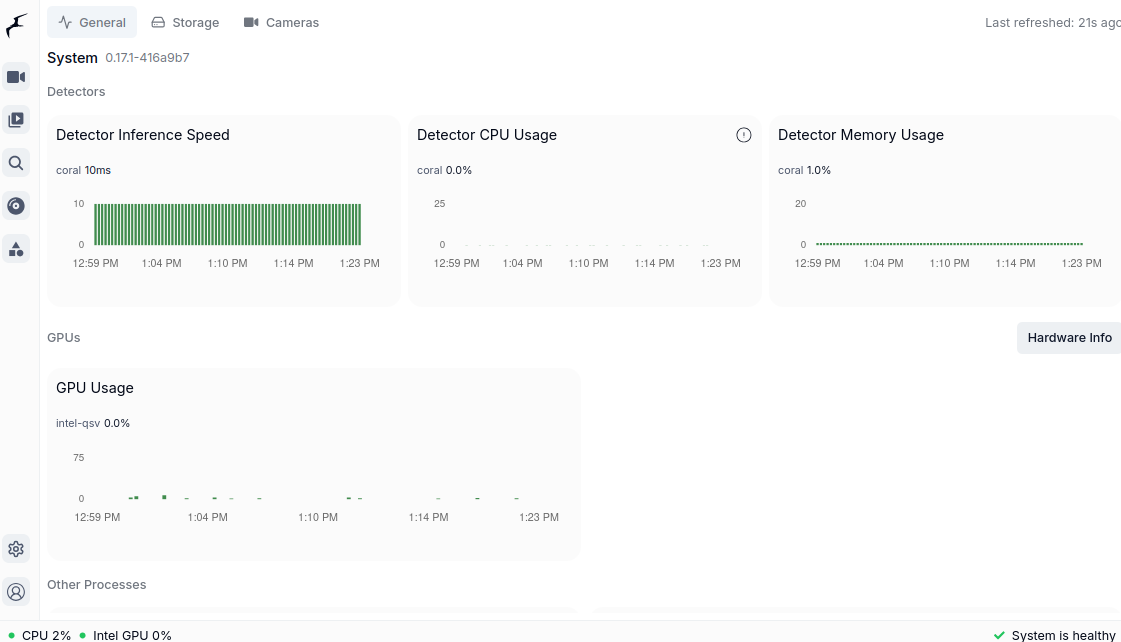
Attaching the System-metrics screenshots the bug-report template asks for. These were captured after the This Frigate build has three System tabs (General / Storage / Cameras) — detector info is folded into General. All three attached: System → GeneralShows
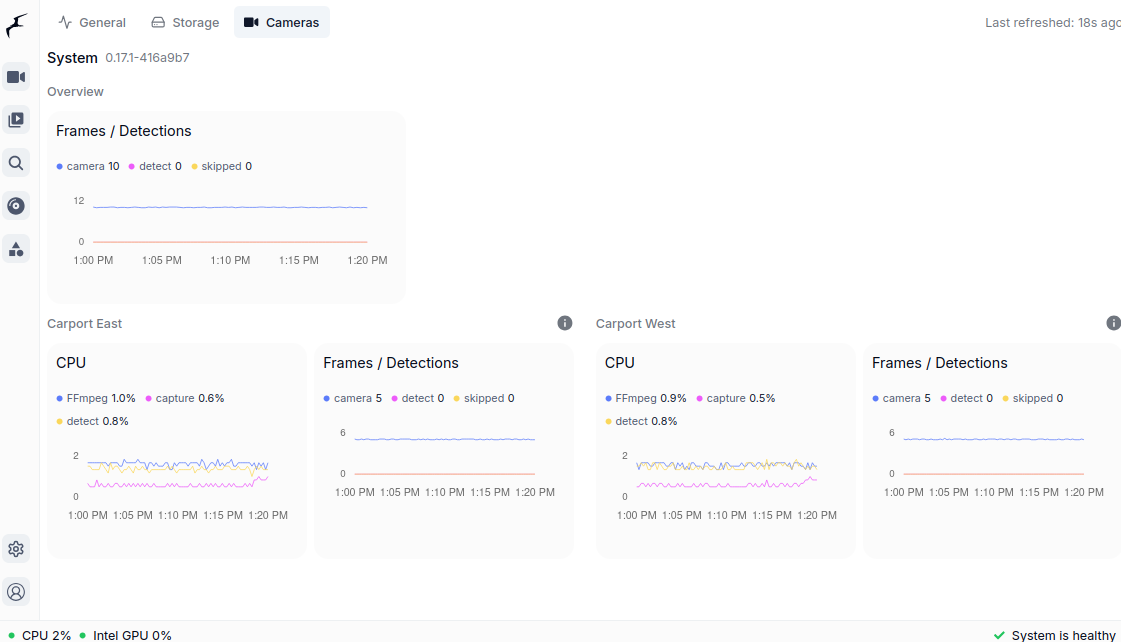
System → CamerasThis is the headline screenshot for the report. Note skipped = 0 across the board (overall row + both Carport East and West) — the metric that would have been climbing every ~10 min under the broken auto-VAAPI path. ffmpeg CPU is ~1% per camera, capture/detect FPS matches the configured 5fps. Stable PIDs, no churn.
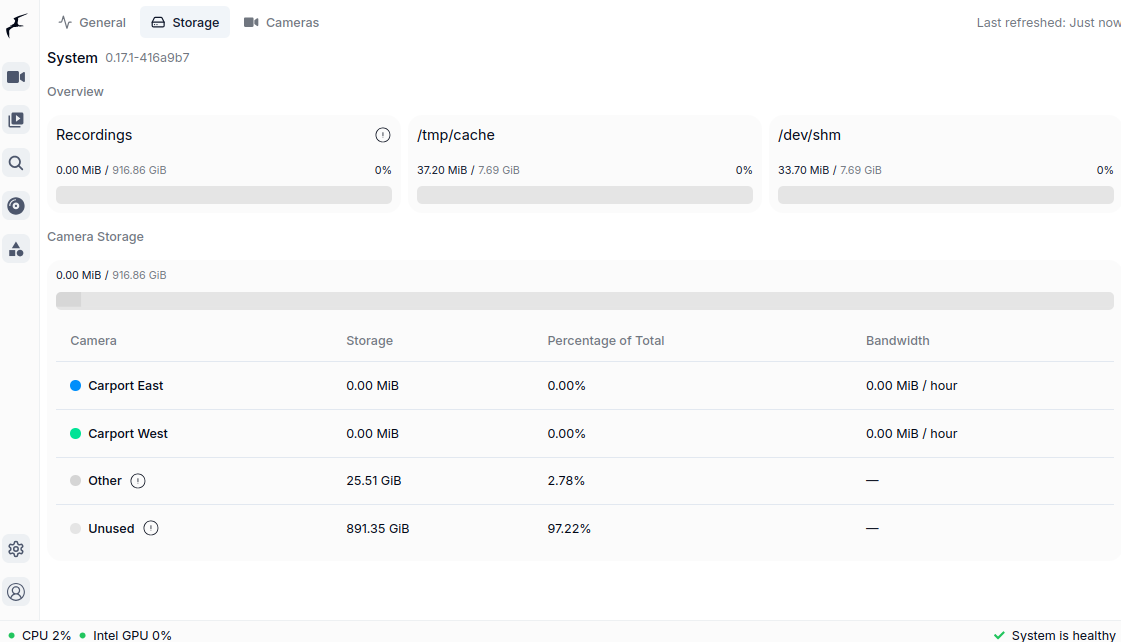
System → StorageIncluded for template completeness (not directly bug-relevant).
For pre-fix comparison: the ffmpeg crash signature, periodicity (~150 crash-recovery cycles/24h per camera), and total downtime (~42 min/24h per camera) are all quantified in the original post. If maintainers want a side-by-side "before" capture from this same hardware I can temporarily revert to auto-VAAPI to grab it — just say the word. |
|
Thanks both — especially @NickM-27 for the WAI clarification. That reframes my report: this isn't a defect, it's the expected "auto-detect is a best-guess, configure explicitly for your hardware" path. Calling it a Two corrections to the original post, for the next person who lands here with the same
QSV ( |


To be clear this is not a bug, vaapi is a best guess effort, currently there is no dynamic GPU hardware acceleration selection where we know exactly which Intel generation is used and which preset to use. Configuration can always be needed given specific hardware