
v2.5.0 "Paperback"
A paperback is the edition you carry. This release is about the library
leaving the desk: there is an iPhone app now, a phone signs in to it by
scanning a QR code, and the metadata Tome owns reaches the books on your
KOReader.
Highlights
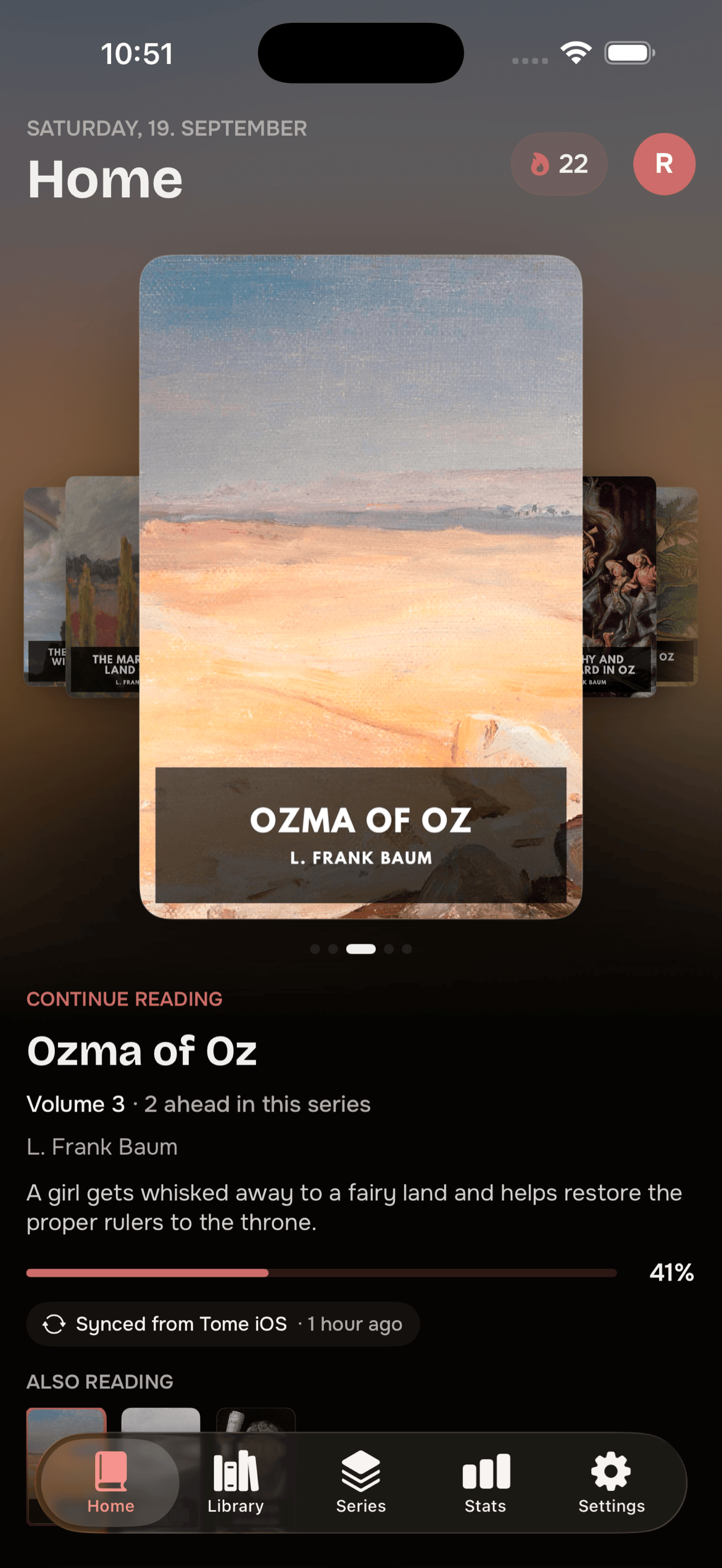
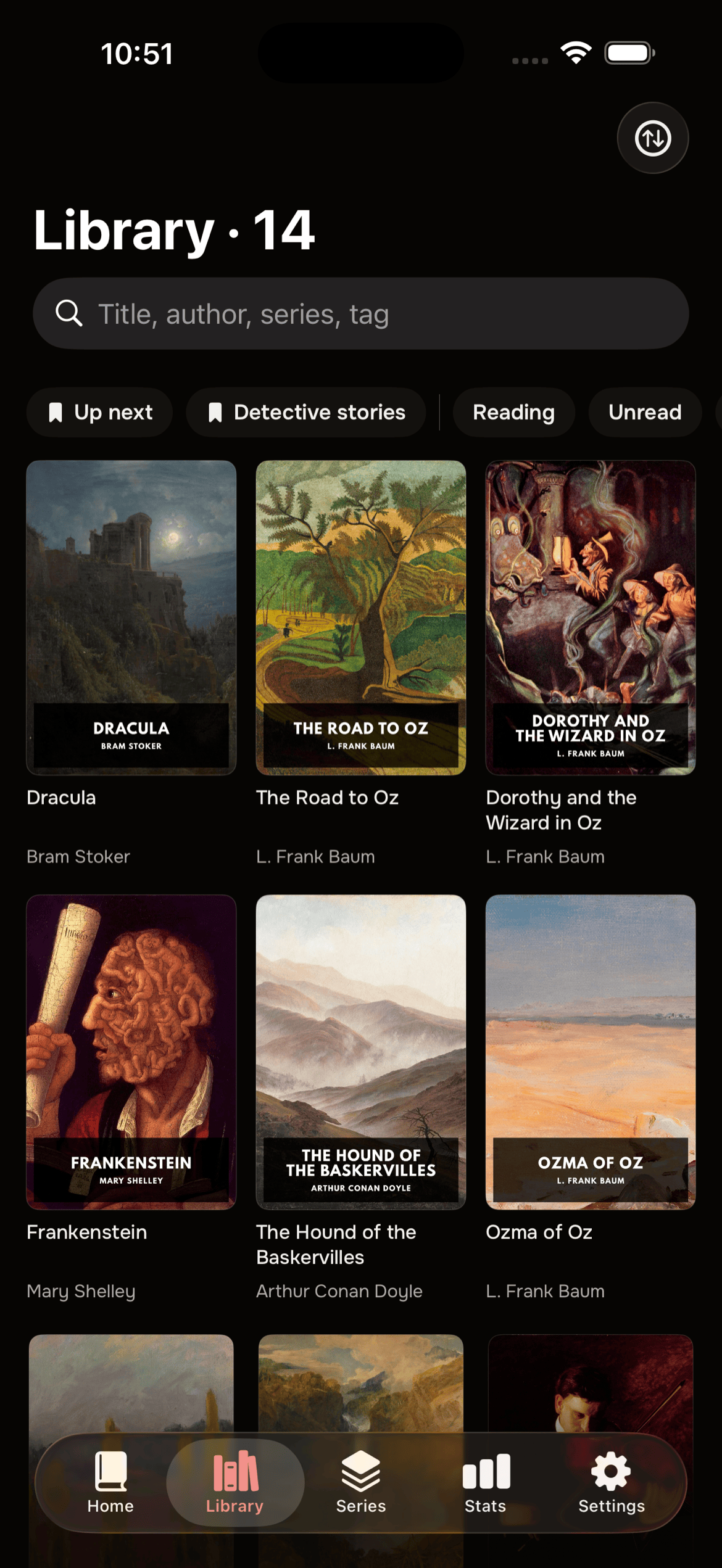
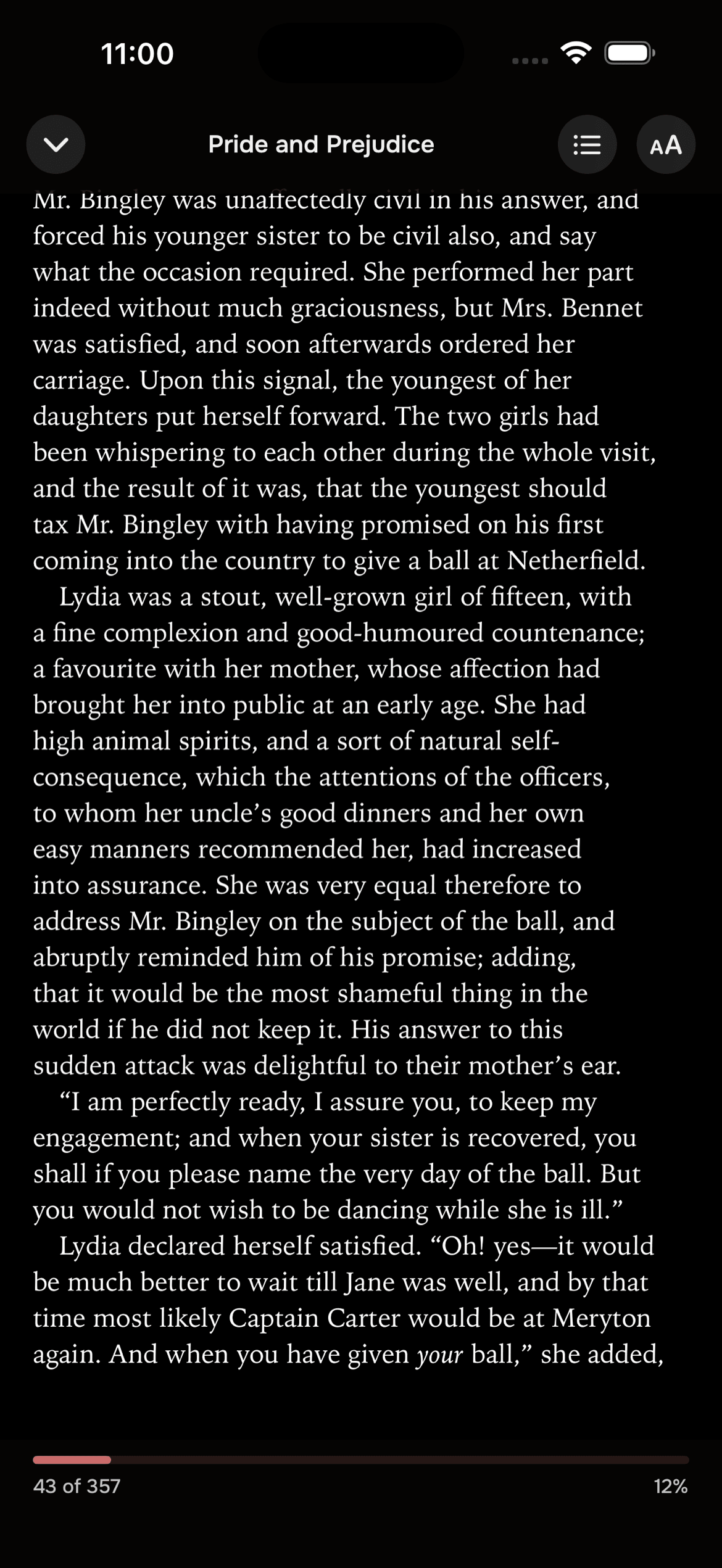
The iPhone app is open for testing. Tome Reader is a native iPhone client
for your Tome: pair by QR code, browse the library and series, read EPUB and
comics offline, and keep progress and stats in sync. It is in
free beta until 31 December 2026,
and the same link sits in the Connect a phone dialog. The app is not part of
this repository and is not open source; Tome itself never requires it, and
every endpoint it uses is the public API.
Tome's metadata reaches your KOReader. Title, author, series and index,
language, tags, description and cover, as edited in Tome, are written into
KOReader's own custom metadata for the books on the device, so what the
device shows matches what Tome says. The book files are never modified: the
plugin writes the same custom_metadata.lua sidecar and custom cover that
Book information → Edit does, so reading position, sidecar state and file
identity stay put, and KOReader's own "reset" still restores whatever the
file itself carries. Only books Tome can verify by file hash are touched, so
a file that never passed through Tome, or a different edition of the same
title, is left alone. Opt in per device under Settings → "Apply Tome metadata
to this device"; it runs shortly after launch and when WiFi connects, or on
demand via "Apply Tome metadata now". Steady-state runs send nothing but
fingerprints. (#210)
Connect a phone with a QR code. Settings → Quick Connect has a "Connect a
phone" button that shows a QR code. Scan it with the app and the phone is
signed in, with nothing typed on either side. The code works once, expires
after five minutes and is cancelled the moment the dialog closes, so a
screenshot of it is worth nothing. On a phone browser the same link opens the
app directly. The typed-code sign-in on the login screen is unchanged. (#221)
Connected devices, with revoke. Settings lists the apps signed in to your
account with name, app version, system, last seen and date added, and
revoking one signs it out on its next request. Those sessions now last until
you revoke them rather than expiring after seven days, and changing your
password signs all of them out. Web sessions, the KOReader plugin and OPDS
are unaffected. Admins can switch the list to all users' devices. (#222)
Re-reading starts at the beginning. Setting a finished book back to
"reading" now resets progress, the resume position and the synced device
position, so the book opens at page one. Before, it reopened on the last page
and the next progress report finished it again immediately. Only the live
bookmark resets: reading sessions, position history and the completed read on
Hardcover are untouched. Applies to the web app and to the plugin's status
write-back.
Hardcover sync stops touching entries you made yourself. When Tome
matches a book already on your profile it adopts that entry, and until now it
could not tell the difference afterwards: re-match, pick and exclude all
deleted it, and marking the book read in Tome wrote over the finished read it
carried, so a read logged in print years ago could lose its dates with one
click. Tome now records which entries it created and only removes those,
exclude stops syncing without deleting anything, and a finished read Tome did
not create is left alone. Several smaller Hardcover fixes ride along: missing
finish dates are no longer stamped with the sync day, new entries carry the
book's Tome "date added" instead of collapsing onto the day the sync first
ran, and re-reads sync again. Reported by @maichler. (#217, #218, #219, #227)
Stats load again without daylight saving time. Since 2.4.0 the stats
page, the home stats and per-book reading stats failed with a server error
for anyone in a zone that has no DST change, such as Japan, China, India,
Vietnam, Arizona or plain UTC. Contributed by @dangngo. (#225)
KOReader plugin
Ships build 45 (1.15.3): Tome metadata applied to the device, and a
finish date recorded when a book is marked read from the series browser.
Update in-app via TomeSync → Settings → "Check for updates". No breaking
changes; the plugin keeps working unchanged if you don't update.
Upgrade
docker pull ghcr.io/bndct-devops/tome:latest && docker compose up -d
No configuration changes. One default has moved: the "Connect a phone" and
"Connected devices" sections in Settings no longer need TOME_NATIVE_APP=true
and are shown to everyone, now that there is an app to connect. Set
TOME_NATIVE_APP=false to hide them again; pairing and the device endpoints
work either way.
A note on the next two weeks
I am on vacation starting 20 September. Replies to issues will be slower than
usual for the next 2 weeks, but I'll regularly check in and resolve "critical"
issues.
Full changelog
Added
- TomeSync metadata sync (Tome -> KOReader), issue #210. Metadata edited in
Tome - title, author, series and index, language, tags, description and
cover - is written into KOReader's own custom metadata for the books on
the device, so Tome is the source of truth for what the device shows.
The book files themselves are never modified: the plugin writes the same
custom_metadata.luasidecar and custom cover that Book information >
Edit does, so reading position, sidecar state and file identity stay put,
and KOReader's own "reset" still restores the file's embedded values.
Only books Tome can verify by file hash are touched (a file that never
passed through Tome, or a different edition, is left alone). Opt-in per
device via Settings > "Apply Tome metadata to this device"; runs shortly
after launch and when WiFi connects, and on demand via "Apply Tome
metadata now", which shows progress while it runs. Steady-state runs send
nothing but fingerprints. Plugin build 45 / 1.15.3. - Highlights for a single book.
GET /api/annotationsaccepts an
optionalbook_idto return only that book's highlights. Without it the
endpoint behaves as before. - Connect a phone with a QR code. Settings > Quick Connect has a "Connect
a phone" button that shows a QR code for the Tome app. Scan it and the phone
is signed in, with nothing typed on either side. The code is single-use,
expires after five minutes and is cancelled when the dialog closes. On a
phone browser the same link opens the app directly. The typed-code sign-in
on the login screen is unchanged. (#221) - Connected devices with revoke. Settings lists the apps signed in to your
account with name, app version, system, last seen and date added. Revoking
one signs it out on its next request. Admins can switch the list to all
users' devices. Web sessions, the KOReader plugin and OPDS are not
affected. (#222)
Changed
- Connected devices stay signed in until revoked. An app listed under
Connected devices no longer gets logged out after seven days; its session
lasts until you revoke it. Changing your password now signs out all of your
connected devices. Web sessions keep their seven-day lifetime and are not
signed out by a password change. - The native-app UI is on by default. "Connect a phone" and "Connected
devices" no longer needTOME_NATIVE_APP=true, now that the iPhone app is
in public beta. SetTOME_NATIVE_APP=falseto hide them again; pairing and
the device endpoints work either way. - Setting a finished book back to "reading" now starts it over: progress,
the resume position and the synced device position reset so the re-read
begins at page one. Before, the book reopened on its last page and the
next progress report finished it again immediately. Only the live
bookmark resets; reading sessions, position history and the completed
read on Hardcover are untouched. Applies to the web app and the KOReader
plugin's status write-back.
Fixed
- Library scans no longer fail when two byte-identical files are picked up
in one run. The second copy queued the same KOReader file hash again
inside the scan's single transaction, the database's uniqueness check
rejected it at commit, and the whole scan rolled back - every book that
scan had just added vanished from Tome while its files stayed in the
library. Contributed by @obitheway (#215). - The per-book caps on baked KOReader hashes and on reading-position history
are now exact. Both prunes ran before the newly added row was written and
so kept one entry too many (6 instead of 5 hashes, 41 instead of 40
history entries). - Hardcover sync no longer stamps the sync day as the finish date of a
book that has none. A book marked read with an empty finish date (a
reading-history CSV import with no Date Read, typically books read years
before anything was tracked) got Hardcover's default of "today" on the
read entry, and every later sync kept it. Tome now clears the date
explicitly on the entries it creates, so the book shows as read with no
date. Entries that already existed on Hardcover are left alone: a finish
date you recorded there is never overwritten by a missing one in Tome.
Reported by @maichler (#217). - Marking a book read from the KOReader plugin's series browser now records
a finish date, like the web app does. It previously set the status only,
so stats fell back to the row's last-modified time and Hardcover filled
in the sync day. - Hardcover entries Tome creates now carry the book's Tome "date added"
instead of the day the sync first ran, so a library built over time no
longer collapses onto one date on Hardcover. New entries only: existing
entries keep their date, since Tome cannot tell an entry it created from
one you already had. Reported by @maichler (#218). - Re-reads sync to Hardcover again. Once a book had been finished and
synced, setting it back to "reading" opened a new read entry on Hardcover
but progress never followed: the sync remembered the completed read as
fully pushed and kept pointing at it. Leaving "read" now resets that
per-read state, and progress lands on the read entry currently open
(a fresh one is opened if Hardcover did not). Reported by @maichler
(#219). - Reading stats load again for timezones without daylight saving time.
Since 2.4.0 the stats page, the home stats and per-book reading stats
failed with a server error for web users in zones such as Japan, China,
India, Vietnam, Arizona or UTC: the query built for zones with no DST
change was invalid SQL. Contributed by @dangngo (#225). - Hardcover sync no longer removes or rewrites entries you made yourself.
When Tome matches a book that is already on your profile it adopts that
entry, and it could not tell the difference afterwards: re-match, pick
and exclude all deleted it, and marking the book read in Tome wrote over
the finished read it carried. A read you logged in print years ago could
lose its dates with one click. Tome now records which entries it created
and only those are ever removed, exclude stops syncing without deleting
anything, and a finished read Tome did not create is left untouched
instead of being rewritten or duplicated. Entries that already exist
count as yours, since their origin cannot be recovered. Reported by
@maichler (#227). - The Hardcover page is reachable on a phone again, and from the collapsed
sidebar. The mobile drawer and the collapsed rail each keep their own copy
of the nav list and both omitted it, so below themdbreakpoint - where
the expanded sidebar is hidden - the page could not be opened at all.
Contributed by @maichler (#230).


