Repository navigation
Version 1.2.2

Package Installer added with .deb installer for Linux
Package installer is added to the installer
Windows Installation
-
Since the installer is self signed the installer is flagged as Unknown Publisher. Just Click "More Info" then click Run anyway.
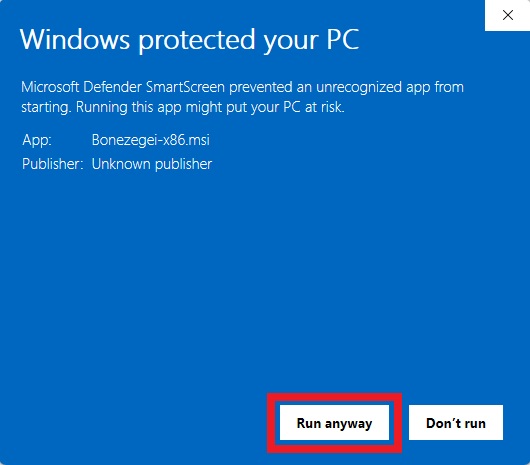
-
The process to the Installation where you are asked to choose directory, just click next and Accept the MIT license. Then click Finish.
Linux Installation
- Download the .deb installer and run the command
sudo apt install ./Bonezegei-x86.deb
Verify Installation
- Go to cmd or open terminal then type the commands. It should show the current version of the Interpreter
- View current Version
bonezegei --version - Test inline scripting
bonezegei -inline "print(\"Hello World\");" - Run Script
bonezegei script_name.bzg
- View current Version
VSCode Usage
- Create New File with file extension .bzg (sxample script.bzg)
- Then Click "Run Script"
Package / Library Installation
-
Packages or external Libraries are available via Bonezegei Package Installer. It is directly along with the interpreter. type the command
- View list of available packages
bzg -list
- Install package/library
bzg install <package_name>
- View list of available packages
Fixes from Versio 1.1
- loadNative absolute path problem